
Loocam LC8P8B-6W42S-186D
Loocam 5MP PoE Security Camera System User Manual
Model: LC8P8B-6W42S-186D
Marca: Loocam
1. Introducció
This manual provides detailed instructions for the installation, operation, and maintenance of your Loocam 5MP PoE Security Camera System. This system is designed for reliable 24/7 surveillance with advanced features such as full-color night vision, AI human and vehicle detection, and two-way audio communication.
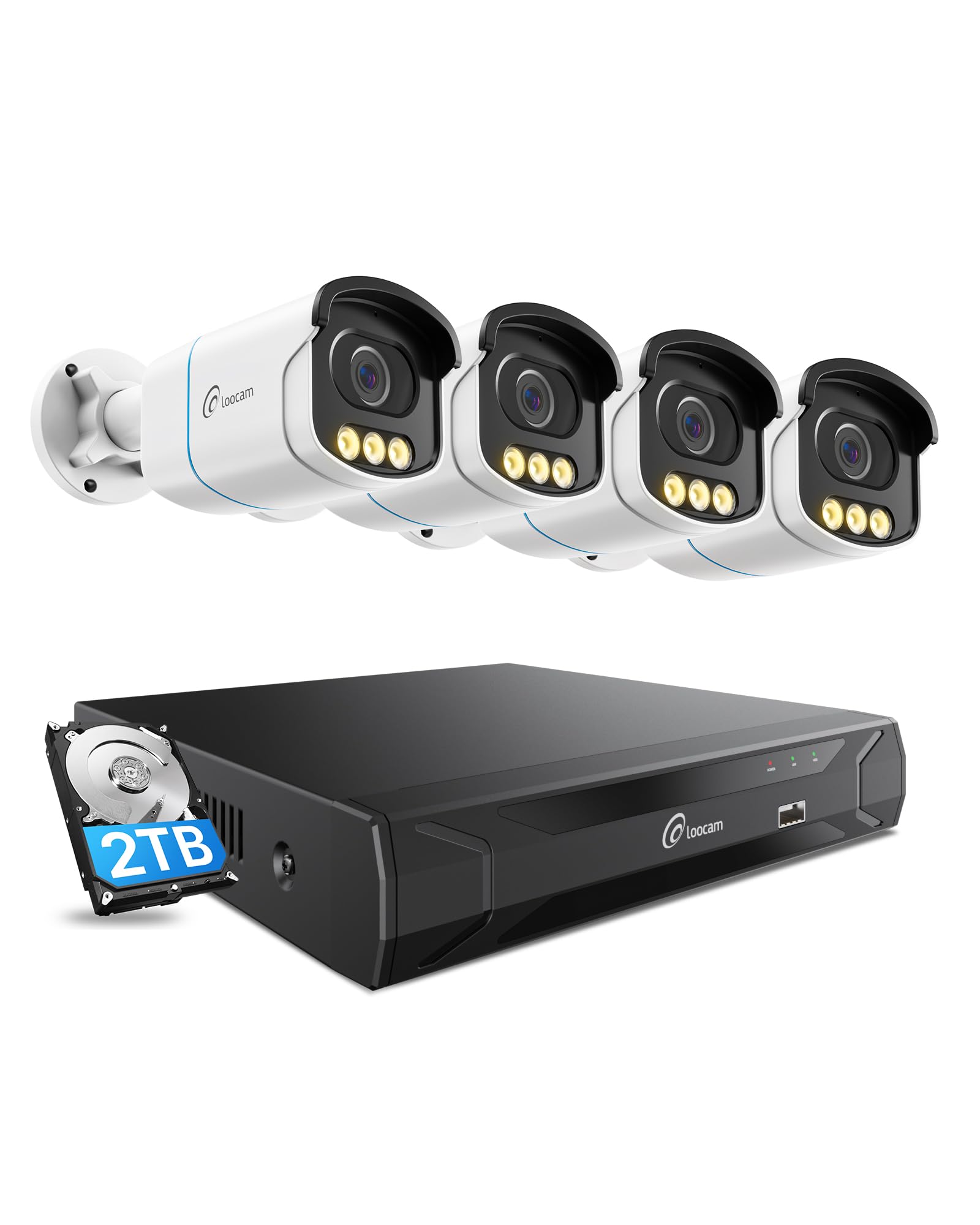
Figure 1: Loocam 5MP PoE Security Camera System components.
2. Contingut del paquet
Verifiqueu que tots els elements que s'enumeren a continuació s'inclouen al vostre paquet:
- 1x 8-Channel 8MP NVR with 2TB Hard Drive Pre-installed
- 4x 5MP PoE IP Cameras
- 4 cables Ethernet de 60 peus
- 1x 1m Ethernet Cable
- 1x NVR Power Supply
- 1 x ratolí USB
- 1x cable HDMI
- 4x cargols de muntatge
- 4x Mounting Templates
- 1x Guia d’inici ràpid
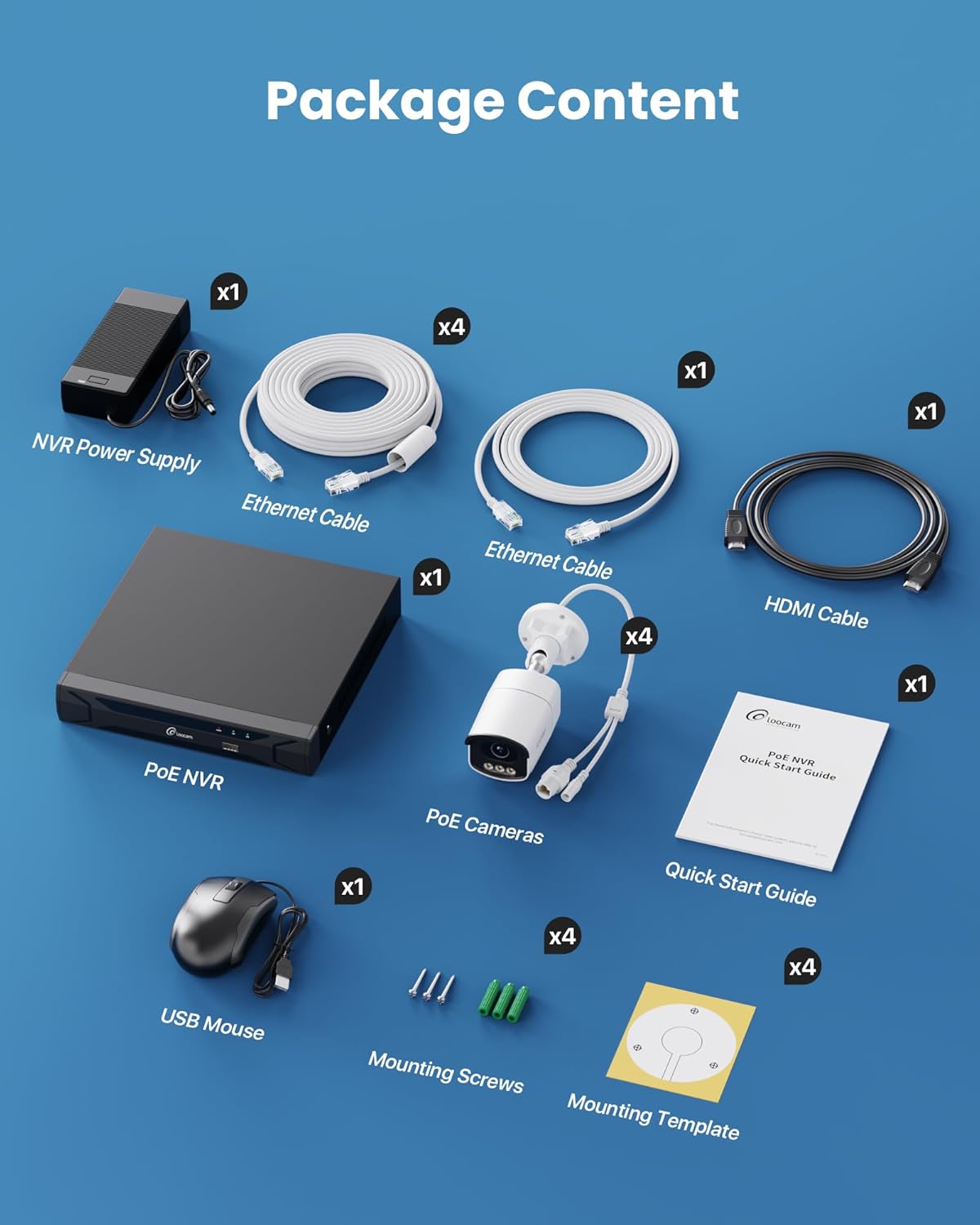
Figure 2: Contents included in the Loocam 5MP PoE Security Camera System package.
3. Configuració del sistema
Follow these steps to set up your Loocam PoE Security Camera System:
- Preparar l'equipament: Ensure you have a monitor, a router with network connection, and a power strip available.
- Connecta l'NVR: Connect the NVR to your monitor using the HDMI cable. Connect the USB mouse to the NVR. Connect the NVR to your router using an Ethernet cable. Finally, connect the NVR power supply and turn on the NVR.
- Connectar càmeres: Connect each 5MP PoE IP camera to an available PoE port on the NVR using the provided Ethernet cables. The NVR will power the cameras and transmit video data.
- Arrencada inicial: Wait for the NVR to boot up and display video feeds from the connected cameras on your monitor.
Video 1: Unboxing and Installation Guide for Loocam PoE Security Camera System. This video demonstrates the physical setup process.
4. Instruccions de funcionament
4.1 Qualitat de vídeo i visió nocturna
The system provides sharp 5MP HD video (2880x1620 resolution) for clear monitoring. It features advanced full-color night vision, ensuring vivid and detailed images even in low-light conditions, providing 24/7 surveillance.

Figure 3: Visual comparison illustrating the enhanced detail of 5MP HD resolution over 1080p.

Figure 4: Demonstration of true full-color night vision providing clearer, more vibrant images at night compared to standard night vision.
Video 2: Loocam 5MP PoE Camera System showcasing True Full Color Night Vision capabilities.
4.2 Smart AI Detection and Alerts
The system utilizes AI to accurately identify people and vehicles, reducing false alarms. When an event is detected, you will receive instant app notifications.
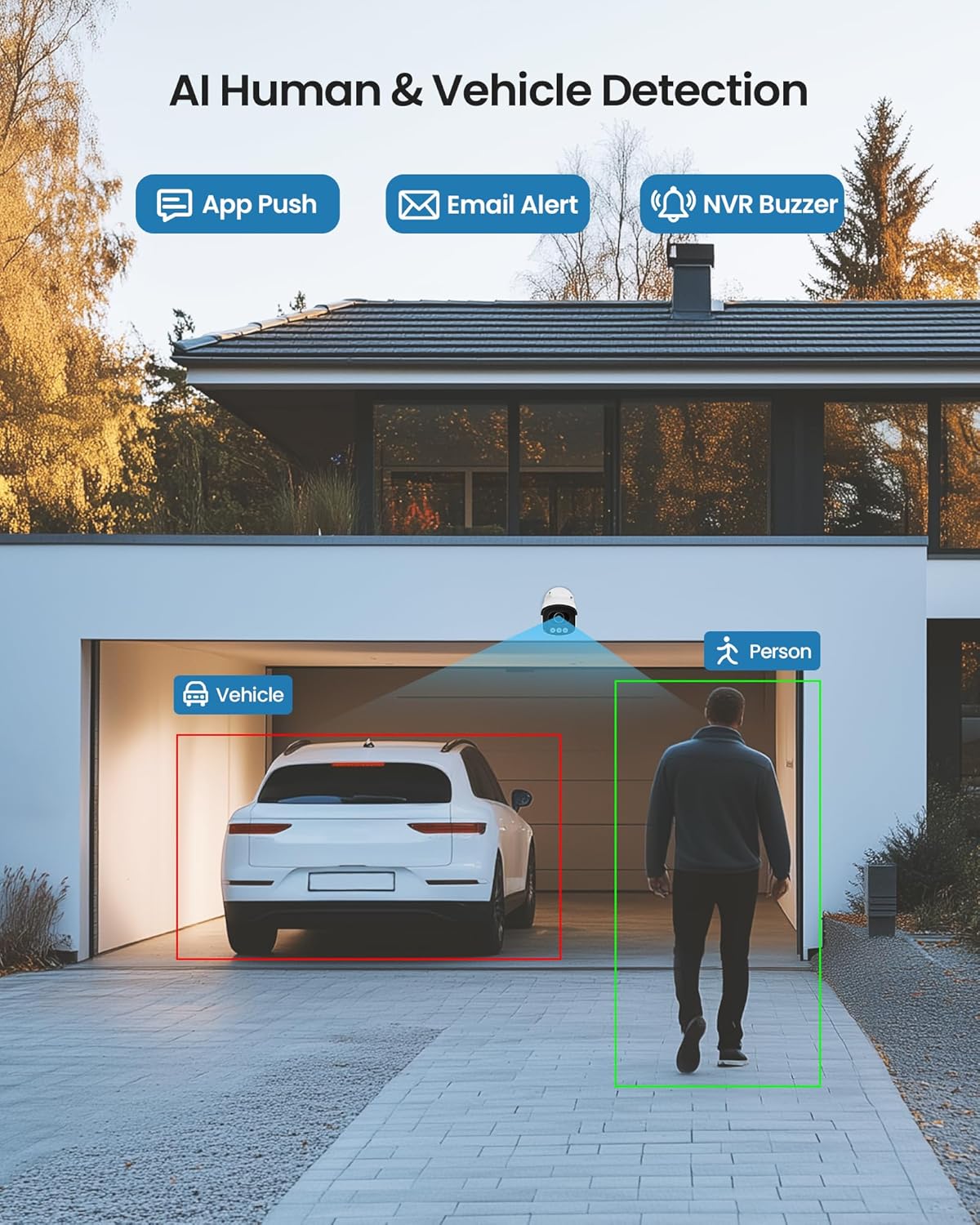
Figure 5: Illustrates the AI system detecting and outlining a person and a vehicle.
4.3 Spotlight and Siren Alarm
The cameras are equipped with a spotlight and siren alarm feature. These can be activated automatically upon detection or manually to deter intruders.
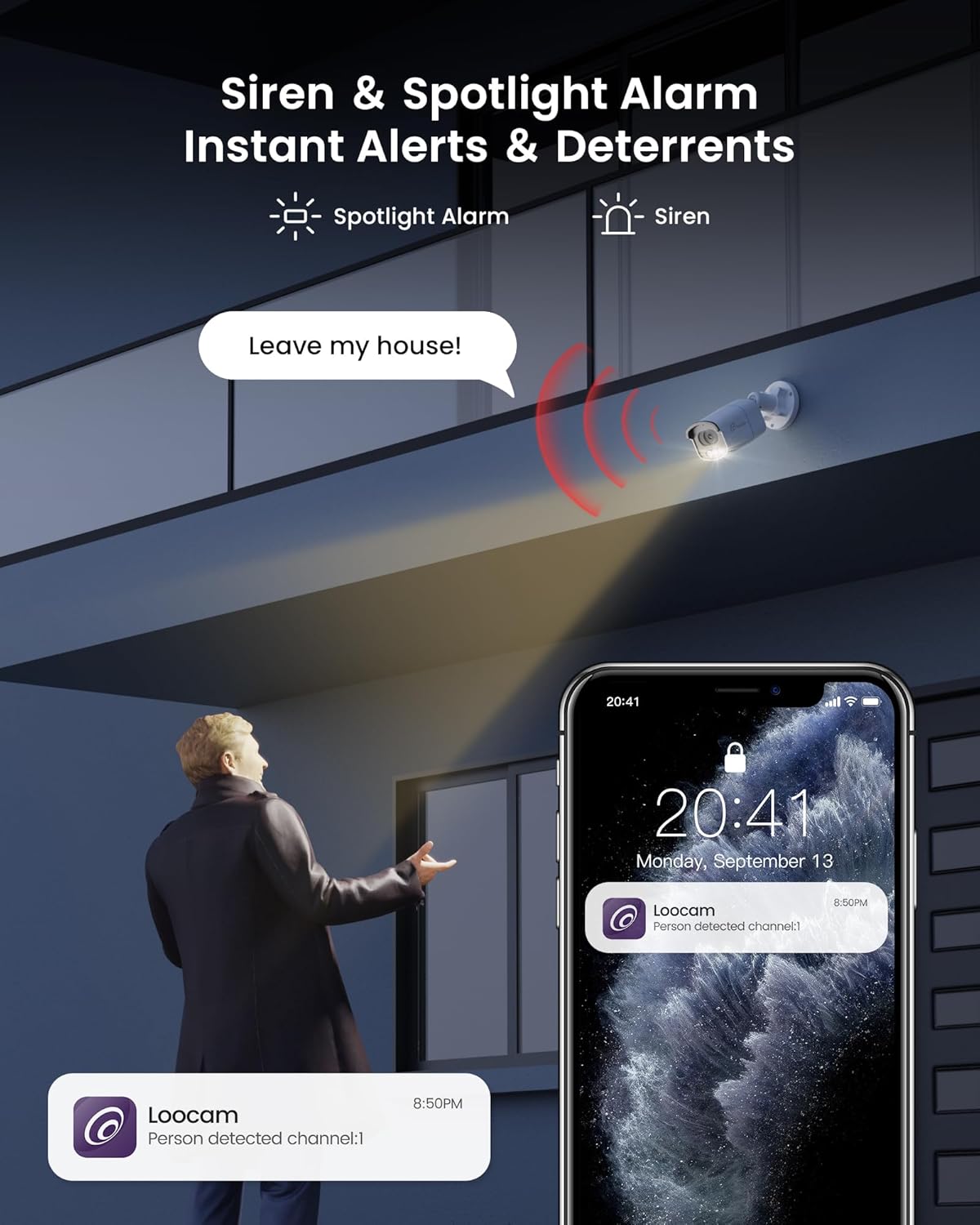
Figure 6: A security camera activating its spotlight and siren, with a corresponding notification on a smartphone.
4.4 Àudio bidireccional
Communicate directly through the camera using the built-in two-way audio feature. This allows you to speak to visitors or warn off unwanted individuals from your smartphone.

Figure 7: A user interacting via two-way audio through the Loocam app on a smartphone.
4.5 Remot Viewing i reproducció
Access live feeds and recorded video anytime, anywhere, using the Loocam app on your smartphone, tablet, or computer. The system supports 24/7 recording to the pre-installed 2TB HDD, which is expandable up to 8TB.

Figure 8: The Loocam app interface displaying continuous recording and smart playback options.
Video 3: Instructions on how to view your Loocam PoE Security Camera System via the mobile application.
4.6 Commercial Features: Zone Monitoring & Traffic Analysis
For business applications, the system offers advanced features such as setting up virtual boundaries for zone alerts and utilizing people counting functionality to analyze foot traffic patterns.

Figura 9: Example of AI-driven passenger flow statistics, including a graph of statistical data.
5. Manteniment
- Neteja regular: Netegeu periòdicament les lents de la càmera amb un drap suau i sec.amp drap per garantir una qualitat d'imatge nítida. Eviteu productes de neteja abrasius.
- Actualitzacions de firmware: Check the Loocam official weblloc web o aplicació per a les actualitzacions de firmware disponibles per garantir un rendiment i una seguretat òptims.
- Inspecció del cable: Regularly inspect all cables for any signs of wear or damage, especially for outdoor installations.
- Gestió del disc dur: El disc dur d'2 TB proporciona ample storage. The system supports automatic overwrite when the disk is full. Consider backing up important footage periòdicament.
6. Solució De Problemes
- Sense visualització de vídeo:
- Ensure the NVR is powered on and connected to the monitor.
- Comproveu les connexions del cable HDMI/VGA.
- Verify cameras are properly connected to PoE ports and NVR is powered.
- Problemes de connexió de xarxa:
- Confirm the NVR is connected to the router via Ethernet.
- Check router status and internet connectivity.
- Restart the NVR and router.
- Remot Viewing Not Working:
- Assegureu-vos que el NVR tingui una connexió a Internet activa.
- Verify the Loocam app is updated to the latest version.
- Check app settings for correct device addition and network configuration.
- Falses alarmes:
- Adjust AI detection sensitivity settings in the NVR or app.
- Define specific detection zones to exclude irrelevant areas.
7. Especificacions
| Característica | Detall |
|---|---|
| Marca | Loocam |
| Número de model | LC8P8B-6W42S-186D |
| Tecnologia de connectivitat | Cablejat (PoE) |
| Resolució de captura de vídeo | 5MP (1944p) |
| Característiques especials | App Control, Full-Color Night Vision, Siren Alarm, Two-Way Audio, Weatherproof (IP66), AI Human/Vehicle Detection |
| Nombre de canals | 8 |
| Capacitat d'emmagatzematge de memòria | 2 TB HDD (Pre-installed), Expandable up to 8 TB |
| Color | Blanc |
| Font d'alimentació | Elèctric amb cable |
| Dimensions de l'article (L x A x A) | 17.2 x 12 x 7.8 polzades |
| Usos recomanats | Outdoor, Indoor, Home, Business, Human Detection, Automatic Overwrite, Audio Recording, IP66 Weatherproof, Smart Playback, Video Recording |
| Dispositius compatibles | Laptops, Personal Computers, Smartphones, TV, Tablets |
| Velocitat de fotogrames | 15, 24, 30 fotogrames per segon |
| Mode d'enregistrament | Event, Schedule |
| Interfície del maquinari | Ethernet |
| Tipus de lent | Arreglat |
| Entrada de vídeo | BNC, RJ45 |
| Compatibilitat amb la llar intel·ligent | Smart Home Compatible |
8. Garantia i Suport
Loocam products come with a standard manufacturer's warranty. For detailed warranty information, technical support, or service inquiries, please refer to the contact information provided in your Quick Start Guide or visit the official Loocam weblloc. Conserveu el rebut de compra per a reclamacions de garantia.
Ask a question about this manual
Ask about setup, troubleshooting, compatibility, parts, safety, or missing instructions. Manuals+ will review the question and use this page’s manual context to help answer it.