
A30C
Generic A30C Mini Portable LED Projector User Manual
Model: A30C | Brand: Generic
Introducció
This manual provides essential information for the safe and effective operation of your Generic A30C Mini Portable LED Projector. Please read this manual thoroughly before using the product and retain it for future reference. This compact, high-definition LED projector is designed to transform any space into a vibrant viewing experience, perfect for movies, gaming, and family entertainment.

Image: The Generic A30C Mini Portable LED Projector, a compact black device with a lens and control buttons on top.
Guia de configuració
1. Desembalatge
Traieu amb cura tots els components de l'embalatge. Assegureu-vos que hi hagi els elements següents:
- Generic A30C Mini Portable LED Projector
- Adaptador d'alimentació
- Comandament a distància (si està inclòs)
- Manual d'usuari (aquest document)
2. Col·locació
Col·loqueu el projector sobre una superfície estable i plana. Per a una òptima viewing, position the projector perpendicular to the projection surface (wall or screen). The projection distance directly affects the screen size. Refer to the diagram below for recommended distances and corresponding screen sizes.

Image: A diagram illustrating recommended projection distances and corresponding screen sizes, ranging from 33 inches at 3.28 feet (1m) to 300 inches at 29.52 feet (9m). A recommended range of 1.5m-3m is highlighted.
Ensure adequate ventilation around the projector to prevent overheating. Do not block the ventilation openings.
3. Connexió d'alimentació
Connect the power adapter to the DC input port on the projector. Plug the other end of the power adapter into a suitable electrical outlet. The power indicator light will illuminate.
Instruccions de funcionament
1. Encendre/apagar
Press the power button on the projector or the remote control to turn the device on. Press it again to turn off the projector.
2. Selecció de la font d'entrada
The projector supports multiple input sources including HDMI, USB, SD card, and audio jack. Use the "Source" button on the projector or remote control to cycle through available input options and select your desired source.

Image: An illustration showing the projector connecting wirelessly via WiFi to Android and iOS devices, and wired via USB cable to other devices, highlighting its versatile connectivity.
- HDMI: Connect to laptops, gaming consoles, Blu-ray players, etc.
- USB: Reprodueix contingut multimèdia files directament des d'una unitat flash USB.
- Targeta SD: Reprodueix contingut multimèdia files directly from an SD memory card.
- Sortida d'àudio: Connecteu altaveus externs o auriculars.
- Connectivitat Bluetooth: Connect to Bluetooth-enabled audio devices.
3. Focusing and Keystone Correction
Adjust the focus ring near the lens until the projected image is clear and sharp. If the image appears trapezoidal, use the keystone correction feature (if available on your model, typically a manual dial or digital setting) to adjust the image to a rectangular shape.
4. Qualitat de visualització
The A30C projector features an LCD imaging system and LED light source, supporting up to 1920 x 1080 pixels for crisp and clear images. Its advanced display technology provides enhanced brightness and contrast compared to standard projectors.
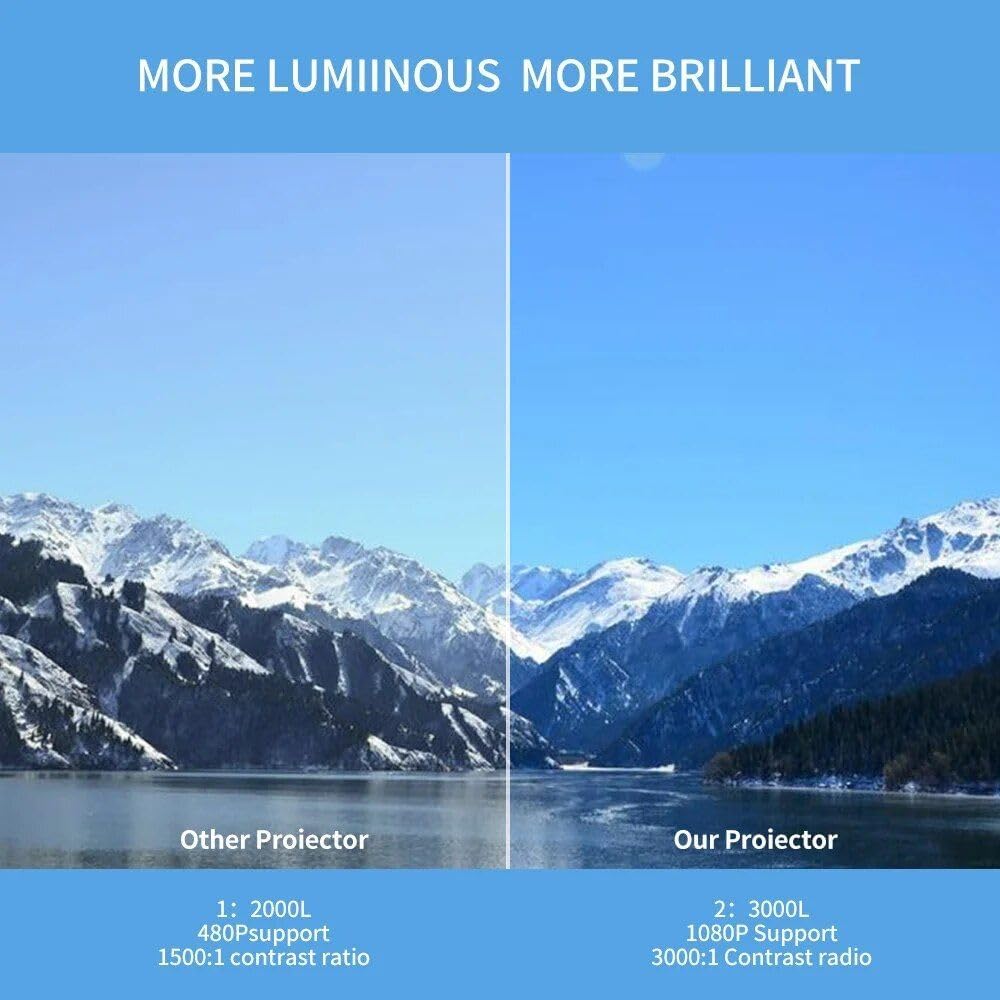
Image: A side-by-side comparison showing the superior brightness and clarity of "Our Projector" (3000L, 1080P Support, 3000:1 Contrast Ratio) versus "Other Projector" (2000L, 480P Support, 1500:1 Contrast Ratio), demonstrating the enhanced visual experience.
Manteniment
1. Neteja
- Lent: Feu servir un drap suau i sense borrissol dissenyat específicament per a lents òptiques. No utilitzeu productes de neteja abrasius ni dissolvents.
- Exterior: Netegeu l'exterior del projector amb un drap suau i sec. Per a la brutícia resistent, netegeu lleugeramentampen el drap amb aigua.
- Ports de ventilació: Periodically check and gently clean the ventilation ports to ensure proper airflow and prevent dust buildup. Use a soft brush or compressed air.
2. Emmagatzematge
Quan no l'utilitzeu durant períodes prolongats, guardeu el projector en un lloc fresc i sec, allunyat de la llum solar directa i de temperatures extremes. Es recomana utilitzar l'embalatge original o una funda protectora per evitar l'acumulació de pols i danys físics.

Image: A hand placing the compact projector into a pant pocket, illustrating its small size and portability for easy storage and transport.
Resolució de problemes
| Problema | Causa possible | Solució |
|---|---|---|
| No es projecta cap imatge | Alimentació no connectada; Font d'entrada incorrecta; Tapa de l'objectiu posada. | Comproveu la connexió d'alimentació; seleccioneu la font d'entrada correcta; traieu la tapa de l'objectiu. |
| La imatge és borrosa | Out of focus; Incorrect projection distance. | Adjust focus ring; Adjust projector distance. |
| La imatge és trapezoïdal | Projector no perpendicular a la pantalla. | Adjust keystone correction; Reposition projector. |
| Sense so | Volum massa baix; Silenciat; Dispositiu d'àudio extern no connectat correctament. | Increase volume; Unmute; Check audio cable connections or Bluetooth pairing. |
| Sobreescalfament | Blocked ventilation; Prolonged use. | Ensure ventilation ports are clear; Allow projector to cool down. |
Especificacions
| Característica | Detall |
|---|---|
| Marca | Genèric |
| Model | A30C |
| Tecnologia de visualització | LCD Imaging System, LED Light Source |
| Resolució nativa | 1280 x 720 píxels |
| Resolució suportada | Up to 1920 x 1080 pixels (1080P) |
| Connectivitat | HDMI, USB, SD Card Slot, Audio Jack, DC Power Input, Bluetooth |
| Color | Negre |
| Pes de l'article | 14.1 unces (aprox. 400 g) |
| Dimensions del producte | 6.3 x 4.72 x 2.16 polzades (aprox. 16 x 12 x 5.5 cm) |
| Ús recomanat | Interior |
| País d'origen | Xina |
Garantia i Suport
This product is covered by a standard manufacturer's warranty. For specific warranty terms and conditions, please refer to the documentation provided at the time of purchase or contact your retailer. For technical support, troubleshooting assistance, or service inquiries, please contact the Generic customer support team through the contact information provided with your purchase or on the official Generic weblloc.
Please have your product model (A30C) and ASIN (B0DM84NGD2) ready when contacting support.
Ask a question about this manual
Ask about setup, troubleshooting, compatibility, parts, safety, or missing instructions. Manuals+ will review the question and use this page’s manual context to help answer it.