
Ergear EGESD7W-CA
Manual d'usuari de l'escriptori elèctric ErGear
Model: EGESD7W-CA | Brand: ErGear
Introducció
Thank you for choosing the ErGear Electric Standing Desk. This manual provides detailed instructions for assembly, operation, maintenance, and troubleshooting to ensure optimal performance and longevity of your desk. Please read this manual thoroughly before installation and use, and retain it for future reference.
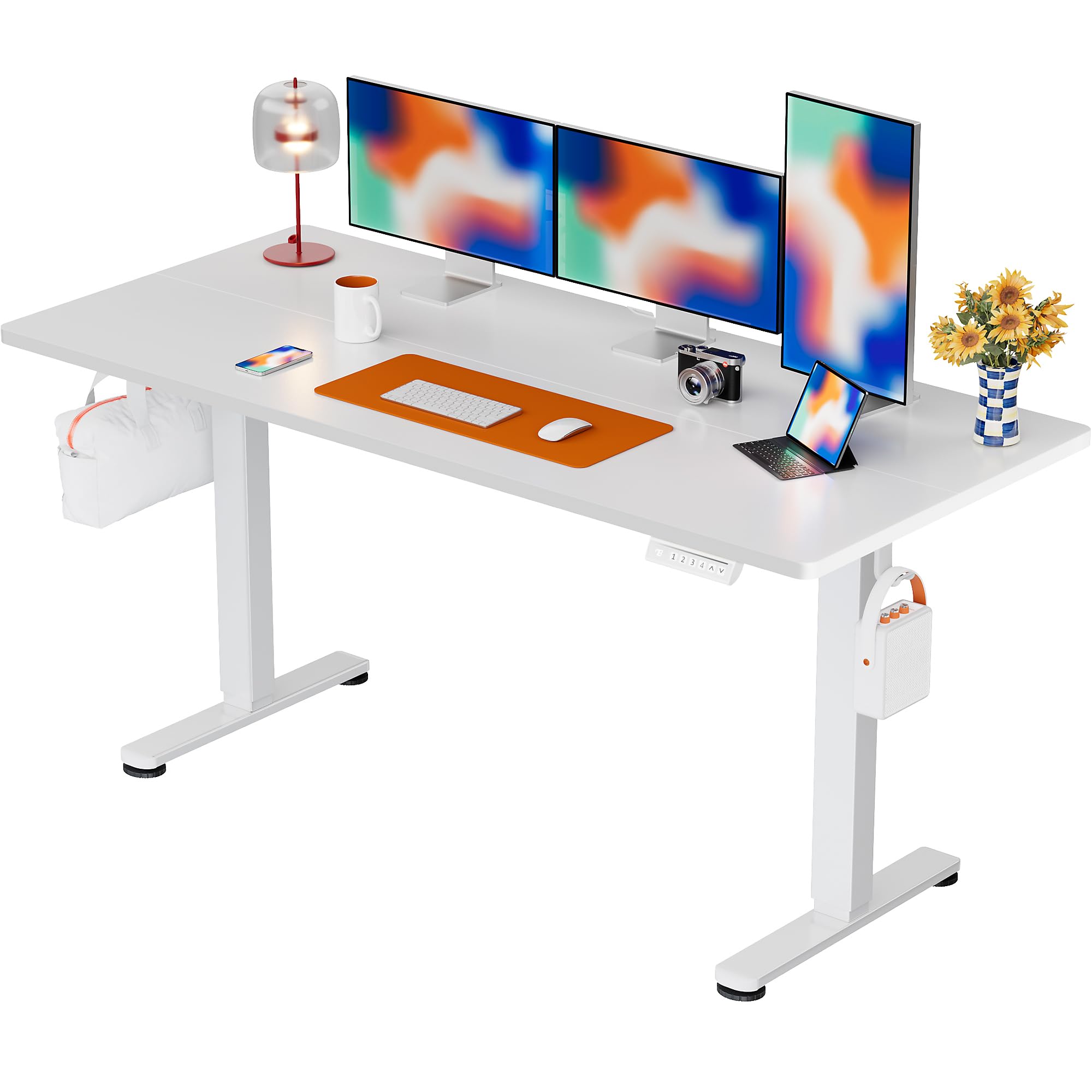
The ErGear Electric Standing Desk, 63x28 inch, in a white finish, featuring a spacious desktop and electric height adjustment capabilities.
Informació de seguretat
- Assegureu-vos que tots els components siguin presents i no estiguin danyats abans del muntatge. No utilitzeu el producte si hi falta alguna peça o si és defectuosa.
- Mantingueu els nens i les mascotes allunyats de l'escriptori durant el funcionament per evitar lesions.
- Do not overload the desk. The maximum weight recommendation is 176 pounds (80 kg).
- Ensure the power cord is not pinched or damaged. Connect to a grounded outlet.
- Eviteu col·locar líquids directament sobre el tauler de control o a prop de components elèctrics.
- Reviseu regularment tots els cargols i connexions per assegurar-vos que estiguin ben ajustats i segurs.
- Aquest escriptori està dissenyat només per a ús interior.
Contingut del paquet
Abans de començar el muntatge, comproveu que tots els components següents estiguin inclosos al paquet:
- Desktop Boards ×2
- Leg with Motor ×1
- Cama × 1
- Leg Bases ×2
- Crossbar & Transmission Rod
- Controller & Power Cable
- Totes les eines de muntatge i el maquinari necessaris
Instruccions de muntatge
Follow these steps carefully to assemble your ErGear Electric Standing Desk. An assembly video is also provided for visual guidance.
Official ErGear Electric Standing Desk Assembly Video. This video demonstrates the step-by-step process for setting up your desk.
Step 1: Assemble the Desk Legs
Attach the leg bases to the desk legs using the provided screws. Ensure they are securely fastened.

The stable T-shaped desk legs provide a sturdy foundation for the electric standing desk.
Step 2: Attach Side Plates and Transmission Rod
Connect the side plates to the desk legs. Insert the transmission rod fully into the left leg and secure it. If the two desk legs are not at the same height, insert the rod into the left leg and turn to adjust.
Step 3: Assemble and Attach the Desktop
Place the two desktop boards together, aligning the dowels. Secure the desktop to the assembled frame using the provided screws and brackets. Ensure all connections are tight.
Pas 4: connecteu els cables
Connect the motor and control panel cables to the main control box. Ensure all connections are firm and correctly oriented.
Step 5: Install Cable Hole Covers
Place the cable hole covers into the designated openings on the desktop to manage wires neatly.

Ergonomic guidelines for using the standing desk, showing optimal monitor and arm positions for both sitting and standing.
Instruccions de funcionament
Tauler de control acabatview
The desk features an intuitive control panel with height adjustment buttons and memory presets.
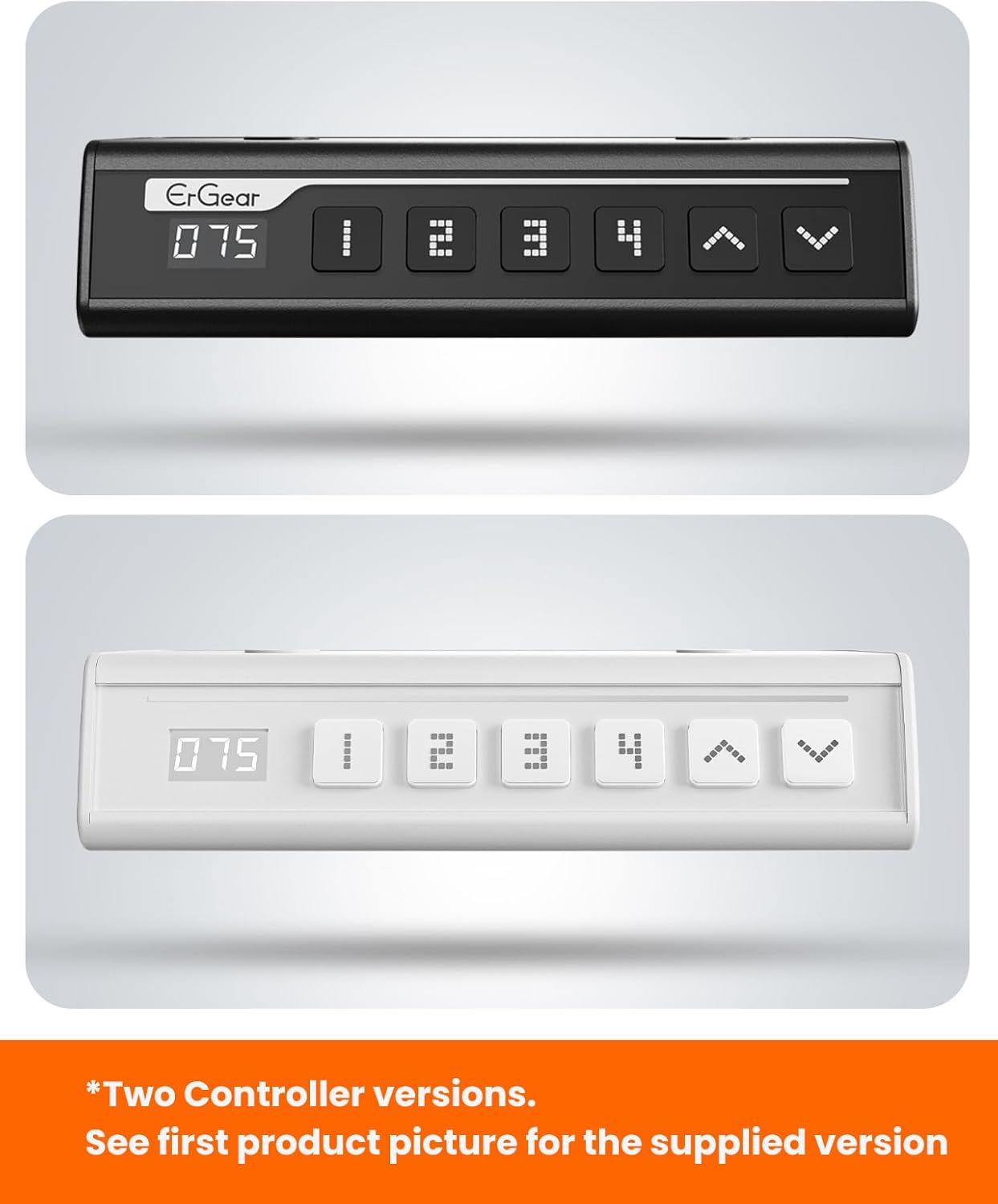
The ErGear control panel, available in two versions, features a digital height display and four programmable memory settings.
Ajust d'alçada
- Utilitza el Amunt (^) i Avall (v) arrows to smoothly adjust the desk height between 28.35 inches and 46.46 inches.
- Deixeu anar el botó a l'alçada desitjada.
Presets de memòria
The desk allows you to save up to 4 preferred height settings.
- Ajusteu l'escriptori a l'alçada desitjada amb les fletxes amunt/avall.
- Premeu el botó M button (or equivalent memory set button). The display will flash.
- Premeu un dels botons predefinits numerats (1, 2, 3 o 4) en 3 segons per desar l'alçada actual a aquesta configuració predefinida.
- Per recuperar una alçada desada, només cal que premeu el botó preestablert numerat corresponent. L'escriptori es mourà automàticament a la posició desada.
This video demonstrates the smooth and quiet operation of the ErGear Electric Standing Desk, showcasing its height adjustment and memory preset features.
Manteniment
- Neteja: Netegeu l'escriptori i el marc amb un drap suauamp drap. Eviteu productes químics agressius o netejadors abrasius.
- Inspecció: Periodically check all screws and connections for tightness. Re-tighten if necessary.
- Gestió de cables: Ensure cables are neatly organized and not tangled or pinched to prevent damage.
Resolució de problemes
Si teniu algun problema amb el vostre escriptori elèctric ErGear, consulteu els següents problemes i solucions habituals:
| Problema | Causa possible | Solució |
|---|---|---|
| L'escriptori no es mou | Power cable disconnected, motor error, overloaded desk. | Check power connections. Unplug for 30 seconds and plug back in. Reduce weight on the desk. |
| Altura desigual | Transmission rod not fully inserted or adjusted. | Refer to Step 2 of assembly to ensure the transmission rod is correctly installed and adjusted. |
| Soroll durant el funcionament | Normal operation sound, loose screws. | A slight motor sound is normal. Check and tighten any loose screws on the frame. |
| Els preajustaments de memòria no funcionen | Procediment de desament incorrecte. | Follow the memory preset instructions carefully (press M, then the number within 3 seconds). |
Especificacions
| Característica | Detall |
|---|---|
| Marca | ErGear |
| Número de model | EGESD7W-CA |
| Disseny d'escriptori | Escriptori |
| Forma | Rectangular |
| Dimensions del producte (P x A x A) | 71.1P x 160A x 118H centímetres |
| Mida | 63 * 28 polzades |
| Color | Blanc |
| Altura mínima | 28.35 polzades |
| Altura màxima | 46.46 polzades |
| Gruix de la taula | 1.5 centímetres |
| Material base | Acer d'aliatge |
| Tipus de material superior | Engineered Wood (Walnut Wood finish) |
| Característiques especials | Alçada regulable, elèctric, ergonòmic |
| Recomanació de pes màxim | 176 lliures (80 kg) |
| Muntatge obligatori | Sí (inclou totes les eines de muntatge) |
Garantia i Suport
ErGear is committed to providing high-quality products and customer satisfaction. This product comes with:
- Protecció de 5 anys on the desktop and desk frame.
- Protecció de 2 anys on motors and electrical components.
For any questions, concerns, or warranty claims, please contact ErGear customer support. You can typically find contact information on the product packaging or the official ErGear website. Please have your model number (EGESD7W-CA) and purchase details ready when contacting support.

The ErGear Electric Standing Desk seamlessly integrates into various home office environments.
Ask a question about this manual
Ask about setup, troubleshooting, compatibility, parts, safety, or missing instructions. Manuals+ will review the question and use this page’s manual context to help answer it.