
VENTION FHYB0
Manual d'usuari del banc d'energia VENTION de 65 W i 20000 mAh
Model: FHYB0
Marca: VENTION
Producte acabatview
The VENTION 65W 20000mAh Power Bank is a high-capacity portable charger designed to provide rapid power to a wide range of devices, including laptops, smartphones, and tablets. Its compact design, integrated USB-C cable, and clear LED digital display make it an essential companion for users on the go. This power bank is engineered for efficiency and safety, ensuring reliable charging performance.
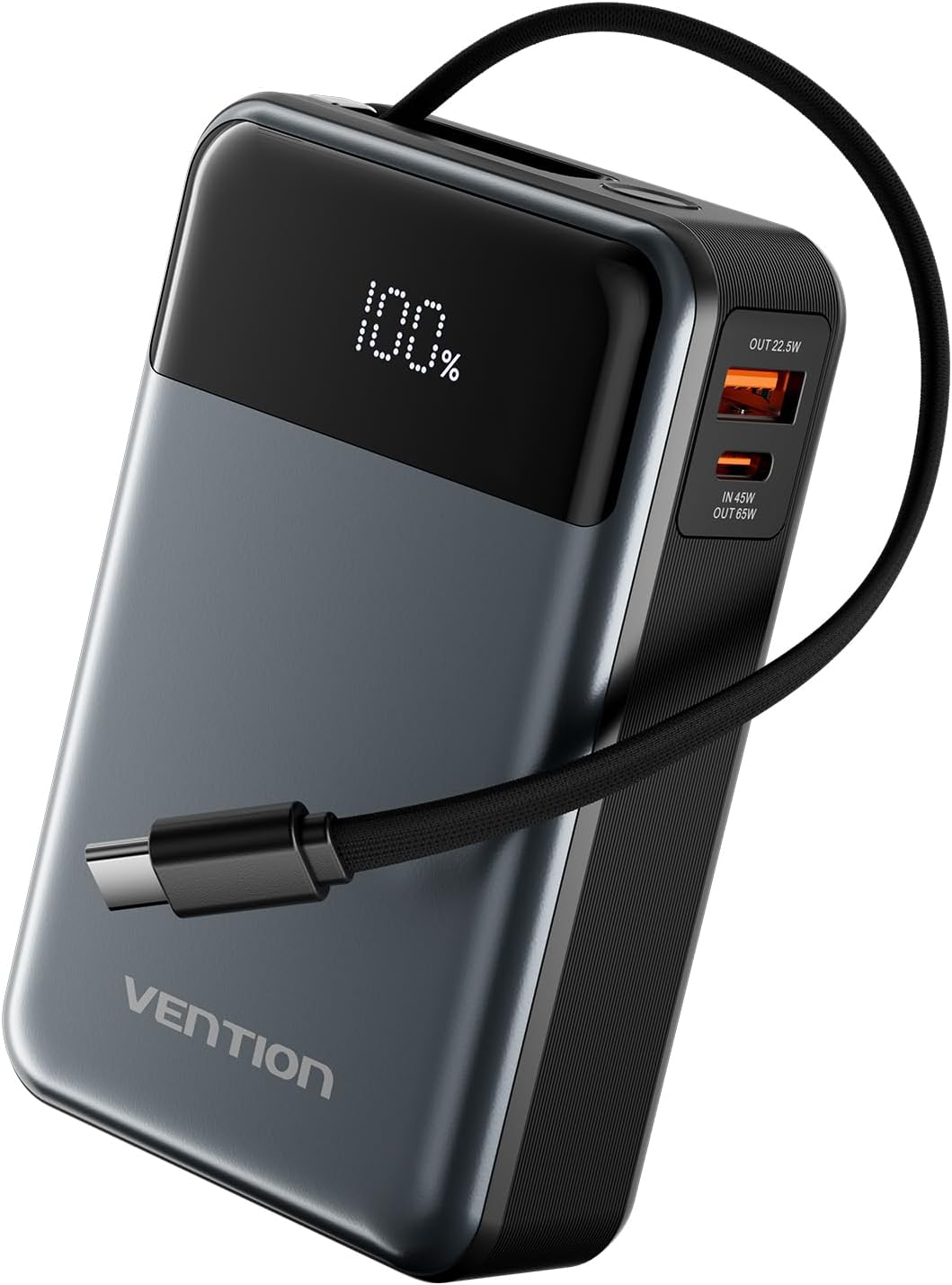
Image: The VENTION 65W 20000mAh Power Bank, showcasing its sleek design, LED digital display, and integrated USB-C charging cable.
Característiques clau
- Càrrega ultraràpida de 65 W: Delivers 65W Power Delivery (PD) fast charging, capable of charging a MacBook Pro 14 to 50% in approximately 35 minutes. The power bank itself can be fully recharged in about 1.5 hours.
- Capacitat massiva de 20000 mAh: Provides multiple charges for various devices, such as an iPhone 16 Pro (approx. 3.9 times), iPad Mini (approx. 2.7 times), or Galaxy S22 Ultra (approx. 3 times).
- Ultra-Compact & Portable Design: Slim and lightweight, featuring a built-in USB-C cable for convenience and a handy strap for easy portability.
- Àmplia compatibilitat: Equipped with 1 USB-C (65W), 1 USB-A, and a built-in USB-C cable, allowing simultaneous charging of up to 3 devices. Compatible with MacBook Pro, iPhone, Galaxy, Xiaomi, iPad, and more.
- LED Digital Display & Safety Protection: Real-time battery status display. Built-in multiple safety protections including short circuit, overvoltage, protecció contra sobrecorrent, sobredescàrrega, polaritat inversa i sobrepotència.
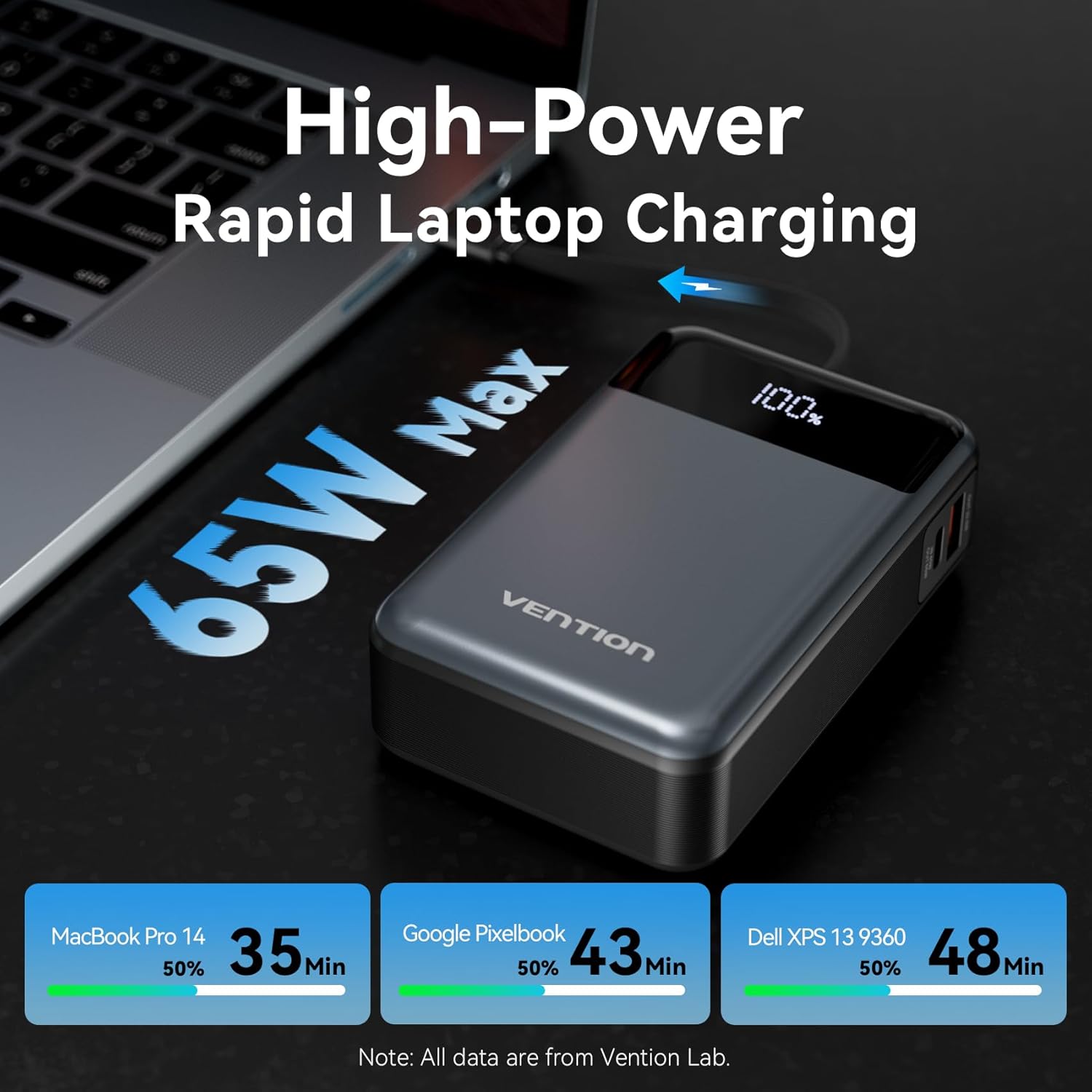
Image: Illustration of the 65W rapid charging capability for laptops like MacBook Pro, Google Pixelbook, and Dell XPS.

Image: Visual representation of the 20000mAh capacity, showing approximate charge cycles for various smartphones and tablets.

Image: Details highlighting the convenient lanyard design and the clear LED digital display for battery status.
Configuració
Càrrega inicial del banc d'energia
Before first use, it is recommended to fully charge your VENTION Power Bank. Connect the built-in USB-C cable or a separate USB-C cable to the 'IN 45W / OUT 65W' USB-C port on the power bank and plug the other end into a compatible USB-C wall charger (not included). The LED digital display will show the charging progress, indicating 100% when fully charged.
Connexió de dispositius per a la càrrega
El banc d'energia ofereix múltiples opcions de sortida:
- Cable USB-C integrat: For direct connection to USB-C compatible devices.
- USB-C Port (IN 45W / OUT 65W): For high-power output to laptops and other USB-C devices.
- USB-A Port (OUT 22.5W): For standard USB-A compatible devices.
Simply connect your device's charging cable to the appropriate port on the power bank. The power bank will automatically begin charging your device.

Image: Demonstrates the convenience of the built-in USB-C fast charging cable for both self-charging the power bank and charging other devices.
Instruccions de funcionament
Carregant els teus dispositius
The VENTION Power Bank supports single, dual, and triple-port charging configurations:
- Single-Port Use: Utilize any single port (built-in USB-C, USB-C, or USB-A) for maximum power output to one device. The USB-C port can deliver up to 65W.
- Dual-Port Use: Connect two devices simultaneously. The power bank will intelligently distribute power. For example, using the USB-C and USB-A ports will provide 5V-3A (15W) combined output.
- Triple-Port Use: Charge up to three devices concurrently using the built-in USB-C cable, USB-C port, and USB-A port. The total combined output will be 5V-3A (15W).

Image: Diagram illustrating the various power output configurations for single, dual, and triple-port usage.
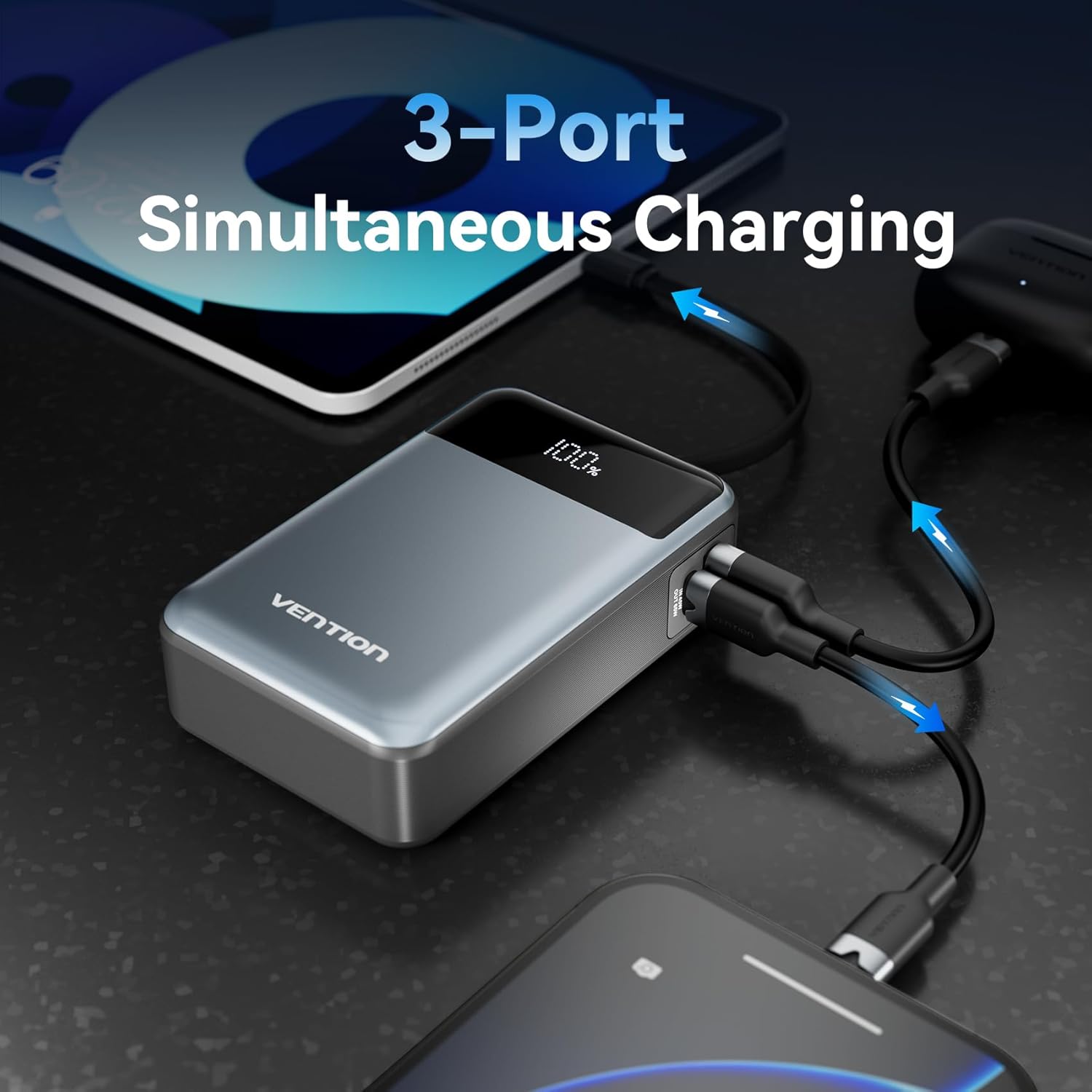
Image: A visual example of the power bank simultaneously charging a laptop, tablet, and smartphone.
Comprovació del nivell de la bateria
The integrated LED digital display provides a clear, real-time percentage of the remaining battery capacity. Simply press the power button (if available, or it activates automatically upon connection) to view the current charge level. This allows you to easily monitor the power bank's status and plan your recharges.
Manteniment
Proper maintenance ensures the longevity and optimal performance of your VENTION Power Bank.
- Neteja: Use a soft, dry cloth to wipe the surface of the power bank. Avoid using harsh chemicals, abrasive cleaners, or excessive moisture, as these can damage the device.
- Emmagatzematge: Store the power bank in a cool, dry place away from direct sunlight, extreme temperatures (both hot and cold), and high humidity. If storing for extended periods, ensure the battery is charged to about 50-70% to preserve battery health.
- Cura de la bateria: To maximize the lifespan of the Lithium Ion battery, avoid completely draining it frequently. Recharge the power bank when the battery level is low, rather than waiting for it to shut down.
- Manipulació: No deixis caure, desmuntis ni intentis reparar el banc d'energia vosaltres mateixos. Això pot anul·lar la garantia i plantejar riscos per a la seguretat.
Resolució de problemes
If you encounter issues with your VENTION Power Bank, refer to the following common problems and solutions:
| Problema | Causa possible | Solució |
|---|---|---|
| El banc d'energia no es carrega | Charging cable or adapter faulty; power bank fully charged; charging port obstructed. | Try a different USB-C cable and wall adapter. Check if the power bank is already at 100%. Ensure charging ports are clean and free of debris. |
| El dispositiu no es carrega des del banc d'energia | Power bank battery low; device cable faulty; incompatible device; power bank in standby mode. | Check power bank's battery level. Try a different charging cable for your device. Ensure your device is compatible with the power bank's output. Press the power button to activate output. |
| Càrrega lenta | Using a low-power adapter/cable; multiple devices connected; device not supporting fast charging. | Use a 45W or higher PD charger for the power bank. If charging multiple devices, output is shared. Ensure your device supports 65W PD for fastest charging. |
| La pantalla LED no funciona | Power bank off; temporary glitch. | Press the power button to activate the display. If issue persists, try fully charging the power bank. |
Especificacions tècniques
| Característica | Especificació |
|---|---|
| Número de model | FHYB0 |
| Capacitat de la bateria | 20000 mAh |
| Potència de sortida màxima | 65 W (USB-C PD) |
| Potència d'entrada | 45 W (USB-C) |
| Ports de sortida | 1 x USB-C (65W), 1 x USB-A (22.5W), 1 x Built-in USB-C Cable |
| Composició de les cèl·lules de la bateria | Ió de liti |
| Dimensions del producte | 6.81 x 10.8 x 3.27 cm |
| Pes del producte | 370 g |
| Característiques especials | LED Digital Display, Built-in Cable, Pocket Size |
| Usos recomanats | Laptop, Phone |
| País d'origen | Xina |

Image: Diagram showing the precise dimensions of the VENTION Power Bank (68.1mm x 108mm x 32.7mm).
Informació de seguretat
Your VENTION Power Bank is designed with multiple safety features to ensure secure and reliable operation. Please adhere to the following safety guidelines:
- No exposeu el banc d'energia a temperatures extremes, llum solar directa ni humitat elevada.
- Eviteu deixar caure, perforar o desmuntar el dispositiu.
- Mantenir fora de l'abast dels nens.
- No utilitzeu el banc d'energia extern si està danyat, inflat o té fuites.
- Desfeu-vos del banc d'energia de manera responsable d'acord amb la normativa local sobre residus electrònics.
- The power bank includes built-in protections against short circuit, overvoltage, overcurrent, over-discharge, reverse polarity, and over-power.
Garantia i Suport
The VENTION 65W 20000mAh Power Bank comes with a standard manufacturer's warranty. For specific warranty terms, conditions, and duration, please refer to the warranty card included with your product or visit the official VENTION weblloc.
For technical support, troubleshooting assistance, or any product-related inquiries, please contact VENTION customer service. You can often find contact information on the product packaging, the official VENTION weblloc web o a través del venedor on vau comprar el producte.
You can also visit the VENTION Store on Amazon for more information and products: VENTION Store
Ask a question about this manual
Ask about setup, troubleshooting, compatibility, parts, safety, or missing instructions. Manuals+ will review the question and use this page’s manual context to help answer it.