
Introducció
Thank you for choosing the AWEI T28 Wireless Earbuds. This manual provides detailed instructions for setting up, operating, and maintaining your earbuds to ensure optimal performance and longevity. Please read this manual thoroughly before using the product.
Contingut del paquet
Verifiqueu que tots els elements siguin presents al vostre paquet:
- Wireless Bluetooth Headset (Left and Right Earbuds)
- Wireless Bluetooth Headset Charging Case
- Cable de càrrega USB-C
- Instruccions d'ús (aquest manual)
Producte acabatview
The AWEI T28 Wireless Earbuds are designed for a comfortable in-ear fit, offering high-fidelity audio and clear call performance. They feature Bluetooth 5.3 technology for stable connectivity and touch controls for easy operation.

Figura 1: AWEI T28 Wireless Earbuds and Charging Case. This image displays the white earbuds resting inside their open charging case, highlighting their compact and sleek design.

Figura 2: Earbuds and Charging Case. The image shows the earbuds removed from the charging case, which is open, illustrating the product's design and indicating its readiness for use or charging.
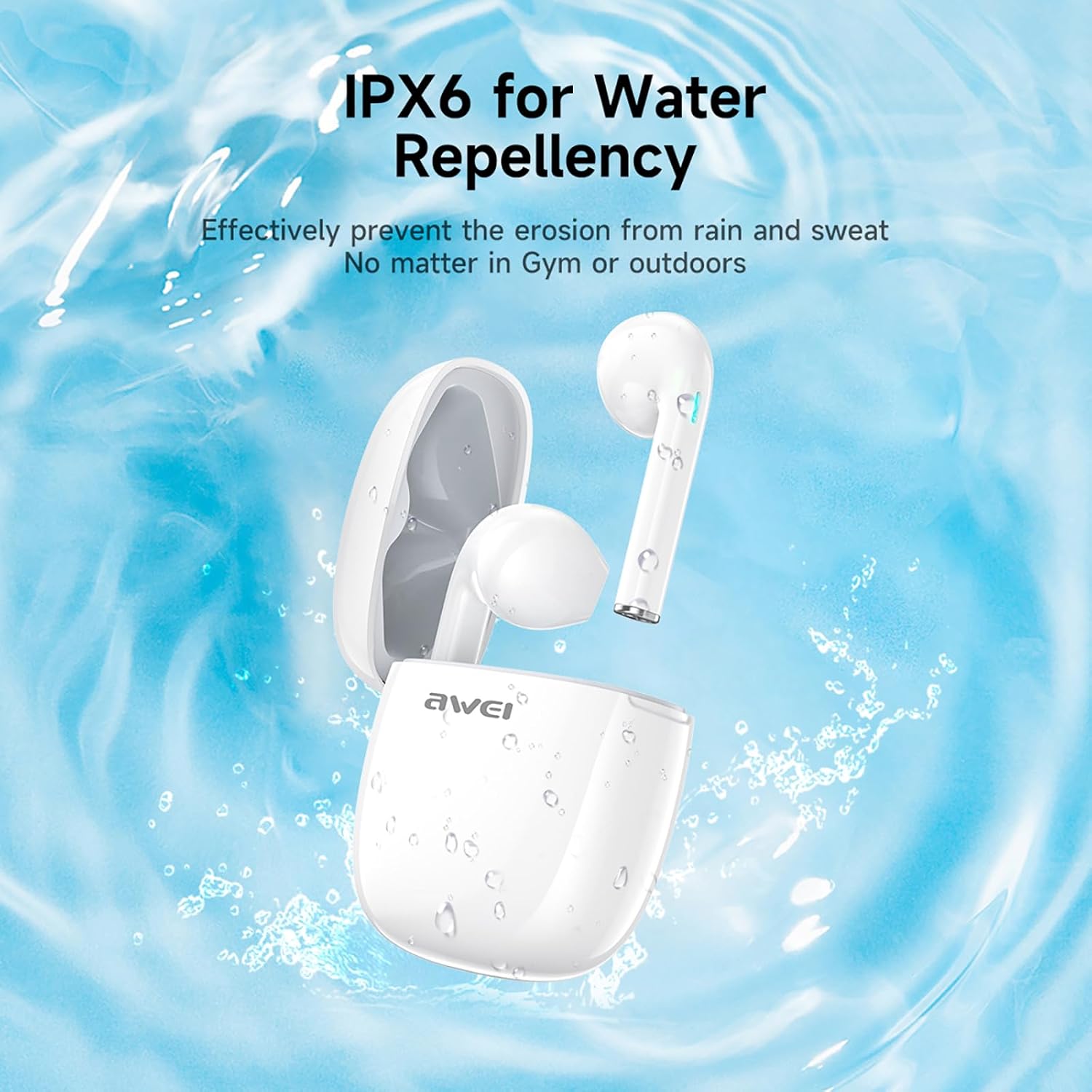
Figura 3: IPX6 Water Repellency. This image depicts the earbuds and charging case with water splashes, visually representing their IPX6 waterproof rating, suitable for use during exercise or in light rain.
Configuració
1. Càrrega dels auriculars i l'estoig
- Càrrec inicial: Abans del primer ús, carregueu completament els auriculars i l'estoig de càrrega.
- Càrrega de la caixa: Connect the provided USB-C charging cable to the charging port on the case and to a USB power source. The charging time for the case is approximately 1.5 hours.
- Càrrega dels auriculars: Place the earbuds into the charging case. They will automatically begin charging. The earbuds provide approximately 7 hours of continuous use per charge. The charging case extends total playback time to 35 hours in dual-ear mode, or up to 70 hours in single-ear mode by alternating earbuds.
- Indicadors de bateria: Refer to the LED indicators on the case and earbuds for charging status.
2. Vinculació amb un dispositiu
- Encès: Obre l'estoig de càrrega. Els auriculars s'encendran automàticament i entraran en mode d'emparellament.
- Activa el Bluetooth: Al telèfon intel·ligent, la tauleta o un altre dispositiu compatible amb Bluetooth, aneu a la configuració de Bluetooth i activeu el Bluetooth.
- Seleccioneu el dispositiu: Look for "AWEI T28" in the list of available devices and select it to connect.
- Confirmació: Once connected, you will hear an audio prompt from the earbuds, and the device's Bluetooth settings will show "AWEI T28" as connected.
- Reconnexió automàtica: After the initial pairing, the earbuds will automatically connect to the last paired device when removed from the charging case, provided Bluetooth is enabled on the device.
Instruccions de funcionament
Controls tàctils
The AWEI T28 earbuds feature smart touch controls on each earbud for convenient management of audio playback and calls.
- Reproduir/pausa: Un sol toc a qualsevol dels auriculars.
- Següent cançó: Toca dues vegades l'auricular dret.
- Cançó anterior: Toca dues vegades l'auricular esquerre.
- Pujar el volum: Toca tres vegades l'auricular dret.
- Baixar el volum: Toca tres vegades l'auricular esquerre.
- Respondre/Finalitzar la trucada: Toqueu un sol cop a qualsevol dels auriculars durant una trucada entrant.
- Rebutja la trucada: Premeu i manteniu premut qualsevol dels auriculars durant 2 segons durant una trucada entrant.
- Activa l'Assistent de veu: Press and hold either earbud for 3 seconds (functionality may vary by device).
Monaural and Binaural Mode
The earbuds support both monaural (single earbud) and binaural (both earbuds) modes. You can seamlessly switch between modes:
- Mode binaural: Traieu els dos auriculars de l'estoig de càrrega. Es connectaran automàticament entre si i després al dispositiu.
- Mode monoaural: Remove only one earbud from the charging case. It will connect to your device independently. You can place the other earbud back in the case or keep it off.
- Canvi: If using one earbud, simply remove the other from the case to automatically switch to binaural mode. If using both, place one back in the case to switch to monaural mode.
Manteniment
Proper maintenance ensures the longevity and performance of your AWEI T28 Wireless Earbuds.
- Neteja: Netegeu regularment els auriculars i l'estoig de càrrega amb un drap suau, sec i sense borrissol. No utilitzeu netejadors abrasius ni dissolvents.
- Consells per a les orelles: If applicable, gently remove ear tips and clean them with mild soap and water, then dry thoroughly before reattaching.
- Contactes de càrrega: Assegura't que els contactes de càrrega tant dels auriculars com de l'interior de la funda estiguin nets i lliures de residus per mantenir una càrrega correcta.
- Resistència a l'aigua: The earbuds are IPX6 waterproof, meaning they are resistant to strong jets of water. However, they are not designed for swimming or submersion. Ensure they are dry before placing them back in the charging case.
- Emmagatzematge: Quan no els utilitzeu, guardeu els auriculars a la funda de càrrega per protegir-los de la pols i els danys. Guardeu-los en un lloc fresc i sec, allunyat de temperatures extremes.
Resolució de problemes
If you encounter issues with your AWEI T28 Wireless Earbuds, refer to the following common solutions:
- Auriculars que no s'aparellen amb el dispositiu:
- Assegureu-vos que els dos auriculars estiguin completament carregats.
- Desactiva el Bluetooth al dispositiu i torna'l a activar.
- Forget "AWEI T28" from your device's Bluetooth list and attempt to pair again.
- Ensure the earbuds are in pairing mode (usually indicated by flashing LED lights).
- Prova d'emparellar-lo amb un altre dispositiu per descartar problemes específics del dispositiu.
- Només funciona un auricular:
- Place both earbuds back into the charging case, close the lid, wait a few seconds, then open the lid and remove both earbuds simultaneously.
- Assegureu-vos que els dos auriculars estiguin carregats.
- Check if the earbuds are connected in monaural mode. If so, try re-pairing both earbuds.
- Auriculars que no es carreguen:
- Assegureu-vos que la caixa de càrrega estigui carregada.
- Check that the charging contacts on the earbuds and inside the case are clean and free of obstructions.
- Assegureu-vos que els auriculars estiguin correctament col·locats a l'estoig de càrrega.
- Proveu d'utilitzar un cable USB-C o un adaptador d'alimentació diferent.
- Volum baix o qualitat de so deficient:
- Ajusta el volum tant al dispositiu com als auriculars.
- Assegureu-vos que els auriculars estiguin correctament col·locats a les orelles per a un bon segellat.
- Netegeu qualsevol cerumen o restes de les boquilles dels auriculars.
- Try playing different audio sources to determine if the issue is with the earbuds or the audio file.
- La connexió cau amb freqüència:
- Ensure there are no significant obstacles (walls, large electronic devices) between the earbuds and your connected device.
- Keep the earbuds within the 10-meter Bluetooth range of your device.
- Avoid environments with high Wi-Fi or other wireless interference.
Especificacions
| Model | T28 |
| Marca | Awei |
| Tecnologia de connectivitat | Sense fil (Bluetooth 5.3) |
| Col·locació de l'orella | A l'orella |
| Tipus de control | Control tàctil |
| Nivell de resistència a l'aigua | IPX6 impermeable |
| Battery Average Life (Earbuds) | 7 hores |
| Temps de reproducció total amb estoig de càrrega | Up to 35 Hours (Dual-ear), 70 Hours (Single-ear) |
| Temps de càrrega (cas) | 1.5 hores |
| Material | Silicona |
| Pes de l'article | 150 g |
| Dispositius compatibles | Smartphones, Computers, TVs |
Garantia i Suport
For warranty information and customer support, please refer to the documentation provided with your purchase or contact the retailer where you purchased the AWEI T28 Wireless Earbuds. Keep your proof of purchase for any warranty claims.
For further assistance, you may also visit the official Awei weblloc web o contacteu directament amb el seu servei d'atenció al client.