
1. Introducció
This manual provides detailed instructions for the installation, operation, and maintenance of your SEBSON Outdoor Motion Detector IP65. Please read this manual carefully before installation and use to ensure proper function and safety. Keep this manual for future reference.
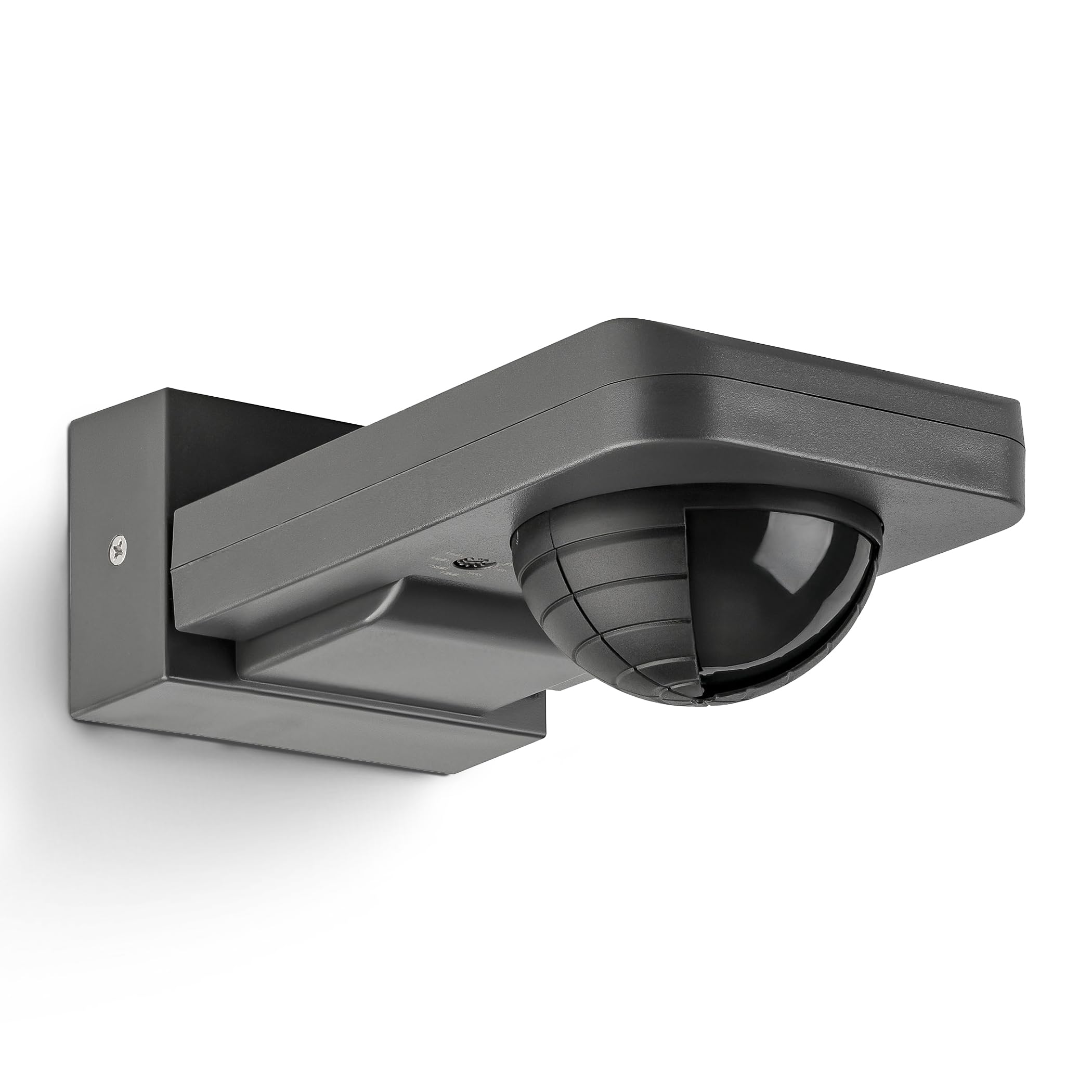
Image 1: SEBSON Outdoor Motion Detector IP65 in anthracite.
2. Instruccions de seguretat
- La instal·lació ha de ser realitzada per un electricista qualificat d'acord amb les normatives locals de cablejat.
- Assegureu-vos que la font d'alimentació estigui desconnectada abans de la instal·lació o el manteniment.
- Do not exceed the maximum load capacity specified for the device.
- This product is designed for outdoor use with an IP65 rating, protecting against dust and low-pressure water jets.
- Avoid installing near heat sources, air conditioning units, or objects that may cause false triggers (e.g., swaying trees, reflective surfaces).
3. Característiques del producte
- Integrated with 3 sensors for precise detection of people, large animals, and vehicles.
- IP65 protection rating for outdoor use.
- Suitable for surface mounting on walls or ceilings.
- Maximum load capacity: 2,000W for incandescent lamps, 1,000W for LED or energy-saving lamps.
- Detection area: 20 meters at 360°.
- Vertical orientation adjustable by 180°.
- Adjustable activation duration: 10 seconds to 30 minutes, or permanent ON/OFF.
- Adjustable ambient brightness sensor: 3-2,000 LUX.

Imatge 2: acabatview of key product specifications and features.
4. Configuració i instal·lació
4.1 Ubicació de muntatge
Choose a stable surface for mounting, either a wall or a ceiling. Ensure the chosen location allows for the desired detection area and is free from obstructions. The detector can be vertically oriented by 180° after installation.

Image 3: Vertical adjustment range of the motion detector.
4.2 Cablejat
Connect the motion detector to the AC power supply (230V) and the light fixture according to the wiring diagram provided by a qualified electrician. Ensure all connections are secure and insulated.
4.3 Ajust de l'àrea de detecció
The detection range is 20m at 360°. To reduce the detection range or exclude specific areas, use the provided modified cover. Cut the cover according to the desired pattern and place it over the sensor lens.
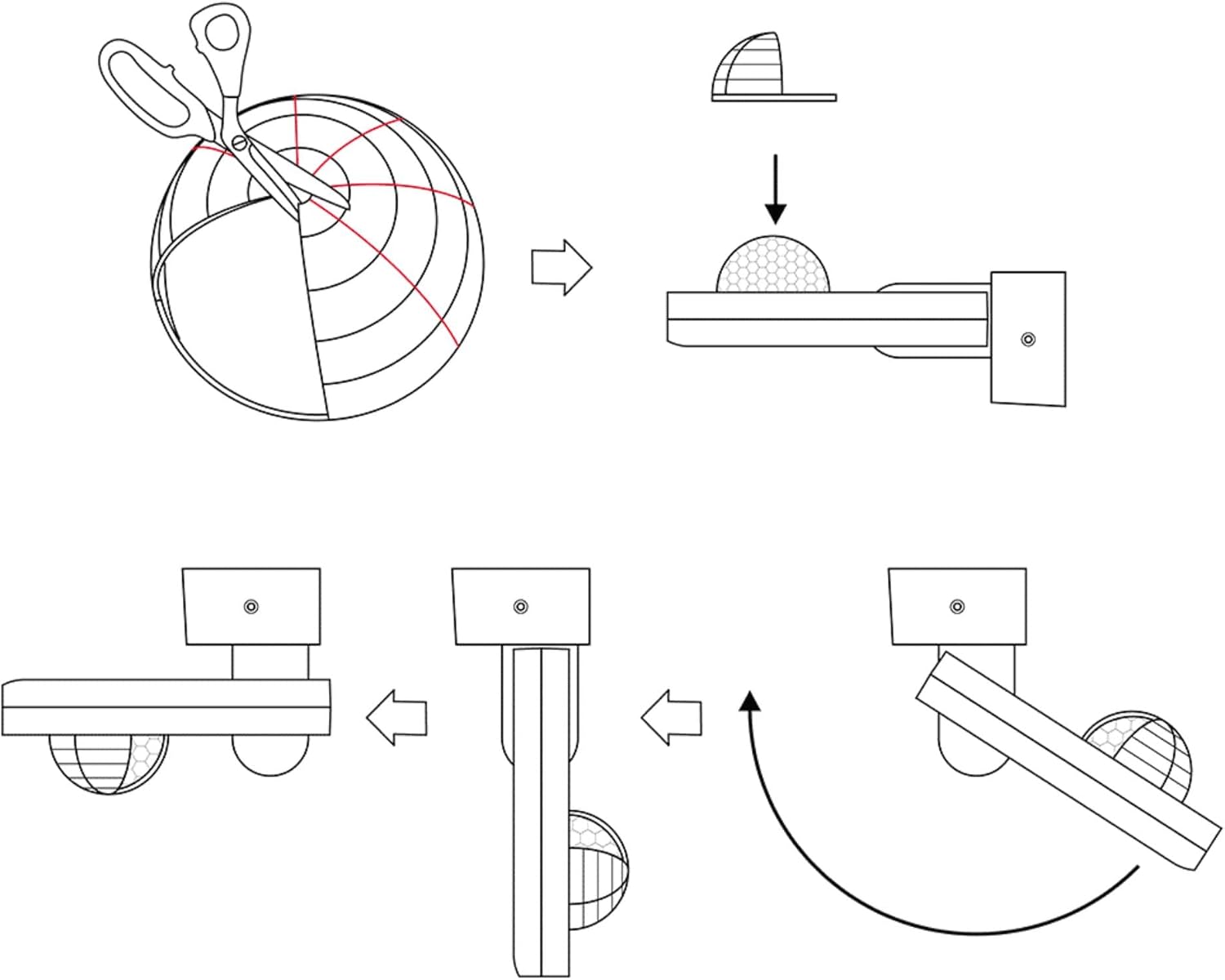
Image 4: Method for adjusting the detection area using a cover.

Image 5: Detection area diagrams for wall and ceiling mounting.
5. Instruccions de funcionament
5.1 Time Setting (TIME)
Use the 'TIME' knob to set the duration the light remains on after motion is detected. Settings range from 10 seconds to 30 minutes. You can also set it to permanent ON or OFF.
5.2 Light Sensitivity Setting (LUX)
Use the 'LUX' knob to adjust the ambient brightness threshold at which the motion detector activates the light. Settings range from 3 LUX (darkness) to 2,000 LUX (daylight). This allows the light to only turn on when it's dark enough.

Imatge 6: Detallada view of TIME and LUX adjustment controls.
6. Manteniment
- Regularly clean the sensor lens with a soft, dry cloth to ensure optimal detection performance.
- Do not use abrasive cleaners or solvents, as these can damage the device.
- Comproveu periòdicament totes les connexions elèctriques per comprovar si estan ben ajustades i si hi ha signes de desgast.
- No user-serviceable parts inside. For repairs, contact qualified personnel.
7. Solució De Problemes
| Problema | Causa possible | Solució |
|---|---|---|
| Light does not turn on when motion is detected. | 1. Incorrect LUX setting (too high). 2. Sense font d'alimentació. 3. Bombeta defectuosa. | 1. Adjust LUX setting to a lower value. 2. Check power connections. 3. Substituïu la bombeta. |
| La llum es manté encesa contínuament. | 1. TIME setting too long or set to permanent ON. 2. Constant motion in detection area. 3. Sensor obstructed or dirty. | 1. Adjust TIME setting. 2. Reposition detector or adjust detection area with cover. 3. Clean sensor lens. |
| La llum s'encén sense moviment aparent. | 1. Environmental factors (wind, heat, small animals). 2. Sensor too sensitive. | 1. Reposition detector or adjust detection area with cover. 2. Ensure no objects are causing false triggers. |
8. Especificacions
- Marca: SEBSON
- Número de model: IR_OUT_CA
- Color: Antracita
- Font d'alimentació: CA (corrent altern)
- Pes de l'article: 222 grams
- Interval màxim de detecció: 20 metres
- Angle de detecció: 360°
- Tipus de muntatge: Surface mount (wall and ceiling)
- Descripció de la bateria: Bateria no inclosa
- Interval de temperatura: 20 Degrees Celsius (Operating)
- Dispositius compatibles: Smart Home Hub, Light
- Usos recomanats: Residential security, commercial sector, automation, energy management
- Dimensions: 85x55x170mm (approximate, refer to diagram for exact measurements)

Imatge 7: Dimensions del producte.
9. Garantia i Suport
SEBSON products are designed for durability and performance. For warranty information or technical support, please refer to the official SEBSON weblloc web o contacteu amb el vostre distribuïdor. Conserveu el rebut de compra com a comprovant de compra.
Per a més ajuda, podeu visitar el SEBSON Brand Store.


