
Introducció
Welcome to the user manual for your new TECNO Spark Go 1 smartphone. This device is designed to provide a seamless and efficient mobile experience, featuring a vibrant 120Hz display, a long-lasting 5000mAh battery with 15W fast charging, and immersive dual DTS stereo speakers. This manual will guide you through the setup, operation, maintenance, and troubleshooting of your device to ensure optimal performance.
Què hi ha a la caixa
Si us plau, comproveu el contingut del paquet del producte. Si falta algun article o hi ha algun dany, poseu-vos en contacte amb el vostre distribuïdor.
- TECNO Spark Go 1 Smartphone
- Cable de càrrega USB tipus C
- Adaptador de corrent (15 W)
- Eina expulsora de SIM
- Guia d'inici ràpid
- Targeta de garantia
Configuració
1. Insert SIM Card and SD Card
Locate the SIM card tray on the side of your device. Use the provided SIM ejector tool to open the tray. Insert your Nano-SIM card(s) and an optional microSD card into the designated slots. Ensure the cards are correctly oriented as shown in the diagram on the tray. Close the tray securely.
2. Carregueu el dispositiu
Before first use, fully charge your TECNO Spark Go 1. Connect the USB Type-C cable to the phone's charging port and the other end to the 15W power adapter. Plug the adapter into a power outlet. The charging indicator will appear on the screen. For optimal battery life, avoid completely draining the battery frequently.

Image: The TECNO Spark Go 1 features a 5000mAh battery and supports 15W Type-C fast charging for quick power-ups.
3. Encendre/apagar
To power on, press and hold the Power button until the TECNO logo appears. To power off, press and hold the Power button, then select 'Power off' from the options on the screen.
4. Configuració inicial
Upon first power-on, follow the on-screen instructions to complete the initial setup. This includes selecting your language, connecting to a Wi-Fi network, setting up your Google account, and configuring security features like fingerprint or face unlock.
Instruccions de funcionament
Navegació bàsica
- Toca: Toca una icona per obrir una aplicació o seleccionar un element.
- Llisca: Slide your finger across the screen to scroll, switch screens, or access quick settings.
- Pessigar: Feu servir dos dits per ampliar o reduir les fotos i web pàgines.
Realització de trucades
Open the Phone app, enter the number using the dial pad, and tap the call icon. To answer an incoming call, swipe up on the screen. To reject, swipe down.
Enviament de missatges
Open the Messages app, tap the 'Start chat' icon, enter the recipient's number or select from contacts, type your message, and tap send.
Connexió a Wi-Fi
Vés a Configuració > Xarxa i Internet > Wi-FiActiveu el Wi-Fi, seleccioneu la xarxa desitjada i introduïu la contrasenya si cal.
Ús de la càmera
Open the Camera app. Tap the shutter button to take a photo. Swipe left or right to switch between modes like Video, Portrait, and more. The 13MP main camera with HDR ensures clear and vibrant images.

Image: The TECNO Spark Go 1 features a 13MP main camera, designed for capturing clear and detailed photos.
Funcions d'àudio
The TECNO Spark Go 1 is equipped with dual DTS stereo speakers, providing a rich and immersive audio experience. Adjust volume using the volume buttons on the side of the device.
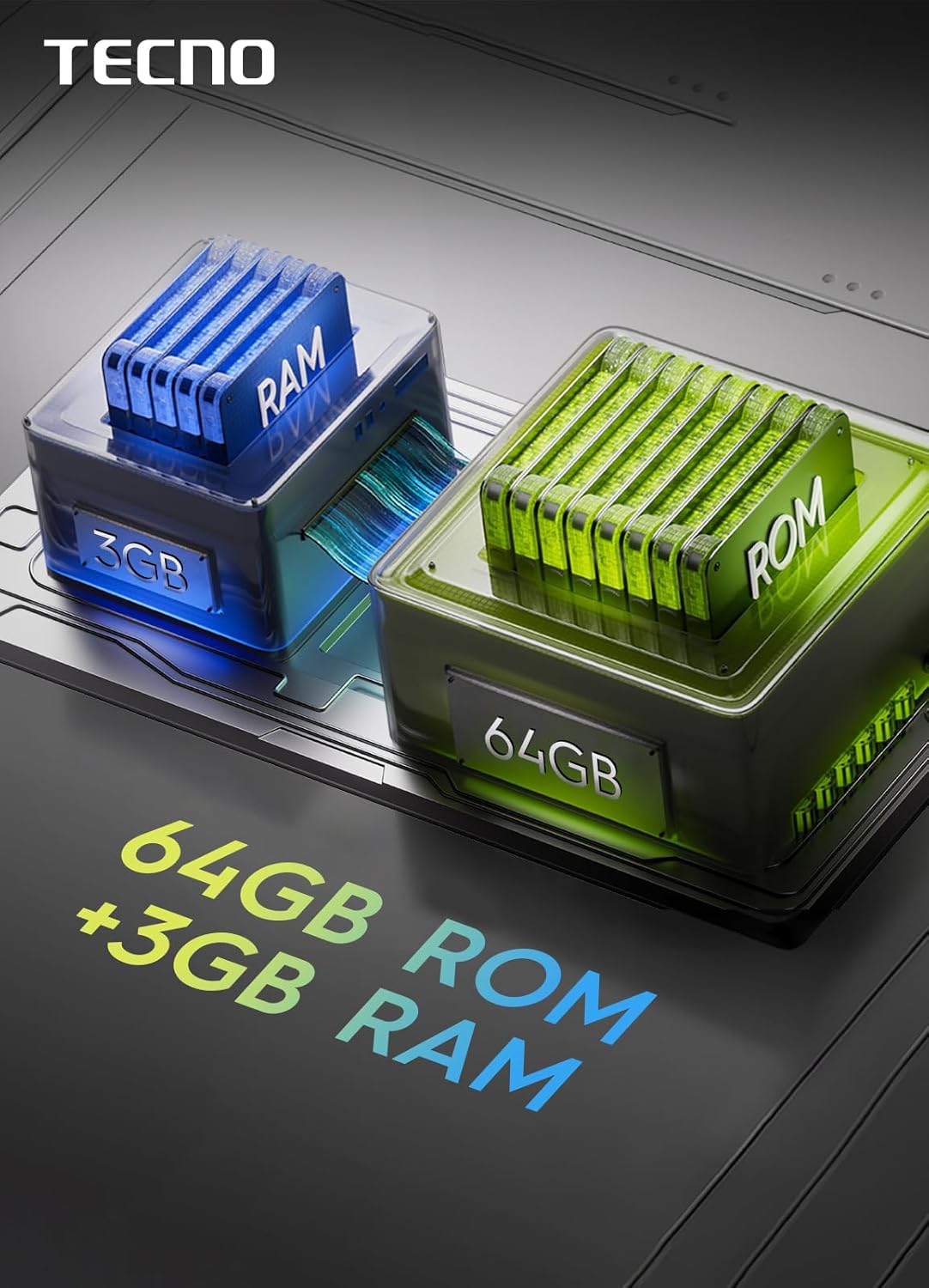
Image: Experience enhanced sound with the TECNO Spark Go 1's dual DTS speakers, offering full-scene big volume.
Característiques de visualització
Enjoy smooth visuals and responsive interaction with the 6.67-inch display featuring a 120Hz refresh rate. This smart refresh rate optimizes power efficiency while providing fluid scrolling and animations.

Image: The TECNO Spark Go 1 features a 6.67-inch display with a 120Hz refresh rate for smooth visuals.
Connectivitat de xarxa 4.5G
The device supports 4.5G Lightning Network, offering significantly faster download speeds compared to 4G, up to 300 Mbps. This ensures quick browsing, streaming, and downloads.
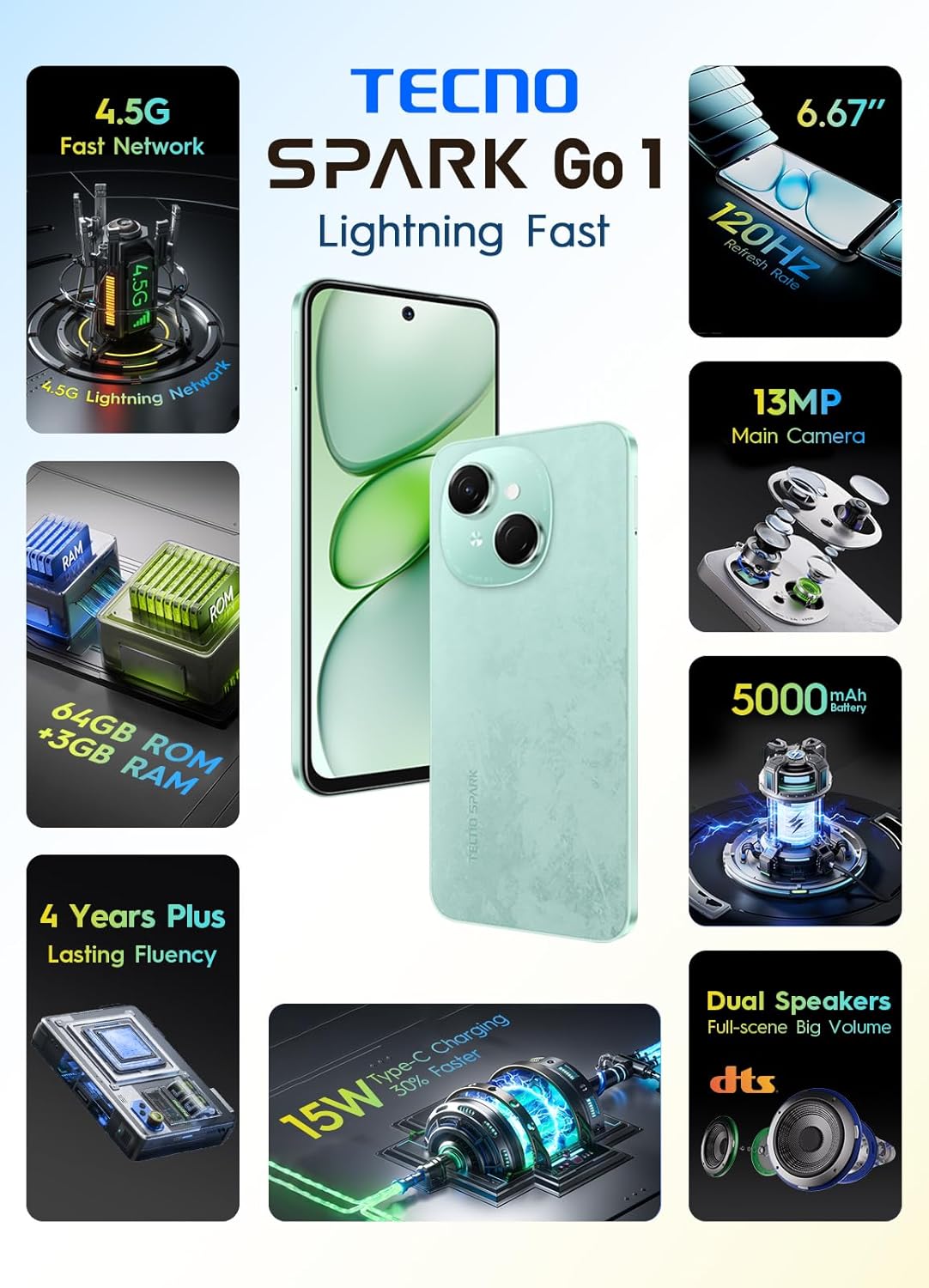
Image: The TECNO Spark Go 1 supports 4.5G fast network for high-speed connectivity.
Funcions acabadesview
- 4.5G Lightning Network: Experience speeds up to 100% faster than 4G, with download rates reaching 300 Mbps.
- Càmera principal de 13MP: Capture stunning photos with the 13-megapixel HDR camera, delivering vivid and lifelike images.
- No Lag Performance: Enjoy consistently smooth performance, designed for lasting fluency.
- 5000mAh Battery with 15W Type-C Fast Charging: A large capacity battery ensures extended usage, complemented by rapid Type-C charging.
- 120Hz Smart Refresh Rate Display: The display intelligently adjusts its refresh rate for optimal visuals and power efficiency in every scenario.
- Dual DTS Speakers: Delivers up to 300% louder sound for an immersive listening experience.
- AI Active Noise Cancellation: Enhances call quality and audio experience.
- Splash and Dust Resistance: Provides added durability against everyday elements.

Image: The TECNO Spark Go 1 comes with 64GB of internal storage (ROM) and 3GB of RAM for efficient multitasking and storage.
Manteniment
Neteja del teu dispositiu
Use a soft, lint-free cloth to clean the screen and body of your phone. Avoid using harsh chemicals or abrasive materials, which can damage the surface. The device has splash and dust resistance, but it is not waterproof; avoid submerging it in liquids.
Actualitzacions de programari
Comproveu i instal·leu regularment si hi ha actualitzacions de programari per assegurar-vos que el dispositiu tingui les darreres funcions, pegats de seguretat i millores de rendiment. Aneu a Configuració > Sistema > Actualització del sistema.
Cura de la bateria
To prolong battery life, avoid exposing your phone to extreme temperatures. It is recommended to keep the battery charge between 20% and 80% for daily use. Use only the original charger and cable provided with your device.
Resolució de problemes
| Problema | Solució |
|---|---|
| El dispositiu no s'encén | Assegureu-vos que la bateria estigui carregada. Premeu i manteniu premut el botó d'engegada durant almenys 10 segons per forçar un reinici. |
| No es pot carregar el dispositiu | Check if the charger and cable are properly connected. Try a different power outlet. Ensure the charging port is clean and free of debris. |
| Senyal de xarxa pobre | Check if your SIM card is correctly inserted. Move to an area with better network coverage. Restart the device. |
| Les aplicacions es bloquegen o es bloquegen | Clear the cache of the problematic app (Settings > Apps > [App Name] > Storage > Clear cache). Restart the device. If the issue persists, consider uninstalling and reinstalling the app. |
| Device is slow or unresponsive | Tanca les aplicacions en segon pla innecessàries. Esborra les aplicacions temporals files and cache. If performance issues continue, consider a factory reset (back up your data first). |
Restabliment de fàbrica
Si el dispositiu té problemes persistents, un restabliment de fàbrica pot resoldre'ls. Avís: Això esborrarà totes les dades del telèfon. Fes una còpia de seguretat de les dades importants abans de continuar. Vés a Configuració > Sistema > Opcions de restabliment > Esborra totes les dades (restabliment de fàbrica) i seguiu les instruccions a la pantalla.
Especificacions
| Característica | Detall |
|---|---|
| Fabricant | TECNO |
| Número de model | KL4 |
| Dimensions del producte | 16.5 x 7.7 x 0.83 cm |
| Pes | 189 grams |
| Sistema operatiu | Android 14 |
| RAM | 3 GB |
| Model de CPU | MediaTek Companios 800T |
| Capacitat d'emmagatzematge | 64 GB |
| Resolució de visualització | 720 x 1280 |
| Freqüència d'actualització | 120 Hz |
| Operador sense fil | Desbloquejat |
| Tecnologia cel·lular | 4G (4.5G Lightning Network) |
| Capacitat de la bateria | 5000 mAh |
| Carregant | Càrrega ràpida tipus C de 15 W |
Garantia i Suport
Your TECNO Spark Go 1 smartphone comes with a standard manufacturer's warranty. Please refer to the warranty card included in your package for specific terms and conditions, including coverage duration and service procedures.
For further assistance, technical support, or to explore other TECNO products, please visit the official TECNO store or contact their customer service. You can find more information at the TECNO Brand Store.