
Quican IDW19
Manual d'usuari del rellotge intel·ligent Quican IDW19
Comprehensive guide for your Quican IDW19 Smart Watch.
1. Introducció
Thank you for choosing the Quican IDW19 Smart Watch. This manual provides essential information for setting up, operating, and maintaining your device. Please read it thoroughly to ensure optimal performance and longevity of your smartwatch.
The Quican IDW19 is a versatile smartwatch designed for both men and women, featuring Bluetooth call capabilities, fitness tracking, and compatibility with Android and iOS devices.
2. Contingut del paquet
Si us plau, verifiqueu que tots els elements siguin presents al vostre paquet:
- Quican IDW19 Smart Watch (Pink or Green)
- Cable de càrrega
- Manual d'usuari
3. Guia de configuració
3.1. Càrrega del rellotge intel·ligent
Before first use, fully charge your Quican IDW19 Smart Watch. Connect the magnetic charging cable to the charging points on the back of the watch and plug the USB end into a standard USB power adapter (not included).

Descripció de la imatge: A close-up of the Quican IDW19 smartwatch screen displaying "07:30 AM" and a large "100%" battery indicator. Below the watch, icons illustrate battery life: "Normal use 3-7 Days", "Standby 30 Days", and "Charging 2.5 Hours". This image highlights the watch's battery performance and charging time.
A full charge typically takes approximately 2.5 hours. The watch can last 3-7 days with normal use and up to 30 days on standby.
3.2. Baixada de l'aplicació complementària
To unlock all features of your smartwatch, download the official companion application on your smartphone. Scan the QR code provided in the watch's packaging or search for "Quican Smart" in your device's app store (Google Play Store for Android, Apple App Store for iOS).
3.3. Emparellament amb el telèfon intel·ligent
- Assegureu-vos que el Bluetooth estigui habilitat al vostre telèfon intel·ligent.
- Open the companion app and follow the on-screen instructions to add a new device.
- Select "IDW19" from the list of available devices.
- Confirma la sol·licitud d'emparellament tant al rellotge com al telèfon intel·ligent.
- Un cop emparellat, el rellotge sincronitzarà l'hora i les dades amb el telèfon.
4. Instruccions de funcionament
4.1. Navegació bàsica
The Quican IDW19 features a 1.8-inch HD touch screen for intuitive navigation.
- Llisca cap amunt/avall: Desplaça't pels menús i les notificacions.
- Llisca cap a l'esquerra/dreta: Accediu a funcions ràpides o a diferents pantalles de dades.
- Toca: Selecciona un element o confirma una acció.
- Botó lateral: Premeu per tornar a la pantalla d'inici o activar el dispositiu.
Descripció de la imatge: A collage of different watch faces and data displays on the 1.8-inch HD touch screen of the Quican IDW19 smartwatch. It shows various layouts for time, date, steps, calories, heart rate, and weather, demonstrating the watch's customization options and clear resolution.
4.2. Bluetooth Call Functionality
The IDW19 allows you to make and receive calls directly from your wrist via Bluetooth 5.3.
- Fer una trucada: Accediu al teclat numèric o a la llista de contactes del rellotge per iniciar una trucada.
- Recepció d'una trucada: Quan rebis una trucada, pots respondre-la o rebutjar-la directament des de la pantalla del rellotge.
- Historial de trucades: View recent calls directly on the watch.

Descripció de la imatge: A person's arm wearing the Quican IDW19 smartwatch, which displays an incoming call. Below this, four smaller screens illustrate different call-related functions: a dial pad, an incoming call screen with "Olivia", a call history log, and a frequent contacts list. This image demonstrates the watch's Bluetooth call and answer capabilities.
4.3. Monitorització de la salut
El rellotge intel·ligent controla contínuament diverses mètriques de salut:
- Freqüència cardíaca: Monitorització de la freqüència cardíaca en temps real.
- SpO2 (oxigen en sang): Mesura els nivells de saturació d'oxigen a la sang.
- Seguiment del son: Analyzes sleep patterns (deep sleep, light sleep, wakefulness).
- Stress Level: Provides an indication of your stress levels.

Descripció de la imatge: A woman looking at her Quican IDW19 smartwatch, which is surrounded by graphical representations of health data. These graphs include heart rate, sleep patterns, blood oxygen levels, and stress levels, illustrating the watch's 24-hour health monitoring capabilities.
Totes les dades de salut poden ser viewed in detail within the companion app.
4.4. Modes esportius i seguiment d'activitat
The IDW19 supports over 100 sports modes and tracks daily activity.
- Dades de l'activitat: Records steps, calories burned, and distance traveled.
- Modes esportius: Select a specific sport (e.g., Walking, Running, Cycling, Swimming) to get tailored tracking data.
- Impermeable IP68: Suitable for swimming and daily water exposure, but not for hot water or diving.
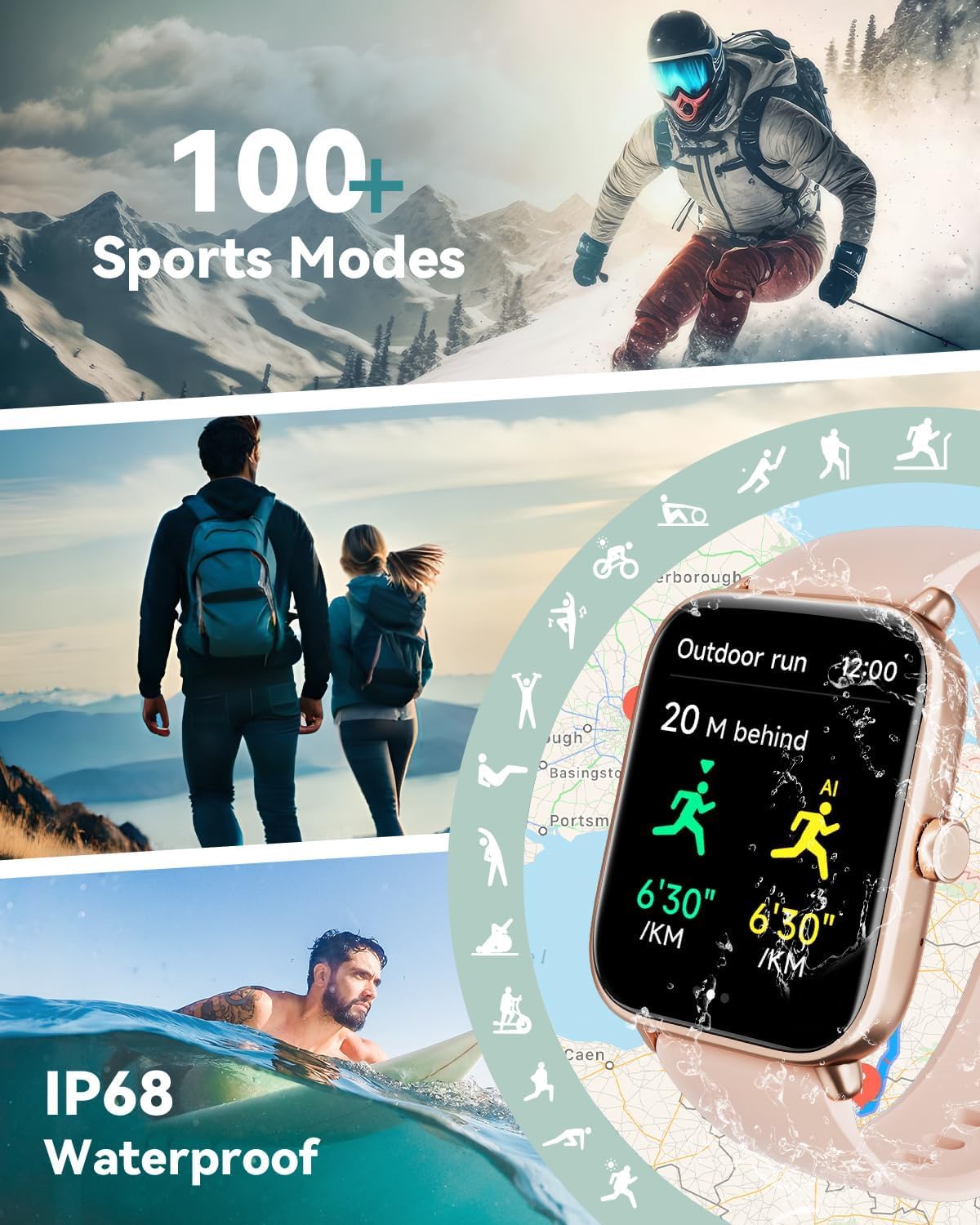
Descripció de la imatge: A dynamic collage featuring various sports activities like skiing, hiking, and swimming, with the Quican IDW19 smartwatch prominently displayed. The watch screen shows "Outdoor run" data, including distance and pace. The image highlights the watch's 100+ sports modes and IP68 waterproof rating.
4.5. Smart Notifications and Alexa Voice Control
- Notificacions de missatges: Receive alerts for SMS, Email, and various social media apps (Facebook, WhatsApp, Instagram, Twitter, Telegram, TikTok). Notifications are indicated by vibration.
- Alexa integrada: Use voice commands to inquire about news, weather, set alarms, and control smart home devices (if compatible).

Descripció de la imatge: The Quican IDW19 smartwatch displaying an Alexa voice command interface ("Alexa, how is the weather today?") and a message notification from Facebook. Below, smaller images show the watch's Bluetooth 5.3 compatibility and icons for various social media apps, illustrating its Alexa built-in and message notification features.
4.6. Altres característiques
The Quican IDW19 includes a range of additional useful features:
- Previsions meteorològiques
- Cronòmetre
- Alarmes
- Temporitzador
- Recordatori sedentari
- Llanterna
- Control de música
- Control de càmera
- Find Phone functionality
- Breather guide
- Motion Recognition

Descripció de la imatge: Three Quican IDW19 smartwatches, one pink and two green, displaying different smart features: text and notifications reminder, answer or make call, and Alexa voice assistant. Below, a grid of icons represents other features like activity data, workout, messages, weather, alarm clock, stopwatch, timer, sedentary reminder, find your phone, breathing training, calendar, music control, camera control, and do not disturb mode. This image highlights the comprehensive smart life features of the watch.
5. Manteniment i cura
- Neteja: Netegeu el rellotge i la corretja regularment amb un drap suau i sec.amp tela. Eviteu utilitzar productes químics o materials abrasius.
- Resistència a l'aigua: The watch is IP68 waterproof, meaning it can withstand splashes, rain, and shallow swimming. Do not use it in hot water, saunas, or for diving. Avoid prolonged submersion.
- Càrrega: Use only the provided charging cable. Ensure the charging points are clean and dry before charging.
- Emmagatzematge: Guardeu el rellotge en un lloc fresc i sec quan no l'utilitzeu.
6. Solució De Problemes
| Problema | Possible solució |
|---|---|
| El rellotge no s'encén | Assegureu-vos que el rellotge estigui completament carregat. Premeu i manteniu premut el botó lateral durant uns segons. |
| No es pot emparellar amb el telèfon |
|
| No s'han rebut notificacions |
|
| Dades de salut inexactes | Assegureu-vos que el rellotge estigui ben ajustat al canell, ni massa fluix ni massa ajustat. Netegeu els sensors de la part posterior del rellotge. |
7. Especificacions
| Característica | Detall |
|---|---|
| Model | IDW19 |
| Mostra | 1.8-inch HD Touch Screen (240 * 284 resolution) |
| Connectivitat | Bluetooth 5.3 |
| Compatibilitat | Android, iOS |
| Resistència a l'aigua | IP68 |
| Durada de la bateria (ús normal) | 3-7 dies |
| Durada de la bateria (mode d'espera) | Fins a 30 dies |
| Temps de càrrega | Aprox. 2.5 hores |
| Vigilància de la salut | Heart Rate, SpO2, Sleep, Stress Level |
| Modes esportius | 100+ |
| Assistent de veu | Alexa integrada |
8. Garantia i Suport
Quican products come with a standard manufacturer's warranty. For specific warranty terms and conditions, please refer to the warranty card included in your product packaging or visit the official Quican weblloc.
For technical support, troubleshooting assistance, or warranty claims, please contact Quican Customer Service:
- Weblloc: Visit the Quican Store on Amazon (per a consultes generals i informació sobre productes)
- Correu electrònic: Consulteu l'embalatge del producte o la fitxa oficial website for direct support email.
Please have your product model (IDW19) and purchase date ready when contacting support.
Ask a question about this manual
Ask about setup, troubleshooting, compatibility, parts, safety, or missing instructions. Manuals+ will review the question and use this page’s manual context to help answer it.