
NBD PZJ-D100-US-2411
NBD 4K 48MP Vlogging Camcorder D100 Pro Instruction Manual
Model: PZJ-D100-US-2411
1. Introducció
This manual provides detailed instructions for the NBD 4K 48MP Vlogging Camcorder D100 Pro. Please read this manual thoroughly before using the camera to ensure proper operation and to maximize its features. Keep this manual for future reference.
2. Informació de seguretat
- No exposeu la càmera a l'aigua ni a la humitat.
- Eviteu deixar caure la càmera o sotmetre-la a impactes forts.
- Mantingueu la càmera allunyada de camps magnètics forts.
- Feu servir només les piles i els accessoris especificats.
- No intenteu desmuntar ni modificar la càmera.
- Netegeu la lent amb un drap suau i sec.
3. Contingut del paquet
Verifiqueu que tots els elements que s'enumeren a continuació s'inclouen al vostre paquet:
- NBD 4K Video Camera Camcorder (D100 Pro)
- Micròfon
- Llum d’ompliment LED
- 43mm Lens Hood
- Lector de targetes
- Targeta SD de 32 GB
- Cable USB
- Piles (x2)
- Camera Cleaning Kit (Blower, Brush)
- Drap de neteja de lents
- Manual d'usuari

Image: The NBD 4K Camcorder D100 Pro shown with all its included accessories, such as the microphone, LED fill light, batteries, SD card, and cleaning tools.
4. Producte acabatview
4.1 Components de la càmera
Familiarize yourself with the various parts of your NBD D100 Pro camcorder.

Imatge: A view of the NBD 4K Camcorder D100 Pro, highlighting its 270-degree flip IPS screen and the attached external microphone.
- Lent: Captura vídeo i fotos.
- Llum de farciment LED: Provides additional illumination in low-light conditions.
- Entrada de micròfon: Per connectar el micròfon extern.
- 3.0" IPS 270° Flip Screen: Per viewing and navigating menus.
- Zoom Lever (T/W): Controls digital zoom.
- Marcador de mode: Selects shooting modes (Photo, Video, Slow Motion, Time-lapse).
- Botó de gravació/obturador: Inicia/atura la gravació o fa una foto.
- Compartiment de la bateria: Holds the rechargeable battery.
- Ranura per a targeta SD: Per inserir la targeta de memòria.
- Port USB: Per a càrrega i transferència de dades.
- Port HDMI: Per connectar a una pantalla externa.
5. Configuració
5.1 Càrrega i instal·lació de bateries
- Obriu la tapa del compartiment de la bateria.
- Insert a fully charged battery, ensuring correct polarity.
- Tanqueu la tapa del compartiment de la bateria.
- To charge, connect the camera to a power source using the provided USB cable. The charging indicator will illuminate.
5.2 Inserció de la targeta SD
- Localitzeu la ranura de la targeta SD.
- Insert the 32GB SD card with the metal contacts facing the front of the camera until it clicks into place.
- Per treure-la, premeu suaument la targeta fins que surti disparada.
5.3 Attaching the Microphone and Fill Light
- Slide the external microphone into the hot shoe mount on top of the camera.
- Connect the microphone cable to the microphone input port on the camera.
- Attach the LED fill light to an available mount or accessory shoe if desired.
5.4 Fixació del parasol de l'objectiu
- Align the 43mm lens hood with the front of the camera lens.
- Gently twist the lens hood clockwise until it is securely attached.
6. Instruccions de funcionament
6.1 Encès/Apagat
- Encès: Open the 270° flip IPS screen. The camera will automatically power on.
- Apagar: Close the 270° flip IPS screen. The camera will automatically power off.
6.2 Gravació de vídeo bàsica
- Turn the mode dial to the video camera icon.
- Frame your shot using the flip screen.
- Press the Record/Shutter button to start recording. A red indicator will typically appear on the screen.
- Press the Record/Shutter button again to stop recording.
6.3 Fer fotos
- Turn the mode dial to the camera icon.
- Enquadra la teva foto.
- Press the Record/Shutter button halfway to focus (if applicable), then press fully to take the photo.
6.4 Using the Digital Zoom
The camera features 16X digital zoom.

Image: The NBD 4K Camcorder D100 Pro demonstrating its 16X digital zoom feature, with an inset showing the T/W zoom lever for adjustment.
- Empenyeu la palanca del zoom cap a T (Teleobjectiu) per ampliar la imatge.
- Empenyeu la palanca del zoom cap a W (Amplia) per allunyar la imatge.
6.5 WiFi Connection and App Control
Connect your camcorder to a smartphone via Wi-Fi for remote control and file transferència.

Image: The NBD 4K Camcorder D100 Pro displaying a live view on its screen, while a smartphone shows the camera's app interface for remote control and social sharing options.
- Download the dedicated app (refer to the camera's on-screen instructions or included documentation for app name).
- On the camera, navigate to the Wi-Fi settings and enable Wi-Fi.
- On your smartphone, connect to the camera's Wi-Fi network (SSID and password will be displayed on the camera screen).
- Open the app to control the camera, preview footage, i transferència files.
6.6 Modes d'enregistrament especials
The D100 Pro offers various modes for creative shooting.
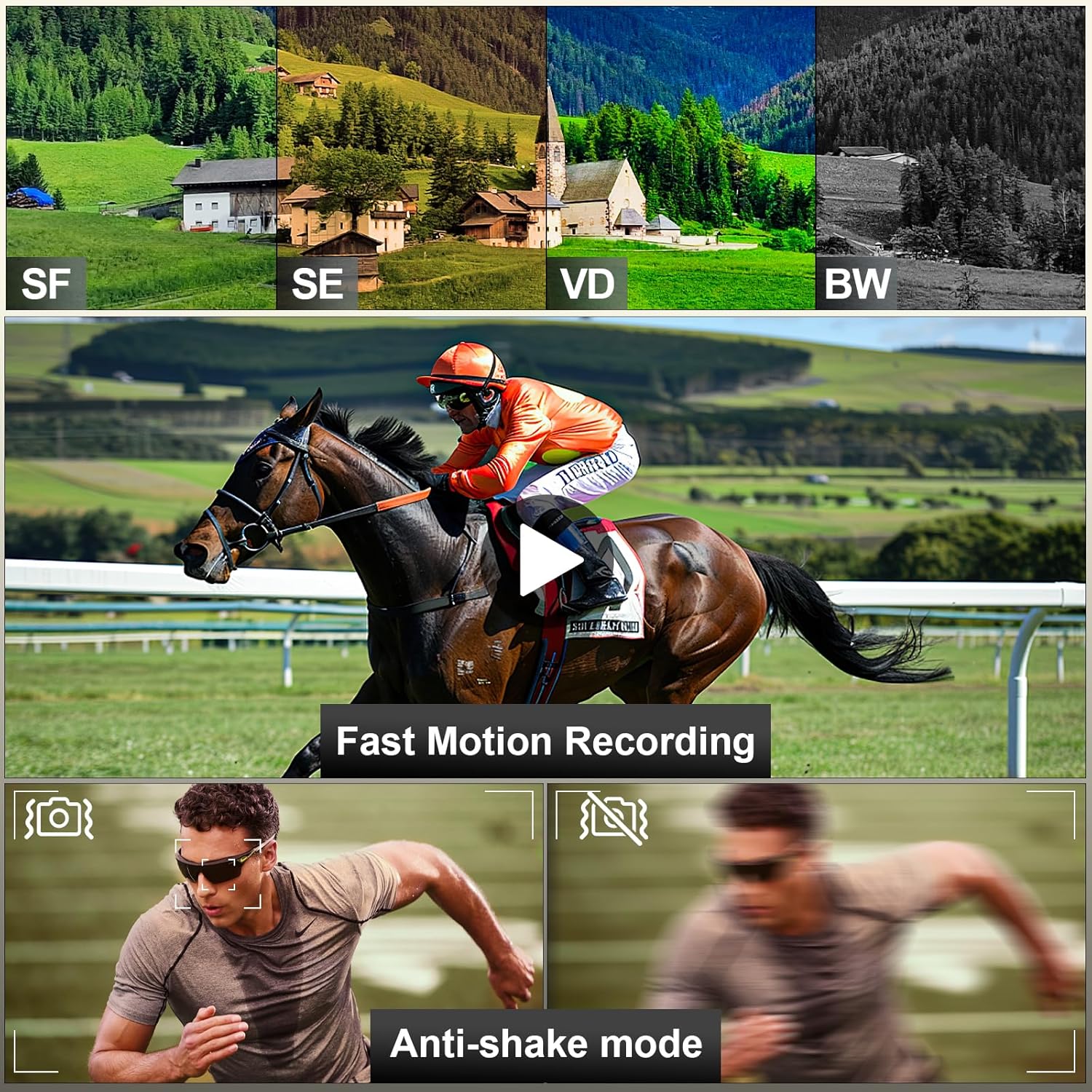
Image: A visual representation of the NBD 4K Camcorder D100 Pro's capabilities, including different color filters (SF, SE, VD, BW), fast motion recording, and anti-shake mode for stable footage.
- càmera lenta: Captures video at a higher frame rate for slow-motion playback. Select this mode via the mode dial.
- Lapse de temps: Records images at set intervals to create a time-lapse video. Select this mode via the mode dial and configure settings in the menu.
- Anti-shake Mode: Enhances video stability. Enable this feature in the camera's settings menu.
7. Manteniment
7.1 Neteja de la càmera
- Feu servir el drap de neteja d'objectius inclòs per netejar suaument l'objectiu i la pantalla.
- For dust on the lens, use the air blower to remove particles before wiping.
- Netegeu el cos de la càmera amb un drap suau i sec. Eviteu utilitzar productes químics agressius.
7.2 Emmagatzematge
- Guardeu la càmera en un lloc fresc i sec, allunyat de la llum solar directa.
- Traieu les piles si no fareu servir la càmera durant un període prolongat.
8. Solució De Problemes
| Problema | Causa possible | Solució |
|---|---|---|
| La càmera no s'encén. | La bateria està morta o està inserida incorrectament. | Carregueu la bateria o torneu-la a inserir correctament. |
| No es poden gravar vídeos/fer fotos. | SD card is full, locked, or not inserted. | Insert an SD card, unlock it, or delete files per alliberar espai. |
| Mala qualitat d'imatge/vídeo. | La lent està bruta; il·luminació insuficient; configuració incorrecta. | Clean the lens; use the fill light; adjust exposure settings. |
| Problemes de connexió Wi-Fi. | Incorrect password; camera Wi-Fi not enabled; app issues. | Verify password; ensure camera Wi-Fi is on; restart app/camera. |
9. Especificacions
- Model: PZJ-D100-US-2411
- Resolució de vídeo: 4K (3840x2160) at 30fps, 1080p
- Resolució fotogràfica: 48 megapíxels
- Zoom digital: 16X
- Pantalla: 3.0" IPS 270° Flip Screen
- Connectivitat: Wi-Fi, USB, HDMI
- Emmagatzematge: Targeta Micro SD (fins a 128 GB, 32 GB inclosos)
- Bateria: 12V (x2 included)
- Pes: Approximately 2.33 pounds (with accessories)
- Dimensions: 8.5 x 6.46 x 4.41 polzades (paquet)
- Tecnologia del sensor fotogràfic: CMOS
- Distància focal màxima: 85 mil·límetres
10. Garantia i Suport
NBD products are designed for reliability and performance. For warranty information, technical support, or service inquiries, please refer to the warranty card included in your package or visit the official NBD weblloc web. Si us plau, conserveu el comprovant de compra per a reclamacions de garantia.
Informació de contacte: Please refer to the contact details provided on the NBD official website or your product packaging for customer support.
Ask a question about this manual
Ask about setup, troubleshooting, compatibility, parts, safety, or missing instructions. Manuals+ will review the question and use this page’s manual context to help answer it.