Introducció
Welcome to the user manual for your Arikasen A6 Bluetooth On-Ear Headset. This manual provides detailed instructions on how to set up, operate, maintain, and troubleshoot your new wireless earphones. Designed for comfort and superior sound, the A6 headset features Bluetooth 5.0 for stable connections, deep bass, and 3D stereo sound. Please read this manual carefully to ensure optimal performance and longevity of your device.
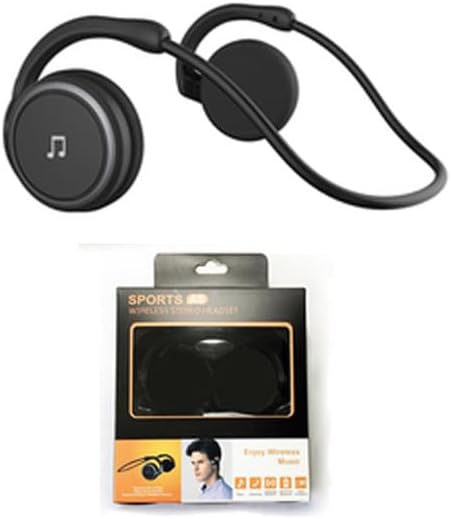
Figure 1: Arikasen A6 Bluetooth Headset. This image displays the overall design of the black on-ear headset, highlighting its lightweight and ergonomic form factor.
Configuració i primer ús
1. Càrrega dels auriculars
Before first use, fully charge your Arikasen A6 headset. The headset charges via a cable connection.
- Connect the charging cable to the headset's charging port.
- Connecteu l'altre extrem del cable a una font d'alimentació USB (per exemple, un port USB de l'ordinador, un adaptador de paret).
- The indicator light will show charging status (refer to device for specific light behavior).
- A full charge provides approximately 11 hours of music playback time.
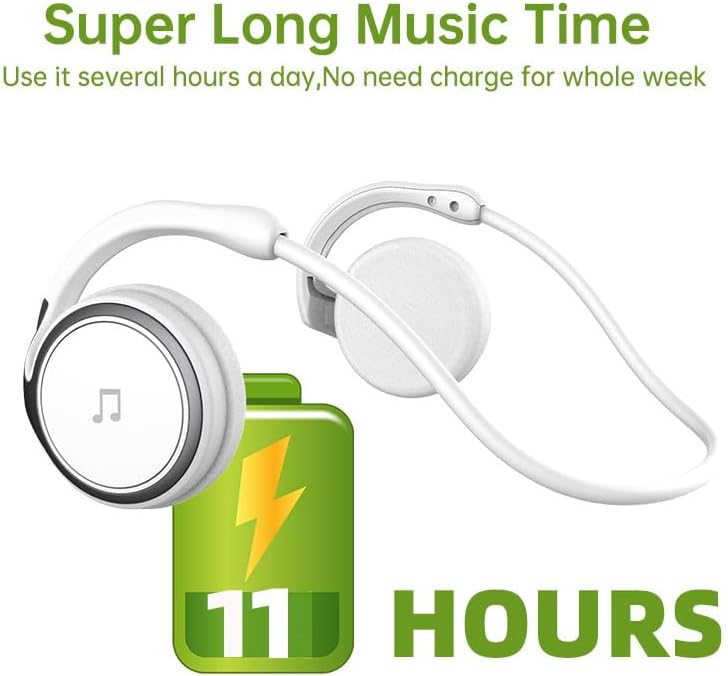
Figure 2: Battery Life Indication. This image illustrates the headset's capability to provide up to 11 hours of continuous music playback on a single charge.
2. Emparellament Bluetooth
To connect your headset to a device (smartphone, tablet, computer), follow these steps:
- Assegureu-vos que els auriculars estiguin carregats i apagats.
- Press and hold the power button on the headset until the indicator light flashes, indicating pairing mode.
- Al dispositiu, vés a la configuració de Bluetooth i activa el Bluetooth.
- Cerca available devices. The headset should appear as "Arikasen A6" or similar.
- Select "Arikasen A6" to connect. Once connected, the indicator light will change (e.g., solid blue or off).
- Si se us demana una contrasenya, introduïu "0000".

Figure 3: Bluetooth 5.0 Connectivity. This image highlights the headset's Bluetooth 5.0 capabilities, ensuring stable and swift connections for both audio and voice calls.
Instruccions de funcionament
Controls acabatsview
The Arikasen A6 headset features intuitive controls located on the earcup. Familiarize yourself with these buttons for easy operation.
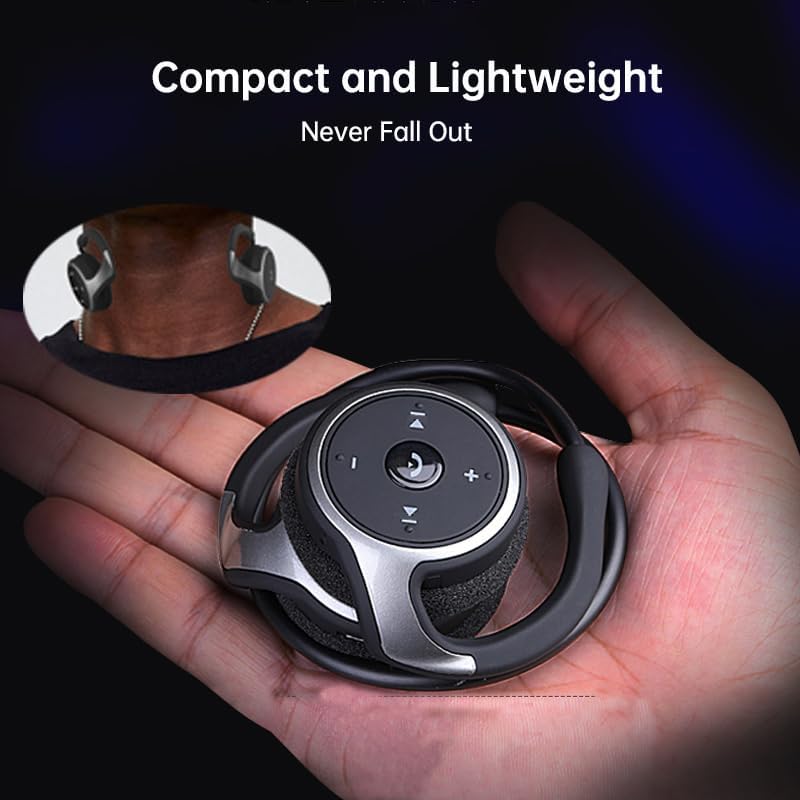
Figure 4: Headset Controls. This image provides a close-up view of the control panel on the headset's earcup, detailing the button layout for music and call management.
- Botó d'engegada (botó multifunció):
- Premeu i manteniu premut per encendre/apagar.
- Premeu una vegada per reproduir/pausar la música.
- Premeu una vegada per respondre/finalitzar trucades.
- Mantingueu premut per rebutjar trucades.
- Puja el volum (+): Premeu per augmentar el volum.
- Baixar el volum (-): Premeu per reduir el volum.
- Pista següent (>>|): Premeu per passar a la cançó següent.
- Pista anterior (|<<): Premeu per anar a la cançó anterior.
Portant els auriculars
The Arikasen A6 is designed for ultra-comfort, balancing stress on the ear. Its lightweight and compact design ensures it stays securely in place.

Figure 5: Ultra Comfort Design. This image demonstrates the ergonomic design of the headset, emphasizing its comfortable fit for extended wear, particularly beneficial for sensitive ears.
Manteniment i cura
Proper maintenance ensures the longevity and optimal performance of your Arikasen A6 headset.
- Neteja: Use a soft, dry cloth to wipe the headset. Do not use abrasive cleaners, solvents, or strong chemicals.
- Emmagatzematge: Quan no els utilitzeu, guardeu els auriculars en un lloc fresc i sec, allunyats de la llum solar directa i de temperatures extremes.
- Eviteu la humitat: Do not expose the headset to water or excessive moisture. It is not waterproof.
- Manejar amb cura: Eviteu deixar caure els auriculars ni sotmetre'ls a impactes forts.
- Càrrega: Only use the provided charging cable or a certified equivalent. Do not overcharge the battery.
Resolució de problemes
If you encounter issues with your Arikasen A6 headset, refer to the following common problems and solutions:
| Problema | Causa possible | Solució |
|---|---|---|
| Els auriculars no s'encenen. | Bateria baixa. | Carregueu completament els auriculars. |
| No es pot emparellar amb el dispositiu. | Auriculars no en mode d'emparellament; Bluetooth desactivat al dispositiu; dispositiu massa lluny. | Ensure headset is in pairing mode (flashing light). Turn on Bluetooth on your device. Move headset closer to device (within 10 meters). |
| Sense so o amb un volum baix. | Volume too low on headset or device; headset not connected properly. | Increase volume on both headset and connected device. Re-pair the headset. |
| Connexió intermitent. | Interferència; dispositiu massa lluny; bateria baixa. | Allunyeu-vos d'altres dispositius sense fil. Assegureu-vos que els auriculars estiguin dins de l'abast. Carregueu els auriculars. |
Si el problema persisteix, consulteu la secció Garantia i assistència per obtenir més ajuda.
Especificacions
The following are the technical specifications for the Arikasen A6 Bluetooth Headset:
- Model: A6
- Marca: Generic (Arikasen)
- Connectivitat: Bluetooth 5.0
- Earcups Type: Semiobert
- Aïllament acústic: No
- Potència de sortida: 50 mW
- Nombre de conductors: 2
- Mida del controlador: 18mm (for superior sound and deeper bass)
- Mètode de càrrega: Cable
- Headphone Pads Material: Escuma suau
- Tipus d'imant: Neodimi
- Material: Plàstic
- Color: Black (without box)
- Approximate Music Playback Time: 11 hores

Figure 6: Driver Technology. This image illustrates the internal components of the earcup, highlighting the 18mm driver responsible for delivering superior sound quality and deep bass.
Garantia i Suport
Your Arikasen A6 headset comes with dedicated customer support.
If you encounter any issues with your product, such as a damaged product or receiving incorrect items, please contact us directly through the Amazon platform. We are committed to providing the best solution to resolve any issues promptly.
For further assistance or inquiries, please reach out to our customer service team via the Amazon messaging system.