
1. Introducció
The CHROX X96Q PRO+ is an advanced Android 14.0 TV Box designed to transform your television into a smart entertainment hub. Featuring an H728 Quad-Core ARM Cortex-A55 processor and Mali G31 MP2 GPU, it delivers high-performance media playback, including 8K and 4K resolutions. This device supports dual-band Wi-Fi (2.4G/5.8GHz), Bluetooth 4.1, and offers various connectivity options for a comprehensive multimedia experience.
2. Contingut del paquet
Si us plau, verifiqueu que tots els elements que s'enumeren a continuació estiguin inclosos al vostre paquet:
- 1 x CHROX X96Q PRO+ TV Box
- 1 x comandament a distància
- 1 cable HD (HDMI)
- 1 x Power Adapter (DC 5V/2A)
- 1 x Manual d'usuari

Image: Contents of the CHROX X96Q PRO+ TV Box package, including the TV box, remote control, HDMI cable, power adapter, and user manual.
3. Guia de configuració
3.1 Connexió del descodificador de televisió
- Connectar-se al televisor: Feu servir el cable HDMI inclòs per connectar el port HDMI del televisor a una entrada HDMI disponible del televisor.
- Connexió d'alimentació: Connecteu l'adaptador de corrent al port DC 5V del televisor i, a continuació, connecteu l'adaptador a una presa de corrent.
- Connexió de xarxa (opcional):
- Ethernet: Per a una connexió per cable, connecteu un cable Ethernet des del vostre encaminador al port LAN del televisor.
- Wi-Fi: For a wireless connection, you will configure Wi-Fi after initial power-on.
- Connectar perifèrics (opcional): Insert USB devices such as a mouse, keyboard, or external storage into the available USB 2.0 or USB 3.0 ports.

Image: Diagram showing the various ports and dimensions of the CHROX X96Q PRO+ TV Box, including USB 2.0, USB 3.0, Ethernet, HD (HDMI), Audio, Optical, DC/5V, and Card slot.
3.2 Encès inicial
After connecting all necessary cables, the TV Box should power on automatically. If not, press the power button on the device or the remote control. Select the correct HDMI input on your television to display the TV Box interface.
4. Instruccions de funcionament
4.1 Navegació per la interfície d'usuari
Use the provided remote control to navigate the Android 14.0 interface. The directional buttons allow you to move between icons and menus, the 'OK' button confirms selections, and the 'Back' button returns to the previous screen. A connected USB mouse or keyboard can also be used for easier navigation and text input.
4.2 Connexió de xarxa
To access online content, connect your TV Box to the internet.
- Wi-Fi: Vés a Configuració > Xarxa > Wi-Fi. Select your desired network from the list, enter the password if prompted, and connect. The device supports dual-band 2.4G and 5.8GHz Wi-Fi for stable and fast connections.
- Ethernet: If an Ethernet cable is connected, the device should automatically detect and connect to the wired network. Verify the connection status in Settings > Network > Ethernet.

Image: Illustration highlighting the Wi-Fi 6 technology of the CHROX X96Q PRO+ TV Box, indicating faster speed and lower latency compared to Wi-Fi 5.
4.3 Reproducció multimèdia
The CHROX X96Q PRO+ supports high-resolution video playback:
- 8K/4K Resolution: Enjoy ultra-high-definition content with support for up to 8Kx4K @60fps output.
- Descodificació de vídeo: Compatible with H.265 HEVC, H.264 AVC, and VP9 codecs for efficient and high-quality video streaming.
- Suport HDR: Experience enhanced color and contrast with HDR technology.
4.4 Multi-screen Interaction
Share content from your mobile devices to your TV screen using the built-in multi-screen features:
- Airplay: Per a dispositius iOS.
- DLNA: For compatible devices and media servers.
- Miracast: Per a dispositius Android.
Ensure your mobile device and the TV Box are connected to the same Wi-Fi network for these features to function.

Image: Depiction of multi-screen interaction, showing a smartphone and laptop casting content to a TV via the CHROX X96Q PRO+ TV Box using Airplay, DLNA, and Miracast.
4.5 3D Display
The TV Box supports 3D display, offering an immersive viewing experience with compatible 3D content and a 3D-enabled television.
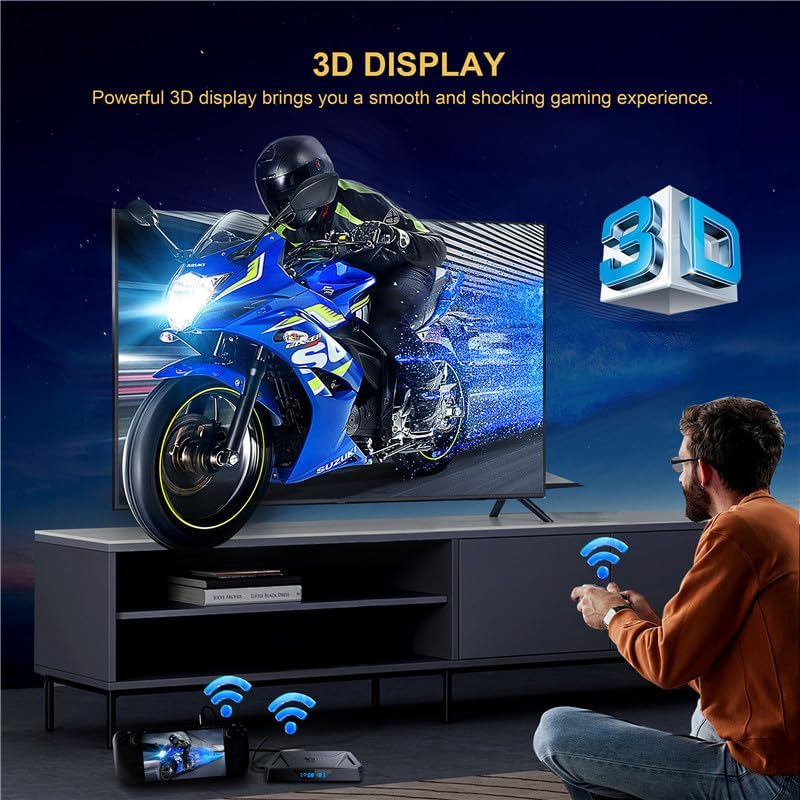
Image: A person playing a 3D game on a TV, demonstrating the 3D display capability of the CHROX X96Q PRO+ TV Box.
4.6 Connectivitat de dispositius externs
Expand your storage and connectivity options:
- Ports USB: Connect USB flash drives, external hard drives (up to 1TB), game controllers, or other USB peripherals.
- Ranura per a targetes Micro SD: Insert a Micro SD card (up to 64GB) to expand storage for apps and media.
5. Manteniment
5.1 Actualitzacions de programari (OTA)
The TV Box supports Over-The-Air (OTA) updates. When connected to the internet, the device can automatically download and install the latest firmware updates to improve performance and add new features. It is recommended to keep your device updated for optimal functionality.
5.2 Neteja
To clean the device, use a soft, dry cloth. Avoid using liquid cleaners or abrasive materials, as they may damage the surface or internal components.
6. Solució De Problemes
- Sense energia: Assegureu-vos que l'adaptador de corrent estigui connectat correctament al televisor i a una presa de corrent que funcioni. Proveu una altra presa de corrent.
- Sense senyal a la televisió: Verify the HDMI cable is properly connected to both the TV Box and the TV. Ensure your TV is set to the correct HDMI input source.
- Problemes de connexió Wi-Fi: Check if your router is working correctly. Restart the TV Box and your router. Re-enter the Wi-Fi password in settings.
- El control remot no respon: Comproveu les piles del comandament a distància i substituïu-les si cal. Assegureu-vos que no hi hagi cap obstacle entre el comandament a distància i el descodificador.
- Apps Not Working: Ensure the device has a stable internet connection. Try clearing the app's cache or reinstalling the app.
7. Especificacions
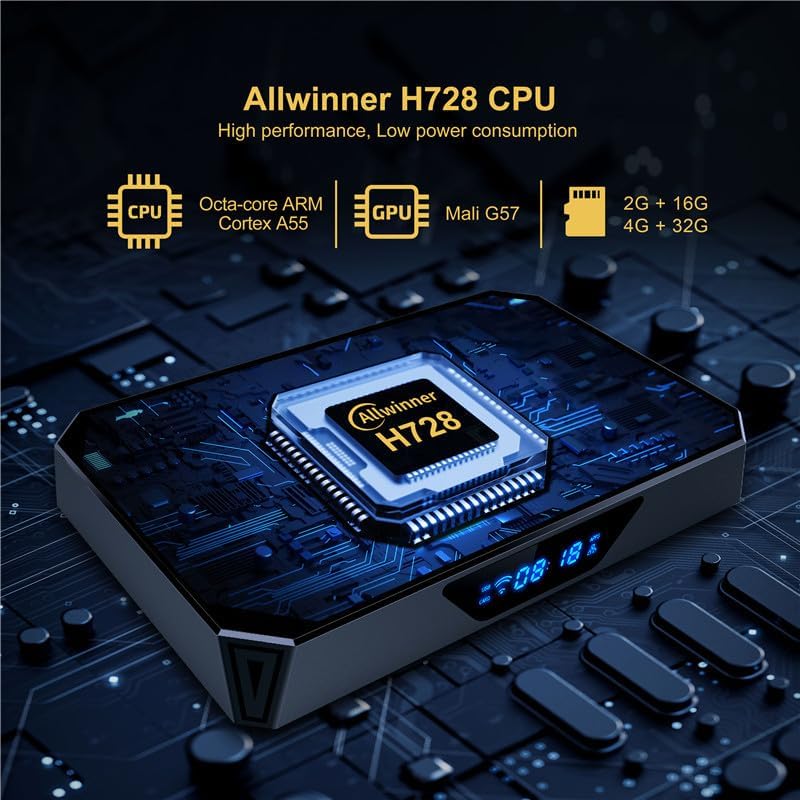
Image: Close-up of the CHROX X96Q PRO+ TV Box highlighting the Allwinner H728 CPU, Octa-core ARM Cortex A55, and Mali G57 GPU.
| Característica | Descripció |
|---|---|
| Sistema operatiu | Android 14.0 |
| CPU | H728 Quad-Core ARM Cortex-A55 64-bit |
| GPU | Mali G31 MP2 |
| RAM | 4 GB |
| Emmagatzematge intern (FLASH) | 64 GB |
| Wi-Fi | 2.4G / 5.8GHz Dual-Band |
| Bluetooth | BT4.1 |
| Ethernet | 10/100/1000M RJ-45 |
| Sortida HDMI | HDMI 2.0, supports 8Kx4K @60fps max resolution |
| Ports USB | 1x USB 2.0, 1x USB 3.0 |
| Ranura per a targetes | Micro SD (fins a 64 GB) |
| Video Decoder | H.265 HEVC/MVC, H.264 AVC/MVC, VP9, VP8 |
| Característiques especials | 8K Resolution, HDR, 3D Display, Multi-screen (Airplay, DLNA, Miracast) |
| Serveis d'Internet compatibles | Netflix, Hulu, Amazon Prime Video |
8. Garantia i Suport
For any questions or issues regarding your CHROX X96Q PRO+ TV Box, please contact the seller, MYYGZQ. They are committed to resolving your problem within 24 hours. Please refer to your purchase documentation for specific warranty terms and contact details.