
Voltcraft VC-14452015
VOLTCRAFT WB-310 Thermal Imager User Manual
Model: VC-14452015
1. Introducció
This manual provides comprehensive instructions for the safe and efficient operation, maintenance, and troubleshooting of your VOLTCRAFT WB-310 Thermal Imager. Please read this manual thoroughly before using the device to ensure proper functionality and to prevent damage or injury.
The VOLTCRAFT WB-310 is a compact thermal imager designed for professional applications in industrial and trade environments. It features a wide temperature measurement range and multiple color scales for versatile use. Its robust design ensures reliable performance even in challenging conditions.
2. Informació de seguretat
Always observe the following safety precautions to prevent personal injury and damage to the device:
- Do not point the thermal imager directly at strong light sources (e.g., sun, lasers) as this may damage the sensor.
- Do not expose the device to extreme temperatures, high humidity, or corrosive environments.
- Feu servir només l'adaptador de corrent i els accessoris especificats.
- No intenteu desmuntar ni modificar el dispositiu. Encarregueu tot el manteniment a personal qualificat.
- Mantingueu el dispositiu allunyat de l'aigua i altres líquids.
- Assegureu-vos una ventilació adequada durant el funcionament.
3. Producte acabatview
Familiarize yourself with the components of your VOLTCRAFT WB-310 Thermal Imager.
Davant View
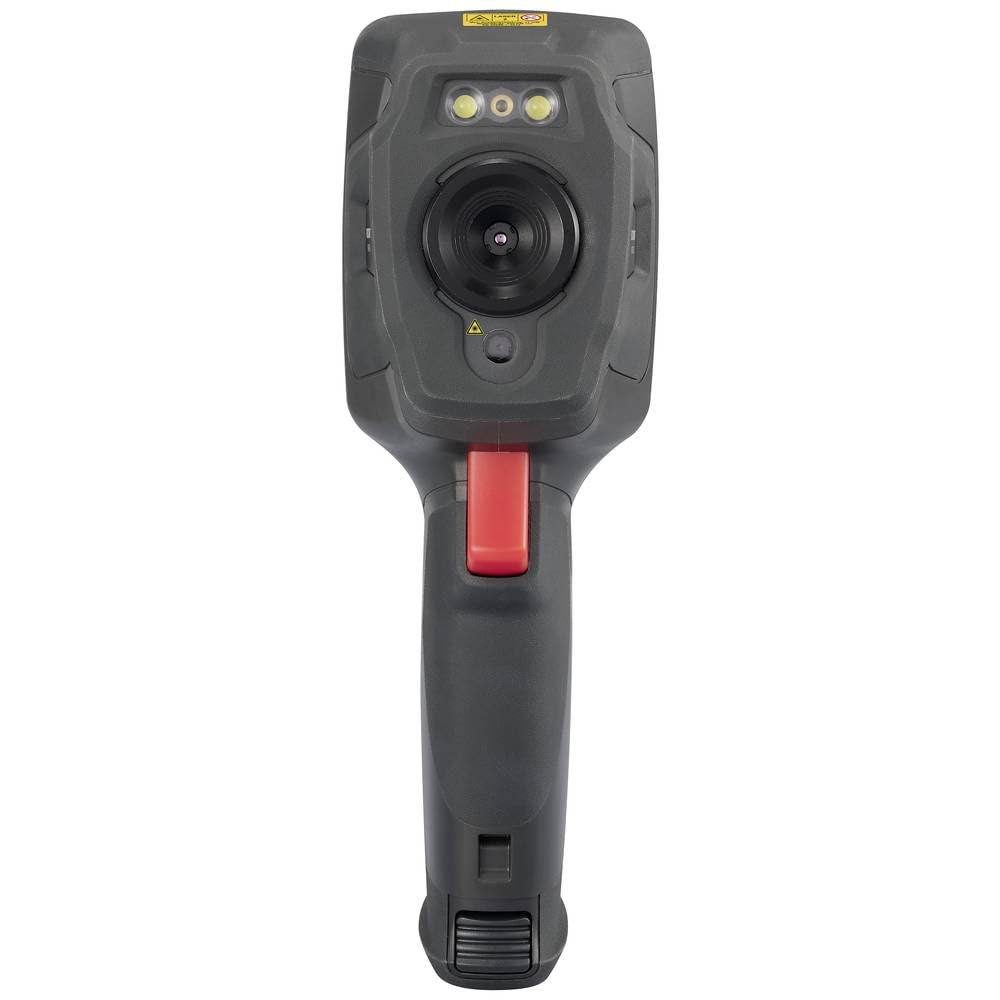
This image displays the front of the WB-310 thermal imager, highlighting the main thermal lens, the integrated visible light camera, and the LED illumination lights located above the lenses. A warning label is visible at the top.
lateral View (Screen Side)
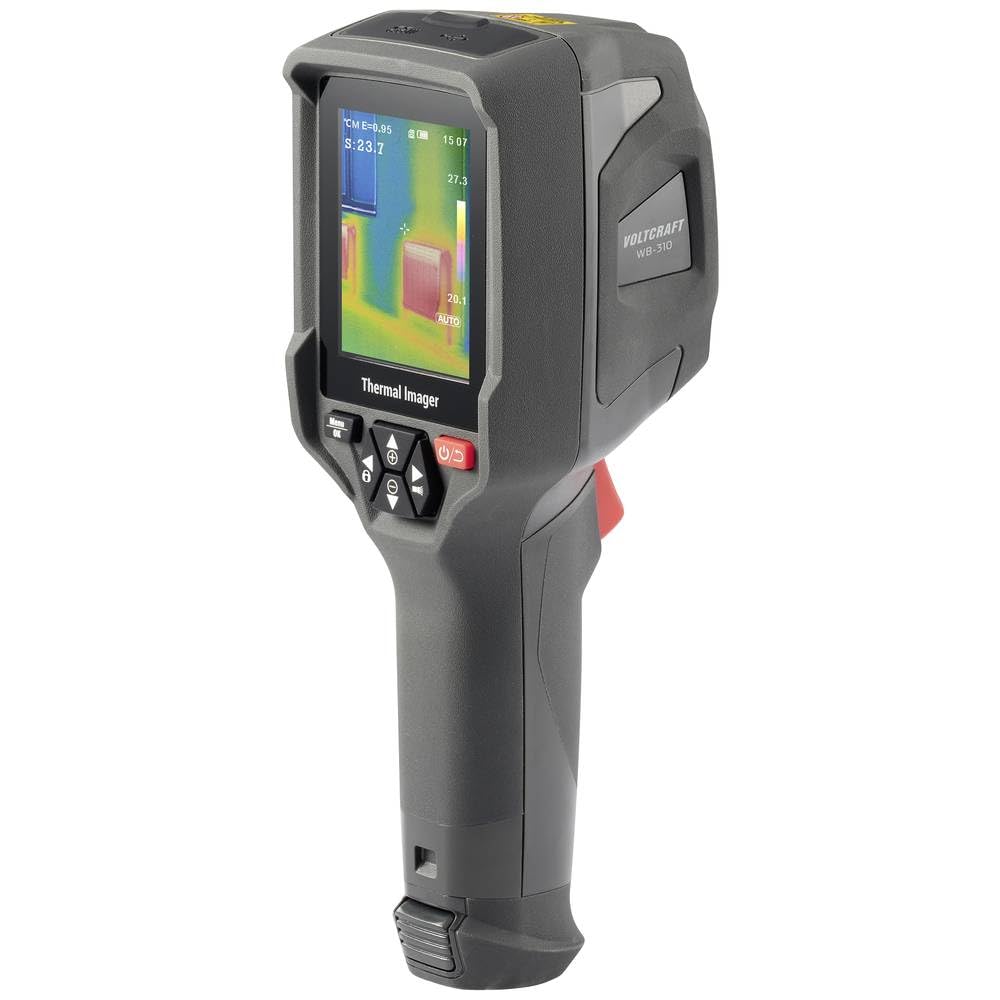
This image shows the side of the WB-310 thermal imager, focusing on the display screen which shows a thermal image with temperature readings. Below the screen are the navigation and power buttons, and the ergonomic handle is clearly visible.
lateral View (Lens Side)
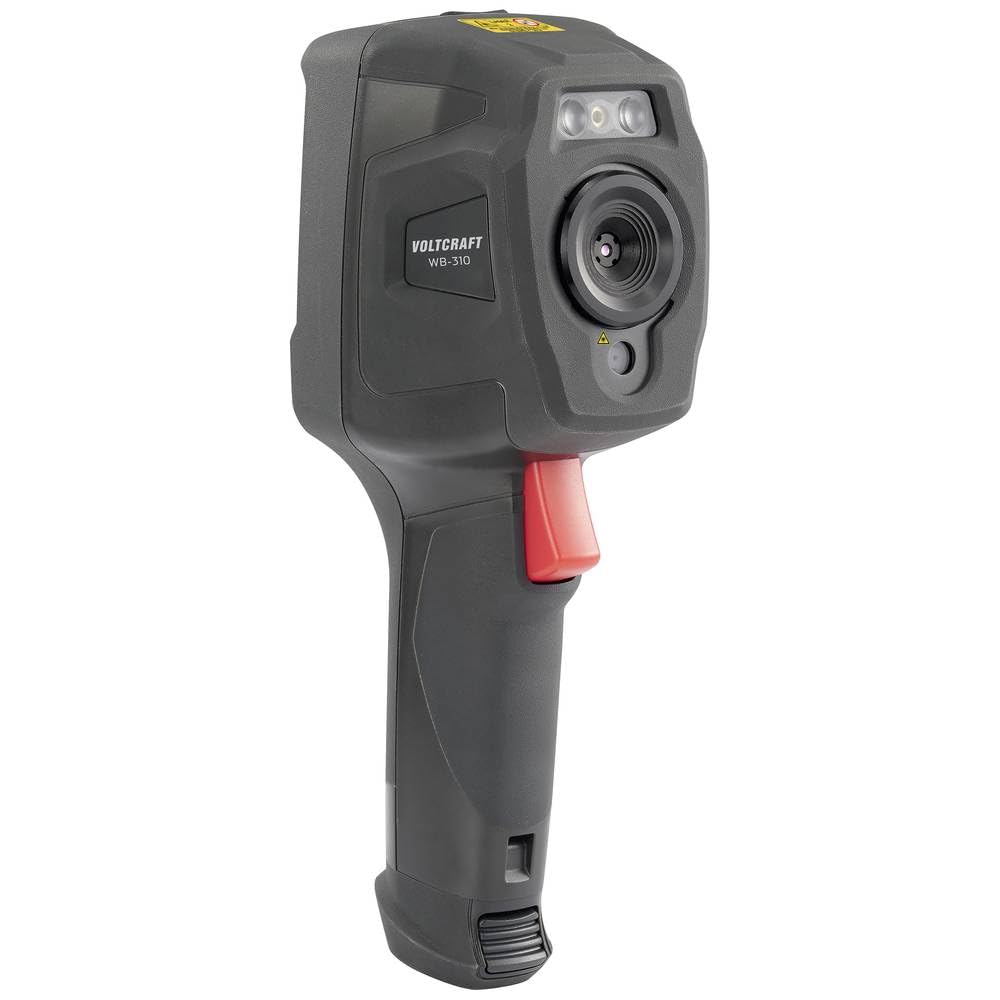
Aquesta imatge presenta una altra cara view of the WB-310 thermal imager, highlighting the lens assembly and the red trigger button located on the handle. The "VOLTCRAFT WB-310" branding is visible on the side casing.
posterior View
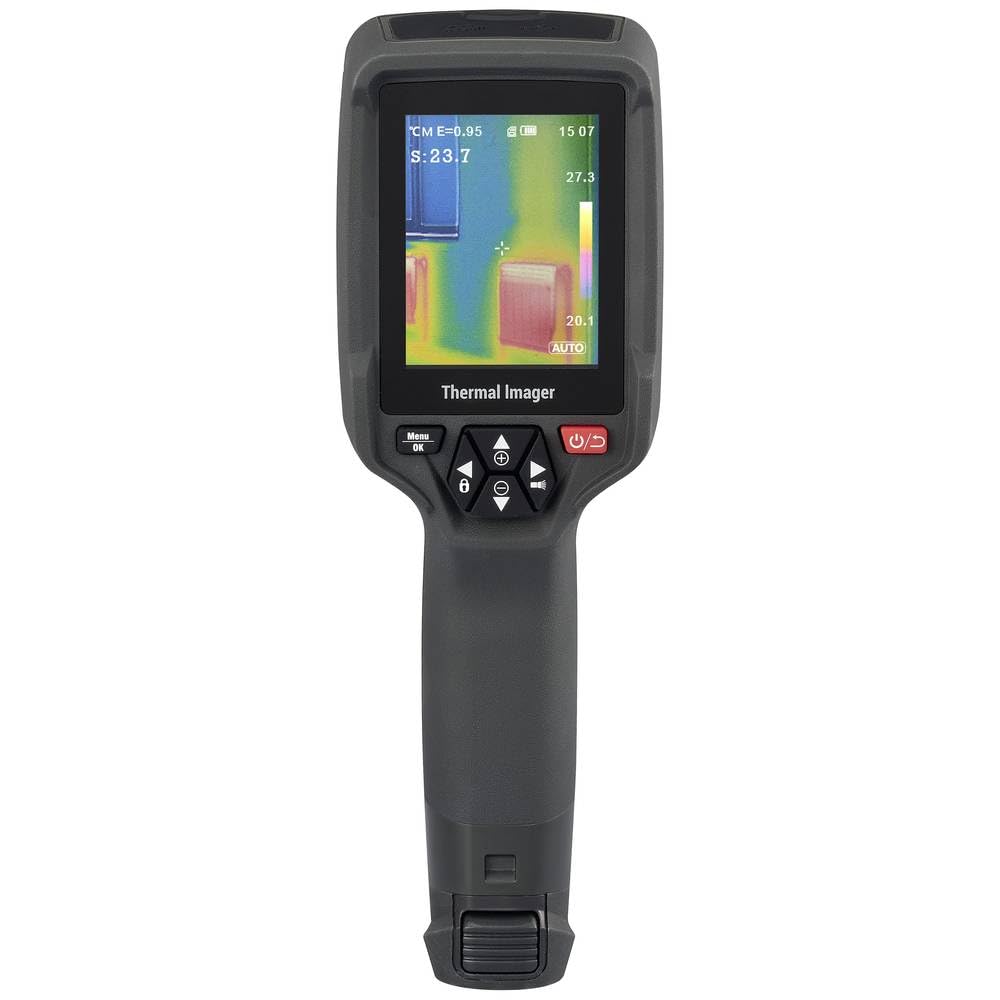
Aquesta imatge mostra la part posterior view of the WB-310 thermal imager, primarily featuring the display screen and the array of control buttons beneath it. The ergonomic grip is also prominent.
- Lent tèrmica
- Càmera de llum visible
- Il·luminació LED
- Pantalla de visualització
- Navigation Buttons (Up, Down, Left, Right, OK/Menu)
- Botó d'engegada
- Botó disparador
- Micro-SD Card Slot (under protective cover)
- USB-C Port (under protective cover)
4. Configuració
4.1. Carregant la bateria
The device is powered by an internal rechargeable battery. Before first use, fully charge the battery using the provided USB-C cable and a compatible power adapter.
- Connect the USB-C cable to the port on the device (usually located under a protective cover).
- Connecteu l'altre extrem del cable a una font d'alimentació USB (per exemple, un port USB de l'ordinador, un adaptador de paret).
- The charging indicator on the device will illuminate during charging and turn off when fully charged.
4.2. Inserting the Micro-SD Card
The WB-310 requires a micro-SD card (not included) to save thermal images and data. Ensure the device is powered off before inserting or removing the card.
- Locate the micro-SD card slot, typically under a protective rubber cover on the side or bottom of the device.
- Gently insert the micro-SD card with the contacts facing down until it clicks into place.
- Per treure-la, empenyeu lleugerament la targeta fins que surti.
5. Instruccions de funcionament
5.1. Encès / apagat
Manteniu premut el botó Botó d'engegada (usually marked with a power symbol) for a few seconds to turn the device on or off.
5.2. Mesura bàsica
- Point the thermal imager at the object or area you wish to measure.
- The display will show the thermal image in real-time.
- The central spot meter will indicate the temperature at the center of the screen.
- Premeu el botó Botó disparador to capture and save the current thermal image to the micro-SD card.
5.3. Navegació del menú
Utilitza el Botó Menú / D'acord per accedir al menú principal. Feu servir la tecla Botons de navegació (Up, Down, Left, Right) to scroll through options and adjust settings. Press Menú / D'acord again to confirm selections or exit a submenu.
5.4. Configuració de les claus
- Emissivitat: Adjust this setting based on the material being measured for accurate temperature readings. Common values are provided in the specifications section.
- Paletes de colors: Select from eight available color scales (e.g., Iron, Rainbow, Black-Hot, White-Hot) to visualize temperature differences.
- Unitat de temperatura: Canvia entre Celsius (°C) i Fahrenheit (°F).
- Mode d'imatge: Choose between thermal image, visible light image, or fusion modes (picture-in-picture, overlay) if available.
6. Manteniment
6.1. Neteja del dispositiu
- Wipe the device body with a soft, damp tela. No utilitzeu netejadors abrasius ni dissolvents.
- Per a la lent i la pantalla, feu servir un drap i una solució especials per netejar lents per evitar ratllades.
- Ensure the device is powered off and disconnected from any power source before cleaning.
6.2. Cura de la bateria
- Recharge the battery regularly, even if the device is not in use, to maintain battery health.
- Eviteu descarregar completament la bateria amb freqüència.
- Guardeu el dispositiu en un lloc fresc i sec quan no el feu servir durant períodes prolongats.
6.3. Actualitzacions de firmware
Check the official VOLTCRAFT website periodically for available firmware updates. Follow the instructions provided with the update package carefully.
7. Solució De Problemes
| Problema | Causa possible | Solució |
|---|---|---|
| El dispositiu no s'encén. | La bateria està descarregada. | Carregueu la bateria completament. |
| El dispositiu es bloqueja o no respon. | Error de programari. | Perform a soft reset by holding the power button for 10 seconds. If problem persists, contact support. |
| Lectures de temperatura inexactes. | Incorrect emissivity setting. | Adjust emissivity according to the material being measured. Ensure the lens is clean. |
| No es poden desar les imatges. | Micro-SD card full or not inserted correctly. | Check micro-SD card insertion. Delete old files or replace card. Ensure card is formatted correctly. |
8. Especificacions
| Característica | Especificació |
|---|---|
| Model | VOLTCRAFT WB-310 (VC-14452015) |
| Interval de mesura de temperatura | -20 ° C a +550 ° C (-4 ° F a +1022 ° F) |
| Bolometer Matrix Resolution | 160 x 120 píxels |
| Sensibilitat tèrmica (NETD) | 50 mK |
| Velocitat de fotogrames | 25 Hz |
| Mostra | 71 mm (2.8") LCD, 320 x 240 pixels |
| Connectivitat | Wi-Fi, USB-C |
| Emmagatzematge | Ranura per a targetes Micro-SD |
| Dimensions (L x A x A) | Aprox. 23.5 x 10.1 x 7.55 cm |
| Pes | Aprox. 840 g |
| Font d'alimentació | Bateria interna recarregable |
9. Garantia i Suport
VOLTCRAFT products are designed for reliability and performance. For warranty information and technical support, please refer to the official VOLTCRAFT weblloc web o poseu-vos en contacte amb el vostre distribuïdor local.
Per obtenir més ajuda, visiteu el VOLTCRAFT Store on Amazon o consulteu la informació de contacte que s'inclou amb l'embalatge del producte.
Ask a question about this manual
Ask about setup, troubleshooting, compatibility, parts, safety, or missing instructions. Manuals+ will review the question and use this page’s manual context to help answer it.