
Introducció
The Dekala Smart Sunrise Alarm Clock is designed to enhance your sleep and wake-up experience. It combines a sunrise simulation wake-up light, a sound machine, and a Bluetooth speaker, offering a personalized and gentle transition from sleep to wakefulness. This multifunctional device also includes dual alarms, adjustable brightness, various light scenes, natural sounds, FM radio, and smart control options via app and voice commands.
Configuració
1. Connexió d'alimentació
Connect the provided power adapter to the DC input port on the back of the alarm clock. Plug the adapter into a standard electrical outlet. The device will power on and the display will illuminate.

Imatge: Part posterior view of the alarm clock, highlighting the power input and USB port.

Image: The alarm clock with its power adapter and charging cable, illustrating how to connect it.
2. Configuració del temps
To set the time, locate the time setting button (often indicated by a clock icon or a gear icon) on the device. Press and hold this button to enter time setting mode. Use the adjustment buttons (usually +/- or a rotating dial) to set the hour and minute. Press the time setting button again to confirm each selection. You can typically switch between 12-hour and 24-hour formats.

Imatge: Examples of the digital time display at various brightness levels (10%, 40%, 70%, 100%).
3. App Control Setup
For smart control features, download the "DEKALA" or "Smart Life" app from your smartphone's app store. Follow the in-app instructions to pair your alarm clock with your device via Wi-Fi or Bluetooth. This enables remote control of light settings, sounds, alarms, and other functions.

Image: A user interacting with the alarm clock via a smartphone app and voice commands through an Alexa device.
Instruccions de funcionament
1. Configuració d'alarma
The Dekala alarm clock supports dual alarms, allowing you to set separate wake-up times for weekdays and weekends. Press the "Alarm 1" or "Alarm 2" button to activate and set the desired time. The snooze function provides an additional 9 minutes of sleep, which can be activated up to 5 times by tapping the top of the clock when the alarm sounds.
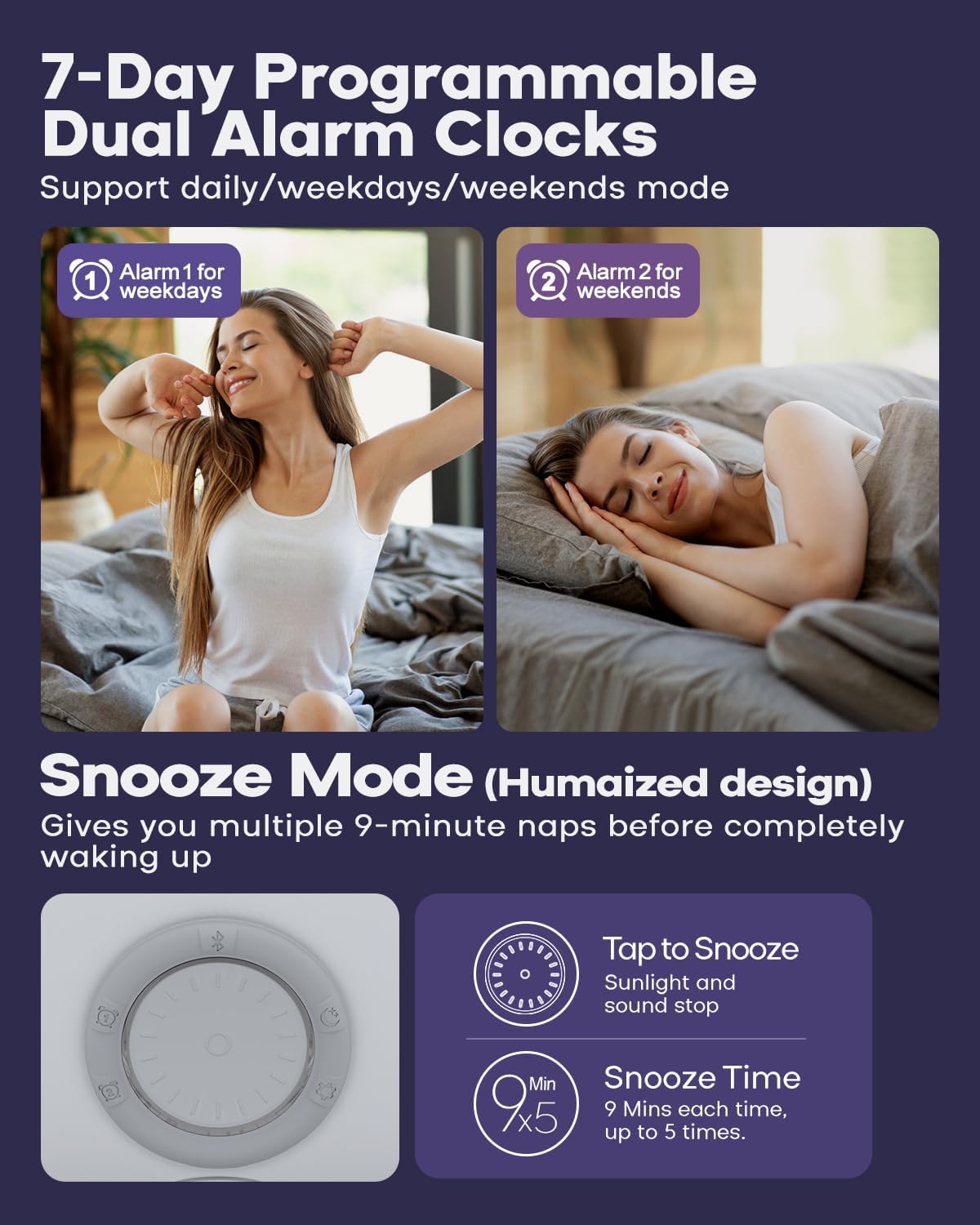
Image: Visual representation of setting Alarm 1 for weekdays and Alarm 2 for weekends, along with details on the 9-minute snooze feature.
2. Sunrise/Sunset Simulation
The sunrise simulation feature gradually brightens the light before your set alarm time, mimicking a natural sunrise to gently wake you up. Conversely, the sunset simulation gradually dims the light to help you fall asleep. This feature promotes a more natural sleep-wake cycle.

Image: The alarm clock emitting a warm, sunrise-like glow on a bedside table, with a smartphone nearby showing app control.
3. Modes de llum
The alarm clock offers 11 dynamic scene lights and adjustable brightness from 5% to 100%. You can select various colors and lighting effects to suit your mood or create different atmospheres in your room. Use the dedicated light control buttons or the app to cycle through modes and adjust intensity.
Image: The alarm clock demonstrating its adjustable brightness feature, from a dim 5% to a bright 100% illumination.

Image: Several alarm clocks showcasing their multicolor adjustable lighting, creating different ambient moods.
4. Sound Machine & FM Radio
Choose from 15 soothing natural sounds, including white noise, to help you relax and fall asleep. The device also features a built-in FM radio. Use the sound control buttons to select your preferred sound or radio station. Adjust the volume to your comfort level.

Image: A child waking up with the alarm clock, illustrating different natural sound options such as Valley, Bird, Wave, and Piano.
5. Charging Features
The alarm clock includes a USB port for charging your phone or other small electronic devices. Some variants of this product may also include a wireless charging pad on the base for compatible smartphones and smartwatches, offering convenient charging solutions.
Manteniment
- Neteja: Netegeu el dispositiu amb un drap suau i sec. No utilitzeu productes de neteja abrasius ni dissolvents.
- Emmagatzematge: Emmagatzemar en un lloc fresc i sec quan no s'utilitzi durant períodes prolongats.
- Manipulació: Handle with care to avoid dropping or physical damage.
Resolució de problemes
- El dispositiu no s'encén: Assegureu-vos que l'adaptador de corrent estigui connectat correctament tant al dispositiu com a una presa de corrent que funcioni.
- Alarm not sounding/light not changing: Verify that the alarm time is correctly set and activated. Check volume levels for sound alarms. Ensure sunrise/sunset simulation is enabled in settings.
- Problemes de connectivitat de l'aplicació: Make sure Bluetooth or Wi-Fi is enabled on your smartphone and the alarm clock is within range. Restart both the app and the alarm clock if issues persist.
- FM Radio static: Extend the FM antenna (if applicable) and try repositioning the device for better signal reception.
Especificacions
| Característica | Detall |
|---|---|
| Marca | Dekala |
| Número de model | SWL3S-PRO |
| Color | Blanc |
| Tipus de visualització | Digital |
| Dimensions del producte | 6.5 cm d'amplada x 6.5 cm d'alçada |
| Pes de l'article | 1.9 lliures |
| Font d'alimentació | Elèctric amb cable |
| Material | Plàstic, acrilonitril butadiè estirè |
| Característiques especials | Snooze, Adjustable Brightness, Noise Machine, Mood Light, Adjustable Volume, Smart App Control, Voice Control (Alexa) |
| Rellotge despertador | Sí (alarmes duals) |
| Primer disponible | 20 de novembre de 2024 |
Garantia i Suport
The Dekala Sunrise Alarm Clock comes with a 365-Day Warranty and a 30-Day Money-Back Guarantee. For any assistance, questions, or support, please contact us directly:
Correu electrònic: support@dekalastore.com