
FLEXISPOT E6
Manual d'instruccions de l'escriptori elèctric regulable en alçada FLEXISPOT E6
Model: E6 (White Frame + 55"x24" Solid Wood Desktop)
Introducció
This manual provides detailed instructions for the assembly, operation, and maintenance of your FLEXISPOT E6 Electric Height Adjustable Standing Desk. Please read this manual thoroughly before assembly and use to ensure proper function and safety. Keep this manual for future reference.

Image: The FLEXISPOT E6 standing desk in a home office setting.
Informació de seguretat
To prevent injury or damage to the desk, please observe the following safety guidelines:
- Always ensure the desk is properly assembled and stable before use.
- No supereu el límit de pes màxim de 220 lliures (100 kg).
- Keep the work area clear of obstacles to prevent accidents during height adjustment.
- Always use both hands when adjusting the desk height to maintain stability.
- Never leave children unattended near the desk.
- Ensure all cables are properly managed to avoid entanglement during movement.
- Eviteu col·locar líquids directament sobre el tauler de control o a prop de components elèctrics.

Image: Anti-collision system diagram.
Muntatge i muntatge
Follow these steps to assemble your FLEXISPOT E6 standing desk. It is recommended to have assistance for certain steps due to the weight of components.
1. Desempaquetar els components
Carefully unpack all components and verify against the parts list provided in your packaging. Ensure all parts are present and undamaged.
2. Muntar el marc
Begin by assembling the crossbeams and pedestals. Ensure screws are aligned with square holes in the cross member and pressed tightly. Pre-tighten all screws for installing the cross beams, then tighten them simultaneously.
Video: FLEXISPOT E6 Essential Standing Desk Installation Guide. This video demonstrates the step-by-step assembly process for the desk frame and desktop attachment.
3. Attach the Desktop
Carefully place the desktop upside down on a soft, clean surface. Position the assembled frame onto the desktop, ensuring proper alignment. The distance between the supporting bracket and the edge of the tabletop should not exceed 200mm. Secure the frame to the desktop using the provided screws. Use a drill for efficiency, but ensure not to overtighten.

Image: The assembled desk with a light wood top and white frame.
4. Install Keypad and Cable Management
Attach the intelligent keypad to the underside of the desktop. Ensure the keypad is on the same side as the adapter bracket and its curved edge is flush with the edge of the table top. Connect all necessary cables (AC power cable, power adaptor, extension cord) to the control box and motors. Utilize the cable clips for organized cable management.
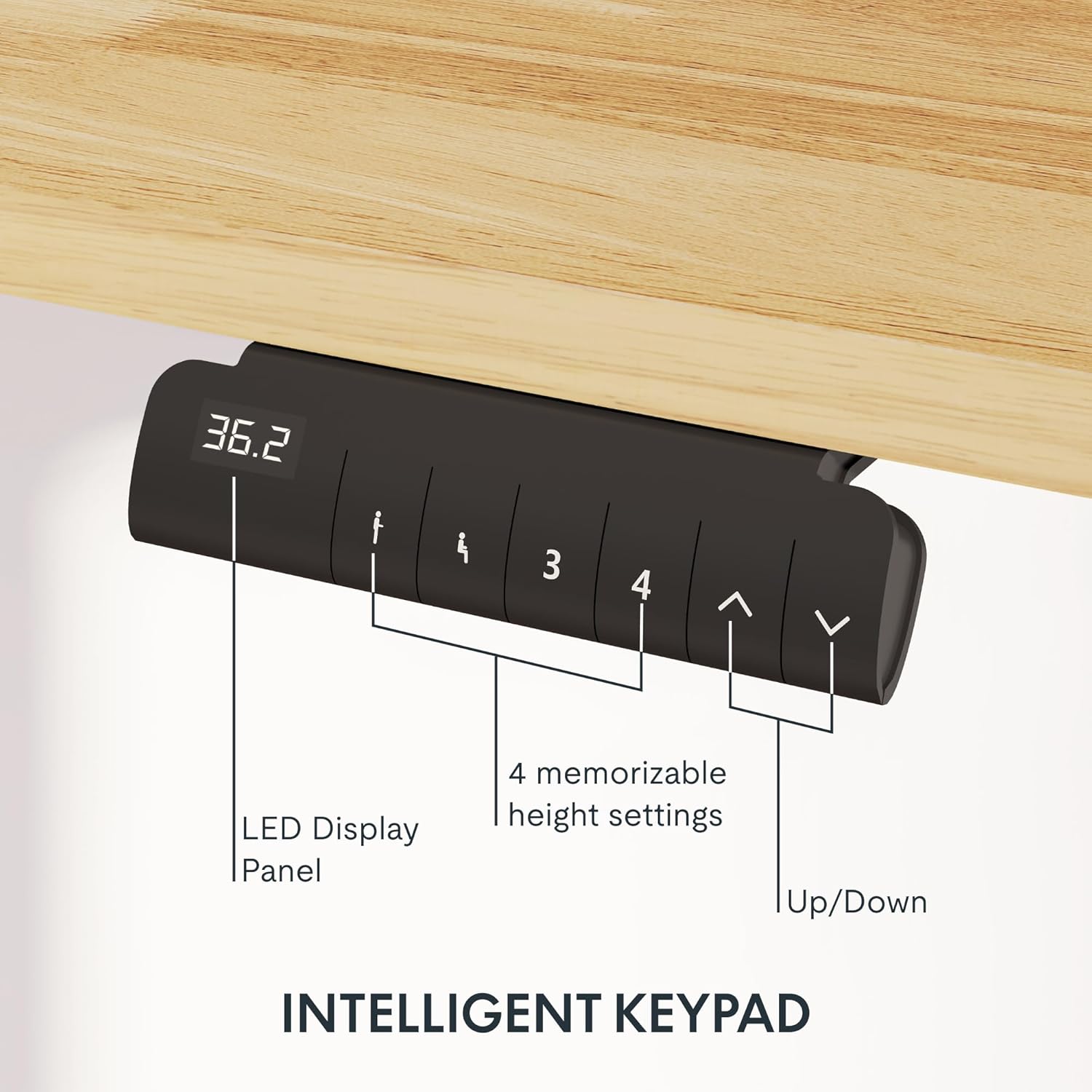
Image: Close-up of the intelligent keypad for height adjustment.
Instruccions de funcionament
Your FLEXISPOT E6 desk features a dual-motor system for smooth and quiet height adjustments.
Ajust d'alçada
- Utilitza el Up i Avall arrows on the keypad to manually adjust the desk height.
- The LED display panel will show the current height.
Presets de memòria
The keypad includes four memorizable height settings for convenience:
- Ajusteu l'escriptori a l'alçada desitjada amb les fletxes amunt/avall.
- Premeu el botó M button (or similar memory set button) followed by a number button (1, 2, 3, or 4) to save the current height to that preset.
- Per recuperar una alçada desada, només cal que premeu el botó numèric corresponent.

Image: Illustration of the desk's height adjustment range.
Manteniment
Un manteniment regular garanteix la longevitat i el rendiment òptim del vostre escriptori de peu.
- Neteja: Netegeu l'escriptori i el marc amb un drap suauamp drap. Eviteu netejadors abrasius o productes químics agressius que puguin danyar l'acabat.
- Gestió de cables: Periodically check and reorganize cables to prevent tangling or damage, especially after moving the desk.
- Estancament del cargol: Occasionally check all screws and bolts to ensure they are securely tightened. Retighten if necessary.
- Distribució de pes: Distribute weight evenly across the desktop to prevent strain on the motors and frame.
Resolució de problemes
If you encounter issues with your FLEXISPOT E6 desk, refer to the following common solutions:
- L'escriptori no es mou: Check all power connections. Ensure the power adapter is securely plugged into both the wall outlet and the control box.
- Moviment desigual: Perform a reset procedure (refer to the specific reset instructions in your packaged manual, as procedures can vary). Ensure no obstacles are impeding movement.
- Codis d'error: If an error code appears on the LED display, consult the full product manual for specific code meanings and solutions.
- Soroll durant el funcionament: A slight hum is normal for dual motors. Excessive or unusual noise may indicate loose components; check all connections and screws.
For persistent issues, please contact FLEXISPOT customer support.
Especificacions
Key specifications for the FLEXISPOT E6 Electric Height Adjustable Standing Desk:
| Característica | Detall |
|---|---|
| Marca | FLEXISPOT |
| Número de model | E6 |
| Material d'escriptori | Rubber Solid Wood (FSC-Certified) |
| Material del marc | Metall |
| Dimensions del producte (P x A x A) | 55.1" x 23.6" x 23.6" (at minimum height) |
| Mida d'escriptori | 55"x24" (Whole-piece) |
| Altura mínima | 23.6 polzades |
| Altura màxima | 48.8 polzades |
| Capacitat màxima de pes | 220 lliures |
| Tipus de motor | Motors duals |
| Nivell de soroll | Menys de 45 dB |
| Tauler de control | Intelligent Keypad with LED Display and 4 Memory Presets |
| Característiques especials | Anti-collision system, Finger Joint Design |
| Muntatge obligatori | Sí |
| Eines recomanades per al muntatge | Tornavís |
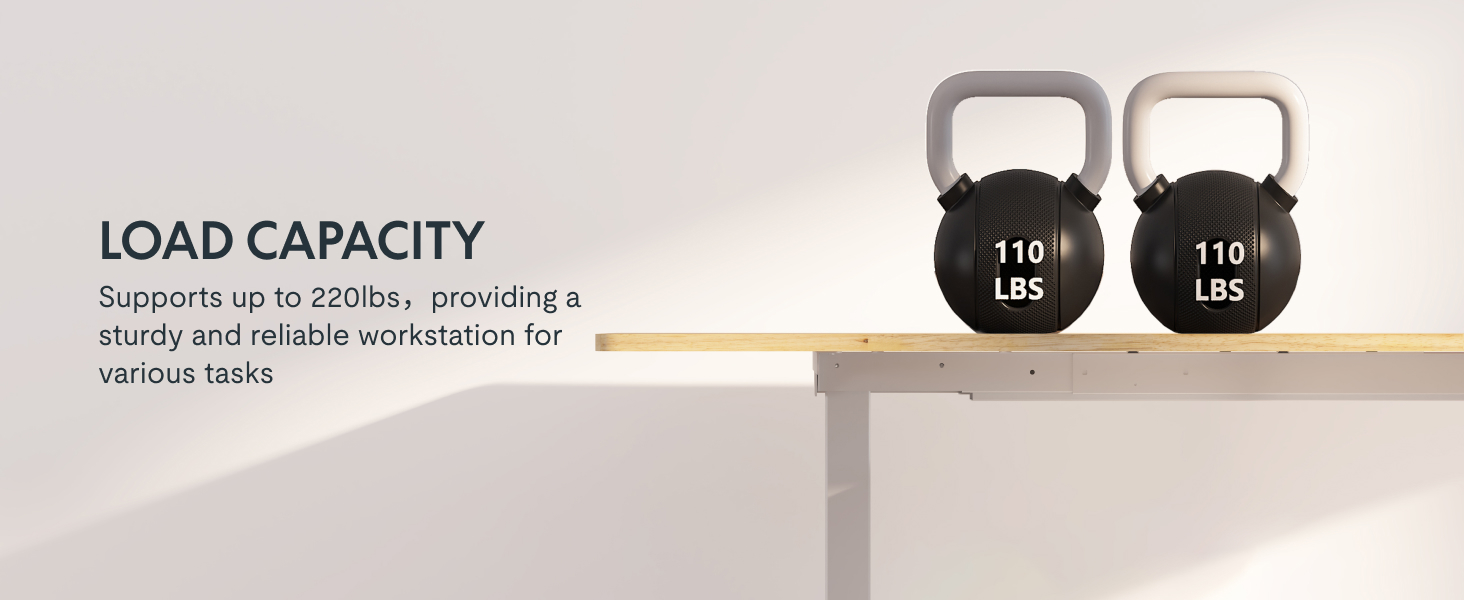
Image: Desk illustrating its 220 lbs maximum load capacity.
Garantia i Suport
FLEXISPOT provides comprehensive warranty coverage for your peace of mind:
- Cobertura de 5 anys: Applies to the desk frame and motors.
- Cobertura de 2 anys: Applies to the control panel and electronics.
For any assistance, warranty claims, or product inquiries, please contact FLEXISPOT customer support. You can find contact information on the official FLEXISPOT weblloc web o a través de la vostra plataforma de compra.
Returnable until January 31, 2026.
Ask a question about this manual
Ask about setup, troubleshooting, compatibility, parts, safety, or missing instructions. Manuals+ will review the question and use this page’s manual context to help answer it.