
1. Introducció
The TRIGKEY Key-N150 Mini PC is a compact and efficient computer designed for various tasks, from office work to media entertainment. It features an Intel Twin Lake N150 processor, 16GB DDR4 RAM, and a 500GB M.2 PCIeX4 SSD, offering reliable performance in a small form factor. This manual provides essential information for setting up, operating, and maintaining your Mini PC.

Imatge 1.1: Frontal view of the TRIGKEY Key-N150 Mini PC.
2. Contingut del paquet
Si us plau, comproveu el paquet per veure si hi ha els elements següents:
- TRIGKEY Key-N150 Mini PC
- Manual d'usuari
- Cable HDMI (1 m)
- AC Power Cable (Optional: US/EU/UK/JP/AU)
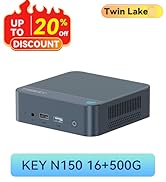
Image 2.1: TRIGKEY Key-N150 Mini PC and included accessories.
3. Producte acabatview
The Key-N150 Mini PC is equipped with a variety of ports and internal components to support its functionality.
3.1 Front and Rear Panel Interfaces

Image 3.1: Front panel of the Mini PC, showing USB ports and audio jack.

Image 3.2: Rear panel of the Mini PC, showing AC power, USB, LAN, and HDMI ports.
The Mini PC features:
- Davant: 3.5mm Audio Jack, USB 2.0, USB 3.2 (10Gbps), Power Button, Power Indicator Light.
- posterior: AC Power Input, USB 3.2 (10Gbps) x2, LAN (1000M) x2, HDMI x2.
3.2 Components interns
Imatge 3.3: Desplegada view showing the internal components of the Mini PC, including the CPU, fan, RAM, and SSD slots.
Key internal features include:
- Processador: Intel Twin Lake N150 (4 Cores/4 Threads, up to 3.60GHz).
- Gràfics: Intel UHD Graphics (24EUs, 1000MHz).
- Memòria: 16GB DDR4 3200MHz SO-DIMM (single channel, expandable).
- Emmagatzematge: 500GB M.2 PCIeX4 SSD (supports dual M.2 2280 SSDs, up to 2TB expansion).
- Connectivitat sense fils: Wi-Fi 5 i Bluetooth 5.0.
- Font d'alimentació: Built-in 45W PSU.

Image 3.4: Details of the Intel Twin Lake N150 processor, highlighting its 3.6 GHz max turbo frequency, 4 cores, and 4 threads.

Image 3.5: Illustration of the 16GB DDR4 SO-DIMM RAM and the dual M.2 2280 SSD slots for storage expansion.
4. Instruccions de configuració
Follow these steps to set up your TRIGKEY Key-N150 Mini PC:
- Connect to a Display: Use an HDMI cable to connect the Mini PC to your monitor or TV. The device supports dual HDMI output for multiple displays.
- Connecteu els perifèrics: Connecteu el teclat i el ratolí USB als ports USB disponibles.
- Connecteu-vos a la xarxa: For a wired connection, connect an Ethernet cable to one of the two LAN ports. For wireless, ensure your WiFi network is available during initial setup.
- Encès: Connect the AC power cable to the Mini PC and then to a power outlet. Press the power button on the front panel.
- Arrencada inicial: The Mini PC will boot up. Follow the on-screen instructions to complete the operating system setup (if not pre-configured).
Vídeo 4.1: Un overview of the TRIGKEY Key-N150 Mini PC, demonstrating its features and connectivity options. This video provides a visual guide to the product's design and capabilities.
5. Instruccions de funcionament
5.1 Funcionament bàsic
Once set up, your Mini PC functions like a standard desktop computer. You can perform tasks such as web browsing, media playback, and office applications.

Image 5.1: The Mini PC supports various applications including web browsing, media entertainment, office work, and 4K video playback.
5.2 Configuració de pantalla dual
The Mini PC supports connecting two monitors via its dual HDMI ports. To configure dual displays:
- Connect both monitors to the HDMI ports on the rear of the Mini PC.
- Power on the Mini PC and both monitors.
- The operating system should automatically detect both displays. You can adjust display settings (extend, duplicate, primary display) through your OS display settings.
5.3 Intel Unison App
The Intel Unison App allows seamless connection between your Mini PC and mobile devices. This enables features such as:
- Viewing photo galleries from your PC.
- Extending your PC screen with a tablet.
- Making and receiving phone calls from your PC.
- Transferència files between phone/tablet and PC.
- Sending and receiving text messages from your PC.
- Managing device notifications from a single source.

Image 5.2: The Intel Unison App facilitates seamless connectivity and data transfer between your Mini PC and mobile devices.
6. Manteniment
To ensure the longevity and optimal performance of your Mini PC, consider the following maintenance tips:
- Mantingueu-lo net: Regularly clean the exterior of the Mini PC with a soft, dry cloth. Ensure ventilation holes are free from dust and obstructions to maintain efficient cooling.
- Actualitzacions de programari: Mantingueu el sistema operatiu i els controladors actualitzats a les versions més recents per millorar la seguretat i el rendiment.
- Apagada correcta: Always shut down the Mini PC properly through the operating system to prevent data corruption.
- Condicions ambientals: Operate the Mini PC in a well-ventilated area, away from direct sunlight, excessive heat, and moisture.

Image 6.1: The Mini PC features an efficient cooling system to ensure stable operation and heat dissipation.
7. Solució De Problemes
If you encounter issues with your Mini PC, refer to the following common solutions:
- Sense energia: Ensure the AC power cable is securely connected to both the Mini PC and the power outlet. Try a different power outlet.
- Sense pantalla: Check that the HDMI cable is firmly connected to both the Mini PC and the monitor. Verify the monitor is powered on and set to the correct input source. Try a different HDMI cable or monitor if possible.
- Sense connexió a Internet: For wired connections, check the Ethernet cable and router status. For wireless, ensure Wi-Fi is enabled in the operating system and you are connected to the correct network with the correct password.
- Perifèrics que no funcionen: Ensure USB devices are properly plugged into the USB ports. Try different USB ports or restart the Mini PC.
- Alentiment del sistema: Close unnecessary applications. Check for background processes consuming high resources. Ensure sufficient free storage space.
- Parades inesperades: Ensure the Mini PC is in a well-ventilated area and not overheating. Check for any recent software or driver installations that might be causing instability.
If problems persist, consult the TRIGKEY support resources mentioned in the Warranty and Support section.
8. Especificacions
| Característica | Detall |
|---|---|
| Marca | TRIGKEY |
| Número de model | KEY N150 |
| Model de CPU | Intel Twin Lake N150 (Celeron) |
| Velocitat de la CPU | Fins a 3.6 GHz |
| Recompte de processadors | 4 |
| Coprocessador gràfic | Gràfics Intel UHD |
| Memòria RAM instal·lada | 16 GB DDR4 SDRAM |
| Velocitat de memòria | 3200 MHz |
| Ranures de memòria disponibles | 1 |
| Capacitat d'emmagatzematge de memòria | 500 GB |
| Descripció del disc dur | 500GB M.2 PCIeX4 SSD |
| Sistema operatiu | OS (Pre-installed) |
| Tecnologia de connectivitat | Bluetooth, Ethernet, HDMI, Wi-Fi |
| Compatibilitat sense fils | 802.11ac (Wi-Fi 5), Bluetooth 5.0 |
| Ports USB totals | 3 (USB 3.2 x2, USB 2.0 x1) |
| Total Number of HDMI Ports | 2 |
| Resolució de pantalla màxima | 3840x2160 (4K) |
| Mètode de refrigeració | Passive (with fan for efficient heat dissipation) |
| Tipus d'endoll d'alimentació | Tipus A - 2 pins (nord-americà) |
| Color | Gris |
9. Garantia i Suport
TRIGKEY is committed to providing excellent customer service and support for your Mini PC.
- Resposta ràpida: Support inquiries receive a reply within 24 hours.
- Política de devolució: Política de devolució de 30 dies.
- Substitució: Replacement available within 12 months of purchase.
- Suport de per vida: Servei postvenda i assistència tècnica de per vida.

Image 9.1: TRIGKEY's commitment to customer service, including response times, return policy, replacement period, and lifetime technical support.
Contacta amb nosaltres
For further assistance, technical support, or warranty claims, please use the following channels:
- Correu electrònic: Refer to your product packaging or the official TRIGKEY website for email contact information.
- Weblloc: Visit the official TRIGKEY weblloc web per a preguntes freqüents, controladors i recursos d'assistència.
- Online Consultation: Check the TRIGKEY store page for online chat or consultation options.

Image 9.2: Various contact methods for TRIGKEY customer service and technical support.