
TOPTRO
TOPTRO Smart Projector User Manual
Model: B1
1. Introducció
Thank you for choosing the TOPTRO Smart Projector. This manual provides essential information for setting up, operating, and maintaining your projector to ensure optimal performance and longevity. Please read this manual thoroughly before using the product and retain it for future reference.
2. Informació important de seguretat
- Entorn de funcionament: Per al millor viewing experience, it is recommended to use the projector in a dark environment.
- Compatibilitat d'àudio: The projector does not support Dolby Audio. Ensure Dolby Audio is turned off on your source device to avoid sound issues.
- Connectivitat Bluetooth: The projector's Bluetooth function does not support direct connection to smartphones or computers for audio output. It is designed for connecting to external Bluetooth speakers or headphones.
- Ús de la bateria: The built-in battery provides approximately 2.5 hours of playback on a full charge. If the battery is depleted, charge for at least 15 minutes before resuming use.
- Actualitzacions de programari: If the application prompts you to update, it is recommended not to update. Press the "return button" on the remote control to continue normal operation.
- Prevenció de pols: The projector features a fully sealed optical system designed to prevent dust accumulation, reducing issues like yellowing and black spots. Do not attempt to open the optical system.
3. Contingut del paquet
Marqueu la casella per als elements següents:
- TOPTRO Smart Projector
- Cable d'alimentació
- Control remot
- Manual d'usuari (aquest document)
4. Producte acabatview
Característiques clau
- Bateria incorporada: 20000mAh capacity for up to 2.5 hours of portable use.
- Built-in Android System: Access to a built-in App Store for streaming applications like YouTube, Netflix, and Prime Video.
- Smart Electric Focus & Auto Vertical Keystone: Automatic image adjustment for clear, rectangular projection.
- Fully Sealed Optical Machine: Prevents dust contamination, reducing yellowing and black spots, and extends lifespan.
- Shocking Stereo Sound: Customized super large sound cavity for 360-degree stereo surround sound.
- 5G High-Speed WiFi: Faster and more stable wireless connection.
Components del projector
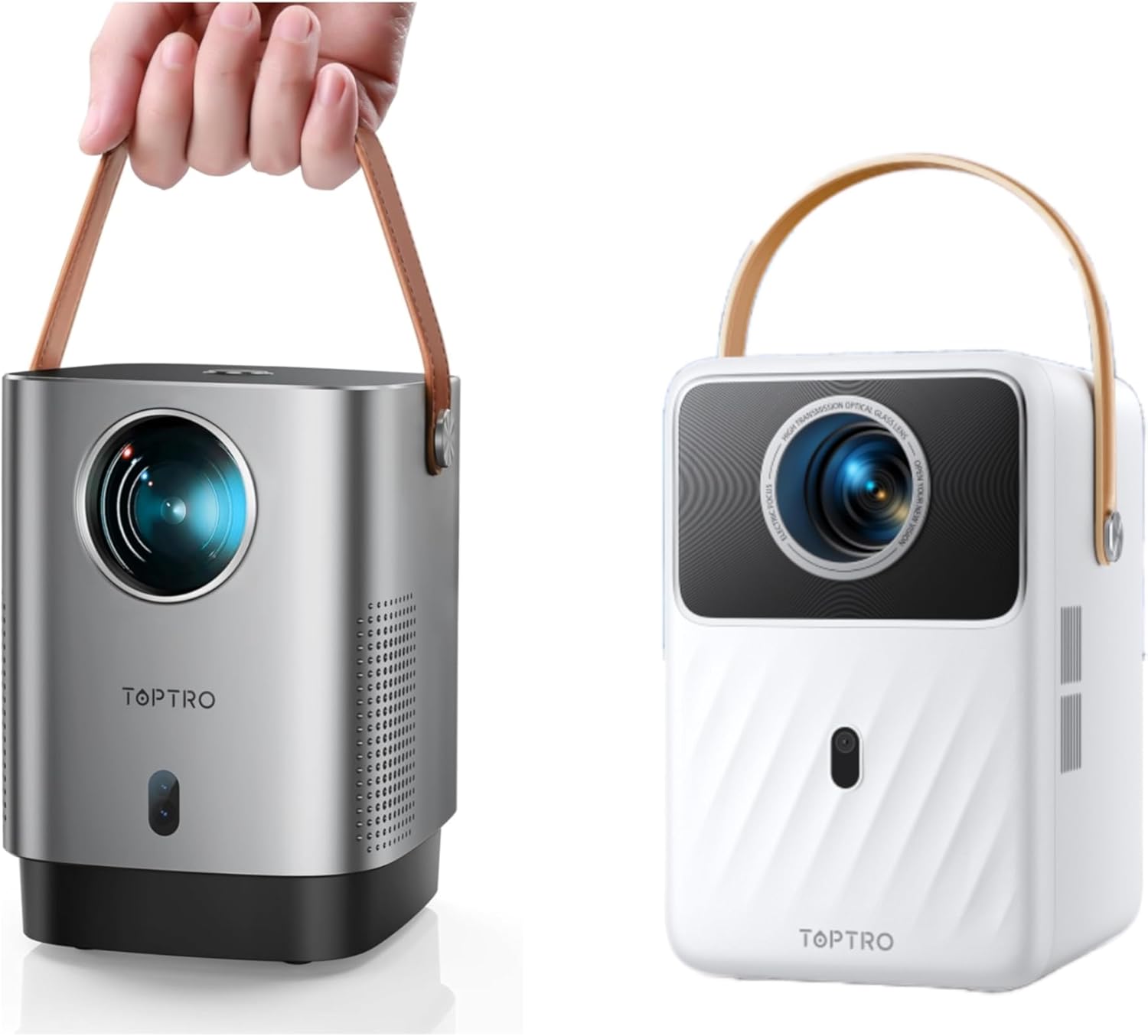
Image: The TOPTRO Smart Projector, showcasing its compact design and portable handle. Available in silver and white finishes.

Imatge: Superior view of the projector, highlighting the USB and HDMI input ports for connecting various devices.

Image: A projected image demonstrating the high-definition picture quality, emphasizing clarity and detail.

Image: The projector positioned near an external speaker, symbolizing its powerful stereo sound output.
5. Configuració inicial
- Encès:
Connect the power cord to the projector and a power outlet. If using the built-in battery, ensure it is sufficiently charged. Press the power button located on the top of the projector to turn it on.

Image: A user's finger pressing the power button located on the top surface of the projector.
- Col·locació:
Place the projector on a stable, flat surface. For optimal image quality, project onto a smooth, light-colored wall or a projector screen in a dark room.
- Enfocament i correcció Keystone:
The projector features smart electric focus and auto vertical keystone correction. Use the smart remote control to obtain a clear, rectangular image within 5 seconds. The auto vertical keystone function will automatically correct distorted images.

Image: A remote control being used to adjust the electric focus of the projector, ensuring a crystal-clear image.
- Dispositius de connexió:
Connect your desired input devices (e.g., TV stick, game console, laptop) to the projector's HDMI or USB ports. Ensure the correct input source is selected on the projector's menu.
- Network Connection (WiFi):
Navigate to the network settings in the projector's menu. Select your 5G WiFi network and enter the password to connect for internet access and streaming.
6. Funcionament
Funcionament bàsic
- Use the provided remote control to navigate the projector's interface.
- The remote allows you to adjust volume, select input sources, access settings, and control media playback.
Smart System & Applications
The TOPTRO Smart Projector features a built-in Android operating system. This allows you to download and install various applications directly from the integrated App Store, including popular streaming services like YouTube, Netflix, and Prime Video. It is recommended to connect a TV box or Fire TV stick (not included) for a wider range of content.

Image: The projector's interface showing various pre-installed and downloadable streaming applications.
Reflex de pantalla / Transmissió
The projector supports connectivity with iOS, Android, and PC devices, allowing you to mirror or cast content from your smartphone, tablet, or computer. Refer to the on-screen instructions for specific mirroring protocols.

Image: A visual representation of the projector's 5G WiFi capability, demonstrating faster and more stable connections compared to 2.4G WiFi.
7. Manteniment i cura
- Neteja: Use a soft, dry cloth to clean the exterior of the projector. For the lens, use a specialized lens cleaning cloth and solution. Do not use abrasive cleaners or solvents.
- Emmagatzematge: Quan no l'utilitzeu, emmagatzemeu el projector en un lloc fresc i sec, lluny de la llum solar directa i de temperatures extremes.
- Protecció contra la pols: The fully sealed optical system (IP5X certified) significantly reduces dust ingress. Avoid exposing the projector to excessively dusty environments.
8. Solució De Problemes
| Problema | Causa possible | Solució |
|---|---|---|
| Sense poder | Power cord not connected; Battery depleted | Ensure power cord is securely connected. If using battery, charge for at least 15 minutes. |
| Imatge borrosa | Out of focus; Incorrect keystone | Use the remote control for electric focus adjustment. The projector has auto vertical keystone correction. |
| Sense so | Volume too low; Dolby Audio enabled on source; Incorrect audio output | Increase volume. Disable Dolby Audio on your source device. Check audio output settings. |
| Cannot connect Bluetooth device | Attempting to connect to smartphone/computer; Device not in pairing mode | Bluetooth is for speakers/headphones only, not smartphones/computers. Ensure your Bluetooth device is in pairing mode. |
| App update prompt | System prompting for update | It is recommended not to update. Press the "return button" on the remote control to continue normal operation. |
| Yellowing or black spots on screen | Dust accumulation (unlikely due to sealed system) | The sealed optical system minimizes this. If issues persist, contact customer support. |
9. Especificacions tècniques
| Característica | Especificació |
|---|---|
| Marca | TOPTRO |
| Resolució de visualització | 1920 x 1080 (1080 P) |
| Tecnologia de connectivitat | Bluetooth, WiFi (5G supported), HDMI, USB |
| Característica especial | Portable, Built-in Battery, Smart Android System, Auto Focus, Auto Keystone |
| Usos recomanats | Home Cinema, Outdoor Movies, Campviatges |
| Fabricant | TOPTRO |
| Primer disponible | 22 de novembre de 2024 |
10. Garantia i atenció al client
TOPTRO provides comprehensive after-sales support for your projector:
- 1-Year Money-Back Guarantee: If you are not satisfied with your purchase within one year, you may be eligible for a refund.
- 3-Year Repair Service: The projector is covered by a 3-year repair warranty for manufacturing defects.
- Suport tècnic professional de per vida: TOPTRO offers lifetime technical assistance for any issues or questions you may have regarding your projector.
For any problems or inquiries, please contact TOPTRO customer support through the official website or your purchase platform. Please have your product model and purchase details ready when contacting support.
Ask a question about this manual
Ask about setup, troubleshooting, compatibility, parts, safety, or missing instructions. Manuals+ will review the question and use this page’s manual context to help answer it.