
1. Informació important de seguretat
- No desmuntis ni modifiquis els auriculars ni l'estoig de càrrega.
- Mantingueu el dispositiu allunyat de temperatures extremes, humitat i líquids.
- Eviteu l'exposició prolongada a nivells de volum elevats per evitar danys auditius.
- Feu servir només els cables de càrrega proporcionats o certificats.
- Eliminar el producte de manera responsable segons la normativa local.
2. Contingut del paquet
Si us plau, comproveu el contingut del paquet en obrir-lo:
- Wireless Earbuds (2)
- Estoig de càrrega (1)
- Cable de càrrega tipus C (1)
- Manual d'usuari (1)

Image: Contents of the Jxrev J51 Wireless Earbuds package.
3. Producte acabatview
The Jxrev J51 Wireless Earbuds offer a high-quality audio experience with advanced features. They are designed for comfort and convenience, suitable for various activities.
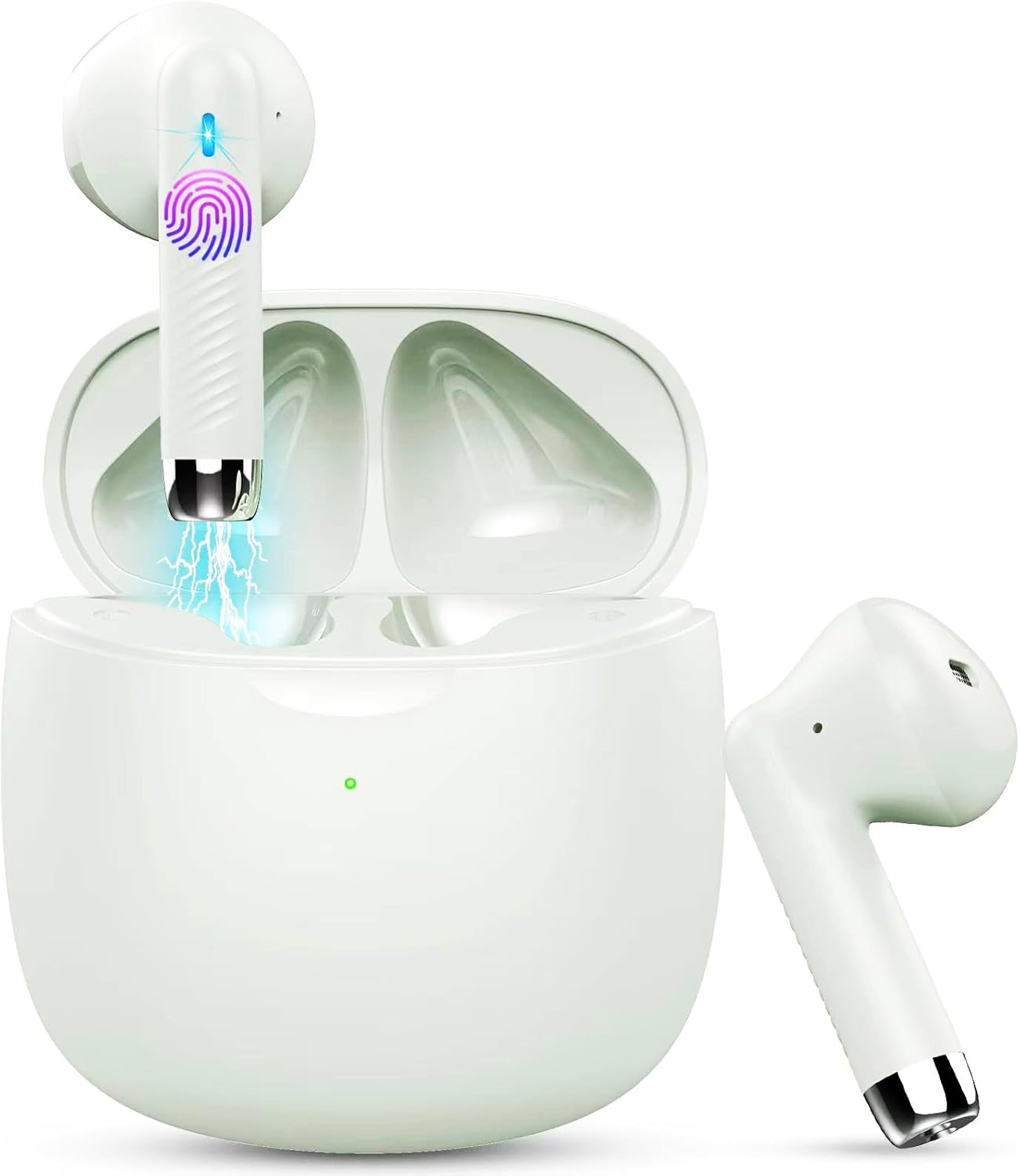
Image: Jxrev J51 Wireless Earbuds and their charging case.
Característiques principals:
- Tecnologia Bluetooth 5.4: Proporciona una connexió sense fil estable i ràpida.
- Controladors dinàmics de 13 mm: Delivers clear audio with enhanced bass.
- Classificació impermeable IP7: Resistant to sweat and splashes, ideal for sports.
- Control tàctil: Intuitive control for music, calls, and voice assistant.
- Disseny lleuger: Each earbud weighs approximately 3g for comfortable wear.

Image: Illustration of the 13mm dynamic driver for audio quality.

Imatge: Interna view of an earbud showcasing the Bluetooth chip for stable connectivity.
4. Configuració i primer ús
4.1 Càrrega de la funda i els auriculars
- Càrrec inicial: Abans del primer ús, carregueu completament l'estoig de càrrega i els auriculars.
- Connectar el cable: Insert the Type-C charging cable into the charging port on the case and connect the other end to a USB power source.
- Indicador de càrrega: The indicator light on the charging case will show the charging status. A full charge typically takes about 1 hour for the case.
- Càrrega dels auriculars: Col·loca els auriculars a l'estoig de càrrega. Començaran a carregar-se automàticament.

Image: Charging case with earbuds, illustrating USB-C charging and battery capacity.
4.2 Emparellament amb el dispositiu
The earbuds feature one-step pairing for convenience.
- Encès: Obre l'estoig de càrrega. Els auriculars s'encendran automàticament i entraran en mode d'emparellament.
- Activa el Bluetooth: Al telèfon intel·ligent o a un altre dispositiu compatible amb Bluetooth, aneu a la configuració de Bluetooth i activeu el Bluetooth.
- Seleccioneu el dispositiu: Look for 'J51' in the list of available devices and select it to connect.
- Confirmació: Un cop connectats, sentireu un missatge d'àudio i els auriculars estaran llestos per al seu ús.
- Reconnexió automàtica: After the initial pairing, the earbuds will automatically connect to the last paired device when taken out of the case.

Image: Visual guide for one-step Bluetooth pairing with a smartphone.
5. Instruccions de funcionament
5.1 Com posar-se els auriculars
The J51 earbuds are designed for an ergonomic and secure fit.
- Identify Left/Right: Locate the 'L' and 'R' markings on each earbud.
- Insereix: Introduïu suaument l'auricular al canal auditiu.
- Ajustar: Rotate the earbud slightly until it feels comfortable and secure. The lightweight design ensures minimal pressure.

Image: Demonstrating the lightweight and ergonomic fit of the earbuds.
5.2 Controls tàctils
The earbuds feature touch-sensitive areas for easy control of various functions.

Image: Comprehensive guide to earbud touch controls.
| Acció | Auricular esquerre (L) | Auricular dret (R) |
|---|---|---|
| Reproduir/Pausa | Feu doble clic | Feu doble clic |
| Següent Cançó | N/A | Mantingueu premut 2 segons |
| Cançó anterior | Mantingueu premut 2 segons | N/A |
| Baixa el volum | Feu un sol clic | N/A |
| Puja el volum | N/A | Feu un sol clic |
| Respondre/Finalitzar la trucada | Feu doble clic | Feu doble clic |
| Rebutja la trucada | Mantingueu premut 2 segons | Mantingueu premut 2 segons |
| Activa l'Assistent de veu | Feu doble clic | Feu doble clic |
5.3 Mono Mode (Single Earbud Use)
You can use either the left or right earbud independently. Simply take one earbud out of the charging case, and it will automatically connect to your device. The other earbud can remain in the case or be used by another person in 'Sharing mode' if desired.
5.4 Binaural Mode (Both Earbuds Use)
For stereo sound, use both earbuds. They will automatically pair with each other and your device when removed from the charging case.

Image: Depiction of Mono and Twin (Binaural) usage modes.
5.5 Assistent de veu
Triple-click either earbud to activate your device's voice assistant (e.g., Siri, Google Assistant).

Image: Activating the voice assistant feature.
6. Manteniment i cura
6.1 Neteja
- Netegeu regularment els auriculars i l'estoig de càrrega amb un drap suau, sec i sense borrissol.
- No utilitzeu netejadors abrasius, alcohol ni dissolvents químics.
- Assegureu-vos que els contactes de càrrega dels auriculars i de la funda estiguin nets i secs per a una càrrega òptima.
6.2 Resistència a l'aigua (IP7)
The Jxrev J51 earbuds are IP7 waterproof, meaning they are protected against temporary immersion in water. This makes them suitable for workouts and use in light rain.
- Do not intentionally submerge the earbuds in water for extended periods.
- The charging case is not waterproof. Keep it dry.
- Assegureu-vos que els auriculars estiguin completament secs abans de tornar-los a col·locar a l'estoig de càrrega per evitar que es facin malbé.

Image: Earbuds demonstrating IP7 waterproof capability.
6.3 Emmagatzematge
Quan no els utilitzeu, guardeu els auriculars a la seva funda de càrrega per protegir-los i mantenir-los carregats.
7. Solució De Problemes
Si teniu algun problema, consulteu les solucions habituals següents:
- Auriculars que no s'aparellen entre si: Place both earbuds back into the charging case, close the lid for a few seconds, then open it again. They should automatically re-sync.
- Auriculars que no es connecten al dispositiu:
- Assegureu-vos que el Bluetooth estigui habilitat al vostre dispositiu.
- Delete 'J51' from your device's Bluetooth history and try pairing again.
- Assegureu-vos que els auriculars estiguin carregats.
- No se sent cap so d'un auricular: Place both earbuds back in the case, close the lid, then open it again. Check if both are connected.
- Problemes de càrrega:
- Check the charging cable and adapter.
- Assegura't que els contactes de càrrega dels auriculars i de la funda estiguin nets i lliures de residus.
- Els controls tàctils no responen: Assegura't que els dits estiguin nets i secs. Prova de reiniciar els auriculars posant-los a l'estoig i traient-los.
8. Especificacions
| Nom del model | J51 |
| Tecnologia de connectivitat | Sense fil (Bluetooth) |
| Versió Bluetooth | 5.4 |
| Interval Bluetooth | Fins a 15 metres |
| Mida del controlador d'àudio | 13 mil·límetres |
| Interval de freqüència | 20 Hz - 20,000 Hz |
| Impedància | 40 ohms |
| Nivell de resistència a l'aigua | Impermeable IP7 |
| Pes de l'auricular | Approx. 3 Grams (each) |
| Estoig de càrrega Durada de la bateria | Fins a 32 hores (amb estoig) |
| Temps de reproducció individual | 6-8 hores |
| Temps de càrrega (cas) | Approx. 1 Hour (USB-C) |
| Tipus de control | Control tàctil |
| Dispositius compatibles | Cellphones, PCs, Tablets, Laptops, TVs |
9. Garantia i Suport
Jxrev products are designed for reliability and performance. For specific warranty details, please refer to the warranty card included in your product packaging or contact Jxrev customer support.
Atenció al client:
If you have any questions, concerns, or require technical assistance, please contact Jxrev customer support through the official weblloc web o la informació de contacte que es proporciona a la documentació del producte.