
Introducció
This manual provides essential information for setting up, operating, maintaining, and troubleshooting your HP 17 Laptop. Please read this guide thoroughly to ensure optimal performance and longevity of your device.
The HP 17 Laptop features a 17.3-inch Full HD (1920 x 1080) IPS Micro-Edge, Anti-glare Display, powered by an AMD Ryzen 5 Processor with AMD Radeon Graphics. It comes with 16GB DDR4 RAM and a 512GB PCIe Solid State Drive, running on Windows 11 Home in S mode. Key features include a numeric keypad, HP True Vision 720p HD camera, Wi-Fi 6, and Bluetooth 5.0 connectivity.
1. Configuració
1.1 Desembalatge i primera engegada
Carefully remove your HP 17 Laptop and all accessories from the packaging. Ensure all components are present:
- Portàtil HP 17
- Adaptador de corrent alterna
- Alpacatec Accessories (if included)
Connect the AC power adapter to the laptop's power port and then to a power outlet. Press the power button to turn on the laptop. Follow the on-screen instructions to complete the initial Windows 11 Home setup.

Image: The HP 17 Laptop featuring its 17.3-inch Full HD display. The screen is shown with a graphic indicating touch functionality, though this specific model does not have a touch screen. The image highlights the large display size.
1.2 Càrrega de la bateria
For optimal battery life, fully charge the laptop before its first use. The HP Fast Charge feature allows the battery to charge from 0% to 50% in approximately 45 minutes when the laptop is off.
2. Com fer servir el portàtil
2.1 Pantalla
Your laptop is equipped with a 17.3-inch diagonal Full HD (1920 x 1080) IPS Micro-Edge, Anti-glare Display. This display provides clear visuals and reduces reflections for comfortable viewing.

Image: A user operating the HP laptop, demonstrating its suitability for productivity tasks with Microsoft Office applications. The laptop's large screen is visible.
2.2 Teclat i touchpad
The laptop features a full-size QWERTY keyboard with a dedicated numeric keypad for efficient data entry. The touchpad serves as your pointing device, supporting multi-touch gestures for navigation.
2.3 Webcàmera i àudio
The integrated HP True Vision 720p HD camera includes a privacy shutter for security. It also features temporal noise reduction and integrated dual array digital microphones for clear video calls and audio recording.
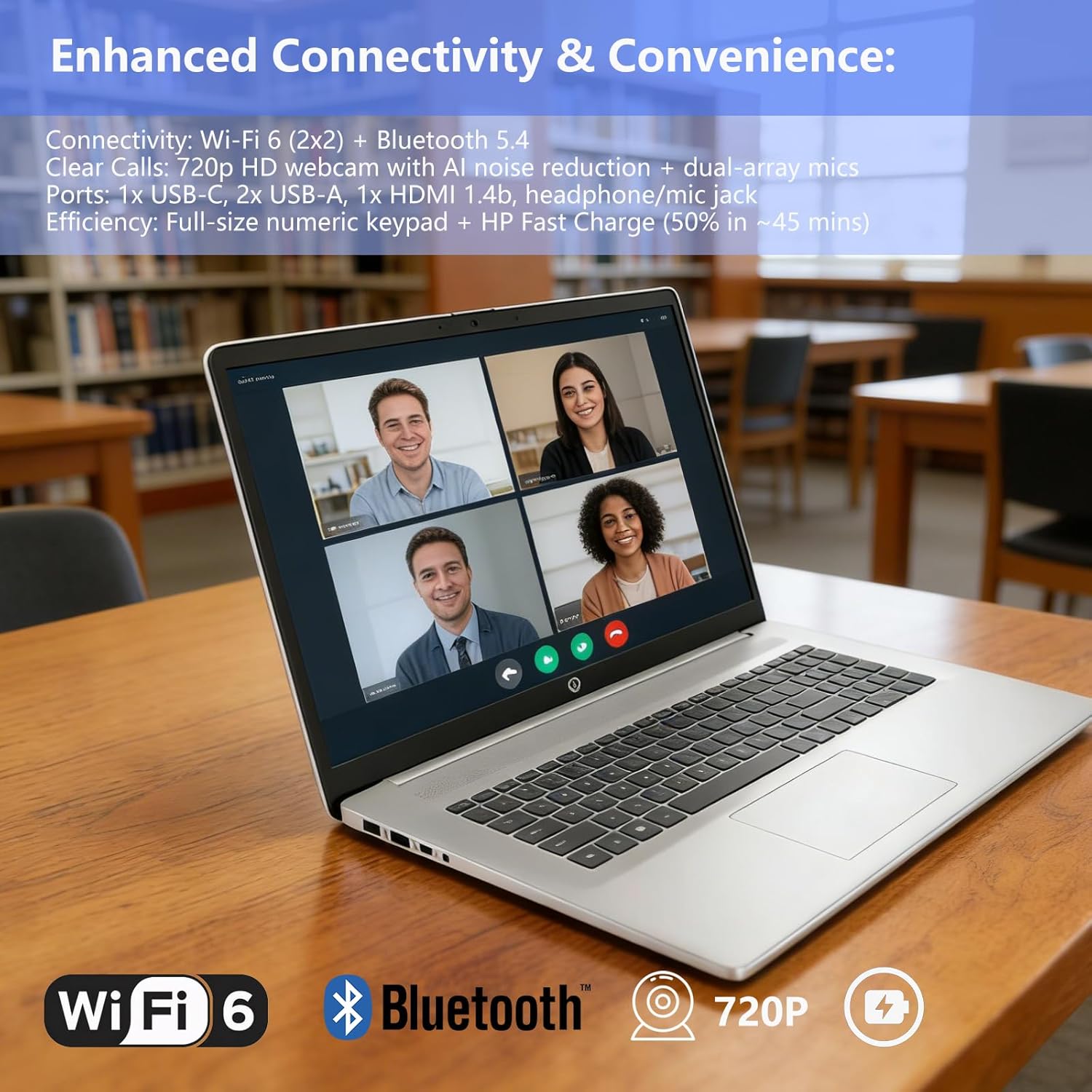
Image: The HP laptop showcasing its enhanced connectivity features, including Wi-Fi 6 and Bluetooth, and its 720p HD webcam suitable for video conferencing. Fast charging capability is also indicated.
2.4 Connectivitat
Your HP 17 Laptop offers various connectivity options:
- Sense fil: Wi-Fi 6 (802.11ax) and Bluetooth 5.0 for high-speed wireless connections.
- Ports:
- 1 x USB Type-C 3.0 (data transfer only)
- 2 USB tipus A 3.0
- 1 x HDMI (for external display output)
- 1 x Headphone/Microphone combo jack
- 1 x pin intel·ligent de CA (per a l'adaptador de corrent)
2.5 Sistema operatiu
The laptop runs on Windows 11 Home in S mode, providing a streamlined and secure experience. You can switch out of S mode if you require to install apps from outside the Microsoft Store.

Image: A user engaged in work on an HP laptop, illustrating the Windows 11 operating system and its features. Note that this model comes with Windows 11 Home in S mode, not Windows 11 Pro as suggested by the image overlay.
3. Manteniment
3.1 Neteja del portàtil
Per mantenir l'aspecte i la funcionalitat del vostre portàtil:
- Feu servir un drap suau i sense borrissol per netejar la pantalla i les superfícies exteriors.
- Eviteu l'ús de productes químics agressius, abrasius o dissolvents.
- For the screen, dampNetegeu el drap amb aigua o una solució netejadora de pantalles.
3.2 Cura de la bateria
Per allargar la durada de la bateria:
- Eviteu temperatures extremes.
- No descarregueu completament la bateria amb freqüència.
- Store the laptop with a partial charge if not used for extended periods.
4. Solució De Problemes
Si teniu problemes amb el vostre portàtil, proveu els passos bàsics següents per resoldre problemes:
- Sense energia: Assegureu-vos que l'adaptador de CA estigui connectat correctament tant al portàtil com a una presa de corrent que funcioni. Comproveu si la presa de corrent funciona.
- Problemes de visualització: If the screen is blank, try adjusting the brightness. Connect an external monitor to check if the issue is with the laptop's display or graphics output.
- Rendiment lent: Close unnecessary applications. Check for available Windows updates. Consider running a system scan for malware.
- Problemes de connectivitat: For Wi-Fi, ensure your router is working and the laptop's Wi-Fi is enabled. For Bluetooth, ensure the device you are trying to connect to is in pairing mode and within range.
Per a problemes més complexos, consulteu el servei d'assistència d'HP weblloc o contacteu amb el servei d'atenció al client.
5. Especificacions
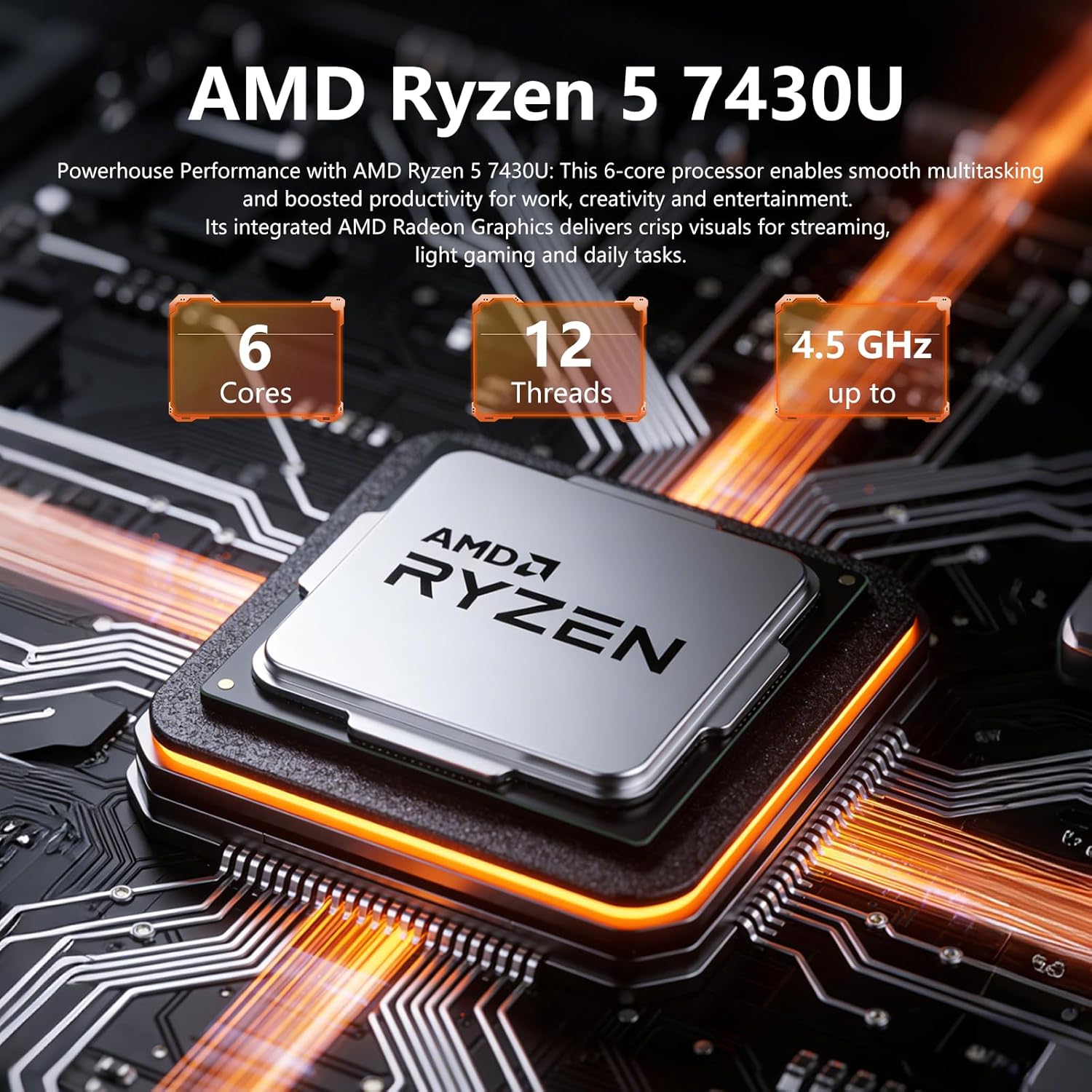
Imatge: Detallada view of the AMD Ryzen 5 7430U processor, highlighting its 6 cores, 12 threads, and up to 4.3 GHz clock speed, which powers the HP 17 Laptop. Note: The image indicates 4.5 GHz, but the product specifications state up to 4.3 GHz.
| Característica | Detall |
|---|---|
| Marca | HP |
| Nom del model | HP |
| Mida de la pantalla | 17.3 polzades |
| Resolució de visualització | 1920 x 1080 píxels (Full HD) |
| Tipus de visualització | IPS Micro-Edge, Anti-glare LED |
| Processador | AMD Ryzen 5 7430U (6 nuclis, fins a 4.3 GHz) |
| Gràfics | Gràfics integrats d'AMD Radeon |
| Memòria RAM | 16 GB DDR4 SDRAM |
| Emmagatzematge | 512 GB PCIe Solid State Drive (SSD) |
| Sistema operatiu | Windows 11 Home en mode S |
| Weblleva | HP True Vision 720p HD camera with privacy shutter |
| Connectivitat | Wi-Fi 6 (802.11ax), Bluetooth 5.0 |
| Ports | 1x USB Type-C 3.0, 2x USB Type-A 3.0, 1x HDMI, 1x Headphone/Mic combo, 1x AC smart pin |
| Durada de la bateria | Fins a 9 hores |
| Dimensions (L x A x A) | 15.78" x 10.15" x 0.78" |
| Pes | 4.6 lliures |
| Característiques especials | Numeric Keypad, Fast Charge |

Image: The HP laptop highlighting its physical dimensions and core performance components: 16GB DDR4-3200MHz RAM, 512GB PCIe NVMe SSD, and AMD Radeon Graphics. Note: The image overlay indicates 1TB SSD, but the product specifications are 512GB SSD.
6. Garantia i Suport
6.1 Garantia del producte
Your HP 17 Laptop comes with a limited warranty. Please refer to the warranty documentation included with your product for specific terms and conditions, including coverage duration and service options.
6.2 Atenció al client
Per a assistència tècnica, reclamacions de garantia o més informació, visiteu el lloc web de suport oficial d'HP. website or contact HP customer service directly. Have your product model number and serial number ready when contacting support.