
1. Introducció
This manual provides comprehensive instructions for the PDDAXLQUE DX-CP27 Wireless Bluetooth Beacon. This device supports both iBeacon and Eddystone protocols, making it suitable for various applications such as indoor cargo tracking, asset management, personnel tracking, and advertising push.
2. Què hi ha a la caixa
The DX-CP27 Bluetooth Beacon package typically includes:
- DX-CP27 Bluetooth Beacon(s)
- Manual d'instruccions
- Guia de producte
- Battery (pre-installed or included)
- Embalatge exterior

3. Producte acabatview i Característiques clau
The DX-CP27 is a compact, low-energy Bluetooth 5.1 beacon designed for precise indoor tracking and positioning. It integrates a Renesas DA14531 chip for reliable performance.
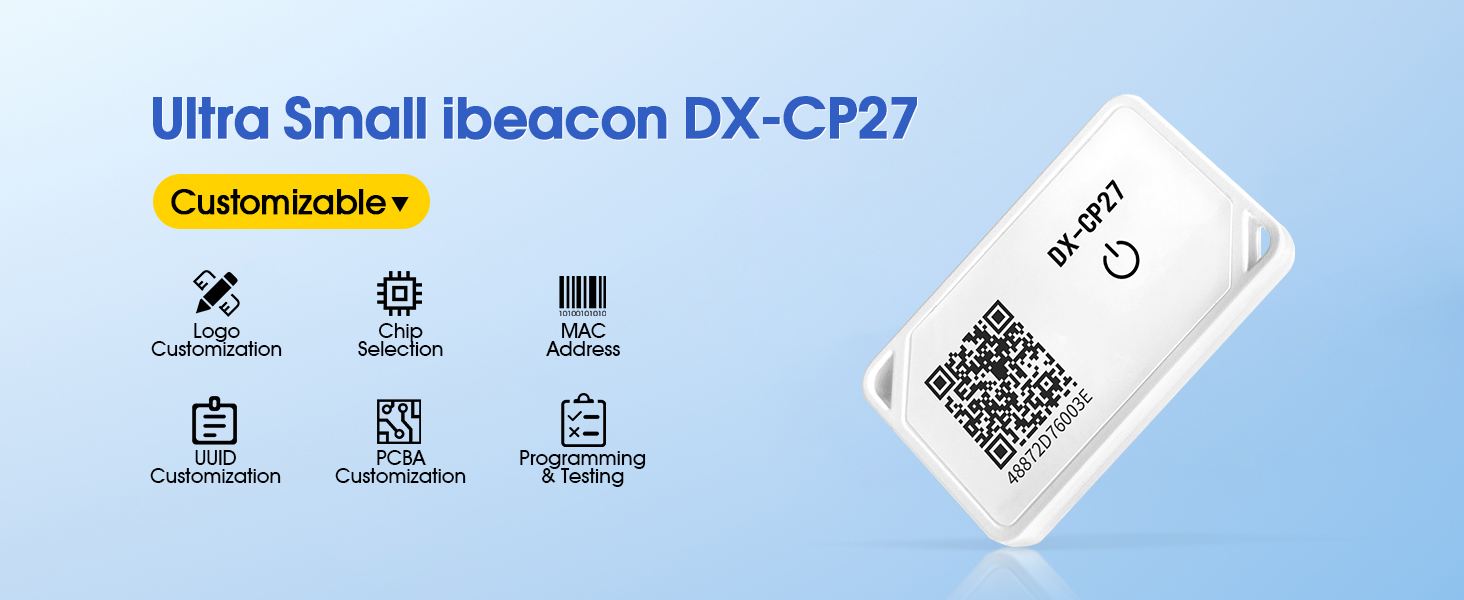
Característiques principals:
- iBeacon & Eddystone Support: Compatible with both iBeacon and Eddystone protocols, allowing for custom broadcast data configuration.
- Multiple Data Sets: Supports broadcasting 6 sets of data, including iBeacon, UID, URL, TIM, Device Info, and sensor data.
- Extended Range & Battery Life: Offers an open-space communication distance of 50-70 meters and a battery life of 6-12 months.
- Free App & SDK: Companion Android and iOS apps ("DX-SMART" or "DX-Ibeacon") are available for configuration, along with a free app SDK for development.
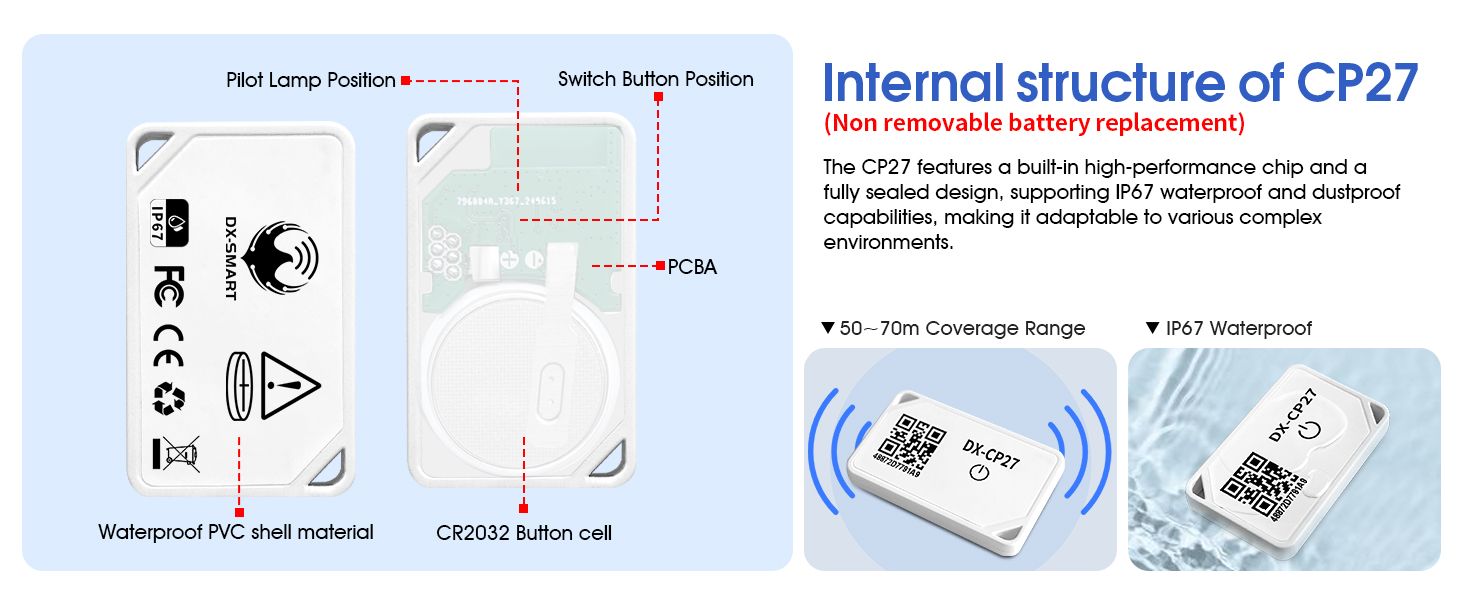
- Impermeable IP67: Designed with an IP67 rating for water and dust resistance, suitable for various environments.
4. Configuració
4.1 Engegada/apagada
- Encès: Long-press the power key on the beacon for approximately 2 seconds. The indicator light will blink twice, confirming successful startup.
- Apagar: Long-press the power key for approximately 5 seconds. The indicator light will stay on steadily for a moment and then turn off, indicating the device has shut down.
4.2 Instal·lació i connexió de l'aplicació
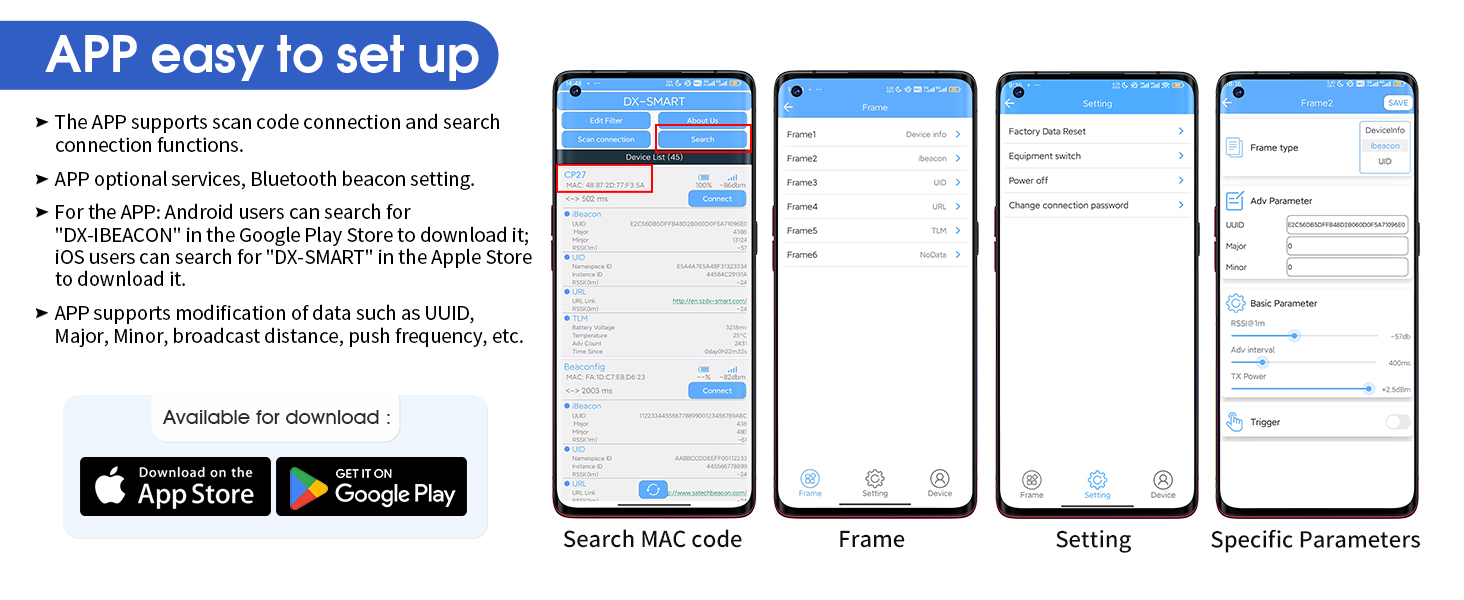
- Descarrega l'aplicació: Cerca "DX-SMART" in the Apple App Store (for iOS devices) or "DX-Ibeacon" in the Google Play Store (for Android devices) and install the companion application.
- Activa el Bluetooth: Assegureu-vos que el Bluetooth estigui habilitat al vostre telèfon intel·ligent.
- Connect to Beacon: Open the DX-SMART app. Refresh the device list to find your DX-CP27 Beacon. Tap on the beacon to connect. The default password is "dx1234" (this can be changed later).
5. Instruccions de funcionament
5.1 Configuring Beacon Parameters
The DX-SMART app allows you to customize various broadcast parameters of your beacon:
- Configuració d'accés: After connecting to your beacon, navigate to the parameter settings interface within the app.
- Select Frame: Choose any of the available frames (e.g., Frame1, Frame2) to configure its broadcast type (Device Info, iBeacon, UID, URL, TLM, NoData).
- Modify Parameters: Adjust specific parameters such as UUID, Major, Minor, BLE Name, advertising interval, and transmission power as needed for your application.
- Desa els canvis: Click the "SAVE" button in the app to apply your modifications to the beacon. A "Save Success" prompt will confirm the update.
6. Escenaris d'aplicació
The DX-CP27 Bluetooth Beacon is versatile and can be deployed in numerous scenarios:
- Warehouse Asset Management Tracking: Efficiently manage and locate important goods within a warehouse environment.

- Personnel Tracking: Monitor and manage the location of staff in various settings such as hospitals, schools, music festivals, or large events.

- Cargo Tracking: Track the production date and location records of goods, including logistics, wineries, and hazardous chemicals.

- Push Advertising: Accurately identify the location of target audiences to provide personalized service experiences, such as coupons or product introductions.

7. Manteniment
7.1 Informació sobre la bateria
The DX-CP27 beacon is powered by a CR2032 Lithium button cell battery. The battery is designed for long-term use with an estimated life of 6-12 months. Please note that the battery in this model is non-removable.
7.2 Neteja i cura
Due to its IP67 waterproof rating, the beacon can withstand exposure to water and dust. For cleaning, gently wipe the device with a damp tela. Eviteu utilitzar productes químics o materials abrasius.
8. Solució De Problemes
8.1 Problemes comuns i solucions
- Dispositiu no trobat a l'aplicació:
- Assegureu-vos que el Bluetooth del telèfon estigui activat.
- Verify the beacon is powered on (indicator light blinks twice upon startup).
- Try refreshing the device list in the app or using the "Scan connection" feature.
- If many Bluetooth devices are nearby, use the "Edit Filter" function to narrow down the search.
- Paràmetres que no es desen:
- Always click the "SAVE" button in the app after making any parameter changes.
- Ensure a stable connection to the beacon during the saving process.
- Problemes de connectivitat:
- Check the beacon's battery level.
- Ensure there are no significant physical obstructions between the beacon and the receiving device (e.g., thick walls, metal objects).
- Reduce the distance between the beacon and the receiving device.
9. Especificacions
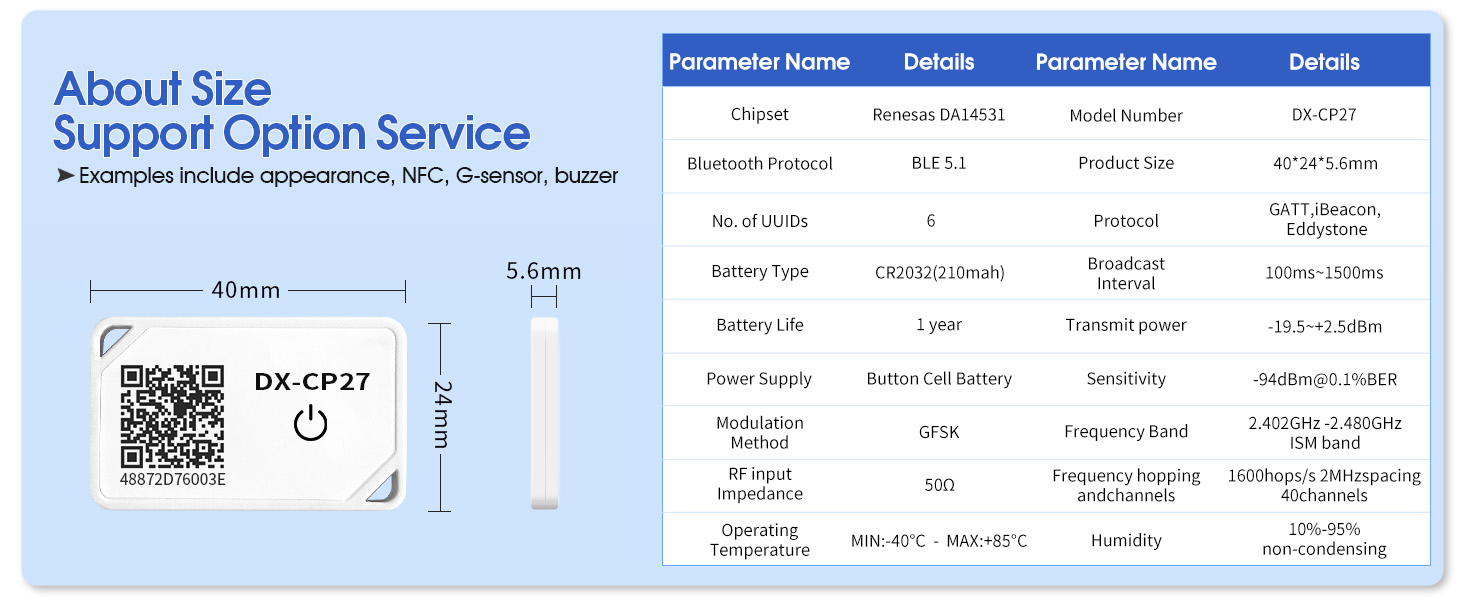
Detalls tècnics:
| Característica | Detall |
|---|---|
| Marca | PDDAXLQUE |
| Número de model | DX-CP27 |
| Tecnologia de connectivitat | Bluetooth 5.1 |
| Característica especial | Impermeable IP67 |
| Interval màxim | 70 metres (espai obert) |
| Tipus de bateria | Liti (CR2032) |
| Durada de la bateria | 6-12 mesos |
| Dimensions de l'article (L x A x A) | 1.57" de llargada x 0.95" d'amplada x 0.22" d'alçada (40 mm x 24 mm x 5.6 mm) |
| Pes de l'article | 0.1 lliures |
| Protocols compatibles | iBeacon, Eddystone, GATT |
| Chipset | Renesas DA14531 |
| Temperatura de funcionament | MIN: -40°C ~ MAX: +85°C |
| Humitat | 10%-95% sense condensació |
10. Garantia i Suport
PDDAXLQUE is a manufacturer that supports OEM and ODM services. We are committed to providing comprehensive technical support for our products.
10.1 Atenció al client
If you encounter any problems or require technical assistance, please contact us through the service support information provided in your product's user guide or product information documentation. We are dedicated to resolving any issues you may experience.