
1. Introducció
This manual provides detailed instructions for the setup, operation, customization, and maintenance of your Xtrike Me GM314 RGB Gaming Mouse. Please read this manual thoroughly before using the product to ensure optimal performance and longevity.
The Xtrike Me GM314 is a wired gaming mouse featuring a 7200 DPI optical sensor, 7 programmable buttons, and customizable RGB lighting, designed for personal computer use.
2. Producte acabatview
Familiarize yourself with the components of your Xtrike Me GM314 RGB Gaming Mouse.
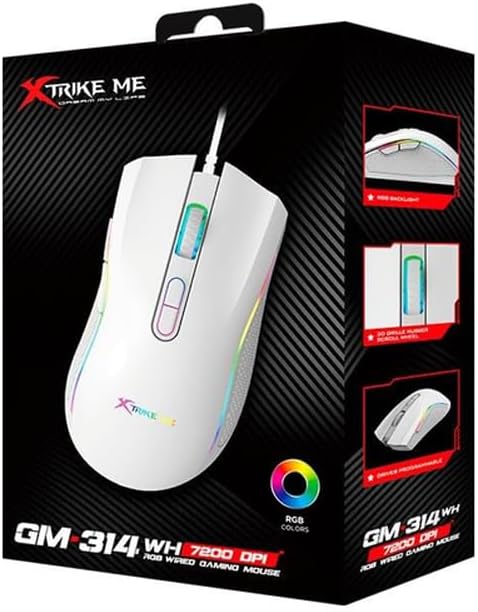
Figura 2.1: superior view of the GM314 Gaming Mouse.

Figura 2.2: Angle view showing scroll wheel and DPI buttons.
The mouse features a comfortable design with a textured grip on the sides. It includes a scroll wheel, left and right click buttons, two DPI adjustment buttons, and two side buttons for enhanced functionality.
3. Configuració
3.1. Contingut del paquet
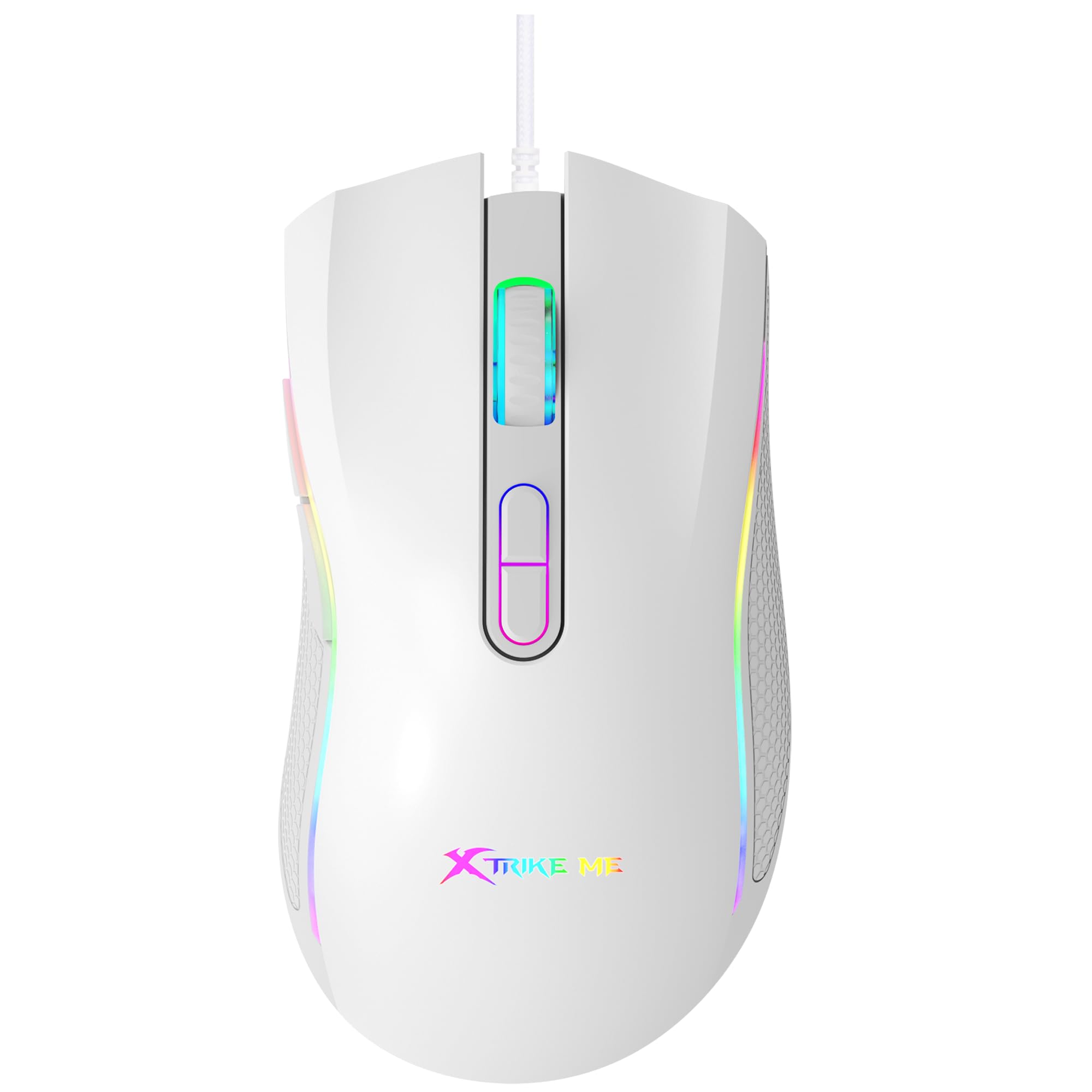
Figure 3.1: GM314 Product Packaging.
Assegureu-vos que el paquet inclogui els elements següents:
- Xtrike Me GM314 RGB Gaming Mouse
- Manual d'usuari (aquest document)
- Driver Software (if provided on disc or download link)
3.2. Connectar el ratolí
- Locate an available USB port on your personal computer.
- Plug the USB connector of the GM314 mouse into the USB port.
- El sistema operatiu detectarà i instal·larà automàticament els controladors necessaris. Això pot trigar uns instants.
- Once installed, the mouse will be ready for basic use.
3.3. Driver Software Installation
For full customization of programmable buttons and RGB lighting, install the dedicated driver software.
- If a driver disc is included, insert it into your computer's optical drive and follow the on-screen instructions.
- Alternatively, download the latest driver software from the official Xtrike Me website (refer to product packaging or manufacturer's website for the correct URL).
- Executeu l'instal·lador i seguiu les instruccions per completar la instal·lació.
- Reinicieu l'ordinador si se us demana.
4. Instruccions de funcionament
4.1. Funcions bàsiques
- Clic esquerre: Acció primària, selecció.
- Clic dret: Menú contextual, acció secundària.
- Roda de desplaçament: Scroll up/down, middle click for universal scroll or other assigned functions.
4.2. Ajust de DPI
The GM314 mouse features adjustable DPI (Dots Per Inch) settings, allowing you to change cursor sensitivity on the fly. The available DPI levels are 1200, 2400, 4800, and 7200.
Figure 4.1: DPI Adjustment Buttons.
- Premeu el botó Botó DPI+ (usually the forward button behind the scroll wheel) to increase DPI.
- Premeu el botó Botó DPI- (usually the rear button behind the scroll wheel) to decrease DPI.
- The RGB lighting may change color to indicate the current DPI setting (refer to driver software for specific color assignments).
4.3. Botons laterals
The GM314 includes two side buttons, typically located on the left side of the mouse.
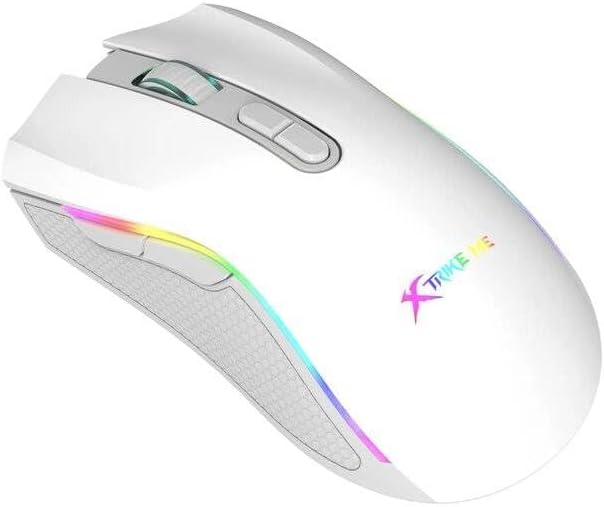
Figure 4.2: Side Buttons.
By default, these buttons often function as 'Forward' and 'Back' in web navegadors o file explorers. Their functions can be customized using the driver software.
5. Personalització
The Xtrike Me GM314 mouse offers extensive customization options through its dedicated driver software. This includes:
- Programació de botons: Assign custom functions, macros, or key combinations to any of the 7 programmable buttons.
- Configuració de DPI: Fine-tune DPI levels and assign specific colors to each level for visual identification.
- Il·luminació RGB: Choose from various lighting effects, colors, and brightness levels for the mouse's RGB backlight.
- Taxa de votació: Adjust the data transmission rate (e.g., 125 Hz) for responsiveness.
- Profiles: Crea i desa diversos professionalsfiles for different games or applications, allowing quick switching between settings.
Refer to the driver software's built-in help or interface for detailed instructions on using these customization features.
6. Manteniment
Proper maintenance ensures the longevity and performance of your gaming mouse.
- Neteja: Feu servir un drap suau i sec per netejar la superfície del ratolí. Per a la brutícia persistent, netegeu lleugeramentampNetegeu el drap amb aigua o una solució de neteja suau. Eviteu productes químics agressius.
- Cura del sensor: Keep the optical sensor on the underside of the mouse clean and free from dust or debris. Use a cotton swab if necessary.
- Gestió de cables: Avoid sharp bends or excessive pulling on the USB cable. Store the mouse in a way that prevents cable damage. The cable includes a magnetic ring for improved signal stability.
- Emmagatzematge: Quan no l'utilitzeu durant períodes prolongats, guardeu el ratolí en un entorn net i sec.
7. Solució De Problemes
If you encounter issues with your GM314 gaming mouse, refer to the following common solutions:
| Problema | Solució |
|---|---|
| El ratolí no respon |
|
| El moviment del cursor és erràtic o brusc |
|
| DPI or RGB settings not changing |
|
| Els botons programables no funcionen |
|
8. Especificacions
| Característica | Detall |
|---|---|
| Nom del model | GM314 |
| Tecnologia de detecció de moviment | Òptic |
| Configuració de DPI | 1200/2400/4800/7200 |
| Nombre de botons | 7 (programable) |
| Botó Vida | 3 milions de clics |
| Llum de fons | RGB |
| Velocitat de transmissió de dades | 125 Hz |
| Tecnologia de connectivitat | USB (per cable) |
| Longitud del cable | 1.5 meters (with magnetic ring) |
| Dispositius compatibles | Ordinador personal |
| Pes de l'article | 104 grams |
| Color | Blanc |
9. Garantia i Suport
The Xtrike Me GM314 RGB Gaming Mouse comes with a standard manufacturer's warranty. Please refer to the warranty card included in your product packaging or visit the official Xtrike Me weblloc web per obtenir informació detallada sobre els termes i condicions de la garantia.
For technical support, driver downloads, or further assistance, please visit the official Xtrike Me support page or contact their customer service department. Contact information can typically be found on the product packaging or the manufacturer's weblloc.