
1. Introducció i finalview
The MageGee LIGHT100 is a versatile wireless mechanical keyboard designed for enhanced typing and gaming experiences. It features a compact 96% layout, a gasket structure for improved acoustics, hot-swappable switches for customization, and dynamic RGB backlighting. This manual provides detailed instructions for setup, operation, maintenance, and troubleshooting.
Característiques principals:
- Connectivitat trimodal: Seamlessly switch between Bluetooth 5.0, 2.4GHz wireless, and USB-C wired modes.
- Estructura de la junta: Features a gasket-mounted design with five layers of sound-absorbing foam for a creamy, thocky typing sound and improved comfort.
- Interruptors intercanviables en calent: Equipped with quiet linear Blue Whale switches, compatible with both 3-pin and 5-pin switches for easy customization without soldering.
- Retroil·luminació RGB dinàmica: Offers 16.8 million colors and multiple lighting effects to personalize your setup.
- Long-Lasting Battery & Durable Keycaps: Includes a 4000mAh battery and durable PBT keycaps.

2. Configuració
2.1 Desembalatge i contingut del paquet
Upon opening your MageGee LIGHT100 keyboard package, you should find the following items:
- MageGee LIGHT100 Wireless Mechanical Keyboard
- Cable USB-C a USB-A
- Extractor de tecles
- Tirador de commutació
- Extra Switches (Blue Whale linear switches)
- Manual d'usuari (aquest document)

2.2 Connexió del teclat
The MageGee LIGHT100 supports three connection modes: USB-C Wired, 2.4GHz Wireless, and Bluetooth 5.0.
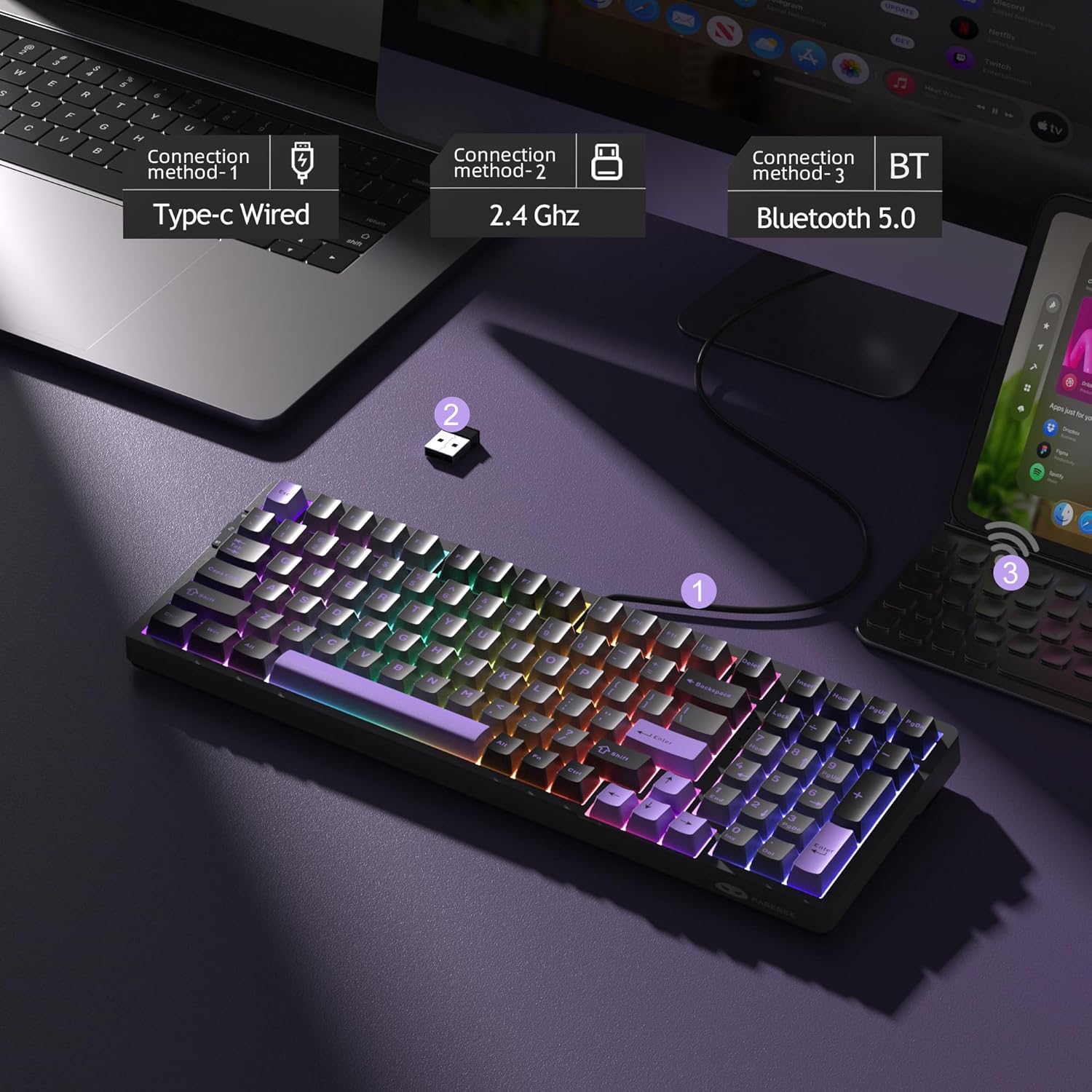
2.2.1 Mode amb cable USB-C
- Localitza el port USB-C del teclat (normalment a la vora superior).
- Connecteu el cable USB-C proporcionat al teclat i l'altre extrem al port USB de l'ordinador.
- El teclat canviarà automàticament al mode amb cable i començarà a carregar-se.
2.2.2 Mode sense fil de 2.4 GHz
- Locate the 2.4GHz USB dongle, usually stored in a slot on the keyboard.
- Connecteu el dongle USB a un port USB disponible de l'ordinador.
- On the keyboard, slide the mode switch (located on the side) to the '2.4G' position.
- El teclat s'hauria de connectar automàticament. Si no, premeu
Fn + 4to activate 2.4G wireless mode.
2.2.3 Mode Bluetooth 5.0
- On the keyboard, slide the mode switch to the 'BT' position.
- Premeu
Fn + 1,Fn + 2, oFn + 3per seleccionar un canal Bluetooth. La tecla corresponent parpellejarà, indicant el mode d'emparellament. - On your device (PC, laptop, tablet, smartphone), go to Bluetooth settings and search for new devices.
- Select 'MageGee LIGHT100' from the list to pair.
- You can pair up to three devices and switch between them using
Fn + 1/2/3.
3. Instruccions de funcionament
3.1 Control de retroiluminació RGB
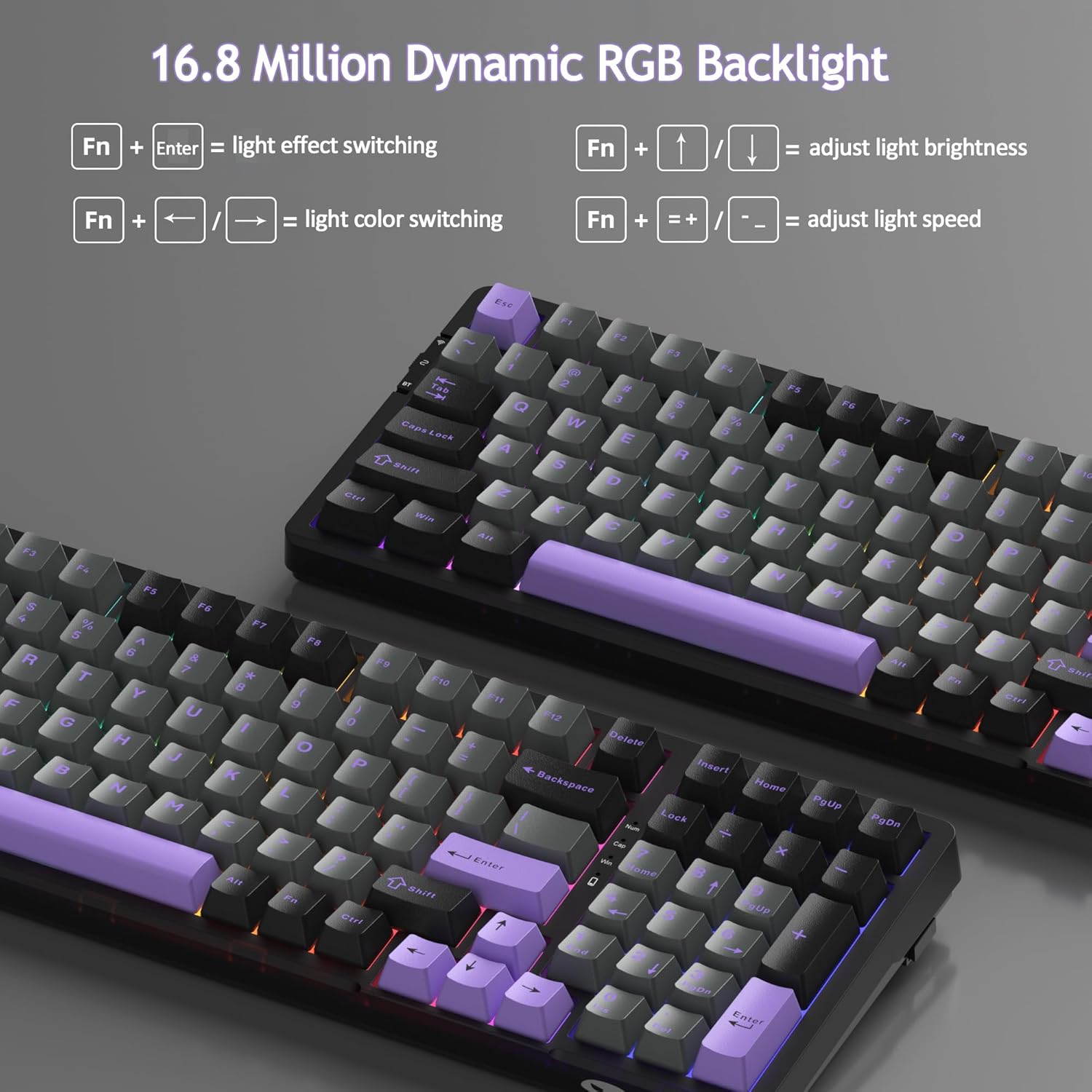
The MageGee LIGHT100 features 16.8 million colors and various dynamic RGB backlight modes. Use the following key combinations to control the lighting:
- Canvia l'efecte de la llum: Premeu
Fn + Enter(approximately 20 modes available). - Adjust Backlight Colors: Premeu
Fn + ←orFn + →. - Control Backlight Brightness: Premeu
Fn + ↑(augmentar) oFn + ↓(disminució). - Ajusta la velocitat de la llum de fons: Premeu
Fn + =+(increase speed) orFn + _-(decrease speed).
3.2 Compatibilitat del sistema
The keyboard supports both Windows and Mac operating systems. It automatically adapts to the connected system. Specific function keys may vary slightly in behavior between operating systems.
3.3 Funcions clau
The LIGHT100 features a 96% compact layout with 99 keys, retaining essential function keys and a numeric keypad for both gaming and productivity. All 99 keys support 100% anti-ghosting for accurate input.
4. Manteniment
4.1 Substitució de les tecles
The keyboard comes with durable PBT keycaps. To replace keycaps:
- Feu servir l'extractor de tecles proporcionat per treure suaument la tecla desitjada.
- Alineeu la nova tapa de tecla amb la tija de l'interruptor i premeu fermament fins que encaixi al seu lloc.
4.2 Substitució de l'interruptor
The MageGee LIGHT100 features hot-swappable switches, allowing you to change switches without soldering. It supports both 3-pin and 5-pin switches.
- First, remove the keycap using the keycap puller.
- Use the provided switch puller to carefully grip the switch from its top and bottom clips.
- Estireu suaument l'interruptor cap amunt per treure'l de la placa de circuit imprès.
- Alineeu els pins del nou interruptor amb els forats de la placa de circuit imprès. Assegureu-vos que els pins estiguin rectes per evitar que es dobleguin.
- Press the new switch down firmly until it is seated correctly.
- Substitueix la tapa de les tecles.

4.3 Neteja
Per mantenir el rendiment i l'aspecte del teclat:
- Disconnect the keyboard from your device.
- Feu servir un raspall suau o aire comprimit per eliminar la pols i les restes que hi ha entre les tecles.
- Per a la brutícia tossuda, lleugerament dampen a microfiber cloth with water or a mild cleaning solution and wipe the keycaps and frame. Avoid excessive moisture.
5. Solució De Problemes
5.1 Problemes de connectivitat
- Wireless Disconnection: Ensure the keyboard is within range of your device. Check battery level. Re-pair Bluetooth or re-insert the 2.4GHz dongle.
- Error d'emparellament Bluetooth: Make sure the keyboard is in Bluetooth pairing mode (
Fn + 1/2/3flashing). Forget the device on your computer/phone and try pairing again. - 2.4GHz Not Responding: Ensure the dongle is securely plugged in and the keyboard is set to 2.4G mode (
Fn + 4). Try a different USB port.
5.2 Bateria i càrrega
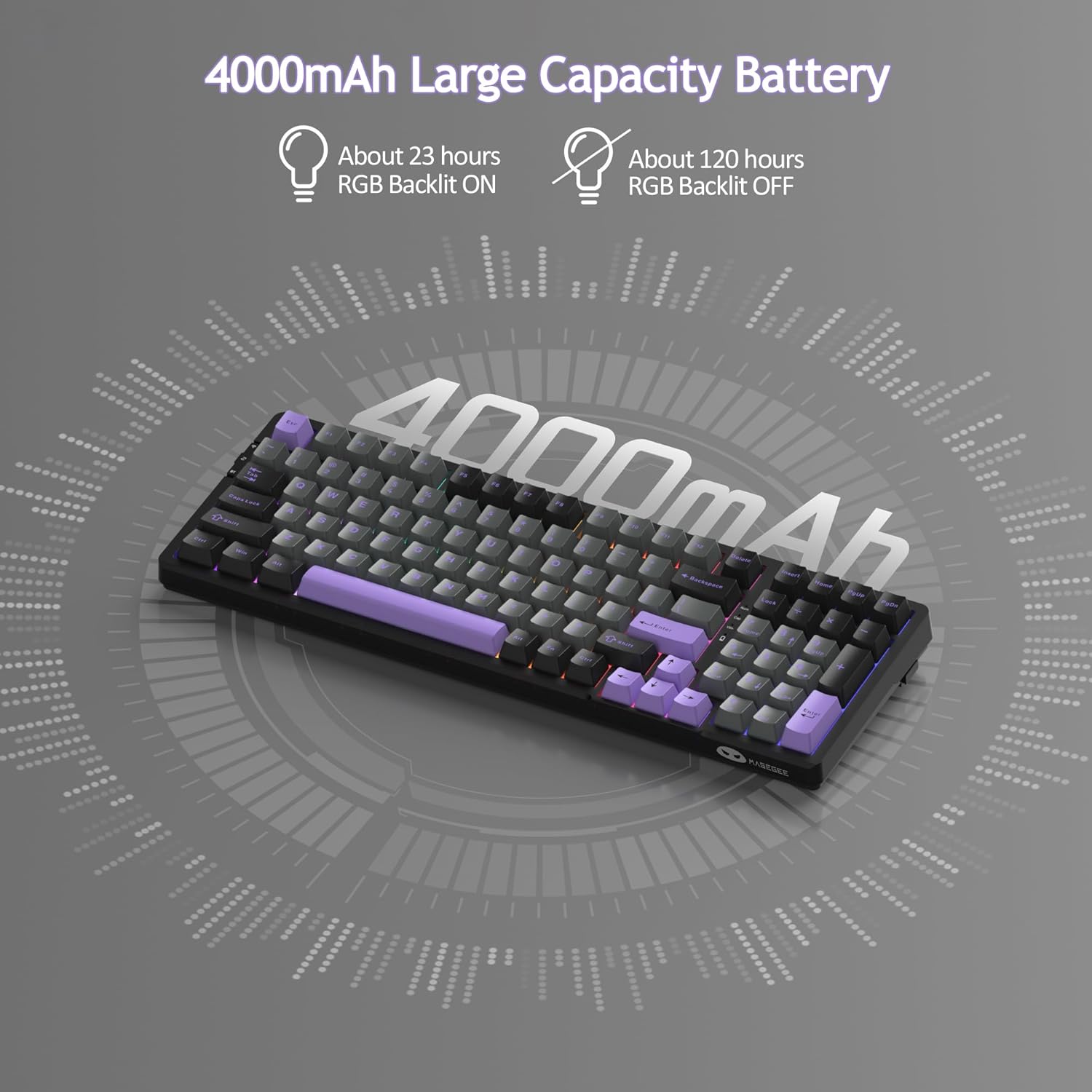
The keyboard is equipped with a 4000mAh battery.
- Càrrega: Connect the keyboard via the USB-C cable to a power source (computer or wall adapter). The charging indicator light will show charging status.
- Bateria baixa: If the keyboard is unresponsive or lights dim, recharge the battery.
- Durada de la bateria: Approximately 23 hours with RGB backlit ON, and about 120 hours with RGB backlit OFF. Sleep standby time is around 150 hours.
5.3 RGB Backlight Issues
- Els llums no funcionen: Ensure the keyboard is powered on and not in sleep mode. Check brightness settings (
Fn + ↑). - Colors/efectes incorrectes: Cycle through light effects using
Fn + Enteror adjust colors withFn + ←/→.
6. Especificacions
| Característica | Detall |
|---|---|
| Marca | MageGee |
| Nom del model | LLUM100 |
| Tecnologia de connectivitat | USB-C, 2.4 GHz sense fil, Bluetooth 5.0 |
| Dispositius compatibles | PC, portàtil, tauleta, telèfon intel·ligent |
| Descripció del teclat | Ergonomic, 96% Layout (99 keys) |
| Característiques especials | Gasket Hot Swappable, Tri-Mode Connectivity, Long Battery Life, RGB Backlight |
| Color | Purple Black/Blue Whale Switch |
| Material | PBT Plastic, Foam |
| Nombre de claus | 99 |
| Font d'alimentació | Alimentat per bateria (4000 mAh) |
| Tipus de canvi | Linear (Blue Whale) |
| Disposició del teclat | QWERTY |
| Nivell de resistència a l'aigua | No resistent a l'aigua |
7. Garantia i Suport
MageGee products are designed for reliability and performance. For any issues or questions regarding your MageGee LIGHT100 keyboard, please refer to the following:
- Garantia: Please retain your proof of purchase for warranty claims. Specific warranty terms and duration may vary by region and retailer.
- Atenció al client: For technical assistance or product inquiries, please visit the official MageGee website or contact their customer service team through the retailer where you purchased the product.