
DEVAISE ASJZ022
DEVAISE 48 Inch Electric Standing Desk Instruction Manual
Model: ASJZ022
Introducció
Thank you for choosing the DEVAISE 48 Inch Electric Standing Desk. This manual provides essential information for the safe and efficient assembly, operation, and maintenance of your new adjustable height desk. Please read these instructions thoroughly before use and retain them for future reference.
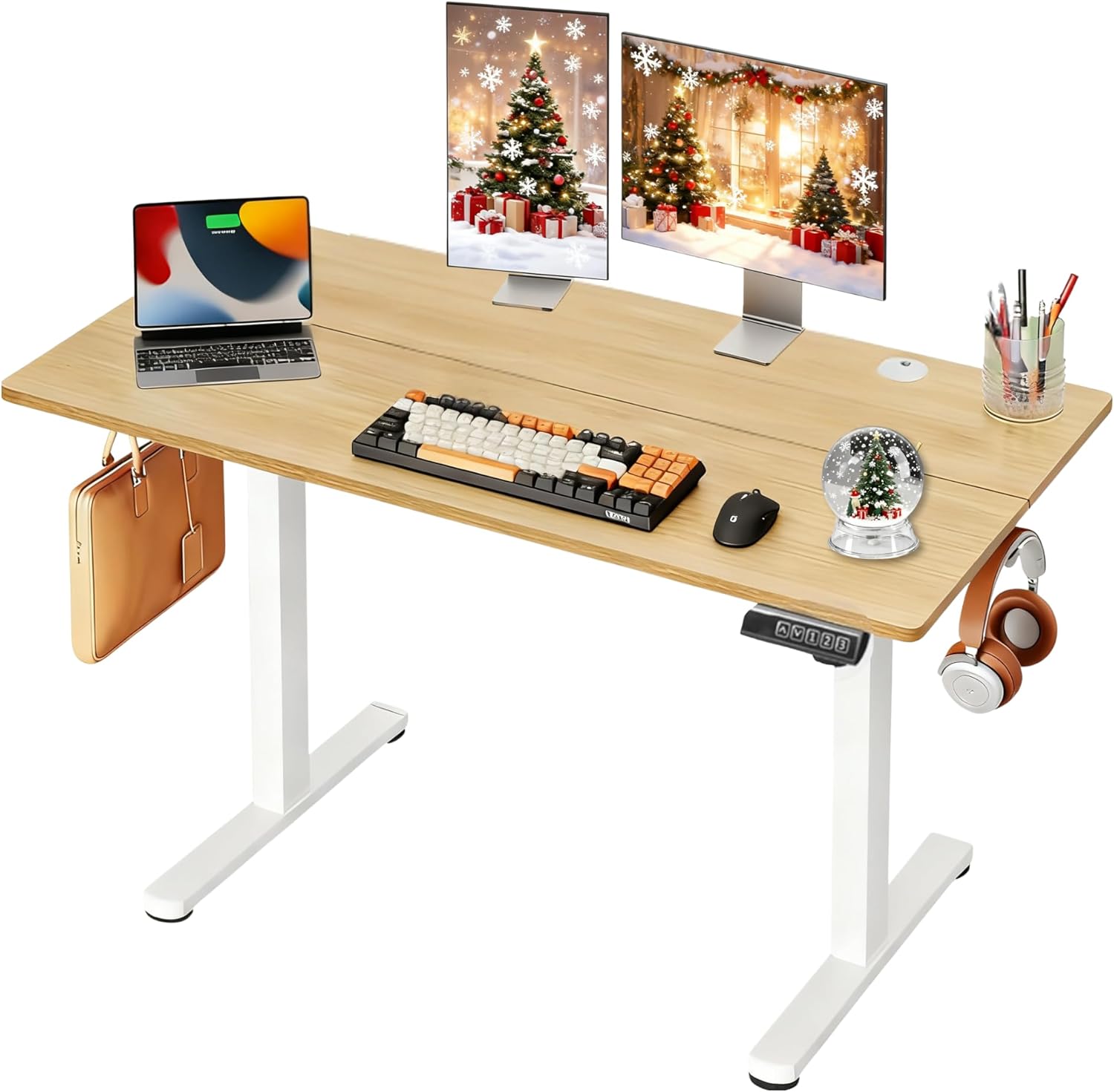
Image: The DEVAISE 48 Inch Electric Standing Desk, showcasing its spacious maple desktop and white frame, equipped for a modern workspace.
Informació important de seguretat
Per garantir un funcionament segur i evitar danys, tingueu en compte el següent:
- The desk has a maximum weight recommendation of 180 lliuresNo supereu aquest límit.
- Assegureu-vos que tots els components estiguin ben subjectats abans d'utilitzar-los.
- Mantingueu els nens i les mascotes allunyats de l'escriptori durant els ajustos d'alçada.
- Eviteu col·locar líquids directament sobre el tauler de control o a prop de components elèctrics.
- The desk features an anti-collision mechanism. However, always ensure a clear path during movement to prevent injury or damage.
Muntatge i muntatge
The DEVAISE Electric Standing Desk is designed for straightforward assembly with pre-drilled screw holes and clearly labeled parts. An average assembly time is approximately 15 minutes.
El muntatge s'acabaview
- Desempaquetar components: Carefully remove all parts from the packaging. Verify all components are present against the parts list in the included manual.
- Muntar el marc: Attach the crossbar to the lifting columns using the provided screws and tools.
- Instal·lar els peus: Secure the desk feet to the bottom of the lifting columns.
- Connect Drive Rod: Insert and secure the drive rod between the two lifting columns to synchronize movement.
- Adjunta l'escriptori: Carefully place the desktop onto the assembled frame, aligning the pre-drilled holes. Secure the desktop with the provided screws.
- Connect Control Panel and Power: Attach the LED touchscreen control panel and connect all necessary power cables to the motor and power adapter.
- Tocs finals: Install the headphone hook and cable management grommets.

Image: Visual guide illustrating the streamlined assembly process with pre-labeled parts.
Guies de vídeo de muntatge
For a detailed visual walkthrough of the assembly process, please refer to the official installation videos:
Video: DEVAISE Electric Standing Desk Detailed Installation Guide (Duration: 0:54). This video provides a step-by-step visual guide to assembling your desk.
Video: DEVAISE Detailed Installation Guide of Standing Desk (Duration: 3:13). A more comprehensive video demonstrating the full assembly process.
Instruccions de funcionament
Your DEVAISE Electric Standing Desk features an intuitive LED touchscreen control panel for effortless height adjustments.
Funcions del tauler de control

Image: The multi-function control panel with LED display, up/down arrows, and memory preset buttons.
- Fletxes amunt/avall: Manteniu premut el botó Up or Avall arrow buttons to manually adjust the desk height. The LED display will show the current height in real-time.
- Preajustos de memòria (1, 2, 3): The desk allows you to store three personalized height settings. To save a height: adjust the desk to your desired position, then press the S button (Set) followed by the desired number button (1, 2, or 3). To recall a saved height: simply press the corresponding number button.
- Funcionament silenciós i suau: The tri-motor system ensures whisper-quiet height transitions (below 50dB), minimizing disruption in your workspace.
- Funció anticol·lisió: The desk is equipped with an anti-collision system that automatically stops movement if an obstruction is detected.

Image: The desk operates with a quiet and smooth lift, ensuring a peaceful environment.
Manteniment
Regular maintenance helps prolong the life and performance of your DEVAISE Electric Standing Desk:
- Neteja: Netegeu l'escriptori i el marc amb un drap suauamp drap. Eviteu productes químics agressius o netejadors abrasius.
- Gestió de cables: Periodically check and organize cables to prevent tangles and damage. Utilize the included headphone hook and cable grommets for a tidy setup.
- Estancament del cargol: De tant en tant, comproveu tots els cargols i perns per assegurar-vos que estiguin ben ajustats. Torneu-los a apretar si cal.
- Inspecció de motors: Ensure the motor and drive rod are free from obstructions and debris.
Resolució de problemes
If you encounter any issues with your desk, please refer to the following common solutions:
- L'escriptori no es mou: Check if the power cable is securely plugged into both the desk and the wall outlet. Ensure the control panel cable is properly connected.
- Moviment desigual: Verify that the drive rod is correctly installed and fully extended. Ensure the desk is placed on a level surface.
- Codi d'error a la pantalla: Refer to the detailed troubleshooting section in your printed manual for specific error code interpretations and solutions.
- Anti-Collision Activated: If the desk stops unexpectedly, check for any obstructions in its path. Remove the obstruction and try adjusting the height again.
Especificacions
| Característica | Detall |
|---|---|
| Número de model | ASJZ022 |
| Dimensions de l'escriptori | 47.24"W x 23.62"D (48 Inch) |
| Interval d'alçada ajustable | 28.35" - 46.45" |
| Capacitat màxima de pes | 180 lliures |
| Sistema Motor | Tri-motor for quiet and smooth operation (<50dB) |
| Tauler de control | LED Touchscreen with 3 Memory Presets |
| Material del marc | Heavy-duty Solid Steel (Iron Base) |
| Material d'escriptori | Eco-engineered Thickened Wood (FSC-Certified) |
| Característiques especials | Adjustable Height, Electric, Anti-Collision, Headphone Hook |
Garantia i Suport
Your DEVAISE Electric Standing Desk comes with a Garantia limitada. For specific terms and conditions, please refer to the warranty card included with your product.
Should you have any questions regarding assembly, operation, or product selection, please do not hesitate to contact our U.S.-based product support team. Contact information can be found in your product packaging or on the official DEVAISE weblloc.
Ask a question about this manual
Ask about setup, troubleshooting, compatibility, parts, safety, or missing instructions. Manuals+ will review the question and use this page’s manual context to help answer it.