
1. Introducció
The Audizio Avola is a comprehensive audio system designed to provide a wide range of listening options. It integrates Internet Radio, DAB+, FM radio, a CD player, and Bluetooth connectivity into a single, elegant unit. This manual will guide you through the setup, operation, and maintenance of your Avola system, ensuring you can fully utilize its features for an optimal audio experience.
2. Instruccions de seguretat
- Font d'alimentació: Feu servir només l'adaptador de corrent proporcionat. Assegureu-vos que el volumtage coincideix amb els requisits de la vostra regió.
- Aigua i humitat: Do not expose the unit to rain, moisture, or liquids. Avoid placing objects filled with liquids, such as vases, on the unit.
- Ventilació: Assegureu-vos que hi hagi una ventilació adequada al voltant de la unitat. No bloquegeu les obertures de ventilació.
- Fonts de calor: Mantingueu la unitat allunyada de fonts de calor com ara radiadors, registres de calor, estufes o altres aparells que produeixin calor.
- Neteja: Disconnect the unit from the power supply before cleaning. Use a soft, dry cloth. Do not use liquid cleaners or aerosol cleaners.
- Manteniment: No intenteu fer el manteniment de la unitat vosaltres mateixos. Envieu totes les tasques de manteniment a personal de servei qualificat.
- Reproductor de CD: Do not insert foreign objects into the CD tray. Handle CDs by their edges to avoid scratches.
3. Contingut del paquet
Verifiqueu que tots els elements estiguin presents a l'embalatge:
- 1x Audizio Avola Internet Radio
- 1x comandament a distància
- 1x adaptador de corrent
- 1x User Manual (Quick Start Guide)

Image: Audizio Avola unit shown with its remote control and power adapter.
4. Producte acabatview
4.1 Tauler frontal

Imatge: Frontal view of the Audizio Avola with the CD tray closed.
The front panel features the main display, control buttons, a CD tray, and input ports.
- Visualització: Color display for navigation and information.
- Botons de control: MENU, INFO, REC/DEL, PRESET/REPEAT, STANDBY, I/R, Play/Pause, Stop, Skip/Fast Forward/Rewind.
- Safata de CD: Per inserir CD d'àudio.
- TUNE/SELECT Knob: Rotate to navigate menus, press to select.
- Botó de VOLUM: Ajusta el nivell de sortida d'àudio.
- Port USB: Per connectar dispositius d'emmagatzematge USB.
- Ranura per a targeta SD: Per inserir targetes de memòria SD.
- Entrada AUX: 3.5mm jack for external audio sources.
- Auriculars Jack: Jack de 3.5 mm per a escolta privada.

Image: Close-up of the Audizio Avola front panel showing USB, SD, AUX, and headphone ports.
4.2 Panell posterior
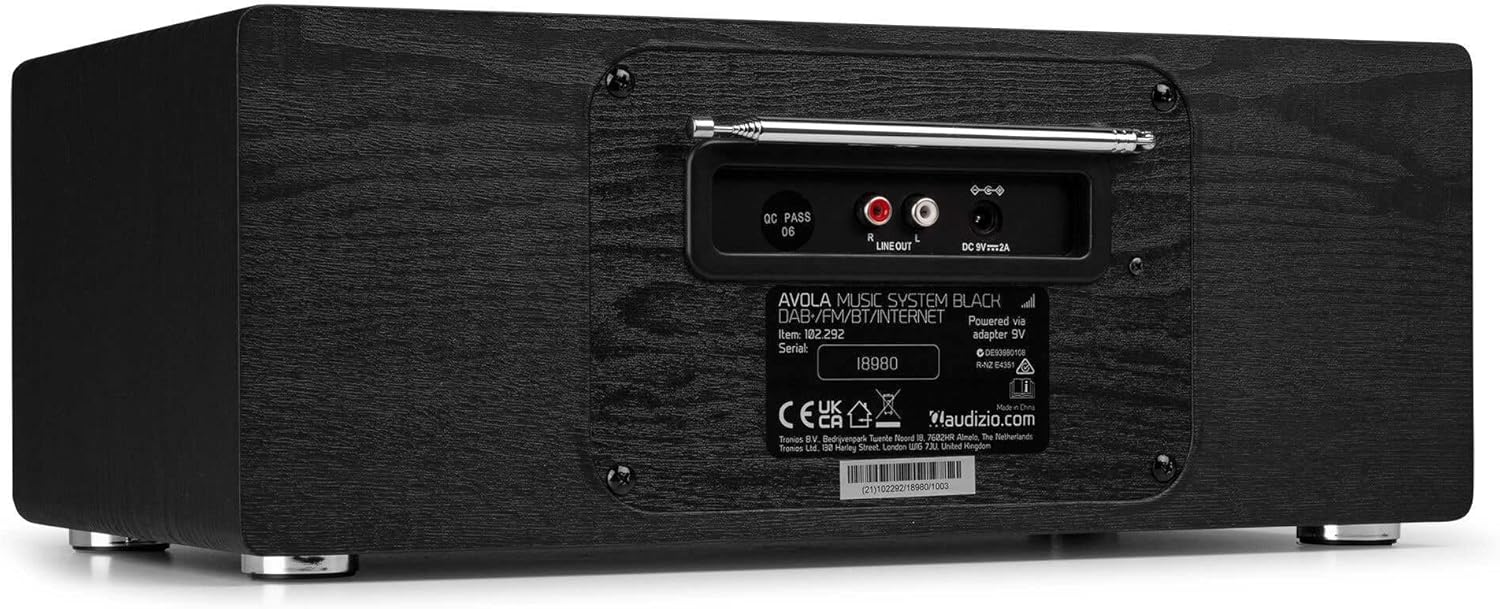
Imatge: Part posterior view of the Audizio Avola, highlighting the antenna and connection ports.
The rear panel houses essential connections:
- Antena telescòpica: For DAB+ and FM radio reception. Extend fully for best signal.
- SORTIDA DE LÍNIA (RCA): Per connectar a dispositius externs amplifiers o altaveus.
- Entrada d'alimentació de CC de 9 V i 2 A: Per connectar l'adaptador de corrent.
5. Configuració
5.1 Connexió d'alimentació
- Connect the power adapter to the DC 9V 2A input on the rear of the Avola unit.
- Connecteu l'adaptador de corrent a una presa de corrent adequada.
- The unit will enter standby mode. Press the STANDBY button on the unit or remote control to power on.
5.2 Configuració de l'antena
For optimal DAB+ and FM radio reception, fully extend the telescopic antenna located on the rear panel. Adjust its position for the best signal quality.
5.3 Initial Setup (WLAN Connection)
To access Internet Radio features, the Avola must be connected to a Wi-Fi network.
- Upon first power-on, the unit may prompt you to set up the network connection. If not, press MENU, navigate to 'System Settings' and then 'Network'.
- Select 'Wi-Fi Network' and choose 'Scan' to find available networks.
- Seleccioneu la vostra xarxa Wi-Fi de la llista.
- Enter your Wi-Fi password using the TUNE/SELECT knob to navigate characters and press to confirm each character.
- Once connected, the display will show a Wi-Fi icon.
6. Modes de funcionament
6.1 Ràdio per Internet
Access thousands of radio stations worldwide via your Wi-Fi connection.
- Press the MENU button and select 'Internet Radio'.
- Podeu navegar per les emissores per ubicació, gènere o cercar emissores específiques.
- Use the TUNE/SELECT knob to navigate and select.
- To save a station as a preset, press and hold the PRESET/REPEAT button until the preset menu appears, then select a preset number.

Image: The Audizio Avola display showing the Internet Radio interface.
Ràdio DAB+ 6.2
Digital Audio Broadcasting Plus offers high-quality digital radio.
- Press the MENU button and select 'DAB Radio'.
- The unit will automatically scan for available DAB+ stations.
- Use the TUNE/SELECT knob to browse and select stations.
- Save presets as described for Internet Radio.
6.3 Ràdio FM
Listen to traditional analog FM radio broadcasts.
- Press the MENU button and select 'FM Radio'.
- Use the TUNE/SELECT knob to manually tune or press and hold to auto-scan for stations.
- Save presets as described for Internet Radio.
6.4 Reproductor de CD
Reprodueix els teus CD d'àudio preferits.
- Press the MENU button and select 'CD Player'.
- Press the 'Open' button next to the CD tray to open it.
- Carefully place an audio CD onto the tray with the label side facing up.
- Press the 'Open' button again to close the tray. The unit will begin playing the CD automatically.
- Use the Play/Pause, Stop, and Skip buttons for playback control.
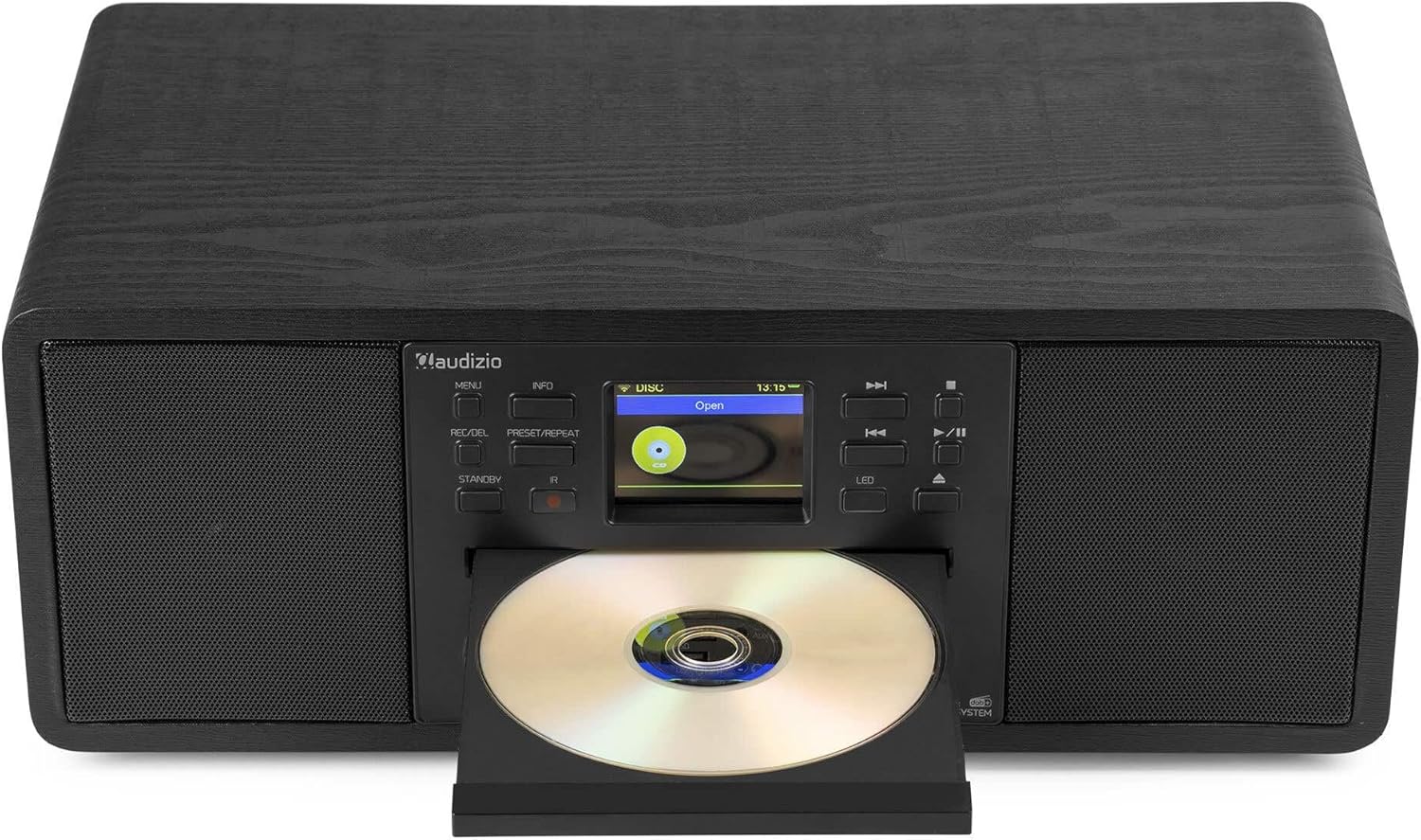
Image: The Audizio Avola with its CD tray open, ready for disc insertion.
6.5 Connectivitat Bluetooth
Reprodueix àudio sense fil des del teu telèfon intel·ligent, tauleta o altres dispositius amb Bluetooth.
- Press the MENU button and select 'Bluetooth'.
- The Avola will enter pairing mode and become discoverable.
- On your Bluetooth device, search for 'Audizio Avola' in the Bluetooth settings and select it to pair.
- Once connected, the display will show 'BT Connected'. You can now play audio from your device through the Avola.

Image: The Audizio Avola display indicating a successful Bluetooth connection.
Reproducció USB/SD de 6.6"
Reprodueix àudio filedes de unitats USB o targetes SD.
- Inseriu una unitat USB al port USB o una targeta SD a la ranura per a targetes SD del panell frontal.
- Press the MENU button and select 'USB' or 'SD' (the unit may automatically switch to the correct mode).
- Navega pel teu files and folders using the TUNE/SELECT knob.
- Press the TUNE/SELECT knob to play a selected track.
7. Manteniment
- Neteja de la unitat: Use a soft, dry, lint-free cloth to clean the exterior of the unit. Do not use abrasive cleaners, waxes, or solvents.
- CD Lens Cleaning: If CD playback becomes erratic, use a commercially available CD lens cleaner disc to clean the laser lens.
- Emmagatzematge: Si guardeu la unitat durant un període prolongat, desconnecteu-la de la font d'alimentació i guardeu-la en un lloc fresc i sec.
8. Solució De Problemes
| Problema | Causa possible | Solució |
|---|---|---|
| Sense poder | L'adaptador de corrent no està connectat o la presa de corrent està defectuosa. | Comproveu les connexions d'alimentació. Proveu una altra presa de corrent. |
| Sense so | Volume too low, mute activated, or incorrect source selected. | Increase volume. Check if mute is active. Ensure correct input source is selected. |
| La ràdio per Internet no es connecta | Incorrect Wi-Fi password, weak signal, or network issue. | Re-enter Wi-Fi password. Move unit closer to router. Check router status. |
| DAB+/FM reception poor | Antena no estesa o zona amb senyal deficient. | Esteneu completament i ajusteu l'antena telescòpica. Intenteu reposicionar la unitat. |
| El CD no es reprodueix | CD inserted incorrectly, dirty/scratched CD, or unsupported format. | Ensure CD is inserted label-side up. Clean or replace CD. Verify CD format (supports CD-DA, MP3). |
| Bluetooth no emparellat | Device not in pairing mode, or Avola not discoverable. | Ensure both devices are in pairing mode. Check Bluetooth settings on your device. |
9. Especificacions
| Característica | Especificació |
|---|---|
| Nom del model | Avola |
| Número d'article | 102.292 |
| Dimensions (LxWxH) | 45.8 x 25.8 x 19.7 cm |
| Pes | 4 kg |
| Entrada de potència | 220 Volt (via power adapter) |
| Speaker Output Power (Max) | 60 watts |
| Mode de sortida d'àudio | estèreo |
| Formats d'àudio compatibles | CD-DA, MP3 |
| Tecnologia de connectivitat | WLAN, Bluetooth, AUX, RCA |
| Dispositius compatibles | MP3 Player, PC, Smartphone, Tablet |
| Color | Negre |
10. Garantia i Suport
Audizio products are designed and manufactured to the highest standards. In the unlikely event of a problem with your product, please contact your retailer for assistance. Keep your proof of purchase for warranty claims. For further support or inquiries, please refer to the official Audizio weblloc o poseu-vos en contacte amb el seu servei d'atenció al client.


