
1. Producte acabatview
The ARPHA D180W is an advanced keyless entry smart deadbolt lock designed to enhance residential and commercial security. It features integrated WiFi for remote control and seamless integration with smart home ecosystems.
- Wi-Fi integrat: Enables keyless entry control via smartphone app from any location.
- Compatibilitat amb la llar intel·ligent: Seamlessly integrates with Amazon Alexa and Google Assistant for voice-activated control.
- Seguretat millorada: Features an anti-peep keypad, single-use temporary passcodes, customizable auto-locking timers, and real-time access logs.
- Construcció duradora: ANSI Grade 3 Certified, constructed with military-grade alloy, and IP54-rated weather resistance for reliable operation in extreme temperatures (-4°F to 140°F).
- Durada de la bateria ampliada: Operates on 8 AA batteries (not included) providing 9+ months of functionality with low-battery alerts.

Figure 1.1: ARPHA D180W Smart Door Lock, showcasing the exterior keypad, interior unit, and mobile app interface.
2. Configuració i instal·lació
The ARPHA D180W smart lock is designed for quick and straightforward installation, typically completed within 15 minutes without the need for electrical wiring or specialized technical expertise.
2.1 Comprovacions prèvies a la instal·lació
- Ensure your door specifications are compatible using the provided gauge card.
- Verify the compatible deadbolt tongue length (2-3/8" or 2-3/4").
- Confirm you have 8 AA batteries ready for installation (not included).
2.2 Passos d'instal·lació
- Measure door specifications using the provided gauge card.
- Select and install the compatible deadbolt tongue length.
- Complete tool-free mounting with pre-drilled alignment.
- Install the 8 AA batteries into the interior unit.
- Follow the in-app instructions for initial setup and calibration.

Figure 2.1: Easy Installation Guide, illustrating dimensions and components for setup.
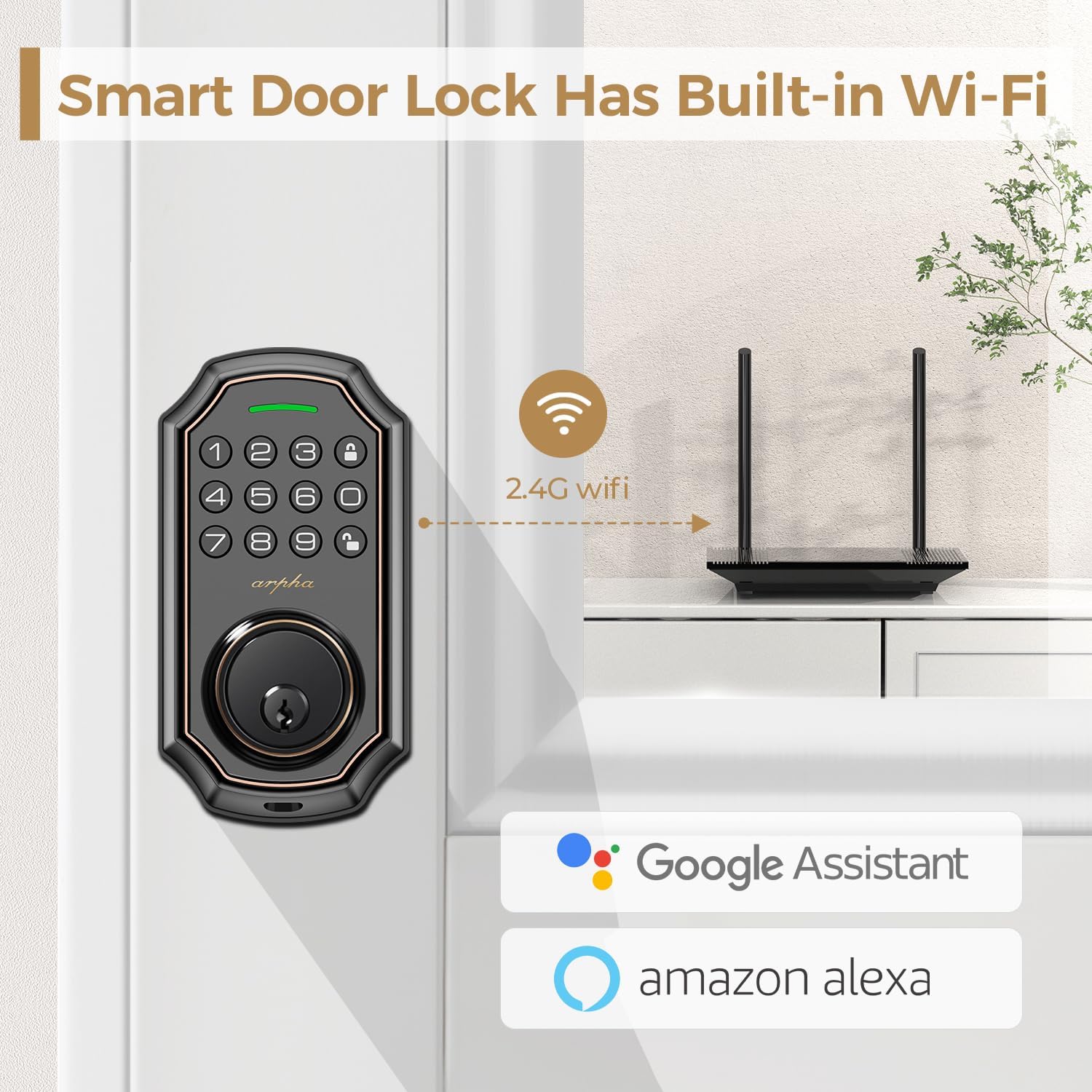
Figure 2.2: Built-in Wi-Fi Connectivity, showing the lock's direct connection capability.
3. Instruccions de funcionament
The ARPHA D180W offers multiple convenient ways to access your home.
3.1 Mètodes d'accés múltiple
- Entrada del teclat: Enter your personalized passcode on the illuminated keypad.
- Codis d'un sol ús: Generate temporary, single-use passcodes for guests or service personnel via the mobile app.
- Claus físiques: Use the traditional backup keys provided for manual unlocking.
- Control d'aplicacions mòbils: Lock or unlock your door remotely using the dedicated smartphone application.
- Control de veu: Integrate with Amazon Alexa or Google Assistant for hands-free locking and unlocking.
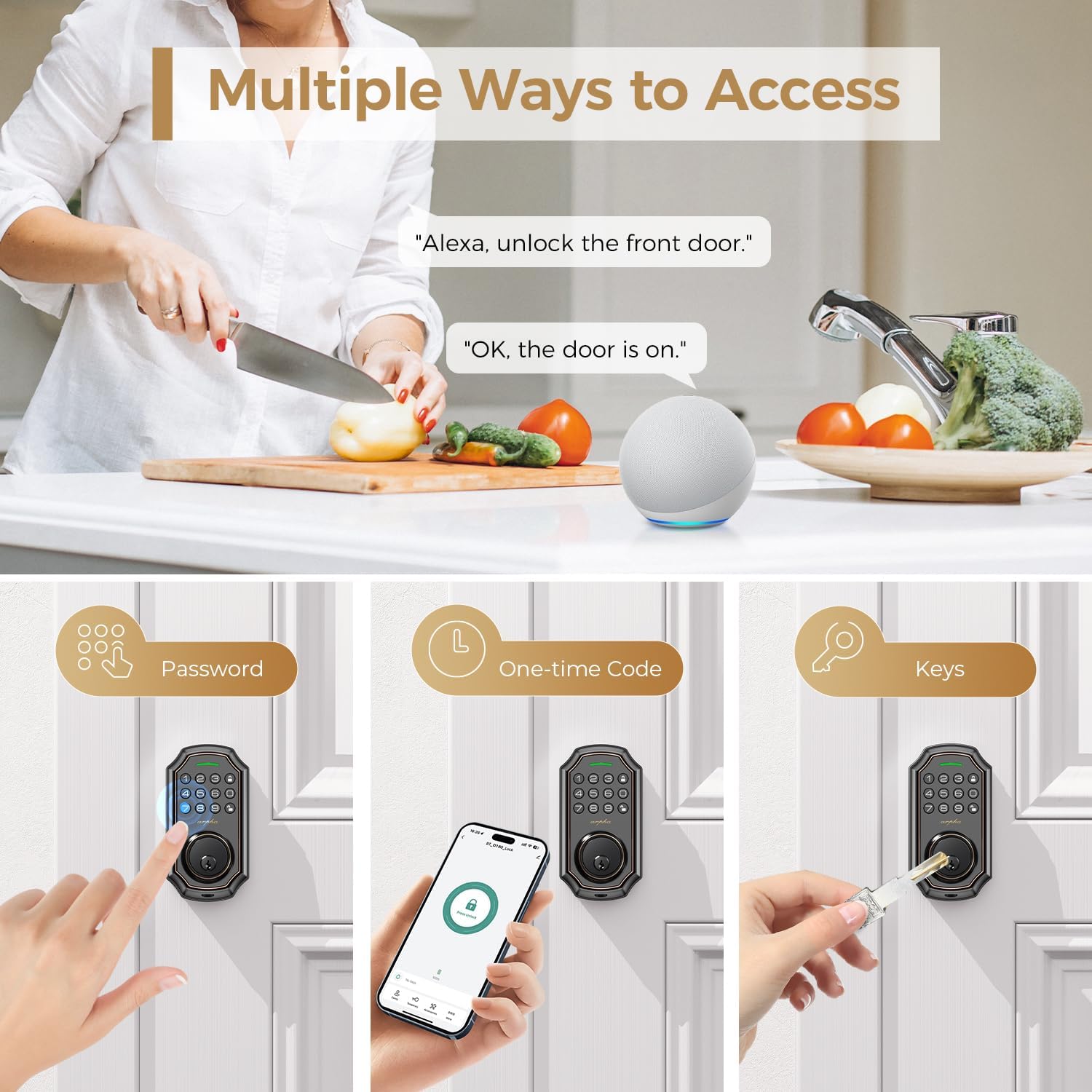
Figure 3.1: Multiple Access Methods, including voice, keypad, one-time codes, and physical keys.
3.2 Contrasenya antiespionatge
To prevent others from guessing your passcode, you can enter random digits before or after your actual password. The lock will only recognize the correct sequence within the longer string of numbers.

Figure 3.2: Anti-Peeping Password, demonstrating how to use random digits for enhanced security.
3.3 One-Time Code Generation
The mobile app allows you to generate temporary, single-use codes. These codes are ideal for granting access to visitors, delivery personnel, or maintenance services for a limited duration.

Figure 3.3: One-Time Code Usage, showing a delivery person using a temporary code.
3.4 Bloqueig automàtic i bloqueig d'un sol toc
- Bloqueig automàtic: Configure the lock to automatically engage after a set period (e.g., 10 seconds to 3 minutes) once the door is closed.
- Bloqueig d'un sol toc: Simply press and hold the lock button on the keypad to instantly secure the deadbolt.

Figure 3.4: Auto-Lock and One-Touch Lock, illustrating the convenience of automatic locking.
4. Manteniment
4.1 Substitució de la bateria
The ARPHA D180W operates on 8 AA batteries. The system proactively issues low-battery alerts through the app and keypad display when replacement is needed. This ensures uninterrupted operation and prevents unexpected lock failures.

Figure 4.1: Low Battery Warning, indicating the need for battery replacement.
4.2 Resistència a la intempèrie
The smart lock is IP54-rated for weather resistance, ensuring reliable performance across a wide range of environmental conditions, from -4°F to 140°F. This robust design protects against blizzards, monsoons, and extreme heat.

Figure 4.2: All-Weather Operation, demonstrating the lock's resilience in various climates.
5. Solució De Problemes
This section provides solutions to common issues you might encounter with your ARPHA D180W smart lock.
| Problema | Causa possible | Solució |
|---|---|---|
| Lock is unresponsive or not powering on. | Piles baixes o esgotades. Instal·lació incorrecta de la bateria. | Replace all 8 AA batteries. Ensure batteries are inserted with correct polarity. |
| Keypad does not light up or accept input. | Low battery. Keypad malfunction. | Canvieu les piles. Si el problema persisteix, poseu-vos en contacte amb el servei d'atenció al client. |
| No es pot connectar a la Wi-Fi ni a l'aplicació. | Weak Wi-Fi signal. Incorrect Wi-Fi password. Router issues. | Ensure lock is within Wi-Fi range. Verify Wi-Fi password. Restart router. Re-pair lock with app. |
| La funció de bloqueig automàtic no funciona. | Auto-lock disabled in settings. Door sensor misalignment. | Check app settings to ensure auto-lock is enabled and configured correctly. Verify door sensor alignment. |
| Voice control (Alexa/Google Assistant) not responding. | Incorrect setup in smart home app. Device offline. | Ensure proper linking in Alexa/Google Home app. Check lock's Wi-Fi connection. |
If you encounter issues not listed here or require further assistance, please refer to the Warranty and Support section for contact information.
6. Especificacions tècniques
| Característica | Detall |
|---|---|
| Marca | ARPHA |
| Nom del model | D180W |
| Tipus de bloqueig | Forrellat, teclat numèric |
| Material | Metall |
| Color | Brown trim |
| Tipus d'acabat | Raspallat |
| Dimensions de l'article (L x A x A) | 1 x 1 x 1 polzades |
| Pes de l'article | 2.16 lliures |
| Protocol de connectivitat | Wi-Fi |
| Tipus de controlador | Amazon Alexa, Google Assistant |
| Mètode de control | Aplicació, veu |
| Característiques especials | Anti-Peeping Password, Auto-Lock, One-Touch Lock, Passcode Unlock, Weather Resistant |
| Font d'alimentació | 8 piles AA (no incloses) |
| Components inclosos | Arpha Smart Lock x 1, Backup key x 2, Door latch x 1, Indoor controller x 1, User manual x 1 |
7. Garantia i Suport
ARPHA is committed to providing exceptional support and assurance for your smart lock.
- Garantia de devolució de diners: Enjoy a 30-day money-back period from the date of purchase.
- Product Assurance: The product comes with an 18-month assurance period.
- Suport tècnic: Lifetime technical support is available for all ARPHA smart locks.
- Atenció al client: Our dedicated support team is available 24/7 via email service to assist you with any inquiries or issues.
Please do not hesitate to contact us if you need assistance. Refer to the product packaging or the ARPHA official weblloc web per obtenir dades de contacte específiques.

Figure 7.1: ARPHA Customer Support, highlighting commitment to service.