
Introducció
This manual provides detailed instructions for the setup, operation, maintenance, and troubleshooting of your KOORUI S2721XO 27-inch QD-OLED Gaming Monitor. Please read this manual thoroughly before using the product to ensure proper functionality and to prevent damage.

Image: KOORUI S2721XO 27-inch QD-OLED Gaming Monitor showcasing its main features like 240Hz refresh rate, 0.03ms response time, QHD resolution, QD-OLED panel, VESA compatibility, 99% DCI-P3 color gamut, Eye Care, and Adaptive Sync.
Contingut del paquet
Verifiqueu que tots els components siguin presents al paquet:
- KOORUI S2721XO 27-inch QD-OLED Gaming Monitor
- Suport de monitor (base i coll)
- Cable d'alimentació
- Cable HDMI
- Cable DisplayPort
- Manual d'usuari (aquest document)
- Targeta de garantia (si escau)
Instruccions de configuració
1. Muntatge del suport
- Traieu amb cura els components del monitor i del suport de l'embalatge.
- Fixeu el coll del suport al panell del monitor. Assegureu-vos que encaixi correctament al seu lloc o que estigui fixat amb cargols tal com s'indica a la guia d'inici ràpid.
- Fixeu la base del suport al coll del suport i fixeu-la amb el cargol proporcionat.
- Col·loqueu el monitor muntat sobre una superfície plana i estable.
Alternatively, the monitor supports VESA 75mm x 75mm mounting for wall mounts or monitor arms. Ensure the VESA mount is rated for the monitor's weight (3 kg).

Image: Illustrations showing the monitor's ergonomic adjustments including height adjustment (110mm), tilt (-20° to 20°), 90° pivot for vertical viewing, and swivel (-5° to 20°).
2. Cables de connexió
Identify the ports on the back of your monitor and connect the necessary cables.

Imatge: Part posterior view of the KOORUI S2721XO monitor showing the connectivity ports: 1. Power cable input, 2. HDMI 2.1, 3. HDMI 2.1, 4. DisplayPort 1.4, 5. Audio output interface. Also shows VESA 100x100mm mounting points.
- Cable de corrent: Connecteu un extrem del cable d'alimentació a l'entrada d'alimentació del monitor i l'altre extrem a una presa de corrent.
- Entrada de vídeo:
- For HDMI connection, use the provided HDMI cable to connect your computer's HDMI output to one of the monitor's HDMI 2.1 ports.
- For DisplayPort connection, use the provided DisplayPort cable to connect your computer's DisplayPort output to the monitor's DisplayPort 1.4 port.
- Sortida d'àudio: If desired, connect external speakers or headphones to the audio output jack.
3. Engegada inicial
- Premeu el botó d'engegada del monitor.
- Turn on your computer. The monitor should automatically detect the input signal. If not, you may need to manually select the input source using the OSD menu.
Instruccions de funcionament
Menú de visualització en pantalla (OSD).
The OSD menu allows you to adjust various monitor settings. Typically, a joystick or a set of buttons located on the back or bottom of the monitor is used to navigate the OSD.
- Press the OSD button/joystick to open the menu.
- Use the navigation controls to move through options.
- Press the select button to confirm a selection.
- Premeu el botó de sortida per tancar el menú OSD.
Configuració de la imatge
- Brillantor/Contrast: Ajusta aquesta configuració per adaptar-la a les teves viewmedi ambient.
- Temperatura de color: Select from preset modes (e.g., Warm, Cool, User) or customize RGB values.
- HDR (alt rang dinàmic): The monitor supports HDR 400. Enable HDR in your operating system and monitor settings for enhanced contrast and color detail.
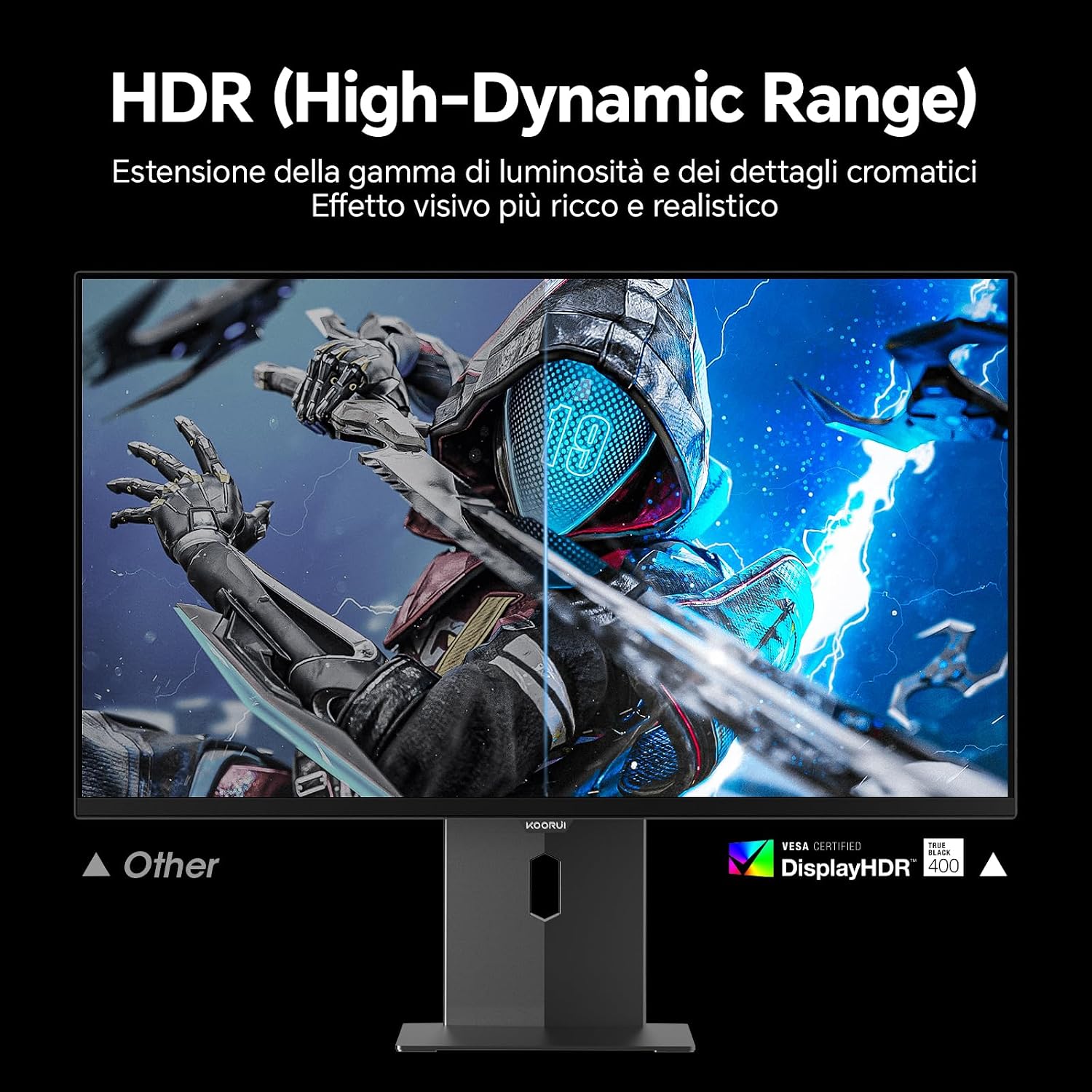
Image: Comparison of a standard display versus the KOORUI S2721XO monitor with HDR (High-Dynamic Range) enabled, showing richer visual effects and realistic details.
Característiques de joc
- Freqüència d'actualització: The monitor supports up to 240Hz. Ensure your graphics card and system settings are configured to utilize this refresh rate for smooth gameplay.
- Temps de resposta: With a 0.03ms response time, motion blur is significantly reduced.
- Sincronització adaptativa: This technology synchronizes the monitor's refresh rate with your GPU's frame rate, eliminating screen tearing and stuttering. Enable Adaptive Sync in the OSD menu and your graphics card control panel.
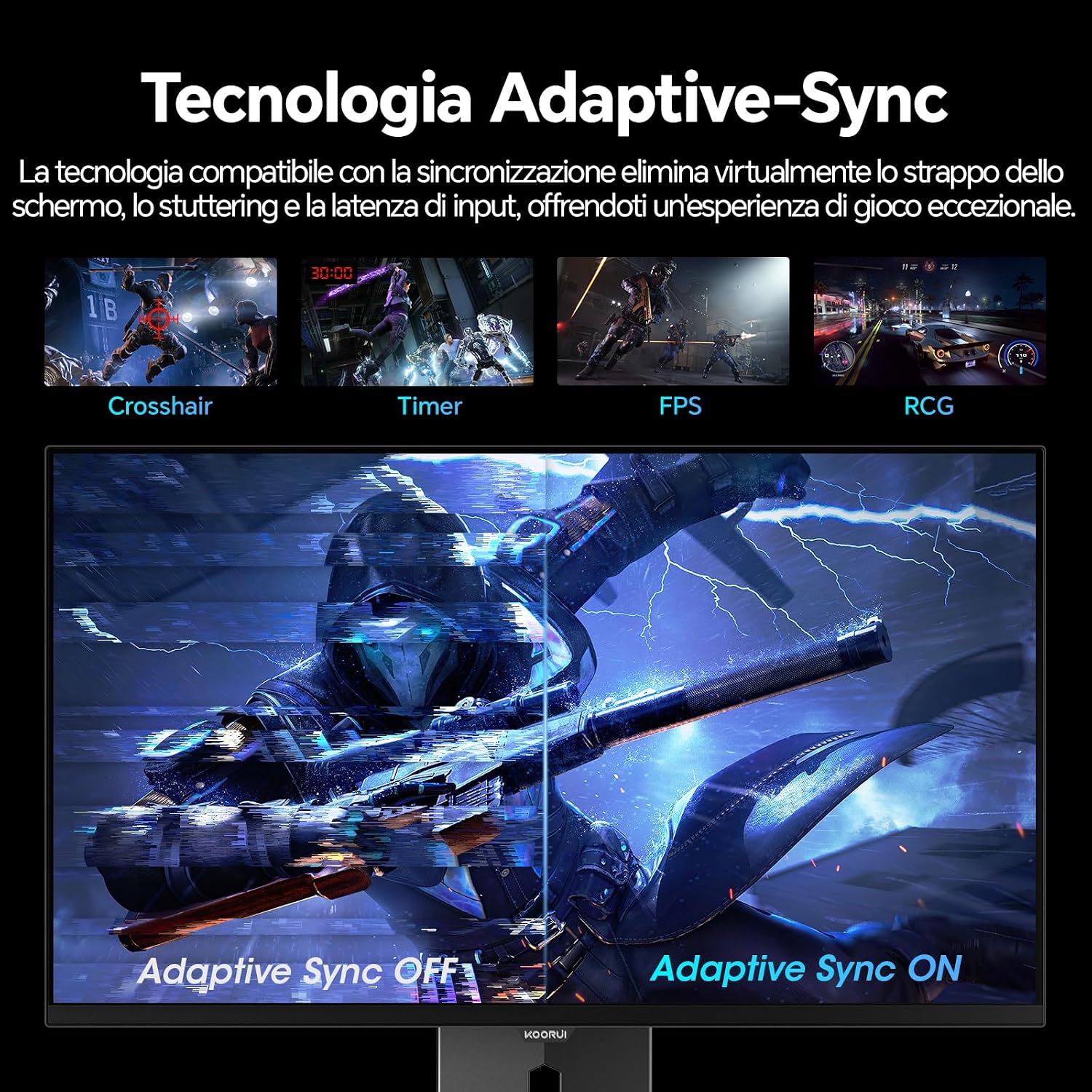
Image: A visual demonstration of Adaptive Sync technology, showing the difference between Adaptive Sync OFF (with screen tearing and stuttering) and Adaptive Sync ON (with smooth, tear-free visuals).

Image: A visual comparison illustrating the ultra-high refresh rate of 240Hz and 0.03ms response time, contrasting it with a 100Hz 5ms display to show the improved fluidity and reduced ghosting.
Mode de cura dels ulls
The monitor includes features designed to reduce eye strain during extended use. Access the Eye Care settings in the OSD menu to enable modes that reduce blue light emission or adjust flicker-free settings.
Manteniment
Neteja del monitor
- Apagueu sempre el monitor i desendolleu el cable d'alimentació abans de netejar-lo.
- Utilitzeu un drap suau i sense pelusa lleugerament dampnetejat amb aigua o amb un netejador de pantalles especialitzat.
- No ruixeu el netejador directament sobre la pantalla.
- Eviteu utilitzar netejadors abrasius, ceres o dissolvents, ja que poden danyar la superfície de la pantalla.
- Netegeu el monitor casinamb un drap suau i sec.
Emmagatzematge
When storing the monitor for an extended period, ensure it is powered off, unplugged, and stored in a cool, dry place away from direct sunlight and extreme temperatures. Use original packaging if available for best protection.
Resolució de problemes
| Problema | Causa possible | Solució |
|---|---|---|
| Sense poder | Cable d'alimentació no connectat; Presa de corrent no funciona; Botó d'engegada del monitor apagat. | Ensure power cable is securely connected. Test power outlet with another device. Press the monitor's power button. |
| Sense senyal | Video cable not connected; Incorrect input source selected; Computer not powered on. | Check video cable connections (HDMI/DisplayPort). Select the correct input source via the OSD menu. Ensure your computer is powered on and outputting a signal. |
| Pantalla parpellejant | Incorrect refresh rate; Faulty cable; Graphics card driver issues. | Adjust refresh rate in display settings. Try a different video cable. Update graphics card drivers. |
| Mala qualitat d'imatge | Incorrect resolution; Picture settings misconfigured; Dirty screen. | Set display resolution to 2560x1440. Adjust brightness, contrast, and color settings in the OSD. Clean the screen as per maintenance instructions. |
Especificacions
| Marca | KOORUI |
| Número de model | S2721XO |
| Mida de la pantalla | 27 polzades |
| Tipus de panell | QD-OLED |
| Resolució | QHD Wide 1440p (2560 x 1440) |
| Relació d'aspecte | 16:9 |
| Freqüència d'actualització | 240 Hz |
| Temps de resposta | 0.03 ms |
| Relació de contrast | 1,500,000:1 |
| Brillantor | 280 cd/m² |
| Viewangle ing | 178 graus |
| Valor de la gamma de colors | 99% DCI-P3 (100% sRGB) |
| Connectivitat | 2x HDMI 2.1, 1x DisplayPort 1.4, sortida d'àudio |
| Sincronització adaptativa | FreeSync compatible |
| Característiques especials | HDR 400, Eye Care, Height Adjustment, Tilt Adjustment, Swivel Adjustment, Pivot Adjustment |
| Compatibilitat VESA | 75 mm x 75 mm |
| Dimensions (A x A x P) | 610.11 mm x 521.84 mm x 215.82 mm (24.02 polzades x 20.54 polzades x 8.50 polzades) |
| Pes | 3 quilos |
Informació de la garantia
The KOORUI S2721XO monitor comes with a 2 any de garantia from the date of purchase. This warranty covers manufacturing defects and malfunctions under normal use. Please retain your proof of purchase for warranty claims. For detailed terms and conditions, refer to the warranty card included in your package or visit the official KOORUI weblloc.
Suport i Contacte
For further assistance, technical support, or customer service inquiries, please visit the official KOORUI website or contact their customer support team. You can also refer to the official PDF instructions for use: