
Introducció
This manual provides essential information for setting up, operating, maintaining, and troubleshooting your Xiaomi Redmi Note 14 Pro 5G smartphone. Please read this guide carefully to ensure proper use and to maximize the device's performance and longevity.
Configuració
1. Què hi ha a la caixa
Your Xiaomi Redmi Note 14 Pro 5G package includes:
- Telèfon intel·ligent Xiaomi Redmi Note 14 Pro 5G
- Adaptador d'alimentació
- Cable USB
- Eina d'expulsió de SIM
2. Dispositiu acabatview
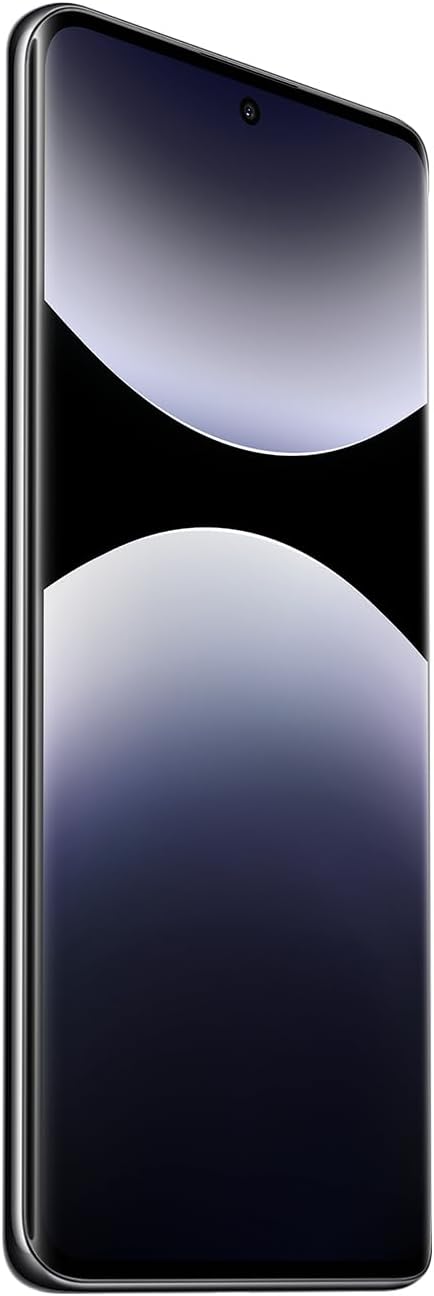
Figura 1: Frontal view of the Xiaomi Redmi Note 14 Pro 5G, showing the display and front camera.
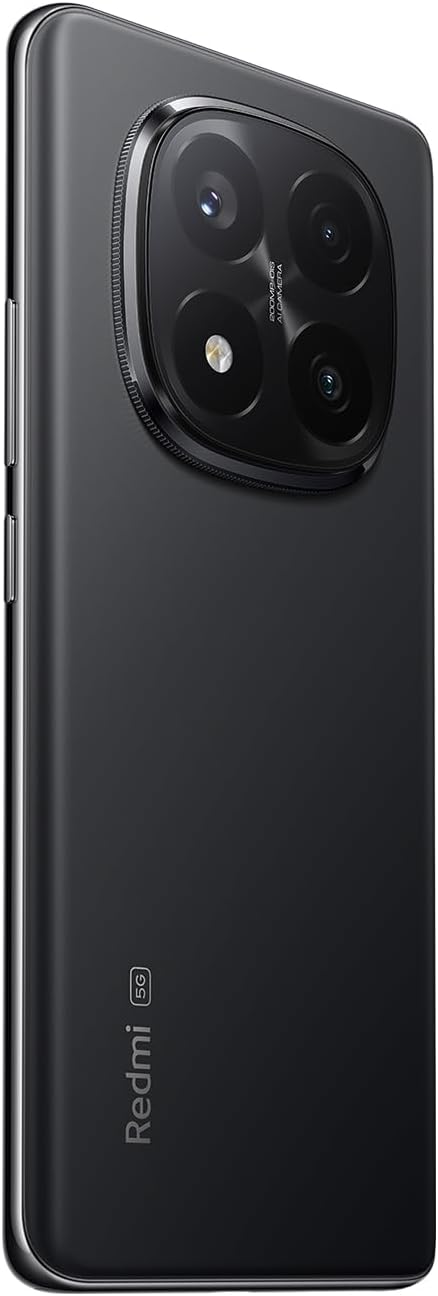
Figura 2: Esquena view of the Xiaomi Redmi Note 14 Pro 5G, highlighting the quad-camera module.
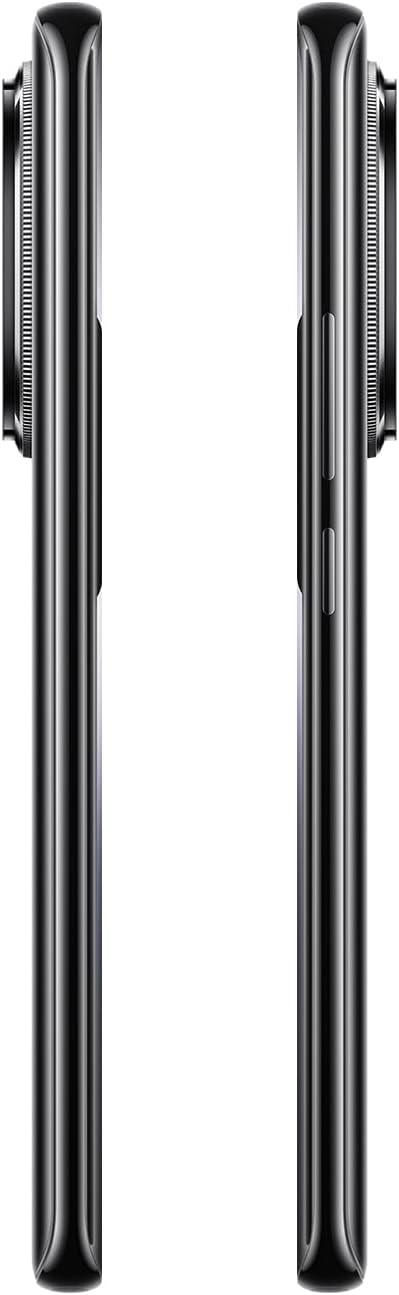
Figura 3: lateral view of the Xiaomi Redmi Note 14 Pro 5G, illustrating the power and volume buttons.
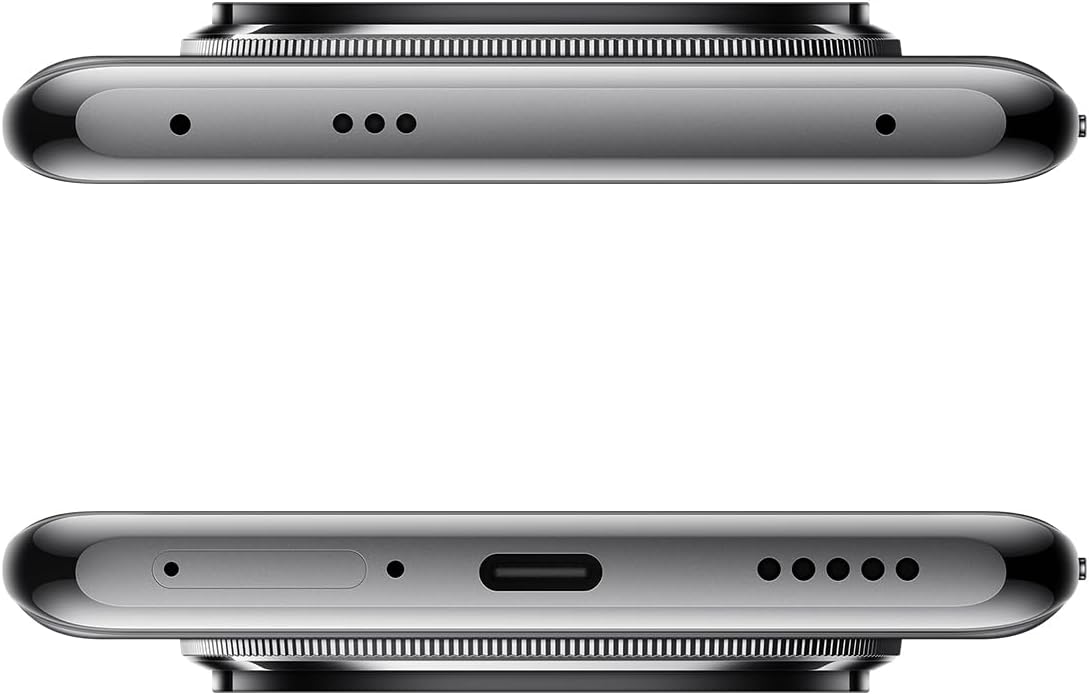
Figura 4: superior i inferior views of the Xiaomi Redmi Note 14 Pro 5G, detailing the USB-C port, speakers, and SIM card tray.
3. Inserció de la targeta SIM
- Locate the SIM card tray on the side of your device (refer to Figure 4).
- Insert the SIM eject tool into the small hole next to the tray to open it.
- Col·loqueu la targeta o targetes nano-SIM a la safata amb els contactes daurats cap avall. Aquest dispositiu admet la doble SIM.
- Empenyeu amb cura la safata cap a dins de la ranura fins que encaixi al seu lloc.
4. Engegada i configuració inicials
- Press and hold the Power button (refer to Figure 3) until the Xiaomi logo appears.
- Segueix les instruccions que apareixen a la pantalla per seleccionar l'idioma, connectar-te a una xarxa Wi-Fi i configurar el teu compte de Google.
- Configure security settings, including fingerprint recognition, for enhanced device protection.
Funcionament del vostre dispositiu
1. Pantalla i navegació
The Redmi Note 14 Pro 5G features a 6.67-inch OLED touchscreen with a 2340 x 1080 resolution and a 120Hz refresh rate for smooth visuals. Navigate the Android operating system using touch gestures.
2. Funcions de la càmera
Your device is equipped with a powerful camera system:
- Càmera posterior: 200 MP main sensor with a quad-camera setup. Integrated flash.
- Càmera frontal: Sensor de 32 MP.
- Modes de tir: Automatic, Portrait, Landscape, Sport, Night Mode, Macro.
To open the camera, tap the camera icon on your home screen or lock screen. Select your desired mode and tap the shutter button to capture photos or videos.
3. Connectivitat
The device supports 5G cellular technology, Wi-Fi, Bluetooth, and NFC for various connectivity needs. Access these settings via the Quick Settings panel or the main Settings application.
4. Bateria i càrrega
The Redmi Note 14 Pro 5G is powered by a 5500 mAh Lithium-ion battery. It supports 45W fast charging. Use the provided adapter and USB cable for optimal charging performance. Avoid using damaged cables or non-certified chargers.
Manteniment
1. Neteja del dispositiu
- Feu servir un drap suau i sense borrissol per netejar la pantalla i el panell posterior.
- Eviteu l'ús de productes químics agressius, materials abrasius o aerosols.
- Do not expose the device to excessive moisture. Note that the device is not water-resistant.
2. Actualitzacions de programari
Regularly check for and install software updates to ensure your device has the latest features, security patches, and performance improvements. You can usually find this option in the device's Settings menu under "About phone" or "System updates."
3. Gestió de l'emmagatzematge
Your device comes with 256 GB of internal storage. To maintain optimal performance, regularly manage your storage by deleting unnecessary files, uninstalling unused apps, and backing up important data to cloud services or an external drive.
Resolució de problemes
Si teniu problemes amb el dispositiu, proveu els passos habituals següents per resoldre problemes:
- El dispositiu no respon: Premeu i manteniu premut el botó d'engegada durant uns 10-15 segons per forçar un reinici.
- Bloqueig de l'aplicació: Close the app and reopen it. If the issue persists, clear the app's cache and data in Settings, or uninstall and reinstall the app.
- Problemes de connectivitat (Wi-Fi/Bluetooth/Mòbil):
- Toggle Wi-Fi/Bluetooth/Cellular data off and on.
- Reinicieu el vostre dispositiu.
- Per a la Wi-Fi, oblida't de la xarxa i torna a connectar-te.
- For cellular, ensure your SIM card is properly inserted and your plan is active.
- Esgotament ràpid de la bateria: Check battery usage in Settings to identify power-hungry apps. Reduce screen brightness, disable unnecessary features (GPS, Bluetooth, Wi-Fi) when not in use, and close background apps.
- Rendiment lent: Clear cache, free up storage space, and restart your device.
Per a problemes més complexos, consulteu el suport oficial de Xiaomi. weblloc o contacteu amb el servei d'atenció al client.
Especificacions
| Característica | Detall |
|---|---|
| Marca | XIAOMI |
| Nom del model | Nota 14 Pro 5G |
| Sistema operatiu | Android |
| Mida de la memòria RAM | 8 GB |
| Capacitat d'emmagatzematge | 256 GB |
| Mida de la pantalla | 6.67 polzades |
| Resolució | 2340 x 1080 |
| Freqüència d'actualització | 120 Hz |
| Tipus de visualització | OLED |
| Resolució de la càmera posterior | 200 MP (Quad Camera) |
| Resolució de la càmera frontal | 32 MP |
| Capacitat de la bateria | 5500 mAh (ió de liti) |
| Carregant | Càrrega ràpida de 45 W |
| Tecnologia cel·lular | 5G |
| Connectivitat | Bluetooth, NFC, Wi-Fi |
| Tipus de targeta SIM | Nano-SIM (Dual SIM) |
| Biometric Features | Reconeixement d'empremtes digitals |
| Nivell de resistència a l'aigua | No resistent a l'aigua |
| Pes | 356 grams |
| Color | Negre |
Informació de la garantia
Your Xiaomi Redmi Note 14 Pro 5G comes with a Garantia del fabricant de 2 anys. This warranty covers defects in materials and workmanship under normal use. For detailed terms and conditions, please refer to the warranty card included in your product packaging or visit the official Xiaomi weblloc.
Conserveu el vostre comprovant de compra per a reclamacions de garantia.
Suport i Contacte
For further assistance, technical support, or to find service centers, please visit the official Xiaomi support weblloc:
You may also find helpful information and FAQs on the Xiaomi community forums.