
DEVAISE ASJZ026
DEVAISE ASJZ026 L-Shaped Electric Standing Desk User Manual
Model: ASJZ026
1. Introducció
This manual provides detailed instructions for the assembly, operation, and maintenance of your DEVAISE ASJZ026 L-Shaped Electric Standing Desk. Please read this manual thoroughly before assembly and use to ensure proper function and safety. This desk features adjustable height, dual motors, and an L-shaped design for an ergonomic workspace.
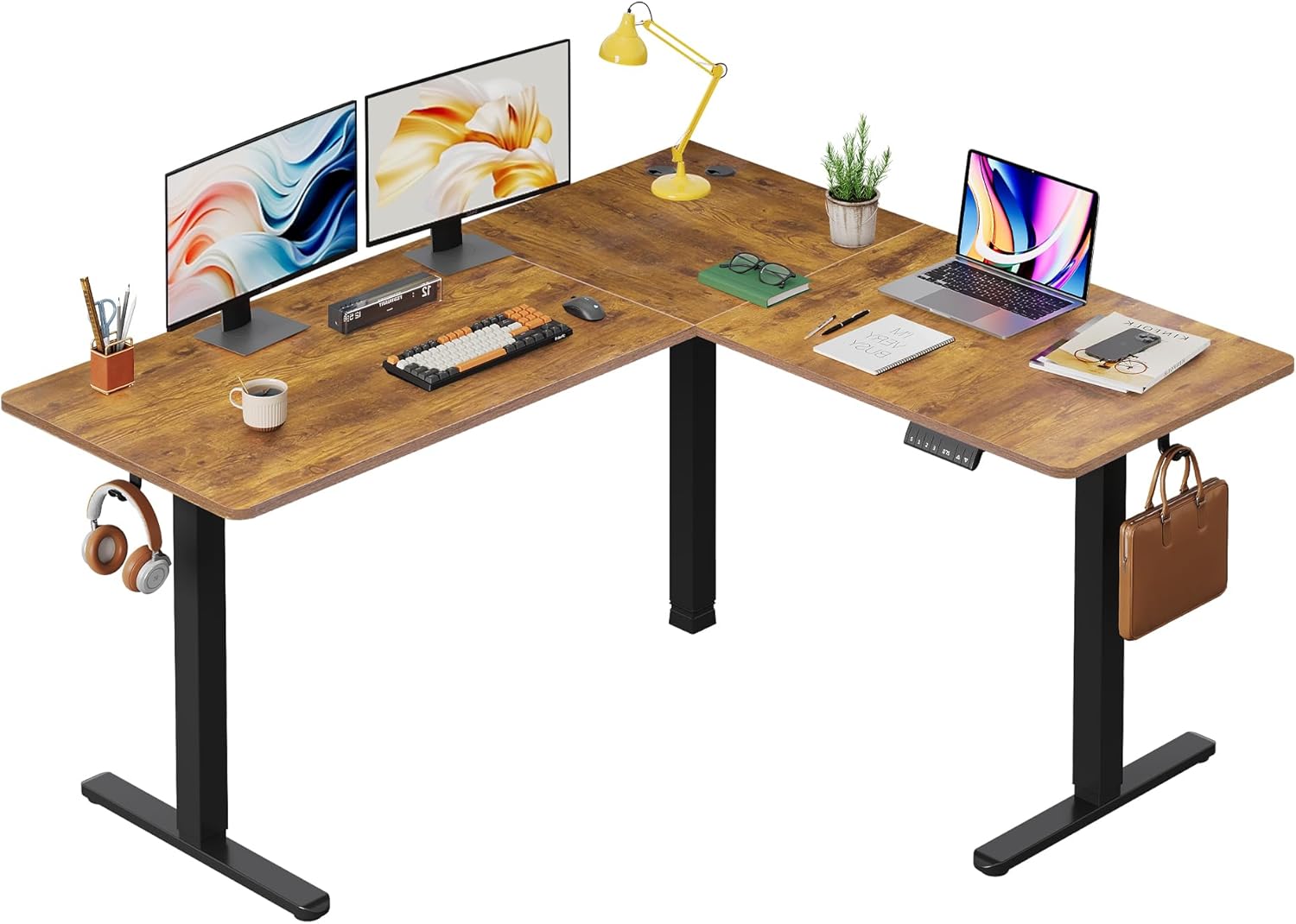
Imatge 1.1: acabatview of the DEVAISE L-Shaped Electric Standing Desk.
2. Informació de seguretat
AVÍS: Si no es segueixen aquestes instruccions de seguretat, es poden produir lesions o danys al producte.
- Potential hazards include injury from moving parts if not used with caution. Keep hands and objects clear of moving components during height adjustment.
- No supereu la capacitat màxima de pes de 220 lliures (100 kg). Overloading the desk can cause instability and damage.
- Always ensure proper assembly and use according to the manufacturer's instructions. Incorrect assembly can lead to structural failure.
- Mantingueu els nens i les mascotes allunyats de l'escriptori durant el funcionament.
- Ensure the power cord is not pinched or damaged. Do not operate the desk with a damaged cord or plug.
- Desconnecteu l'alimentació abans de la neteja o el manteniment.
3. Muntatge i muntatge
Assembly of the DEVAISE L-Shaped Electric Standing Desk requires careful attention to detail. It is recommended to have two people for assembly. Please ensure all parts are present before beginning.
3.1. Desembalatge i inspecció
Carefully unpack all components and lay them out on a clean, soft surface to prevent scratches. Verify that all parts listed in the packing list (not provided in this document, refer to your product packaging) are present and undamaged.
3.2. Desk Orientation
The L-shaped desk can be configured for either a left-sided or right-sided return, offering flexibility to suit your workspace layout.

Image 3.1: Flexible left or right orientation of the L-shaped desk.
3.3. General Assembly Steps (Consult provided assembly guide for detailed steps)
- Assemble the desk frame components, including the legs and crossbars, ensuring all screws are tightened securely.
- Attach the dual motors to the frame as per the assembly instructions.
- Secure the tabletop sections to the assembled frame. Ensure the splice board is correctly aligned.
- Connect the control panel and power supply to the motor system.
- Install accessories such as headphone hooks and cable clips as desired.
- Ajusteu els peus anivelladors per assegurar-vos que l'escriptori estigui estable en superfícies irregulars.

Image 3.2: Illustration of the dual motor system for smooth height adjustment.
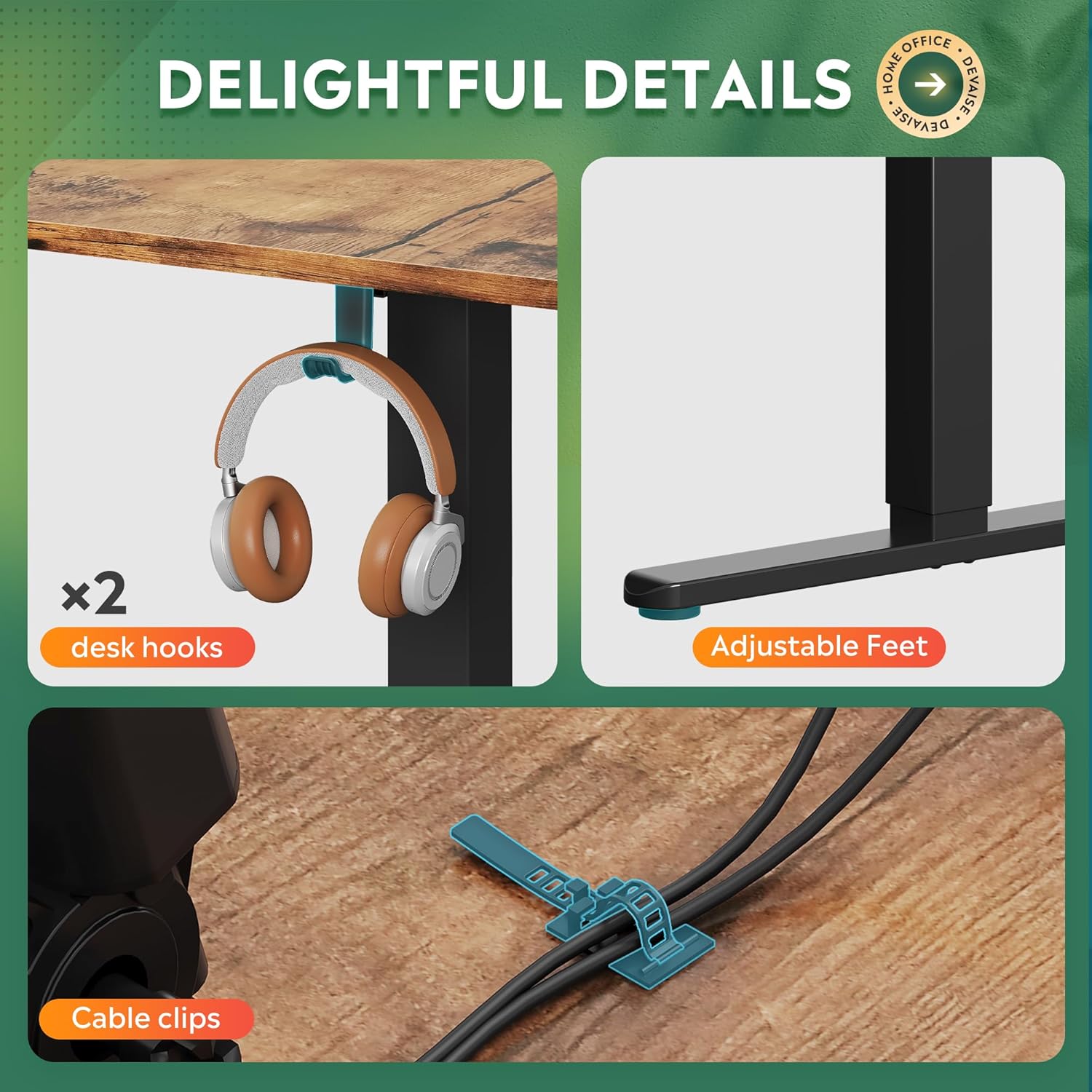
Image 3.3: Included accessories: two desk hooks, adjustable feet, and cable clips for organization.
4. Instruccions de funcionament
The DEVAISE ASJZ026 desk features an electric height adjustment system with a multi-function control panel.

Image 4.1: Multi-function control panel for height adjustment and memory settings.
4.1. Ajust bàsic d'alçada
Utilitza el Amunt (▲) i Avall (▼) buttons on the control panel to manually adjust the desk height. The current height will be displayed on the LED screen.

Image 4.2: The desk's height can be adjusted from 28.5 inches to 47.2 inches.
4.2. Configuració de preajustos de memòria
El tauler de control us permet desar fins a tres configuracions d'alçada preferides:
- Ajusteu l'escriptori a l'alçada desitjada amb els botons Amunt o Avall.
- Premeu el botó "S" button (Set/Save). The LED display will flash.
- Immediately press one of the memory buttons ("1", "2", o "3") abans que la pantalla deixi de parpellejar. L'alçada ara s'ha desat en aquesta configuració predefinida.
4.3. Ús de preajustos de memòria
To move the desk to a saved height, simply press the corresponding memory button ("1", "2", o "3"). L'escriptori s'ajustarà automàticament a la posició desada.
4.4. Anti-Collision Feature
The desk is equipped with an anti-collision system. If the desk encounters an obstacle during height adjustment, it will automatically stop and reverse slightly to prevent damage. Ensure the area around the desk is clear during operation.
5. Manteniment
Regular maintenance ensures the longevity and optimal performance of your DEVAISE standing desk.
- Neteja: Netegeu la superfície i el marc de l'escriptori amb un drap suau iamp drap. Eviteu netejadors abrasius o productes químics agressius que puguin danyar l'acabat.
- Gestió de cables: Periodically check cable clips and ensure all cables are neatly organized and not pinched or strained.
- Comprovació del motor: Listen for any unusual noises during operation. If you hear grinding or excessive noise, discontinue use and consult the troubleshooting section or contact support.
- Distribució de pes: Distribute weight evenly across the desk surface to prevent undue stress on the frame and motors.
6. Solució De Problemes
If you encounter issues with your DEVAISE standing desk, refer to the following common problems and solutions:
| Problema | Causa possible | Solució |
|---|---|---|
| Desk does not move or respond to control panel. | Power cord disconnected, circuit breaker tripped, motor error. | Check power connections. Ensure the outlet is functional. Unplug and replug the desk after 30 seconds. If error persists, contact support. |
| L'escriptori es mou de manera irregular o fa sorolls estranys. | Uneven weight distribution, loose connections, motor issue. | Ensure weight is evenly distributed. Check all assembly screws for tightness. If noise persists, contact support. |
| Anti-collision feature triggers frequently. | Obstruction in the desk's path, sensitive setting. | Clear any objects from the desk's path. Refer to the full product manual for potential anti-collision sensitivity adjustments (if available). |
| Memory presets are not saving or recalling correctly. | Incorrect saving procedure, temporary glitch. | Review Section 4.2 for correct saving procedure. Unplug the desk for 30 seconds and try again. |
7. Especificacions
| Característica | Detall |
|---|---|
| Marca | DEVAISAR |
| Número de model | ASJZ026 |
| Dimensions del producte (P x A x A) | 23.62 "P x 62.99" W x 25.84" H |
| Altura mínima | 28.5 polzades |
| Altura màxima | 47.2 polzades |
| Color | Marró Rústic |
| Tipus de material superior | Fusta d'enginyeria |
| Material base | Ferro |
| Pes de l'article | 80.7 lliures |
| Recomanació de pes màxim | 220 lliures |
| Característica especial | Adjustable Height, Dual Motor, Anti-Collision Technology |
| Components inclosos | Headphone Hook, Cable Clips |
| Muntatge requerit | Sí |

Image 7.1: Key dimensions and load capacity of the L-shaped standing desk.
8. Garantia i Suport
8.1. Informació de la garantia
This DEVAISE ASJZ026 L-Shaped Electric Standing Desk comes with a Garantia limitada. Please refer to the warranty card included with your product for specific terms, conditions, and duration of coverage.
8.2. Atenció al client
For technical assistance, missing parts, or warranty claims, please contact DEVAISE customer support. Contact information can typically be found on the product packaging, the official DEVAISE weblloc web o a través de la vostra plataforma de compra.
Venedor: DEVAISAR
Documents relacionatsASJZ026

Ask a question about this manual
Ask about setup, troubleshooting, compatibility, parts, safety, or missing instructions. Manuals+ will review the question and use this page’s manual context to help answer it.