
Informació important de seguretat
- Do not place the clamping arm on top of the glass surface.
- Ensure the desk is not overloaded beyond 176 lliures (80 kg) to maintain stability and prevent damage.
- Mantingueu els nens i les mascotes allunyats de l'escriptori durant l'ajust d'alçada.
- Ensure no obstacles are in the desk's path during movement.
Producte acabatview
The DEVAISE ASJZ028WH is a 55-inch electric standing desk featuring a tempered glass tabletop and integrated drawers. It offers adjustable height settings for ergonomic comfort and a spacious work surface.
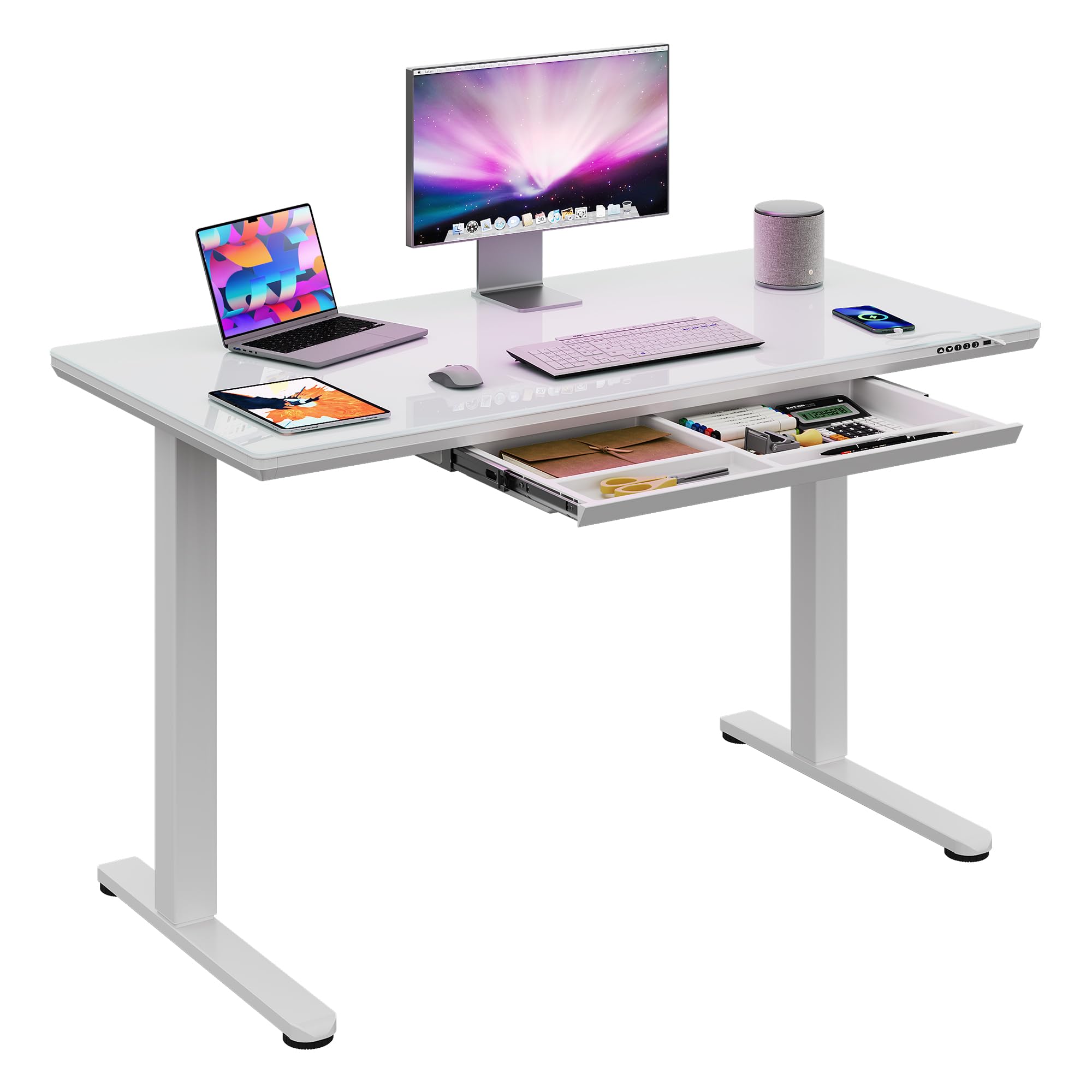
Figure 1: DEVAISE 55-Inch Electric Standing Desk
Característiques principals:
- Taula de vidre temperat: Durable, easy to clean, and suitable for writing.
- Ajust elèctric d'alçada: Smoothly adjusts from 28.3 inches to 46.5 inches.
- Programmable Presets: Three customizable height memory settings.
- Integrated Drawers: Provides organized storage space.
- Construcció sòlida: Built with a robust steel frame for stability.
- Instal·lació ràpida: Dissenyat per a un muntatge senzill.
Especificacions
| Característica | Detall |
|---|---|
| Número de model | ASJZ028WH |
| Dimensions (P x A x A) | 23.62 "P x 55.12" W x 28.35" H |
| Altura mínima | 28.3 polzades |
| Altura màxima | 46.5 polzades |
| Recomanació de pes màxim | 176 lliures |
| Tipus de material superior | Vidre |
| Material base | Ferro |
| Nombre de calaixos | 1 |
| Color | Vidre blanc |
| Muntatge requerit | Sí |
| Inclou totes les eines de muntatge | Sí |
Muntatge i muntatge
The DEVAISE Electric Standing Desk is designed for quick and easy installation. All necessary tools and pre-drilled holes are provided to simplify the process.
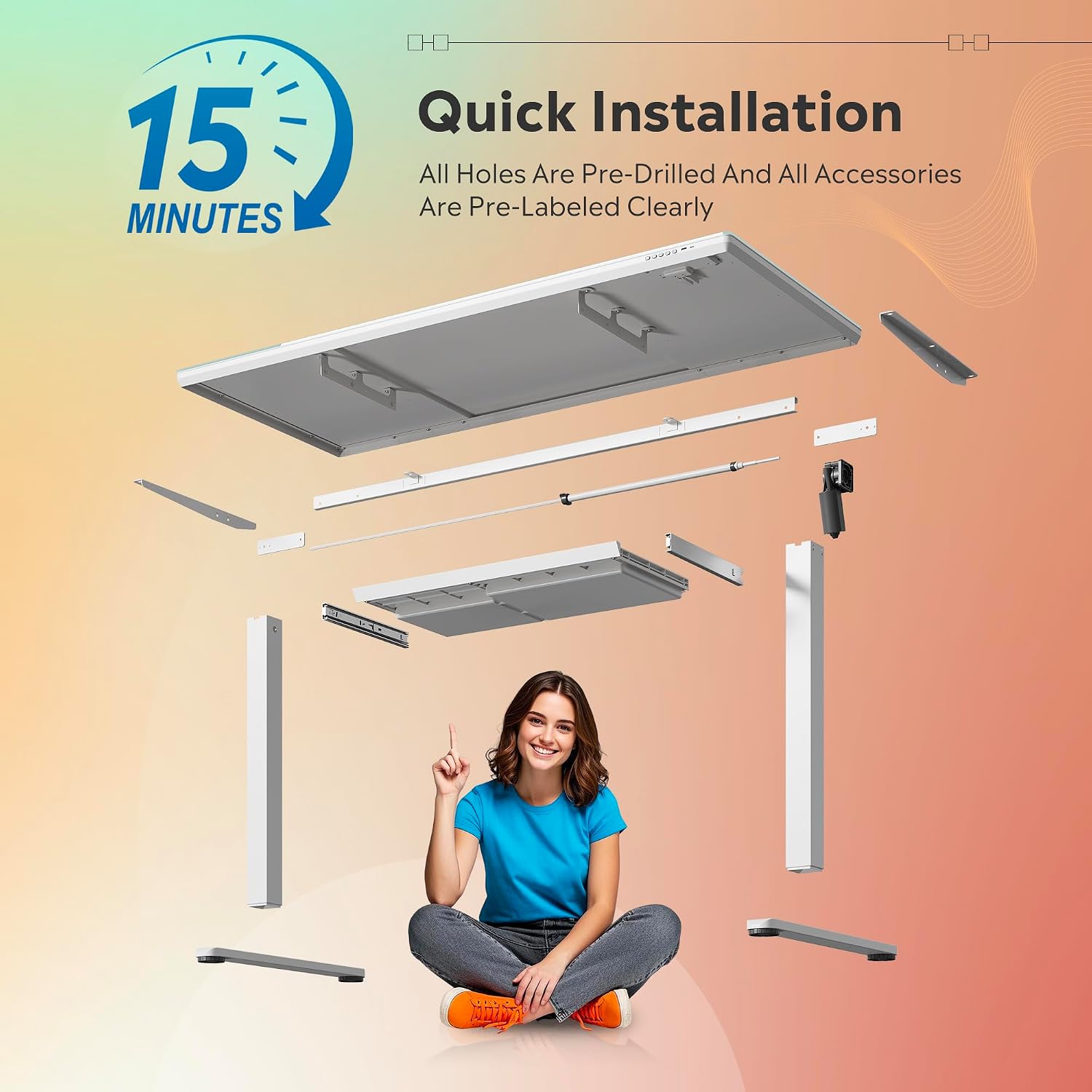
Figure 2: Quick Installation Overview
Passos de muntatge:
- Desempaquetar components: Carefully remove all parts from the packaging. Verify all components are present against the included parts list.
- Col·loca les cames: Securely attach the desk legs to the tabletop using the provided screws and tools. Ensure all connections are tight.
- Connectar l'alimentació: Plug the power cord into the desk's control unit and then into a wall outlet.
- Configuració inicial: Follow the instructions in the operating section to calibrate the desk and set your preferred height presets.
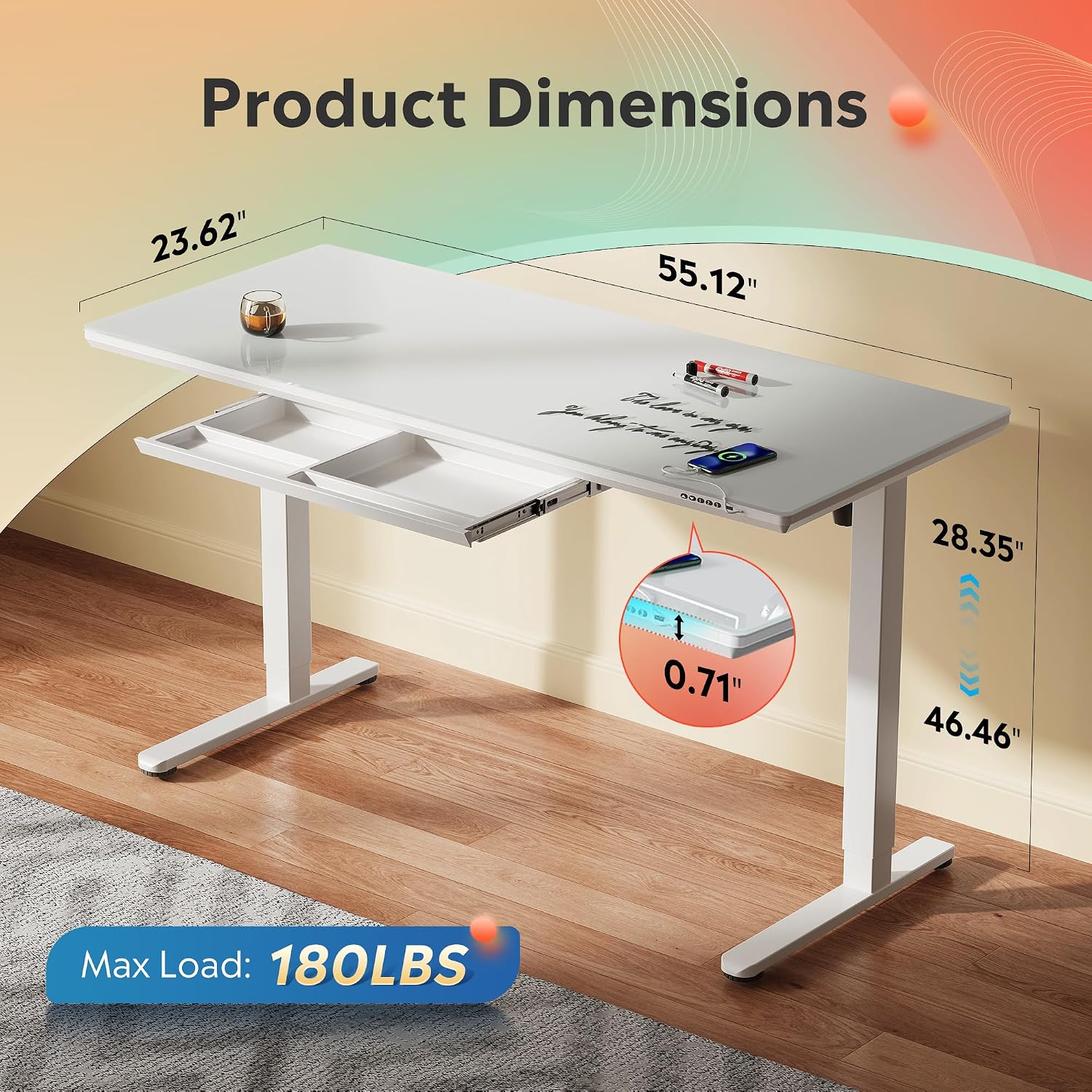
Figure 3: Product Dimensions for Placement Planning
Instruccions de funcionament
The desk features an intuitive control panel for easy height adjustment and memory functions.
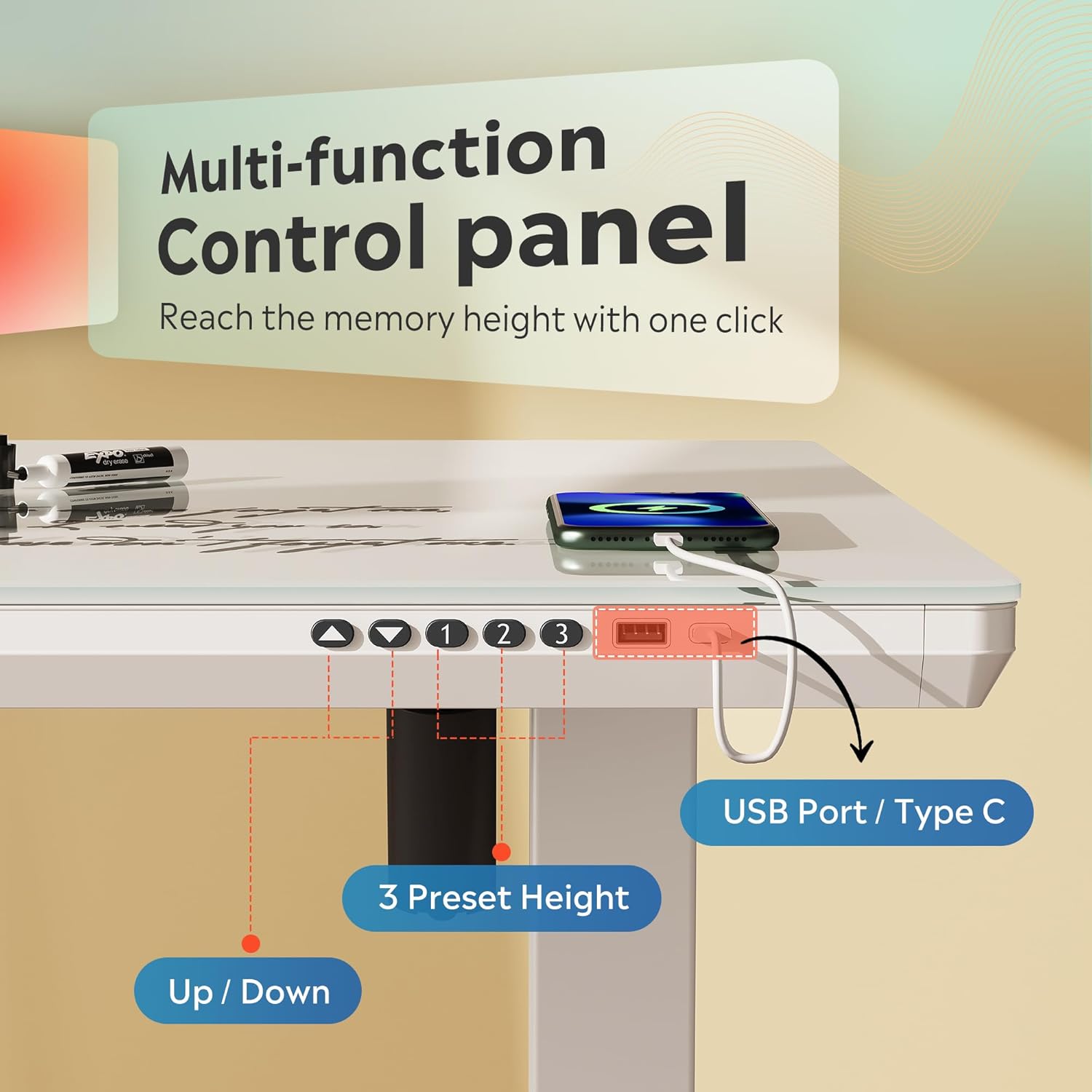
Figure 4: Multi-function Control Panel
Ajust d'alçada:
- Utilitza el Amunt (▲) i Avall (▼) arrows on the control panel to manually adjust the desk height. The current height will be displayed on the LED screen.
- The desk smoothly adjusts between 28.3 inches and 46.5 inches.
Configuració de preajustos de memòria:
The desk allows you to save up to three preferred height settings.
- Ajusteu l'escriptori a l'alçada desitjada amb les fletxes amunt/avall.
- Premeu el botó "M" button (or equivalent memory set button, if available) once. The display may flash.
- Premeu immediatament un dels botons predefinits numerats ("1", "2", o "3") to save the current height to that position. The display will confirm the setting.
Ús de preajustos de memòria:
- Per moure l'escriptori a una alçada desada, simplement premeu el botó preestablert corresponent ("1", "2", o "3"). The desk will automatically move to the programmed height.
Ports de càrrega USB:
The control panel includes USB-A and USB-C ports for convenient charging of your devices.
Manteniment
Cleaning the Tempered Glass Surface:
- The tempered glass surface is easy to maintain. Simply wipe it down with a clean, damp cloth to remove dust, spills, and smudges.
- For stubborn marks, use a mild glass cleaner and a soft cloth. Avoid abrasive cleaners or harsh chemicals that could damage the glass.
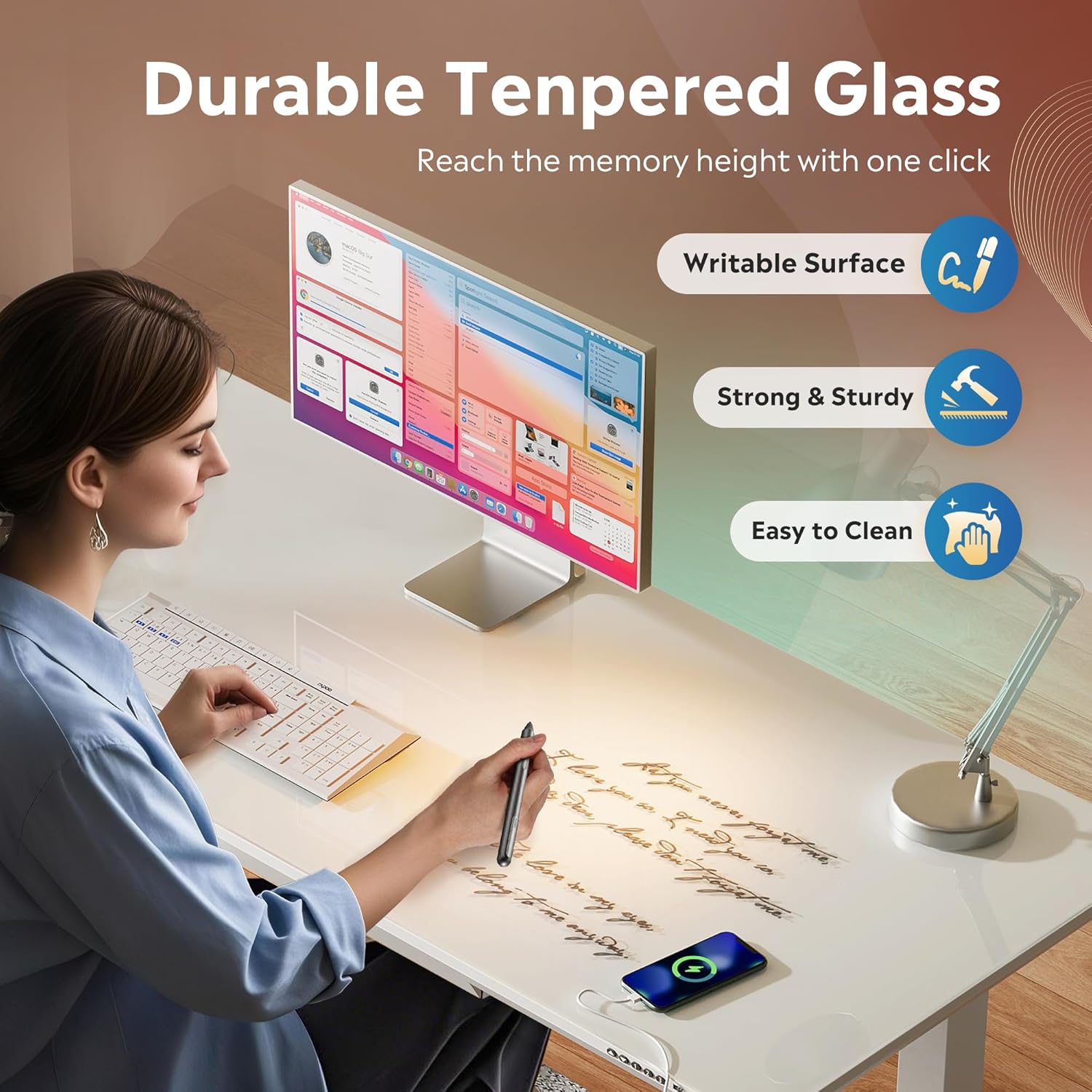
Figure 5: Tempered Glass Surface
Atenció general:
- Reviseu regularment tots els cargols i connexions per assegurar-vos que estiguin ben ajustats.
- Avoid placing hot items directly on the glass surface without a coaster.
- Do not use sharp objects on the glass surface to prevent scratches.
Resolució de problemes
If you encounter any issues with your DEVAISE Electric Standing Desk, please refer to the following common solutions:
| Problema | Causa possible | Solució |
|---|---|---|
| L'escriptori no es mou | Power cable disconnected, overload, or motor error. | Check power connections. Reduce weight on the desk. Unplug for 10 seconds and plug back in to reset. |
| Ajust d'alçada desigual | Obstruction or uneven load. | Clear any obstructions. Redistribute weight evenly on the desk. |
| Desk makes unusual noise | Loose components or motor issue. | Check and tighten all screws. If noise persists, contact customer support. |
| Els preajustaments de memòria no funcionen | Els preajustos no s'han desat correctament. | Re-program the memory presets following the operating instructions. |
If the problem persists after attempting these solutions, please contact DEVAISE customer support.
Garantia i Suport
This DEVAISE Electric Standing Desk comes with a Garantia limitadaConsulteu la targeta de garantia inclosa amb el producte per conèixer els termes i condicions específics.
For technical support, parts replacement, or any other inquiries, please contact DEVAISE customer service through their official weblloc web o el venedor on es va comprar el producte.
Vídeos de productes
Official product videos from the seller are not available for embedding based on the provided data. Please refer to the product page for any available visual guides.