
1. Introducció
Thank you for choosing the DEVAISE Electric Standing Desk. This manual provides essential information for the safe assembly, operation, and maintenance of your new desk. This 40x24 inch electric standing desk features a one-piece desktop, adjustable height functionality, and memory presets for personalized comfort. Please read this manual thoroughly before use and retain it for future reference.
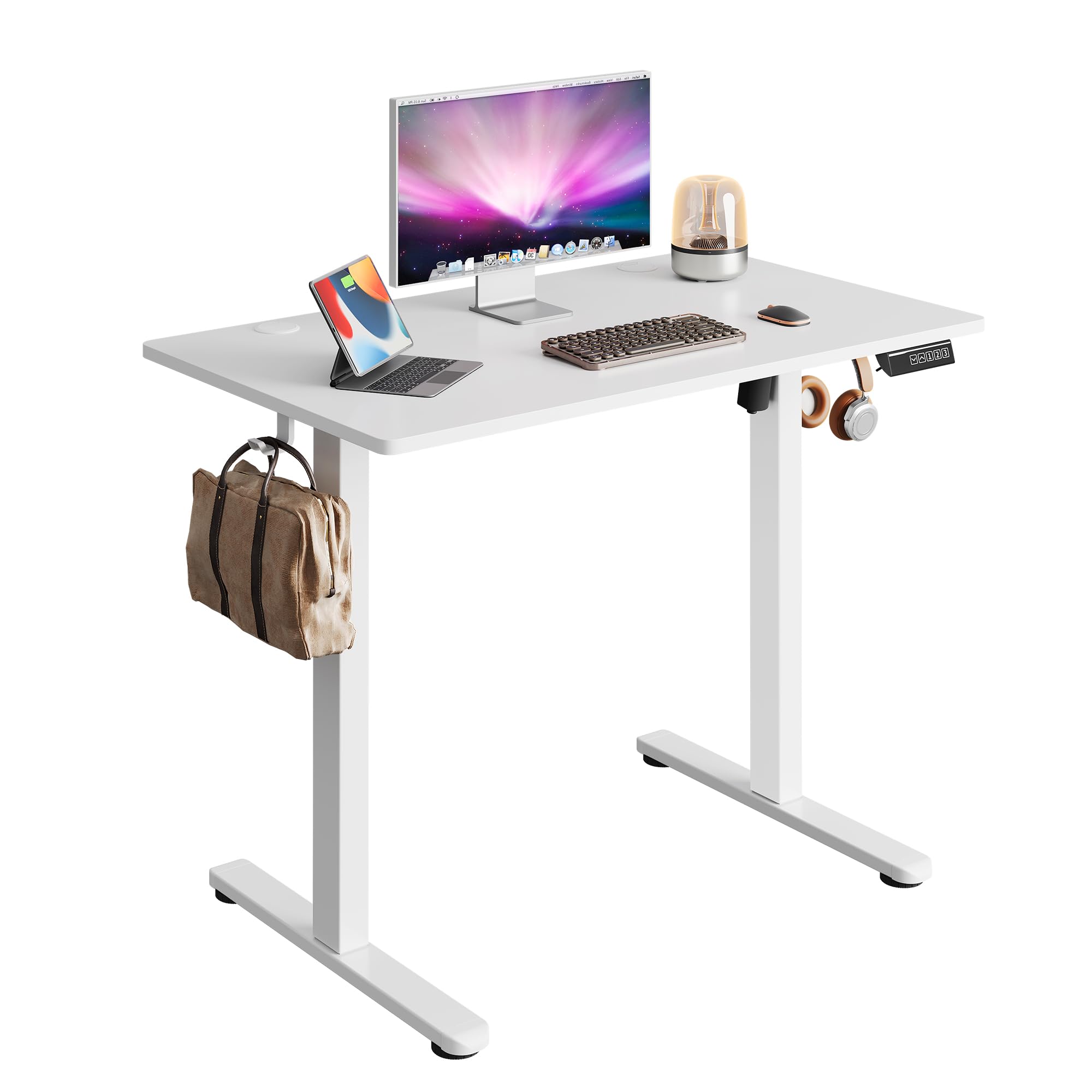
Image 1.1: The DEVAISE 40x24 Inch Electric Standing Desk in a typical home office environment.
2. Informació de seguretat
- Do not exceed the weight limit of 180 lbs (81.6 kg).
- Assegureu-vos que l'escriptori estigui col·locat en una superfície plana.
- Mantingueu els nens i les mascotes allunyats de l'escriptori durant el funcionament.
- Eviteu col·locar líquids directament sobre el tauler de control o a prop de components elèctrics.
- Do not attempt to disassemble or repair the motor or control system yourself. Contact customer service for assistance.
- Ensure there are no obstructions in the desk's path during height adjustment to prevent damage or injury. The desk is equipped with anti-collision sensors.

Image 2.1: Key safety and convenience features including the anti-collision system, cable holes, and storage hooks.
3. Contingut del paquet
Abans del muntatge, verifiqueu que tots els components siguin presents i no estiguin danyats. Si hi ha alguna peça que falti o que estigui danyada, poseu-vos en contacte amb el servei d'atenció al client.
- Desktop (One-piece)
- Cames (2)
- Peus (2)
- Crossbar/Support Beam
- Caixa de control
- Panell de control digital
- Adaptador d'alimentació i cable
- Ganxo per a auriculars
- Clips de gestió de cables
- Maquinari de muntatge (cargols, clau Allen)
- Manual d'usuari

Image 3.1: All components included in the package, pre-drilled and labeled for quick installation.
4. Instruccions de muntatge
Assembly typically takes approximately 15 minutes. All holes are pre-drilled, and accessories are clearly labeled for ease of installation. It is recommended to assemble the desk with two people.
- Desempaquetar components: Carefully remove all parts from the packaging and lay them out on a clean, soft surface to prevent scratches. Refer to the 'Package Contents' section to ensure all parts are present.
- Uneix els peus a les cames: Secure the feet to the bottom of each leg using the provided screws and Allen wrench.
- Connecteu les potes a la barra transversal: Attach the two legs to the central crossbar. Ensure the motor and drive shaft are correctly aligned.
- Caixa de control de muntatge: Secure the control box to the designated area under the desktop.
- Adjunta l'escriptori: Carefully place the desktop upside down on a soft surface. Align the assembled leg frame with the pre-drilled holes on the desktop and secure it with screws.
- Instal·leu el tauler de control: Mount the digital control panel to the front edge of the desktop using the provided screws.
- Connectar els cables: Connect the motor cable, control panel cable, and power adapter cable to the control box. Ensure all connections are secure.
- Fixeu el ganxo per als auriculars: Install the headphone hook to the side of the desk as desired.
- Gestió de cables: Use the provided cable clips to organize and secure cables under the desk.
- Encès: Flip the desk upright, connect the power adapter to a wall outlet, and power on the desk.

Image 4.1: Visual guide to the quick installation process, highlighting pre-drilled holes and labeled parts.
5. Instruccions de funcionament
5.1 Ajust d'alçada
The desk's height can be adjusted electrically from 28.35 inches (72 cm) to 46.46 inches (118 cm).
- Botó amunt (▲): Manteniu premut per aixecar l'escriptori.
- Botó avall (▼): Manteniu premut per baixar l'escriptori.
- Release the button at your desired height. The LED display will show the current height.

Image 5.1: Illustration of the desk's adjustable height range from 28.35 inches to 46.45 inches.
5.2 Preajustos de memòria
El tauler de control permet desar fins a tres configuracions d'alçada preferides per a ajustaments ràpids.
- Establir una posició de memòria:
- Ajusteu l'escriptori a l'alçada desitjada amb els botons Amunt/Avall.
- Press the 'S' button (Set). The display will flash.
- Press one of the number buttons (1, 2, or 3) within 5 seconds to save the current height to that preset. The display will show 'S-' followed by the number to confirm.
- Recordar una posició de memòria:
- Simply press the corresponding number button (1, 2, or 3). The desk will automatically move to the saved height.

Image 5.2: The digital control panel featuring an LED display, up/down controls, and three memory preset buttons.
5.3 Demostració en vídeo
Watch this video for a visual guide on operating the DEVAISE Electric Standing Desk, including height adjustments and memory preset functions.
Video 5.3: Official product video demonstrating the operation of the DEVAISE Electric Standing Desk.
6. Manteniment
- Neteja: Wipe the desktop and legs with a soft, damp drap. Eviteu productes químics agressius o netejadors abrasius.
- Inspecció: Reviseu periòdicament tots els cargols i connexions per assegurar-vos que estiguin ben ajustats. Torneu a apretar-los si cal.
- Gestió de cables: Ensure cables are neatly organized and not pinched or tangled, especially during height adjustments.
7. Solució De Problemes
| Problema | Causa possible | Solució |
|---|---|---|
| L'escriptori no es mou. | Power cable disconnected, control box cable loose, motor error. | Check all cable connections. Unplug and replug the power cable. If the issue persists, contact customer service. |
| L'escriptori es mou de manera irregular o fa un soroll inusual. | Overload, obstruction, loose components. | Reduce weight on the desk. Check for obstructions. Ensure all assembly screws are tight. |
| Error code displayed (e.g., E01, E02). | Mal funcionament del sistema, problema amb el sensor. | Unplug the desk for 10 minutes, then plug it back in. If the error persists, contact customer service. |
| Els preajustaments de memòria no funcionen. | Els preajustos no s'han desat correctament. | Re-save the memory positions following the instructions in Section 5.2. |
8. Especificacions
| Característica | Detall |
|---|---|
| Número de model | ASJZ029 |
| Desktop Dimensions (D x W) | 60 cm x 100 cm |
| Interval d'alçada ajustable | 28.35" - 46.46" (72 cm - 118 cm) |
| Capacitat màxima de pes | 180 lliures (81.6 kg) |
| Material d'escriptori | Fusta d'enginyeria |
| Material del marc | Ferro |
| Tipus de motor | Dual-motor drive |
| Nivell de soroll | <45 dB |
| Presets de memòria | 3 |
| Característiques especials | Anti-collision system, Cable holes, Headphone hook, One-piece desktop |
| Color | Blanc |
| Pes de l'article | 36.85 lliures (16.7 kg) |

Image 8.1: Detailed product dimensions and maximum weight capacity of 180 lbs.

Image 8.2: Visual comparison highlighting the enhanced stability of the one-piece desktop design.
9. Garantia i Suport
The DEVAISE Electric Standing Desk comes with a 1-year frame warranty. For any questions, concerns, or assistance with your product, please contact our 24/7 US-based customer service team. Please have your model number (ASJZ029) and purchase information ready when contacting support.
For further information or to explore other DEVAISE products, visit the official DEVAISE Store on Amazon.