
Introducció
This manual provides detailed instructions for the setup, operation, and maintenance of your Transformers TF-T31 Bluetooth TWS Wireless Earbuds. Please read this manual thoroughly before using the product to ensure proper function and longevity.
Producte acabatview
Contingut del paquet
- Transformers TF-T31 Wireless Earbuds (Left and Right)
- Estoig de càrrega
- Cable de càrrega USB tipus C
- Manual d'usuari (aquest document)
Característiques clau
- Bluetooth 5.4: Provides a stable, fast, and low-power connection.
- Funcionalitat de mode dual: Switch between Gaming Mode for low latency audio and Music Mode for HiFi sound.
- Àudio d'alta fidelitat: Features 13mm magnetically levitated drivers for rich, detailed sound with deep bass.
- Cancel·lació de soroll ambiental (ENC): Millora la claredat de les trucades reduint el soroll ambiental.
- Controls tàctils intuïtius: Manage music playback, calls, and mode switching directly from the earbuds.
- Durada de la bateria ampliada: Up to 5 hours of playback per charge, with the charging case providing up to 50 hours total.
- Disseny ergonòmic: Lightweight and comfortable for prolonged wear.
- Mechanical Shell Design: Unique aesthetic inspired by Transformers.

Image: The Transformers TF-T31 wireless earbuds and their distinctive mechanical shell charging case, shown in yellow.

Image: Close-up of the Transformers TF-T31 charging case, highlighting its unique mechanical shell design and the Transformers logo.
Configuració
1. Càrrega dels auriculars i l'estoig
Abans del primer ús, carregueu completament els auriculars i l'estoig de càrrega.
- Col·loca els dos auriculars a l'estoig de càrrega. Assegura't que estiguin correctament col·locats.
- Connect the provided USB Type-C cable to the charging port on the case and plug the other end into a USB power source (e.g., wall adapter, computer).
- The LED digital display on the charging case will indicate the battery status during charging.
- La càrrega completa sol trigar aproximadament 1.5 hores.
Nota: The charging case has a 3.7V/300mAh battery, and each earbud has a 3.7V/30mAh built-in battery.
2. Emparellament Bluetooth
Segueix aquests passos per emparellar els auriculars amb un dispositiu amb Bluetooth:
- Encès: Obre l'estoig de càrrega. Els auriculars s'encendran automàticament i entraran en mode d'emparellament. És possible que sentis un avís audible.
- Activa el Bluetooth: Al dispositiu (telèfon intel·ligent, tauleta, ordinador), aneu a la configuració de Bluetooth i assegureu-vos que el Bluetooth estigui activat.
- Seleccioneu el dispositiu: Look for "TF-T31" in the list of available Bluetooth devices and select it to connect.
- Confirmació: Once connected, you will hear a confirmation sound from the earbuds, and your device will show "TF-T31" as connected.
Nota: Els auriculars es tornaran a connectar automàticament a l'últim dispositiu emparellat quan es treguin de l'estoig, si el Bluetooth està activat al dispositiu.

Image: Diagram illustrating the advanced Bluetooth 5.4 technology, emphasizing stable and fast connection.
Instruccions de funcionament
Encès/Apagat
- Encès: Obriu l'estoig de càrrega o premeu llargament la zona tàctil dels dos auriculars durant 3 segons.
- Apagar: Torneu a col·locar els auriculars a l'estoig de càrrega i tanqueu la tapa o premeu llargament la zona tàctil d'ambdós auriculars durant 5 segons.
Controls tàctils
The TF-T31 earbuds feature intuitive touch controls on the outer surface of each earbud. The functions are as follows:
| Acció | Funció |
|---|---|
| Toc únic (esquerra/dreta) | Reproduir / Pausar música, Respondre / Finalitzar trucada |
| Doble toc (auricular dret) | Pista següent |
| Doble toc (auricular esquerre) | Pista anterior |
| Toc triple (esquerra/dreta) | Switch between Gaming Mode and Music Mode |
| Premda llarga (esquerra/dreta, 2 segons) | Reject incoming call, Activate Voice Assistant |
Switching Modes (Gaming/Music)
The TF-T31 earbuds offer two distinct audio modes:
- Mode de joc: Provides ultra-low latency audio synchronization, ideal for gaming and video playback to minimize delay between audio and visuals.
- Mode de música: Delivers rich HiFi sound with enhanced bass and clear highs, optimized for an immersive music listening experience.
To switch between modes, triple toc the touch area on either earbud. You will hear an audible prompt indicating the current mode.
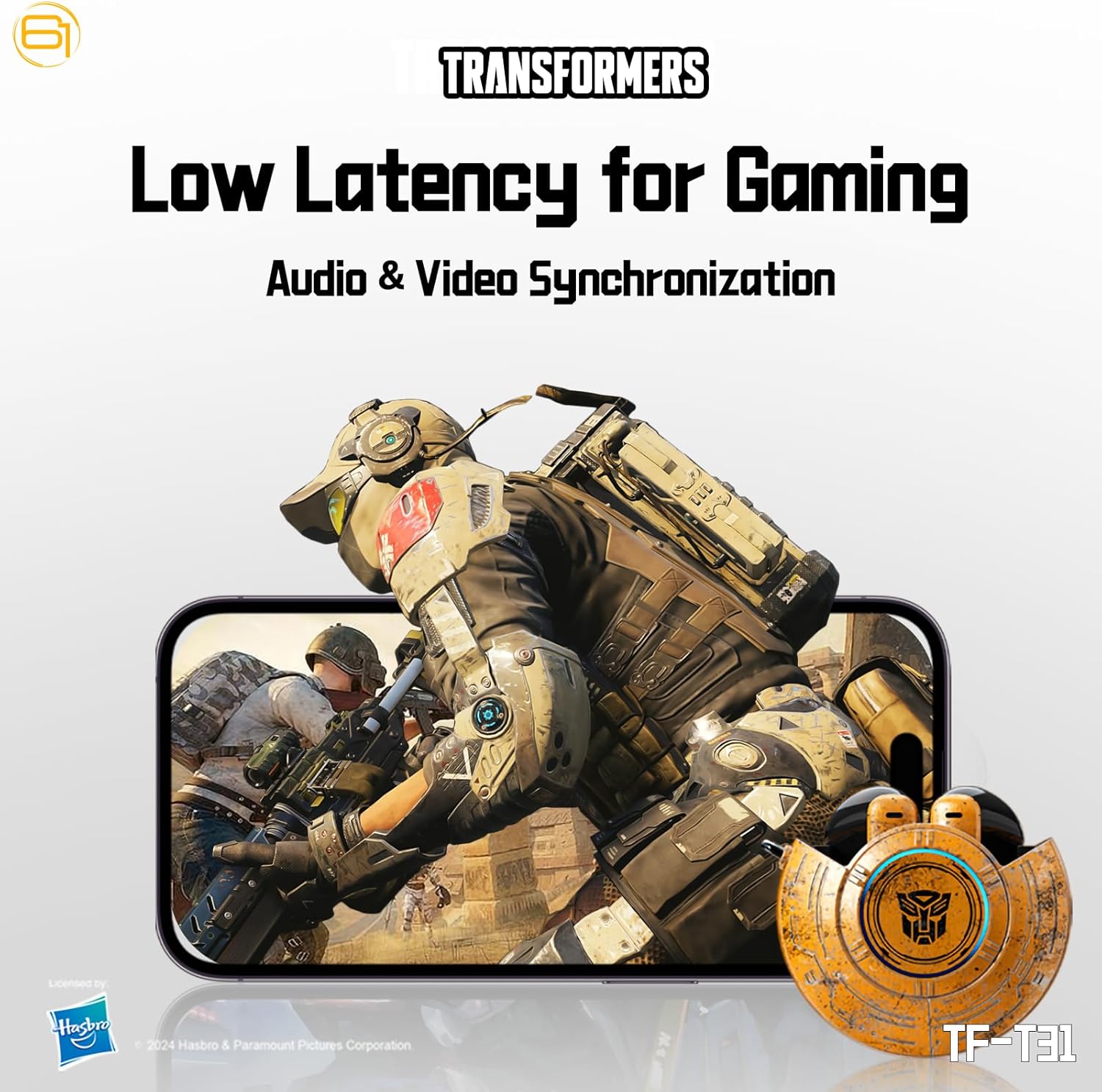
Image: Illustration of the earbuds providing low latency audio for gaming, showing a mobile gaming scenario.
Manteniment
Neteja
- Netegeu regularment els auriculars i l'estoig de càrrega amb un drap suau, sec i sense borrissol.
- No utilitzeu netejadors abrasius, alcohol ni dissolvents químics.
- Traieu suaument qualsevol cerumen o restes de la malla dels auriculars amb un raspall petit i suau o un bastonet de cotó.
- Ensure the charging contacts on both the earbuds and the case are clean and dry to maintain proper charging.
Emmagatzematge
- Quan no els utilitzeu, guardeu els auriculars a la seva funda de càrrega per protegir-los i mantenir-los carregats.
- Guardeu el producte en un lloc fresc i sec, allunyat de temperatures extremes i de la llum solar directa.
- Avoid exposing the earbuds or case to water or excessive moisture. While the product is water-resistant, it is not waterproof.
Resolució de problemes
If you encounter issues with your TF-T31 earbuds, please refer to the following common problems and solutions:
Els auriculars no s'emparellan ni es connecten
- Assegureu-vos que els dos auriculars estiguin carregats.
- Assegureu-vos que el Bluetooth estigui habilitat al vostre dispositiu.
- Torneu a col·locar els auriculars a l'estoig de càrrega, tanqueu la tapa, espereu uns segons i torneu-la a obrir per tornar a entrar al mode d'emparellament.
- On your device, forget or delete "TF-T31" from your Bluetooth device list, then attempt to pair again.
- Prova d'emparellar-lo amb un altre dispositiu per descartar problemes específics del dispositiu.
Sense so ni volum baix
- Comprova el nivell de volum tant al dispositiu connectat com als auriculars.
- Assegureu-vos que els auriculars estiguin correctament col·locats a les orelles.
- Clean any debris from the earbud mesh that might be obstructing sound.
- Torneu a connectar els auriculars al dispositiu.
Problemes de càrrega
- Verifiqueu que el cable de càrrega estigui connectat correctament tant a la carcassa com a la font d'alimentació.
- Ensure the charging contacts on the earbuds and inside the case are clean and free of obstructions.
- Prova d'utilitzar un cable USB tipus C o un adaptador de corrent diferent.
- Confirmeu que la font d'alimentació estigui activa.
Earbuds Disconnect Frequently
- Ensure your device is within the Bluetooth transmission distance (26-32 feet or 8-10 meters) without significant obstacles.
- Eviteu entorns amb fortes interferències electromagnètiques.
- Fully charge both the earbuds and the charging case.
Especificacions
| Característica | Detall |
|---|---|
| Nom del model | TF-T31 |
| Versió Bluetooth | Bluetooth 5.4 |
| Distància de transmissió Bluetooth | 26-32 peus (8-10 metres) |
| Capacitat de la bateria dels auriculars | 3.7V/30mAh (each earbud) |
| Caixa de càrrega Capacitat de la bateria | 3.7 V/300 mAh |
| Port de càrrega | Tipus-C |
| Temps de càrrega | Aproximadament 1.5 hores |
| Battery Talk/Music Time | Fins a 5 hores (auriculars), fins a 50 hores (amb funda de càrrega) |
| Interval de resposta de freqüència | 20Hz-20KHz |
| Impedància de l'altaveu | 32Ω |
| Sensibilitat | 109 dB ± 3 dB |
| Tipus de control | Control tàctil |
| Nivell de resistència a l'aigua | Resistent a l'aigua |
| Dimensions del producte | 3.15 x 3.15 x 4.72 polzades |
| Pes de l'article | 5.3 unces (0.15 quilograms) |
Informació de seguretat
- Protecció auditiva: Eviteu escoltar a nivells de volum elevats durant períodes prolongats per evitar danys auditius.
- Seguretat de conducció: Do not use earbuds while driving or operating machinery where the inability to hear ambient sounds could pose a danger.
- Exposició a l'aigua: The earbuds are water-resistant, not waterproof. Do not submerge them in water or expose them to heavy rain. Dry them thoroughly if they get wet.
- Nens: Keep earbuds and small parts away from children to prevent choking hazards.
- Seguretat de la bateria: Do not attempt to replace the built-in batteries. Do not expose batteries to excessive heat or direct sunlight. Dispose of batteries according to local regulations.
- Neteja: Use only recommended cleaning methods. Avoid harsh chemicals.
Garantia i Suport
For warranty information or technical support, please refer to the documentation provided at the time of purchase or contact the retailer/manufacturer directly. Keep your proof of purchase for warranty claims.
You can visit the official Transformers store on Amazon for more product information: Botiga de Transformers