
Introducció
The ARCTIC P14 Pro A-RGB is a 140mm high-performance fan designed for efficient cooling in computer systems. It features high static pressure, PWM control for a wide speed range, and a fluid dynamic bearing for quiet and reliable operation. This manual provides essential information for the installation, operation, and maintenance of your ARCTIC P14 Pro A-RGB fan.
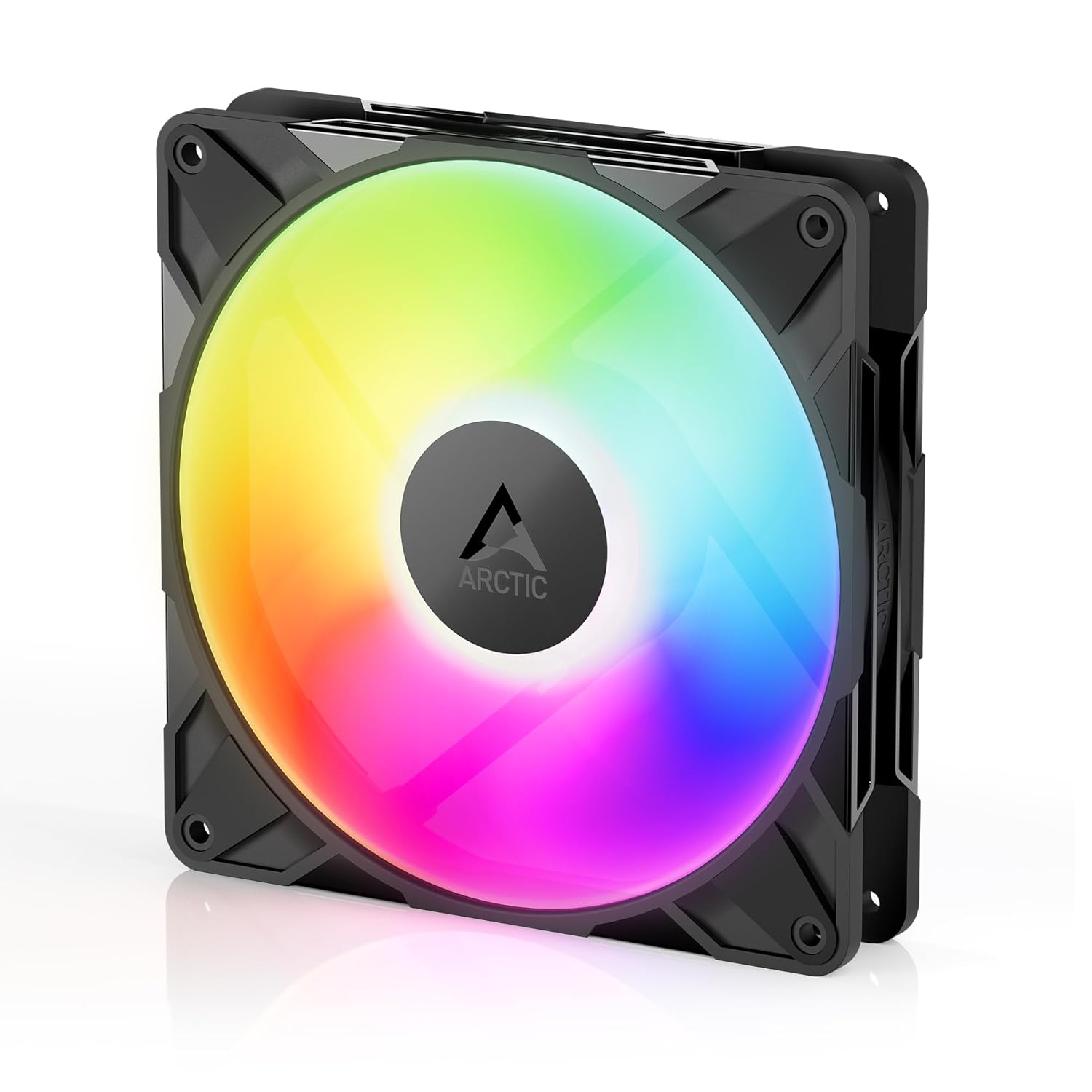
Image: The ARCTIC P14 Pro A-RGB 140mm fan in black, showcasing its design and illuminated blades.
Informació de seguretat
Before installing or operating the fan, please review the safety guidelines. For detailed safety information, refer to the official Safety Information PDF:
Contingut del paquet
Verifiqueu que tots els components siguin presents al paquet:
- 1x ARCTIC P14 A-RGB Fan (Black)
- Cargols de muntatge
Configuració i instal·lació
- Identificar la ubicació de muntatge: Choose a suitable mounting location within your PC case or on a radiator. Ensure the fan is oriented to provide the desired airflow direction (intake or exhaust).
- Assegura el ventilador: Position the fan and secure it using the provided mounting screws. Tighten screws firmly but avoid overtightening to prevent damage to the fan frame.
- Connecteu el cable PWM: Connect the 4-pin PWM cable from the fan to an available 4-pin fan header on your motherboard. This connection enables precise fan speed control.
- Connect A-RGB Cable: Connect the 3-pin 5V A-RGB cable from the fan to a compatible 3-pin 5V A-RGB header on your motherboard or a dedicated A-RGB controller. Ensure correct polarity (arrow on connector aligns with +5V pin on header) to prevent damage to the LEDs. No connecteu a un capçal RGB de 12 V.
- Connexió en cadena (opcional): The ARCTIC P14 Pro A-RGB features PWM Sharing Technology (PST) for daisy-chaining multiple fans. Connect the PWM output cable from the first fan to the PWM input of the next fan. Similarly, connect the A-RGB output cable to the A-RGB input of the next fan. This allows multiple fans to be controlled by a single motherboard header.

Image: Close-up of the ARCTIC P14 Pro A-RGB fan, showing its frame, blades, and connected cables for power and lighting.

Image: Diagram illustrating how to daisy-chain multiple ARCTIC fans using PWM Sharing Technology (PST) for simplified wiring.
Instruccions de funcionament
The ARCTIC P14 Pro A-RGB fan's speed is controlled via Pulse Width Modulation (PWM). Once connected to a 4-pin fan header on your motherboard, you can adjust the fan speed through your motherboard's BIOS/UEFI settings or dedicated software provided by your motherboard manufacturer. The fan will stop completely when the PWM signal is below 5%.
The A-RGB lighting can be customized using your motherboard's A-RGB software (e.g., ASUS Aura Sync, MSI Mystic Light, Gigabyte RGB Fusion, ASRock Polychrome Sync) or an external A-RGB controller. Refer to your motherboard or controller manual for specific instructions on configuring lighting effects.

Image: Multiple ARCTIC P14 Pro A-RGB fans installed in a PC case, showcasing their vibrant and customizable A-RGB lighting.
Manteniment
Regular maintenance ensures optimal performance and extends the lifespan of your fan:
- Neteja: Periodically clean the fan blades and frame to remove dust accumulation. Use a soft brush, microfiber cloth, or compressed air. Ensure the fan is powered off and disconnected from the power source before cleaning.
- Coixinet: The Fluid Dynamic Bearing (FDB) is self-lubricating and designed for long-term, maintenance-free operation. No additional lubrication is required.

Image: Cross-section diagram of the fan's optimized bearing-shaft design, highlighting its internal components for quiet and durable operation.
Resolució de problemes
If you encounter issues with your ARCTIC P14 Pro A-RGB fan, refer to the following common troubleshooting steps:
- El ventilador no gira:
- Ensure the 4-pin PWM cable is securely connected to an active fan header on your motherboard.
- Check your motherboard's BIOS/UEFI settings to confirm the fan header is enabled and the fan speed is not set to 0% PWM. The fan will stop below 5% PWM.
- Proveu el ventilador en un capçal de ventilador diferent o amb un ventilador que se sàpiga que funciona per descartar un capçal defectuós.
- Sense il·luminació RGB:
- Verify that the 3-pin 5V A-RGB cable is correctly connected to a compatible A-RGB header on your motherboard or controller, paying attention to polarity.
- Ensure your motherboard's A-RGB software or external controller is properly installed, configured, and enabled.
- Confirm that the A-RGB header is supplying power and data.
- Soroll o vibració excessius:
- Check for any cables, wires, or other obstructions that might be touching the fan blades.
- Ensure the fan is securely mounted to the case or radiator. Loose screws can cause vibrations.
- Adjust the fan speed curve in your motherboard's BIOS/UEFI or software. High RPMs can naturally produce more noise.
Especificacions
Key technical specifications for the ARCTIC P14 Pro A-RGB fan:

Image: The ARCTIC P14 Pro A-RGB fan with an overlay of its performance specifications: Fan Speed, Static Pressure, and Airflow.
| Característica | Especificació |
|---|---|
| Model | ACFAN00315A |
| Dimensions (L x A x A) | 14L x 14W x 2.7H cm |
| Material | Policarbonat |
| Voltage | 12 Volts |
| Wattage | 4.2 watts |
| Velocitat màxima de rotació | 2500 RPM |
| Capacitat de flux d'aire | 110 CFM (186 m³ / h) |
| Pressió estàtica | 5.2 mm H₂O |
| Pes | 237 grams |
| UPC | 840033403061 |
Garantia i Suport
ARCTIC products are covered by a manufacturer's warranty. For detailed information regarding warranty terms, conditions, and duration, please refer to the official ARCTIC website. In case of technical issues or warranty claims, please contact ARCTIC customer support directly. Keep your proof of purchase for warranty validation.
ARCTIC Official Weblloc: www.arctic.ac