
1. Introducció
This manual provides essential information for the proper use and maintenance of your CNBRO Smart Ring with Display. Please read it thoroughly before using the device to ensure optimal performance and longevity. This smart ring is designed to monitor various health and fitness metrics, offering convenience through its integrated display and gesture controls.
2. Contingut del paquet
Verifiqueu que tots els elements siguin presents al vostre paquet:
- 1 x CNBRO Smart Ring
- 1 x funda de càrrega
- 1 x cable de càrrega per a la funda
- 1 x Manual d'usuari
3. Producte acabatview i Característiques
The CNBRO Smart Ring is a versatile wearable device equipped with a touch display for direct data viewing and multiple health and fitness tracking capabilities.

Image: The CNBRO Smart Ring shown alongside its transparent charging case, illustrating the device's compact design and charging method.
Característiques principals:
- Integrated Touch Display: View time, steps, heart rate, sleep duration, and battery level directly on the ring.
- Monitorització de la freqüència cardíaca: Continuous 24-hour heart rate tracking for daily life and exercise.
- Seguiment del son: Automatic monitoring of sleep duration and analysis of sleep quality (deep, light, awake times).
- Seguiment de la forma física: Automatic tracking of steps, calories burned, and distance. Includes dedicated sport modes for detailed activity logging.
- Control de gestos: Supports remote camera activation, short video switching, and music playback control.
- Impermeable IP68: Suitable for cold showering, hand washing, and rain exposure. Not suitable for hot water.
- Jring App: Free application for detailed exercise records and health data, compatible with iOS 10.0+ and Android 9.0+ smartphones.
- Estoig de càrrega portàtil: Provides convenient charging and storage without the need for a direct cable connection to the ring.
4. Configuració
4.1 Charging the Smart Ring
Before first use, fully charge the smart ring and its charging case.
- Place the smart ring into the charging slot within the charging case. Ensure the magnetic contacts align.
- Connect the provided charging cable to the charging case and a USB power source.
- The ring's display will indicate charging status. The charging case also has an indicator.
- A full charge typically takes approximately 1-2 hours for the ring.

Image: A hand placing the smart ring into its clear charging case, demonstrating the magnetic charging connection.
4.2 Instal·lació i emparellament de l'aplicació
- Descarrega't el Jring application from your smartphone's app store (compatible with iOS 10.0+ and Android 9.0+).
- Open the Jring app and follow the on-screen instructions to create an account or log in.
- Assegureu-vos que el Bluetooth del vostre telèfon intel·ligent estigui activat.
- In the Jring app, navigate to the device pairing section and select your Smart Ring from the list of available devices.
- Confirm the pairing request on both your phone and, if prompted, on the ring's display.
4.3 Proper Ring Sizing and Placement
For accurate data collection, ensure the ring fits snugly but comfortably on your finger. It is recommended to wear the ring on your index finger to avoid accidental touches.

Image: A table displaying ring sizes (No. 8 to No. 12) with corresponding inner diameters and perimeters, along with a two-step guide on how to accurately measure finger size using a thin, non-stretchy wire and a ruler.
Mètode de mesura:
- Wrap a thin, non-stretchy wire or string around your finger. Mark the point where it overlaps.
- Straighten the wire and measure its length with a ruler. Compare this measurement to the perimeter column in the size chart above to find your appropriate ring size.
5. Instruccions de funcionament
5.1 Ús de la pantalla tàctil
The smart ring features a touch-sensitive display for quick access to information.

Image: A close-up of the smart ring's display showing various data points and a legend indicating how different touch gestures (single, double, triple, etc.) correspond to displaying time, steps, heart rate, blood oxygen, sleep mode, and battery level.
- Un sol toc: Mostra el temps.
- Doble toc: Shows steps count.
- Toca tres vegades: Mostra la freqüència cardíaca.
- Touch Four Times: Displays blood oxygen level.
- Touch Five Times: Displays sleep mode status.
- Touch Six Times: Mostra el nivell de la bateria.
5.2 Vigilància de la salut
The ring continuously monitors your health data, which can be viewed on the ring's display or in detail via the Jring app.

Image: Three smart rings (silver, black, gold) illustrating heart rate monitoring, blood oxygen monitoring, and daily exercise monitoring. A graph shows heart rate average and maximum, while other rings display blood oxygen percentage and current heart rate.
- Freqüència cardíaca: The ring tracks your heart rate 24/7. Access detailed graphs and historical data in the Jring app.
- Oxigen en sang: Controla els nivells de saturació d'oxigen a la sang.
- Seguiment del son: The ring automatically detects your sleep patterns. Review deep sleep, light sleep, and awake times in the app to understand your sleep quality.

Image: A person sleeping with the smart ring on their finger. Overlayed graphics show sleep duration (7h 56m) broken down into deep sleep (3h 10m), light sleep (4h 05m), and awake time (1h 15m).
5.3 Modes de seguiment de l'activitat física i esports
The smart ring automatically records your daily activity and offers specific sport modes for focused tracking.
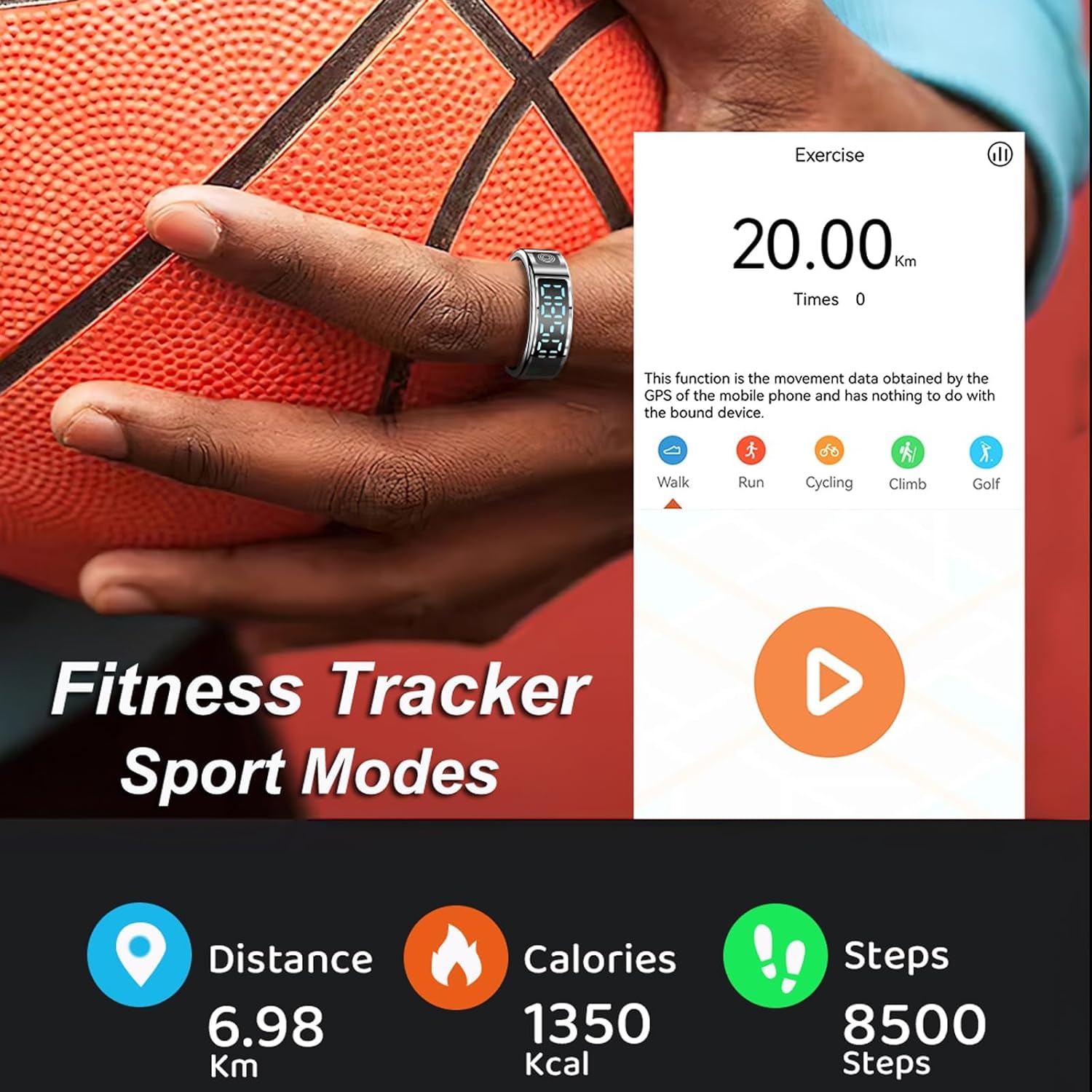
Image: A smart ring on a finger next to a basketball, with a smartphone screen displaying an 'Exercise' interface. The screen shows '20.00 Km' and 'Times 0', with icons for Walk, Run, Cycling, Climb, and Golf. Below, statistics show 'Distance 6.98 Km', 'Calories 1350 Kcal', and 'Steps 8500 Steps'.
- Activitat diària: Automatically tracks steps, calories consumed, and distance throughout the day.
- Modes esportius: Activate specific sport modes within the Jring app to track activity time, heart rate, and sport route during exercise.
5.4 Gesture Control
Utilize gesture controls for convenient interaction with your smartphone.
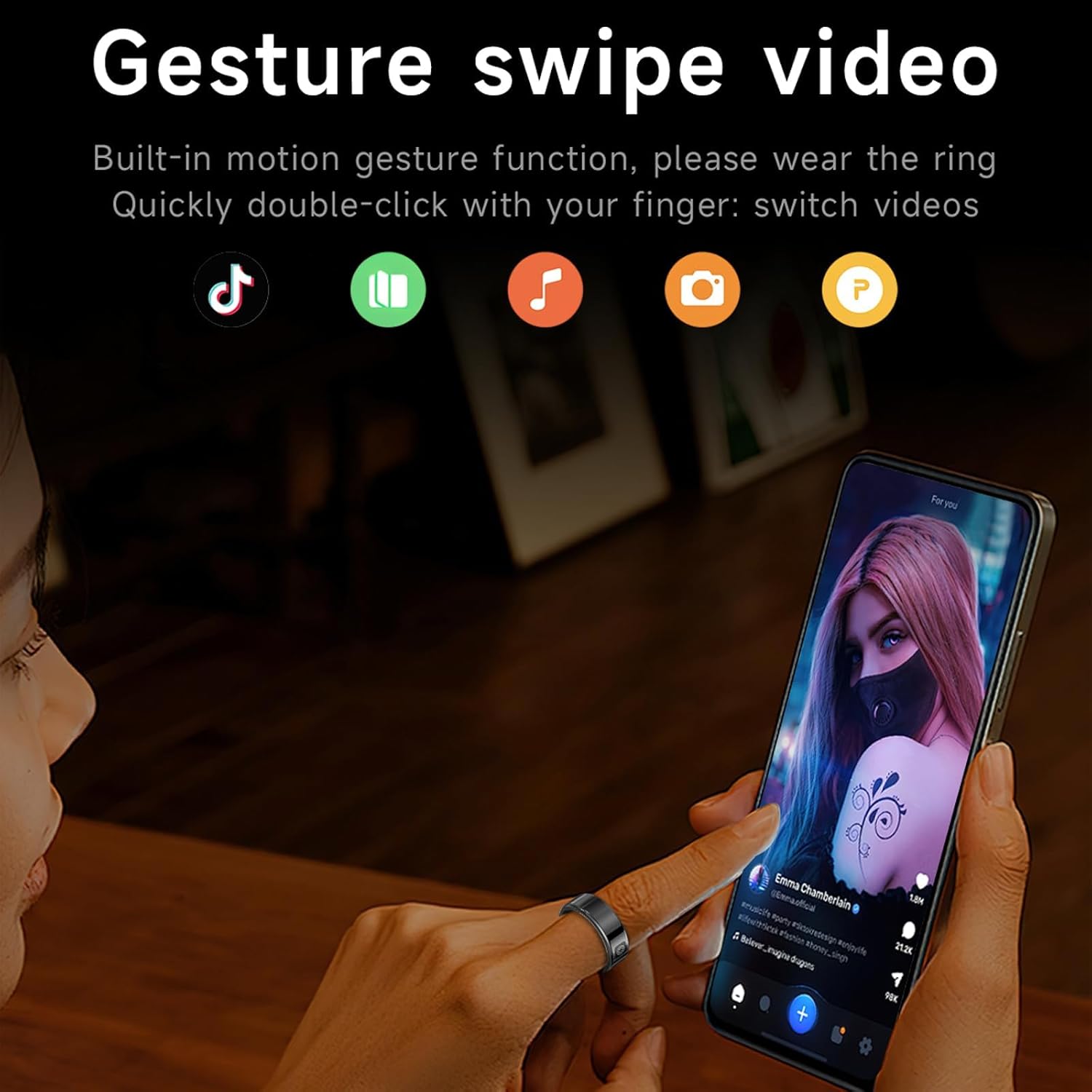
Image: A person using the smart ring on their index finger to interact with a smartphone displaying a social media video. Icons for various apps (TikTok, green book, music note, camera, P) are shown, indicating the ring's gesture control capabilities for switching videos, controlling music, and remote camera functions.
- Càmera remota: Use gestures to remotely trigger your phone's camera shutter.
- Control de mitjans: Switch short videos, pause, or play music with simple gestures.
6. Manteniment
6.1 Neteja
To maintain hygiene and performance, clean your smart ring regularly.
- Wipe the ring with a soft, damp tela.
- Avoid using harsh chemicals or abrasive materials, as these can damage the finish or sensors.
- Ensure the charging contacts on both the ring and the case are clean and dry before charging.
6.2 Resistència a l'aigua
The smart ring is IP68 waterproof, meaning it is resistant to dust and can withstand immersion in water up to 1.5 meters for 30 minutes.

Image: Two smart rings (black and gold) partially submerged in water, with water droplets splashing around them, visually representing the IP68 waterproof technology.
- It is suitable for cold showering, washing hands, and use in rain.
- Important: Do not expose the ring to hot water, steam, or saunas, as this can compromise the waterproof seals.
- Avoid prolonged immersion or high-pressure water exposure.
7. Solució De Problemes
If you encounter issues with your smart ring, refer to the following common solutions:
- Ring not turning on/displaying: Ensure the ring is fully charged. Place it in the charging case and check the battery level.
- No s'ha pogut emparellar amb l'aplicació: Make sure Bluetooth is enabled on your smartphone and the ring is within range. Restart both the ring (by placing it in the charging case and taking it out) and the Jring app.
- Inaccurate readings (heart rate, steps, sleep): Ensure the ring is worn snugly on your index finger. Clean the sensors on the inside of the ring.
- Problemes de càrrega: Check that the charging cable is securely connected to both the case and the power source. Ensure the magnetic contacts on the ring and case are clean and free of debris.
- L'aplicació no sincronitza les dades: Verify that your smartphone has an active internet connection. Close and reopen the Jring app.
Per a problemes persistents, poseu-vos en contacte amb l'atenció al client.
8. Especificacions
| Número de model | f6f91a82-888c-448d-b306-9f7aa4cee3a4 |
| Marca | CNBRO |
| Connectivitat | Bluetooth 5.1 |
| Tipus de càrrega | Càrrega magnètica |
| Capacitat de la bateria de l'anell | Polímer de liti de 16 mAh |
| Compatibilitat | iOS 10.0 o superior, Android 9.0 o superior |
| Resistència a l'aigua | IP68 (cold water only) |
| Pes de l'article | 3.53 unces |
| Fabricant | Dongguan Jiajin electronic technology Co., LTD |
9. Garantia i Suport
For any questions, concerns, or technical assistance, please contact CNBRO customer support. While specific warranty details are not provided in this manual, please retain your proof of purchase for any warranty claims.
We are committed to providing the best solution for your needs.