
AZDOME M660
AZDOME M660 360° 4 Channel Dash Cam User Manual
Model: M660
1. Introducció
Thank you for choosing the AZDOME M660 360° 4 Channel Dash Cam. This device is designed to provide comprehensive vehicle surveillance with its advanced features, including multiple adjustable lenses, high-speed eMMC storage, 5G WiFi connectivity, and intelligent voice control. This manual will guide you through the installation, operation, and maintenance of your dash cam to ensure optimal performance and safety.

Figure 1.1: AZDOME M660 Dash Cam and App Interface
The AZDOME M660 dash cam offers 360-degree coverage with its four channels, providing a complete view around your vehicle. It integrates seamlessly with a mobile application for easy control and video management.
2. Contingut del paquet
Si us plau, comproveu atentament el contingut del paquet en desembalar-lo per assegurar-vos que hi hagi tots els elements:
- M660 Dash Cam x1
- Left Camera x1
- Right Camera x1
- Càmera posterior x1
- USB+Type-C Car Charger x1
- Type-C Power Cable (12ft) x1
- Type-C Data Cable (2.62ft) x1
- Eines d'instal·lació
- Manual d'usuari x1
- Adhesiu electrostàtic x2
- Adhesive Bracket x1
- Clip de cable x5
- Pry Tool x1
- Spare 3M Sticker x1
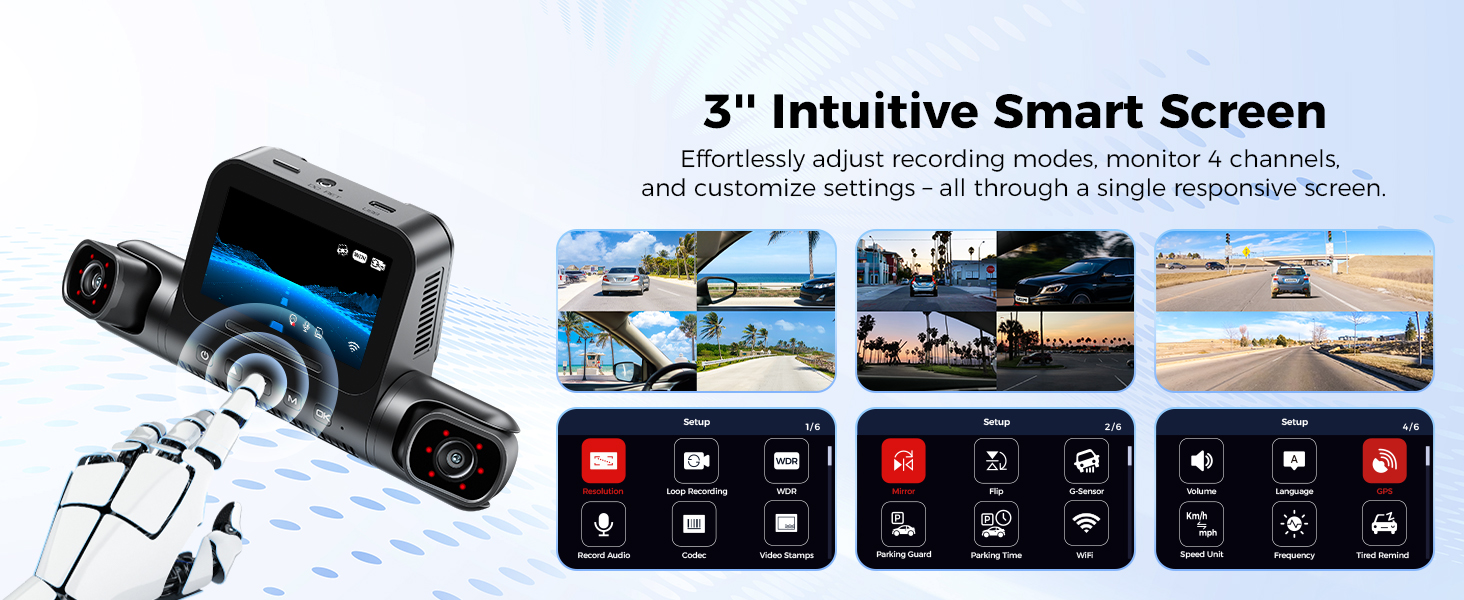
Figura 2.1: Components inclosos
This image displays all the items included in the AZDOME M660 Dash Cam package, ensuring you have everything needed for installation and operation.
3. Producte acabatview
3.1 Característiques clau
- 4 Adjustable Lenses: Customize recording angles for front, rear, and side views.
- 360° Comprehensive Coverage: Eliminates blind spots with 2.5K front and 1K additional channels.
- 128GB eMMC Storage: High-speed, reliable built-in storage, 2-3 times faster than traditional SD cards.
- 5G WiFi High-Speed Access: Download 800MB video in 13 seconds, seamless sharing via AZDOME APP.
- 12 IR Lights for Optimal Low-Light Performance: 6 IR LEDs in each cabin camera for clear night vision.
- Voice Control Commands: Hands-free operation for enhanced safety.
- G-Sensor Emergency Video Lock: Bloqueja automàticament el menjartage 10 seconds before and 30 seconds after a collision.

Figure 3.1: M660 Key Features Overview
This image highlights the main features of the AZDOME M660, including 360° coverage, 2K+1080P*3 resolution, 128GB eMMC, 12 IR lights, App control, Voice control, GPS tracking, and Parking monitor.

Figure 3.2: 4-Channel Dash Cam Views
The diagram illustrates the comprehensive 4-channel recording capabilities of the M660, capturing front, left side, right side, and rear views simultàniament.

Figure 3.3: Embedded 128GB eMMC Storage
The M660 features advanced eMMC storage for faster read/write speeds and enhanced reliability compared to traditional SD cards, minimizing data loss.
4. Configuració
4.1 Guia d'instal·lació
Follow these steps to properly install your AZDOME M660 Dash Cam:
- Connect Side Cameras: Connect both the left and right side cameras to the main unit.
- Connecteu la unitat principal: Securely attach the main unit to the windshield using the adhesive bracket.
- Cables de ruta: Carefully route all necessary cables to ensure they are neatly tucked away and do not obstruct your view.
- Muntar la càmera posterior: Mount the rear camera in the desired location, typically on the rear windshield.
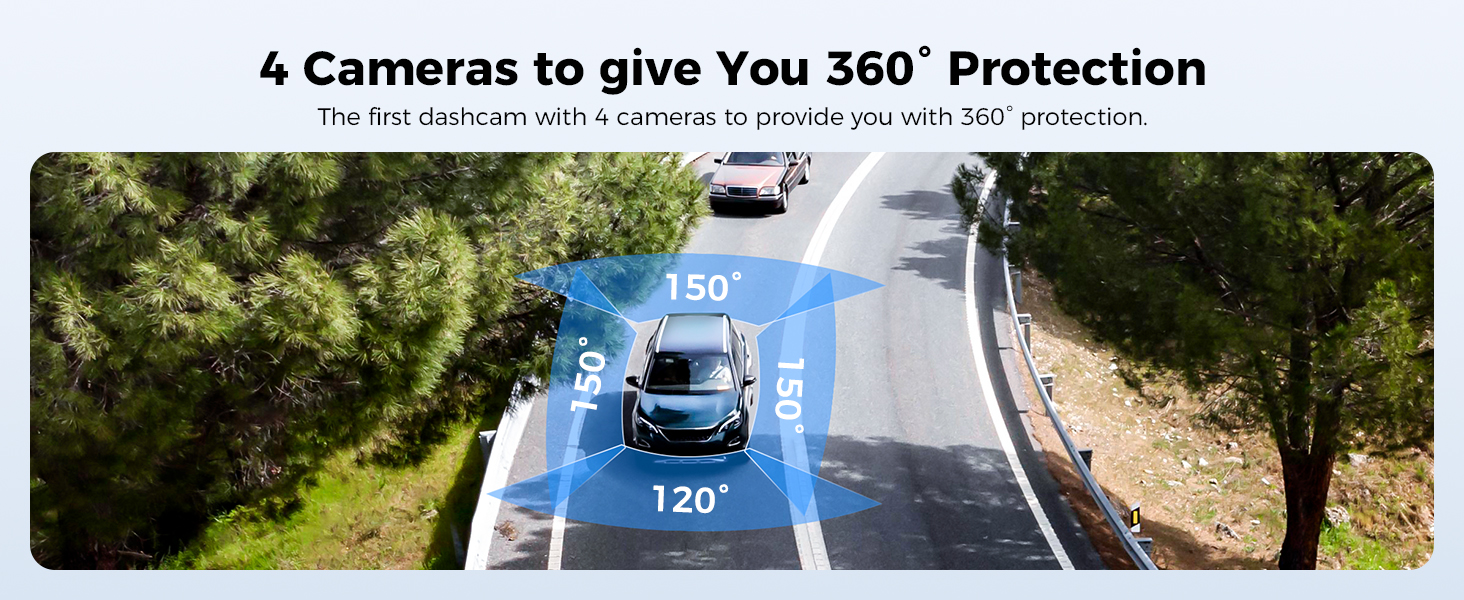
Figure 4.1: Step 1 - Connect Side Cameras
This image shows how to connect the left and right side cameras to the main M660 dash cam unit.
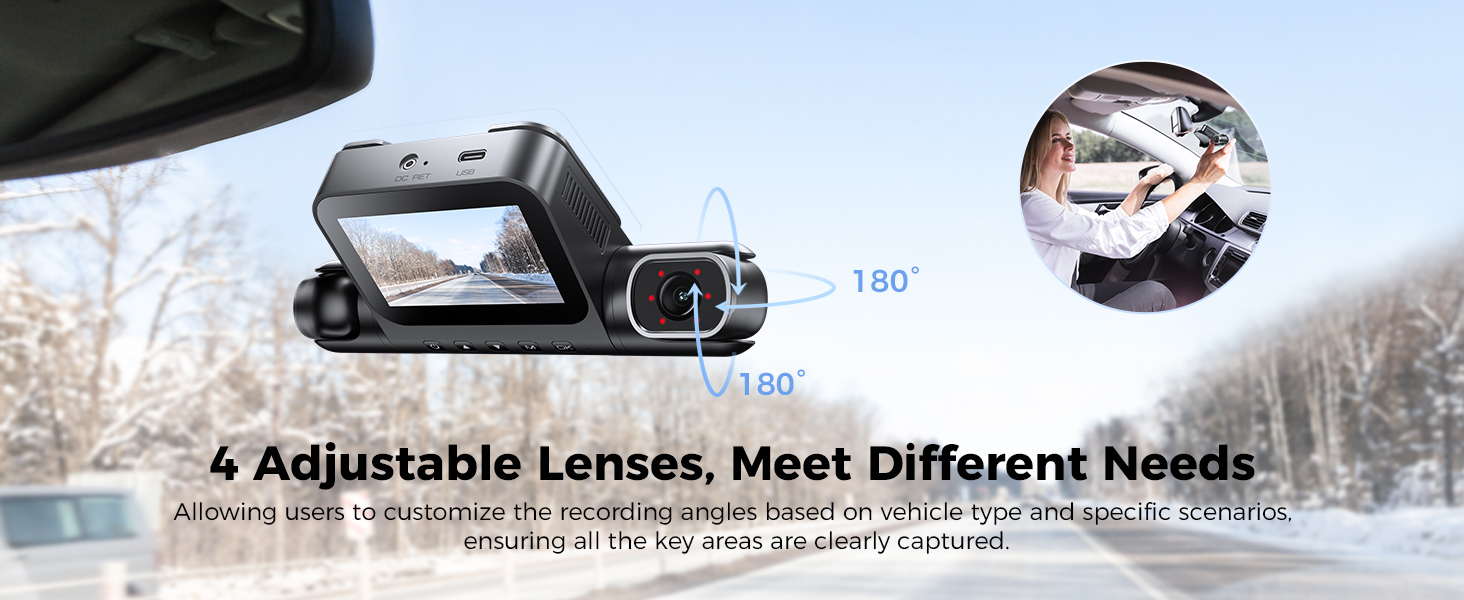
Figure 4.2: Step 2 - Attach Main Unit
This image demonstrates attaching the main dash cam unit to the windshield using the provided adhesive pad.
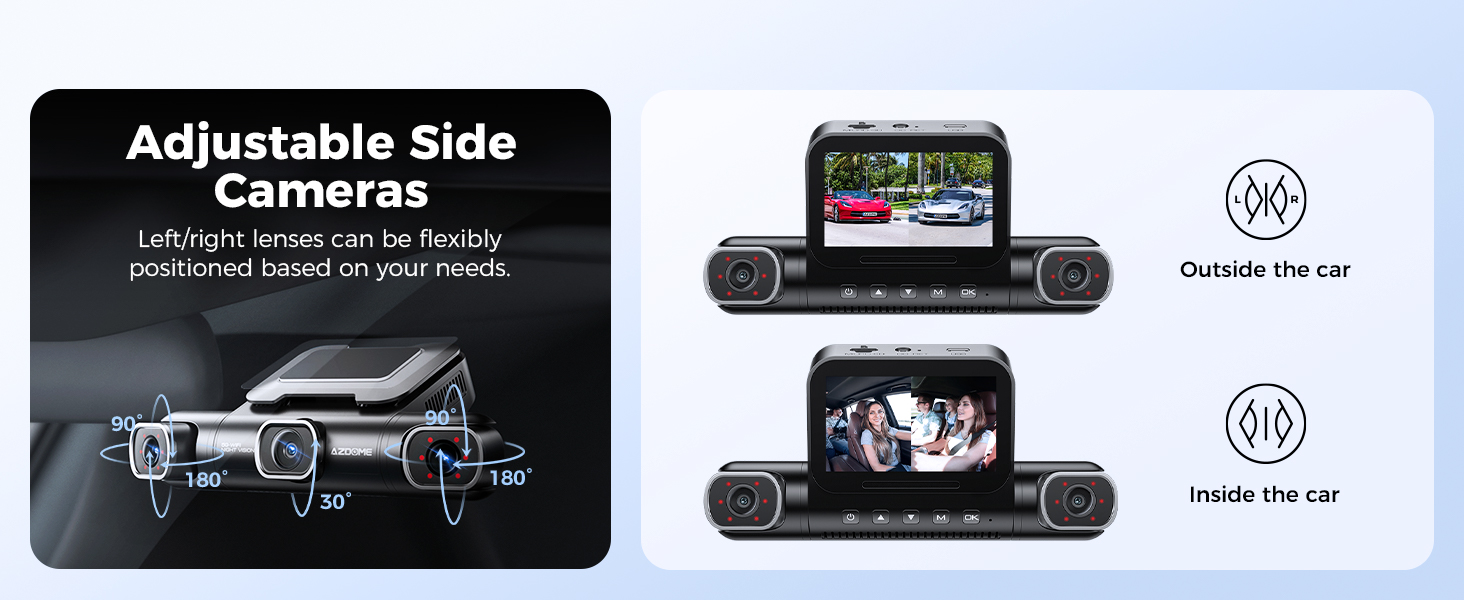
Figure 4.3: Step 3 - Route Cables
This image illustrates the process of routing the power and camera cables neatly along the car's interior.
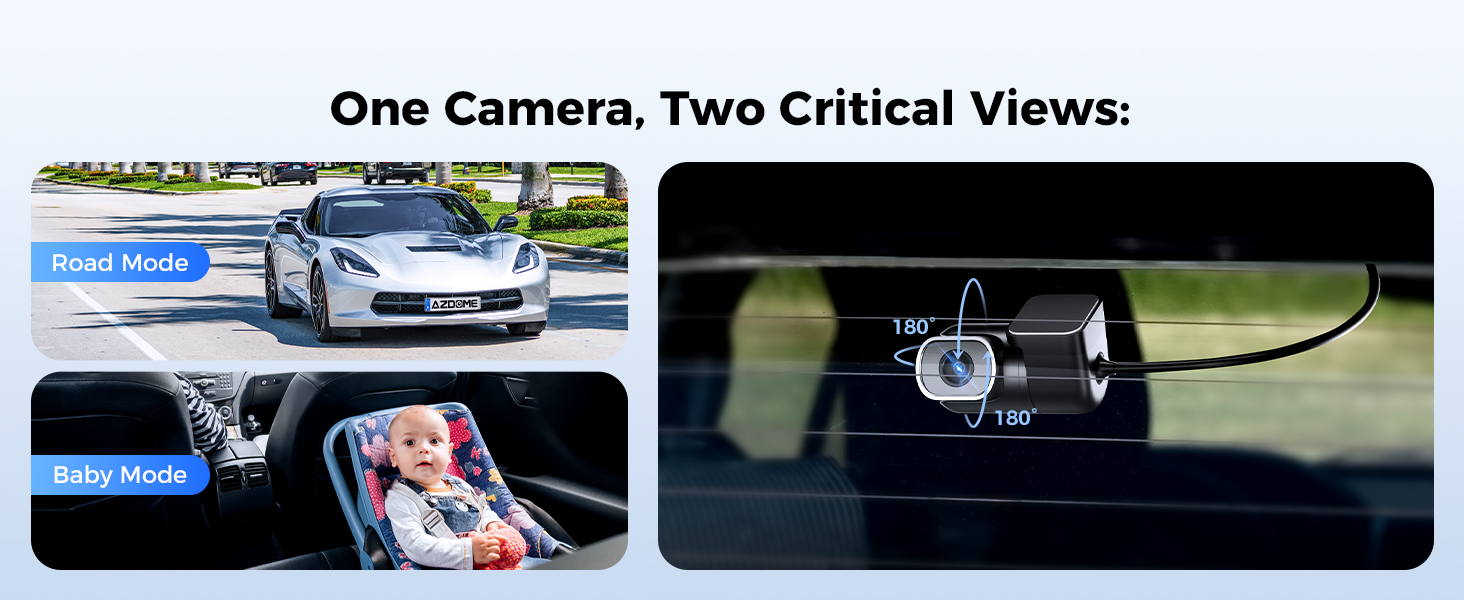
Figure 4.4: Step 4 - Mount Rear Camera
This image shows the final step of mounting the rear camera, typically on the back windshield, to complete the installation.
Video 4.1: M660 Installation Guide
This official video provides a detailed visual guide for installing the AZDOME M660 Dash Cam, covering all steps from connecting cameras to routing cables.
4.2 APP WiFi Connection Guide
To connect your M660 Dash Cam to the AZDOME APP:
- Install the AZDOME APP on your smartphone.
- Connect to the dash cam's WiFi network (SSID: M660_xxxx, Default Password: 12345678). Turn off Cellular Data and VPN if necessary.
- Open the AZDOME APP and click 'Add Dashcam'.
- Choose your Dashcam Model (M660).
- Click 'Dashcam installed and powered on' then 'Next'.
- Confirm 'WiFi is connected' and click 'Next'.
- Choose your Dashcam Model again.
- Comença a gravar.
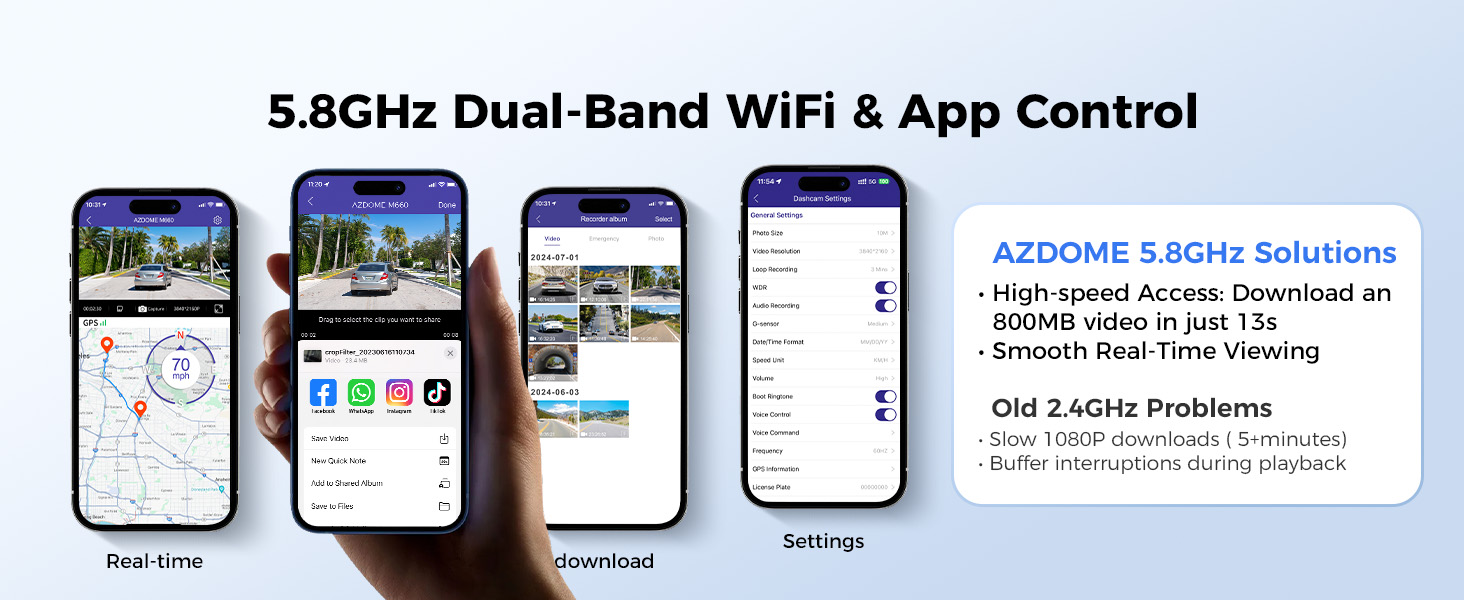
Figure 4.5: APP WiFi Connection Steps 1-4
This image illustrates the initial steps for connecting your AZDOME M660 dash cam to the mobile application via WiFi, including app installation and network selection.
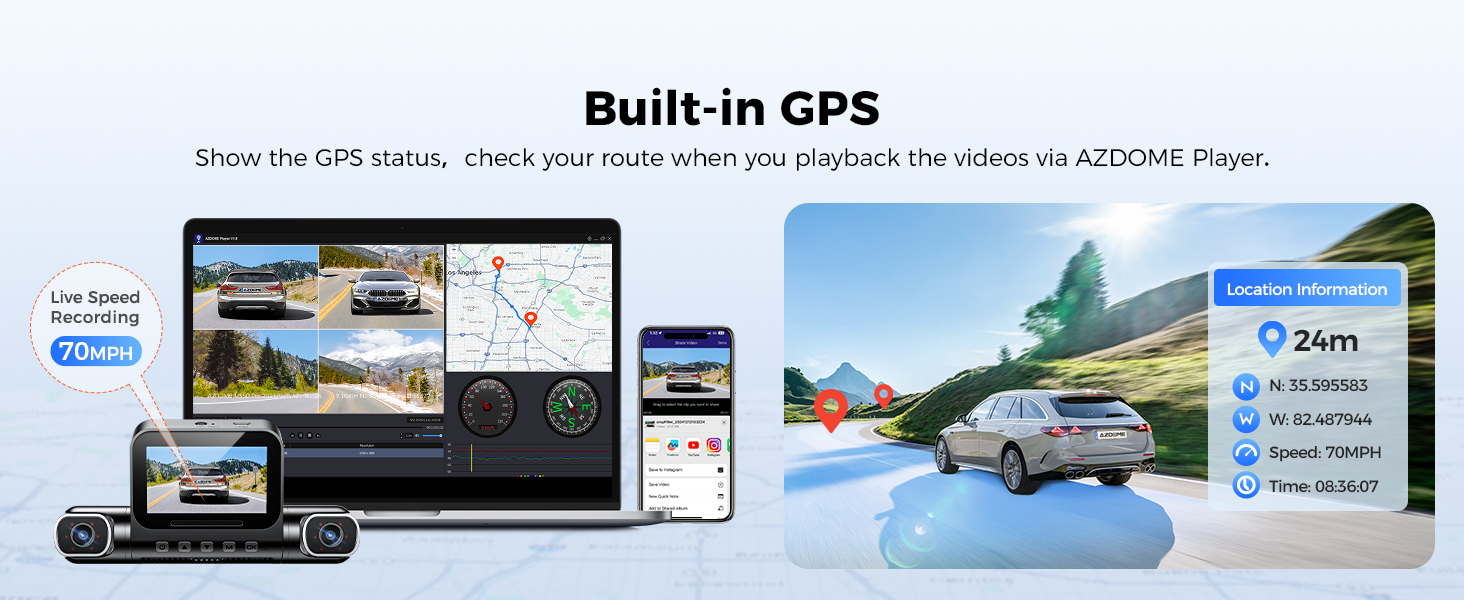
Figure 4.6: APP WiFi Connection Steps 5-8
This image continues the guide for connecting your AZDOME M660 dash cam to the mobile application, detailing the final steps to confirm connection and begin recording.
Video 4.2: M660 WiFi Connection Guide
This official video demonstrates how to connect the AZDOME M660 Dash Cam to your smartphone via WiFi, enabling app control and video management.
5. Instruccions de funcionament
5.1 Funcionament bàsic
The M660 Dash Cam is designed for intuitive operation. Once powered on, it automatically begins recording. The 3-inch intuitive smart screen allows for effortless adjustment of recording modes, monitoring of 4 channels, and customization of settings.
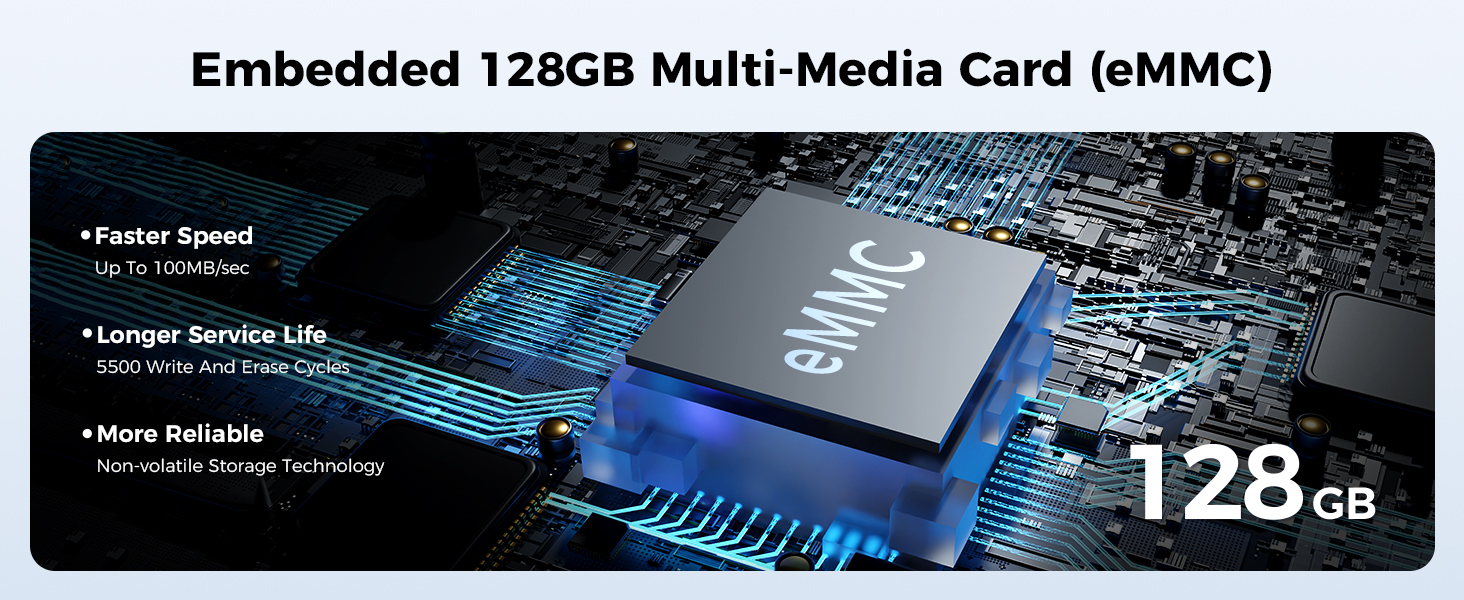
Figure 5.1: 3" Intuitive Smart Screen
This image displays the user interface of the M660's smart screen, showing various settings and live views from multiple cameras.
Video 5.1: M660 Function Overview
Aquest vídeo oficial ofereix una visió completaview of the AZDOME M660 Dash Cam's various functions and capabilities.
5.2 Funcions avançades
Control de veu
The M660 supports voice commands for hands-free operation, enhancing driving safety. Simply speak commands like "Video Start", "Turn on WiFi", "Turn off Recording", "Open Recording", or "Take Picture" to control the device without diverting your attention from the road.

Figure 5.2: Smart Voice Control
This image depicts a driver utilizing the smart voice control feature of the M660 dash cam, showing various voice commands for hands-free operation.
5G WiFi & App Control
With built-in 5GHz WiFi, the M660 allows for rapid data transmission. You can easily view, playback, download, and share videos directly from the AZDOME APP. Download an 800MB video in just 13 seconds, significantly faster than 2.4G WiFi.

Figure 5.3: Built-in 5GHz WiFi & GPS
This image illustrates the high-speed 5GHz WiFi connectivity for quick video downloads and app control, along with integrated GPS for route tracking and speed display.
Video 5.2: M660 APP Settings Guide
This official video guides users through the various settings available within the AZDOME mobile application for the M660 Dash Cam.
Vigilància d'aparcament
The M660 offers superior 360° parking surveillance. When the G-sensor detects a collision, it automatically locks the video 10 seconds before and 30 seconds after the event. This feature requires a 3-lead Type C hardwire kit (not included) with an output current of 2.5A.
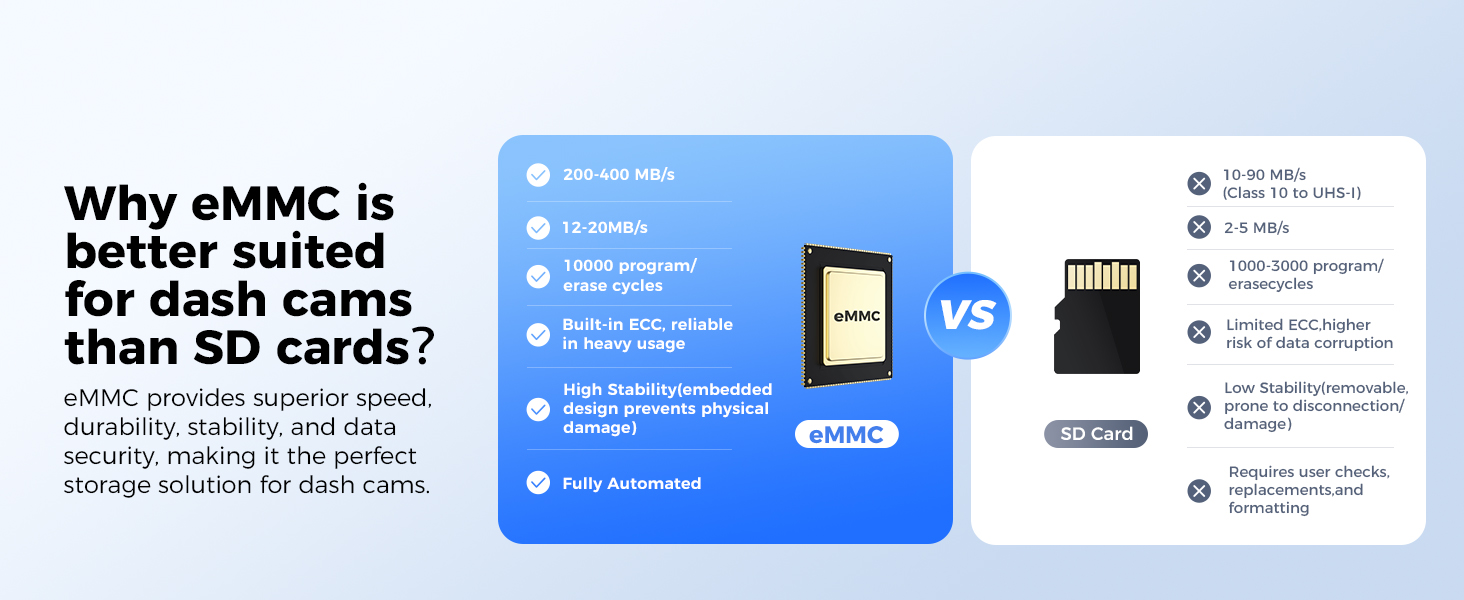
Figure 5.4: Superior 360° Parking Surveillance
This image illustrates the comprehensive parking surveillance features of the M660, including collision detection, motion detection, and time-lapse recording for 24-hour protection.
6. Manteniment
To ensure the longevity and optimal performance of your AZDOME M660 Dash Cam, please follow these maintenance guidelines:
- Neteja regular: Gently wipe the camera lenses and screen with a soft, lint-free cloth to remove dust and smudges. Avoid using abrasive cleaners or solvents.
- Actualitzacions de firmware: Periodically check the AZDOME official website or app for firmware updates. Keeping your dash cam's firmware up-to-date ensures you have the latest features and bug fixes.
- Gestió de cables: Ensure all cables are securely routed and not pinched or damaged. Damaged cables can affect performance and safety.
- Control de temperatura: Avoid exposing the dash cam to extreme temperatures for prolonged periods. High temperatures can degrade battery life and electronic components.
- Emmagatzematge: If storing the dash cam for an extended period, disconnect it from power and store it in a cool, dry place.
7. Solució De Problemes
If you encounter issues with your AZDOME M660 Dash Cam, refer to the following common troubleshooting steps:
- La càmera del salpicader no s'encén:
- Check the power connection. Ensure the car charger is properly inserted into the cigarette lighter socket and the Type-C power cable is securely connected to the dash cam.
- Verify the car's cigarette lighter socket is functioning. Test with another device if possible.
- Recording Issues (No Recording/Corrupted Files):
- Ensure the dash cam has sufficient power.
- Check if the eMMC storage is full. If so, old files should be overwritten automatically by loop recording, but ensure the feature is enabled.
- Perform a factory reset through the settings menu.
- Problemes de connexió WiFi:
- Ensure WiFi is enabled on the dash cam and your smartphone.
- Disable cellular data and VPN on your smartphone when connecting to the dash cam's WiFi.
- Prova de reiniciar tant la càmera del salpicader com el telèfon intel·ligent.
- Poor Video Quality (Night Vision):
- Ensure the lenses are clean and free from obstructions.
- Verify that the IR lights are functioning correctly in low-light conditions.
- El control per veu no respon:
- Speak clearly and directly towards the dash cam.
- Assegureu-vos que el micròfon no estigui obstruït.
If the problem persists after trying these steps, please contact AZDOME customer support for further assistance.
8. Especificacions
| Característica | Detall |
|---|---|
| Dimensions del producte | 1.18 x 5.48 x 1.3 polzades |
| Pes de l'article | 2.01 lliures |
| Número de model | M660 |
| Tecnologia de connectivitat | Wi-Fi (5 GHz) |
| Característiques especials | IR Night Vision, 128GB eMMC, 360° All Sides 4 Channel Dash Cam, 4 Adjustable Lenses, Voice Control |
| Resolució de captura de vídeo | 2160p (Front), 1080p (Other Channels) |
| Tipus de muntatge | Muntatge al quadre de comandament |
| Color | Negre |
| Fabricant | AZDOME |
| País d'origen | Xina |
| Primera data disponible | 27 de desembre de 2024 |
9. Garantia i Suport
AZDOME is committed to providing high-quality products and excellent customer service.
- Garantia: The AZDOME M660 Dash Cam comes with a 1-year warranty.
- Política de devolució: Gaudeix d'una política de devolució de 30 dies.
- Defectes: Returns are accepted for defects.
Atenció al client
For any inquiries, technical assistance, or warranty claims, please contact AZDOME customer support:
- Correu electrònic: servei@azdomevip.com
- Telèfon: (833) 667-5545
Figure 9.1: Customer Support Information
This image provides the contact details for AZDOME customer support, including email and phone number, for any assistance needed.
Ask a question about this manual
Ask about setup, troubleshooting, compatibility, parts, safety, or missing instructions. Manuals+ will review the question and use this page’s manual context to help answer it.