
1. Introducció
This manual provides essential information for setting up, operating, maintaining, and troubleshooting your ASUS ROG Strix G16 G615LM-S5128WS gaming laptop. Designed for high-performance gaming and demanding tasks, this laptop features an Intel Core Ultra 9 275HX processor, NVIDIA GeForce RTX 5060 graphics, a 16-inch 2.5K QHD+ 240Hz display, and Windows 11 Home.

Image: The ASUS ROG Strix G16 laptop, showcasing its sleek design and powerful presence.
2. Configuració
2.1 Unpacking the Laptop
Carefully remove all components from the packaging. The box contents typically include:
- ASUS ROG Strix G16 Laptop
- Adaptador d'alimentació
- Guia de l'usuari (aquest document)
- Documents de garantia
2.2 Connecting the Power Adaptor
Connect the power adaptor to the laptop's power input port and then plug it into a wall outlet. Ensure the connection is secure. It is recommended to fully charge the laptop before initial use.
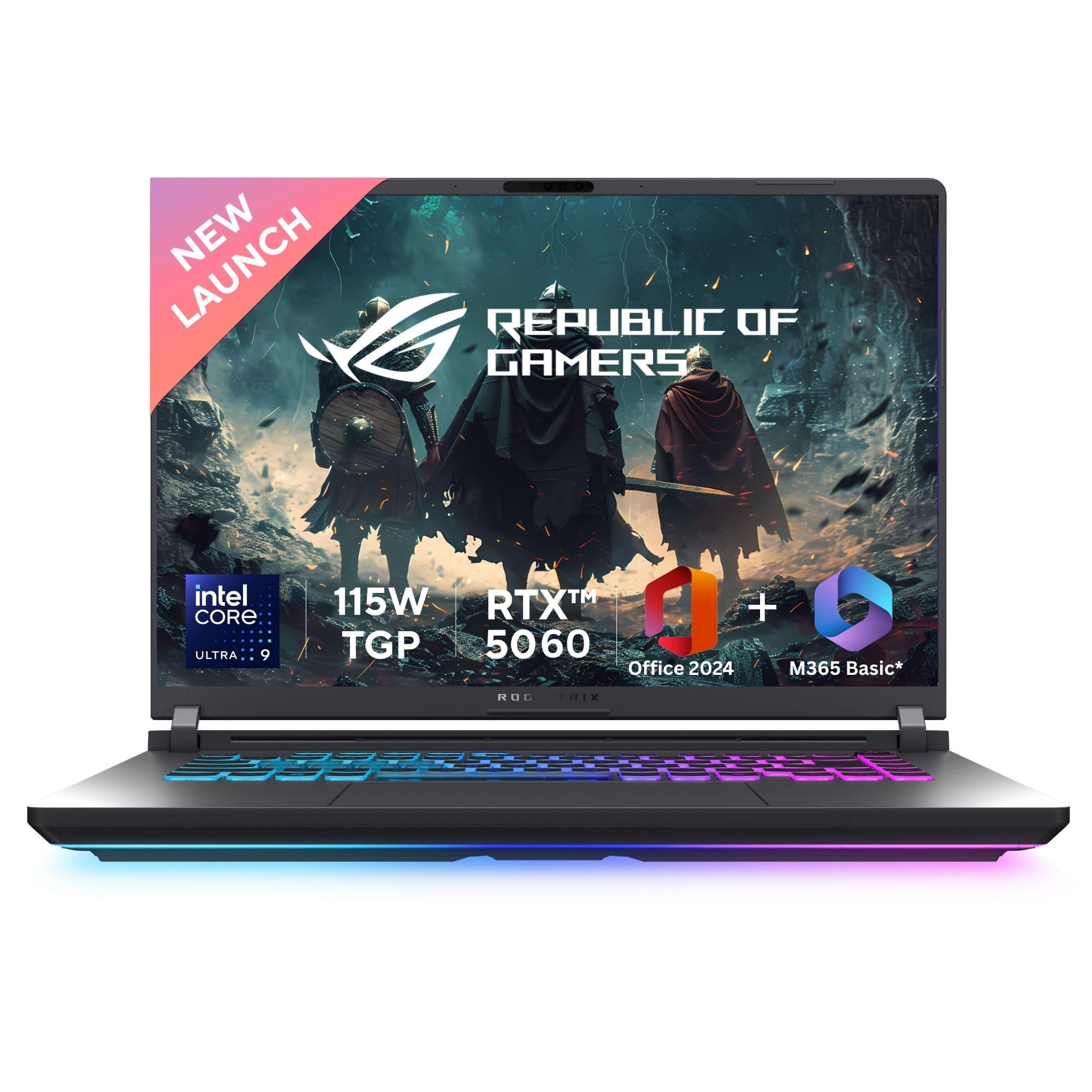
Image: The ASUS ROG Strix G16 laptop with its power adapter connected, ready for initial setup.
2.3 Arrencada inicial i configuració de Windows
Press the power button to turn on the laptop. Follow the on-screen instructions to complete the Windows 11 Home setup process. This includes selecting your region, connecting to a network, and creating a user account.
3. Instruccions de funcionament
3.1 Característiques de visualització
The ROG Strix G16 features a 16-inch 2.5K (2560 x 1600) WQXGA display with a 16:10 aspect ratio and a 240Hz refresh rate for smooth visuals. It supports Dolby Vision and is VESA Certified DisplayHDR 500, offering 500 nits peak brightness and 100% DCI-P3 color gamut.

Image: Visual representation of the ROG Nebula Display highlighting QHD+ 2.5K, 240Hz refresh rate, 100% DCI-P3, 500 nits brightness, and Dolby Vision support.
3.2 Teclat i entrada
The laptop is equipped with a Backlit Chiclet Keyboard featuring 4-Zone RGB lighting and a dedicated Copilot key. Gaming Hotkeys provide quick access to essential functions. The keyboard supports Aura Sync for customizable lighting effects.

Image: Close-up of the ASUS ROG Strix G16 keyboard, showing the 4-Zone RGB backlighting and full-size layout.
3.3 Connectivitat
The ROG Strix G16 offers comprehensive connectivity options:
- Sense fil: Wi-Fi 7, Bluetooth
- Ports USB: 5 total (including USB 3.2 Gen2 Type-A and Thunderbolt 5 USB Type-C)
- Sortida de vídeo: HDMI 2.1
- Xarxa: Port Ethernet 2.5G
- Àudio: Jack d'àudio

Image: Diagram illustrating the various ports and connectivity options on the ASUS ROG Strix G16 laptop, including USB, HDMI, Ethernet, and audio jacks.
3.4 Sistema d'àudio
Experience studio-quality sound with Smart Amp Technology, 5.1.2 Channel Virtual Surround Sound, and Two-Way AI Noise Cancellation. The system supports Hi-Res Audio and Dolby Atmos for immersive soundscapes.

Image: The ASUS ROG Strix G16 laptop displaying audio editing software, highlighting its studio-quality sound features like Smart Amp Technology and Dolby Atmos.
3.5 Pre-installed Software
Your laptop comes with Windows 11 Home, Microsoft 365 Basic (1-year subscription with 100GB Cloud Storage), and Office Home 2024 (lifetime validity). It also includes a 3-month Xbox Game Pass for PC subscription.

Image: The ASUS ROG Strix G16 screen showing Windows 11 Home, Microsoft 365 Basic, Office Home 2024, and McAfee logos, indicating pre-installed software.
4. Manteniment
4.1 ROG Intelligent Cooling System
The laptop features an advanced ROG Intelligent Cooling system with an End-to-end Vapor Chamber, Tri-Fan Technology, and a Sandwiched Heatsink design. It utilizes Conductionaut liquid metal compound to keep CPU temperatures up to 15°C cooler, ensuring optimal performance during intense usage. Regularly ensure vents are clear of dust for efficient cooling.

Image: An illustration of the ROG Intelligent Cooling system, showing the vapor chamber, tri-fan technology, and heatsink design with airflow.
4.2 Actualització
The ROG Strix G16 is designed for easy upgrades with a tool-less design and Q-Latch System. It supports up to 32GB 5600MHz DDR5 memory and up to 4TB PCIe 4.0 SSD storage, allowing you to expand its capabilities as needed.

Imatge: Interna view of the ASUS ROG Strix G16, highlighting the accessible RAM and SSD slots for easy upgrades with a tool-less design.
4.3 Cura de la bateria
The laptop is equipped with a 90WHrs battery. For optimal battery life, avoid extreme temperatures and allow the battery to discharge partially before recharging. The laptop supports rapid Type-C charging.
5. Solució De Problemes
5.1 Problemes d'energia
- El portàtil no s'encén: Ensure the power adaptor is securely connected and the wall outlet is functional. Try a different outlet. If using battery, ensure it is charged.
- La bateria no es carrega: Verify the power adaptor is correctly connected. Check for any damage to the adaptor or cable.
5.2 Problemes de visualització
- Sense pantalla o pantalla negra: Connecteu un monitor extern per comprovar si el problema és a la pantalla del portàtil. Reinicieu el portàtil.
- Pantalla parpellejant o distorsionada: Actualitza els controladors gràfics. Ajusta la freqüència d'actualització de la pantalla a la configuració de Windows.
5.3 Problemes de rendiment
- Rendiment lent: Close unnecessary applications. Check for background processes consuming high resources. Ensure cooling vents are clear.
- Sobreescalfament: Clean dust from cooling vents. Ensure the laptop is on a hard, flat surface to allow proper airflow.
5.4 Problemes de connectivitat
- El Wi-Fi no es connecta: Reinicieu el router i el portàtil. Comproveu la configuració del Wi-Fi i assegureu-vos que el mode avió estigui desactivat. Actualitzeu els controladors sense fil.
- El dispositiu Bluetooth no s'emparella: Assegureu-vos que el dispositiu Bluetooth estigui en mode d'emparellament i dins del seu abast. Comproveu la configuració de Bluetooth al portàtil.
6. Especificacions
| Característica | Detall |
|---|---|
| Marca | ASUS |
| Nom del model | ROG Strix G16 |
| Número de model | G615LM-S5128WS |
| Processador | Intel Core Ultra 9 275HX (2.7 GHz, up to 5.4 GHz, 24 cores, 24 Threads) |
| Gràfics | NVIDIA GeForce RTX 5060 Laptop GPU (8GB GDDR7, 115W TGP) |
| Mostra | 16-inch, 2.5K (2560 x 1600) WQXGA, 16:10, 240Hz, 500 Nits, 100% DCI-P3, Dolby Vision |
| Memòria RAM | 16 GB DDR5 (Upgradable to 32 GB) |
| Emmagatzematge | 1 TB PCIe 4.0 NVMe M.2 SSD (Upgradable to 4 TB) |
| Sistema operatiu | Windows 11 Home |
| Teclat | Teclat Chiclet retroil·luminat RGB d'4 zona |
| Connectivitat sense fil | Wi-Fi 7, Bluetooth |
| Ports | USB (5 total), HDMI 2.1, 2.5G Ethernet, Thunderbolt 5 (USB Type-C), Audio Jack |
| Bateria | 90 Watt Hours Lithium Ion |
| Pes | 2.65 quilos |
| Dimensions (L x W x Thickness) | 35.4L x 26.8W x 2.3Th Centimeters |
| Weblleva | FHD+IR Camera with Windows Hello |
7. Garantia
This genuine ASUS laptop comes with a 1-year Global Warranty i Onsite Domestic Warranty from ASUS. This warranty covers manufacturing defects and does not cover physical damage. To activate your warranty, please register on the ASUS brand weblloc.
For product-related queries or warranty claims, please contact ASUS support.

Image: The ASUS 4A Guarantee logo, representing Assured Quality, Always-On Support, All-Around Coverage, and Added-Value Experience.
8. Suport
For immediate assistance, technical support, or service inquiries, please use the following contact information:
- Número gratuït: 1800-2090365 (Monday - Saturday, 09:00 AM - 06:00 PM)
- Correu electrònic: rc_india@asus.com
- Suport ASUS Weblloc: https://www.asus.com/in/support
- Service Center Network: Explore ASUS's extensive network of over 180 service centers across India.
Importer Contact Information:
ASUS INDIA PRIVATE LIMITED, 402, Supreme chambers, 17/18, Shah Industrial Estate, Veera Desai Road, Andheri (west), Mumbai 400053, Maharashtra, India
Informació de contacte del fabricant:
INVENTEC (CHONGQING) CORPORATION, NO.66, WEST DISTRICT 2ND RD, SHAPINGBA DISTRICT, CHONGQING, CHINA 401331 JIANGSU, CHINA-215300

Image: ASUS support information, including toll-free number, operating hours, and a QR code for more details.