
1. Introducció
This manual provides detailed instructions for the installation, operation, and maintenance of your BrosTrend AX900 USB WiFi 6 Adapter. The AX900 is designed to upgrade your desktop PC or laptop with high-speed, dual-band WiFi 6 connectivity, offering enhanced performance and reliability.
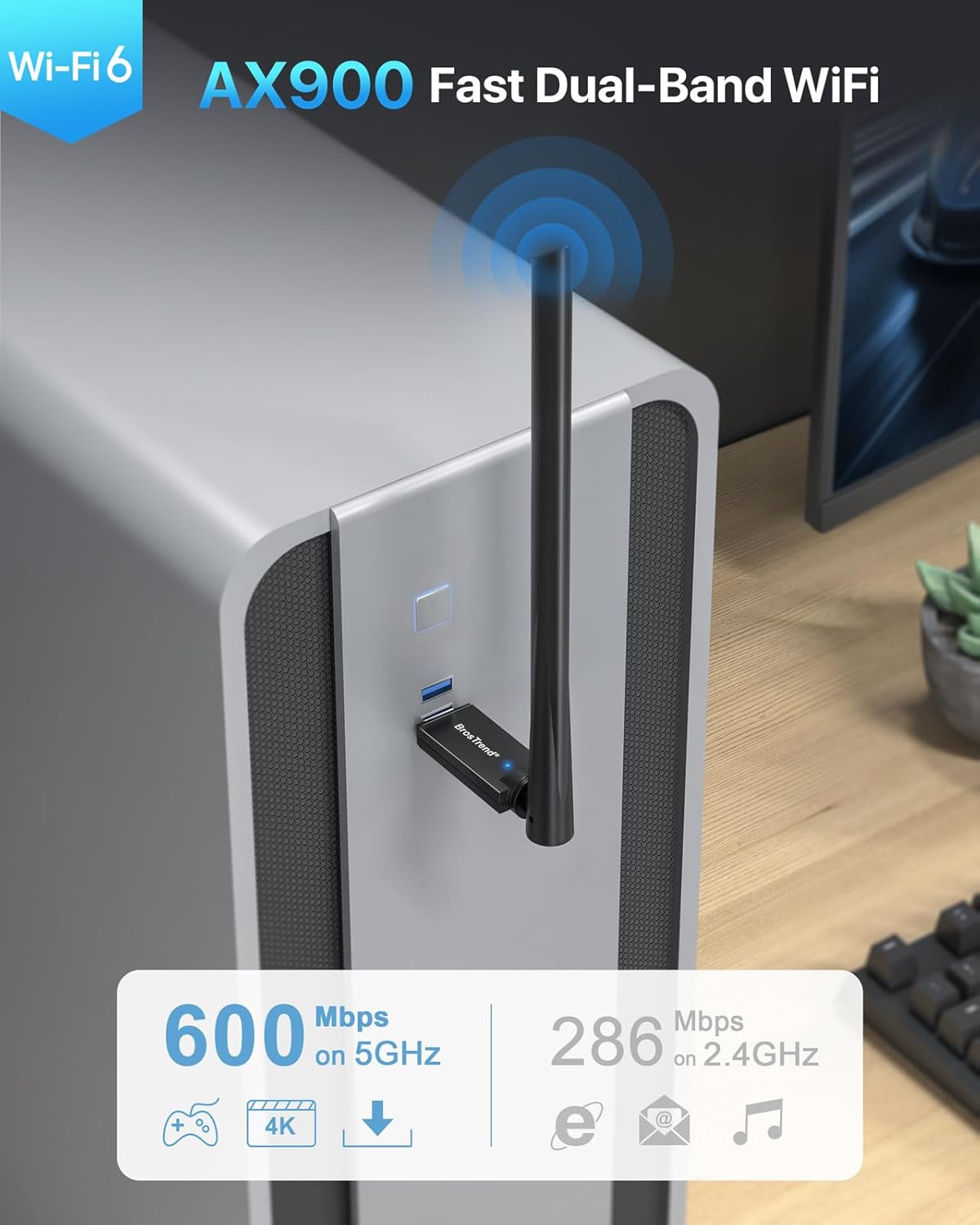
Figure 1: BrosTrend AX900 USB WiFi 6 Adapter
Característiques principals:
- Dual-band WiFi 6: Supports 5GHz (up to 600Mbps) and 2.4GHz (up to 286Mbps) for flexible and fast connections.
- 6dBi High-Gain Antenna: Enhances signal reception and extends wireless range.
- Tecnologies avançades: Incorporates OFDMA, MU-MIMO, and 1024-QAM for efficient and lag-free performance.
- Configuració sense complicacions: Pre-loaded drivers for Windows 11/10/7, eliminating the need for CD installation or downloads.
- Connexió segura: Supports WPA2 encryption for enhanced network security.
2. Contingut del paquet
Comproveu que el vostre paquet contingui els elements següents:
- 1 x BrosTrend AX900 USB WiFi 6 Adapter
- 1 x Guia d'instal·lació ràpida
3. Guia de configuració
Follow these steps to install and configure your BrosTrend AX900 USB WiFi 6 Adapter.
3.1. Connecteu l'adaptador
Insert the BrosTrend AX900 USB WiFi 6 adapter into an available USB port on your computer. For optimal performance, use a USB 3.0 port if available, although it is compatible with USB 2.0.

Figure 2: Connecting the USB WiFi 6 Adapter
3.2. Instal·leu el controlador
The driver software for Windows 11, Windows 10, and Windows 7 is pre-loaded in the USB WiFi 6 adapter. A CD-ROM reader is not needed. The latest driver is also available for download from the BrosTrend weblloc.
- After plugging in the adapter, an auto-play window may appear. If not, open 'This PC' or 'My Computer' and locate the 'WiFi 6 USB' drive.
- Double-click the 'Setup.exe' file to run the driver installation.
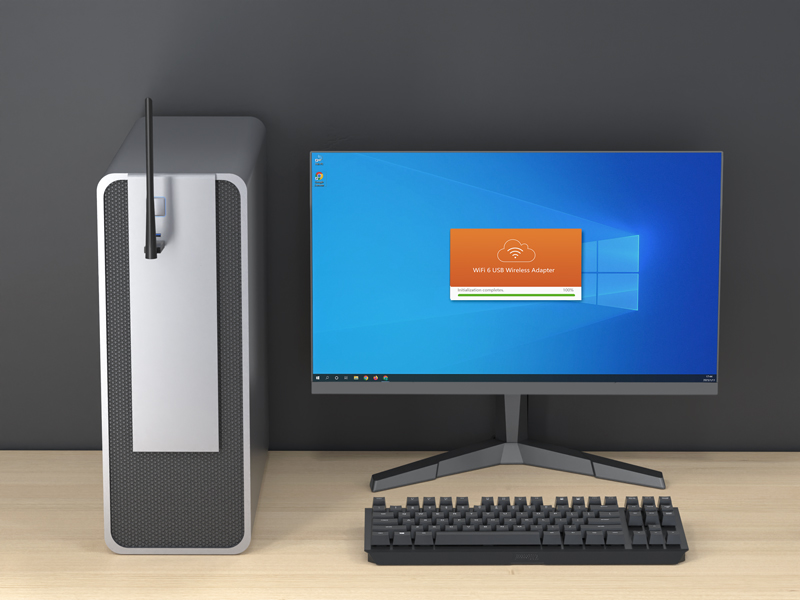
Figure 3: Running the Driver Setup
- Seguiu les indicacions a la pantalla per completar la instal·lació.
- Once the driver is installed successfully, please restart your computer.
3.3. Connecta't a la teva xarxa WiFi
After restarting your computer, it will be able to join a WiFi network using the BrosTrend AX900 adapter.
- Click the network icon on the taskbar (usually in the bottom-right corner).
- Select the WiFi network you want to join from the list and click Connecta't.
- Enter the WiFi password when prompted and click A continuació.
- After a short while, the network status will change to Connectat.
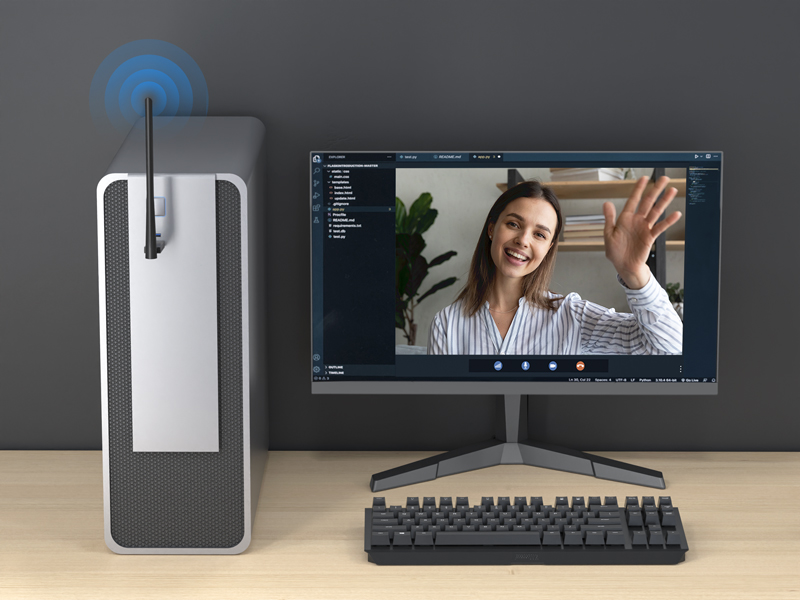
Figure 4: Successfully Connected to WiFi
3.4. Ajust de l'antena
The 6dBi high-gain antenna can be adjusted to optimize signal reception. You can swivel it 180 degrees horizontally and 90 degrees vertically. Position the antenna towards your WiFi router for the best signal strength.
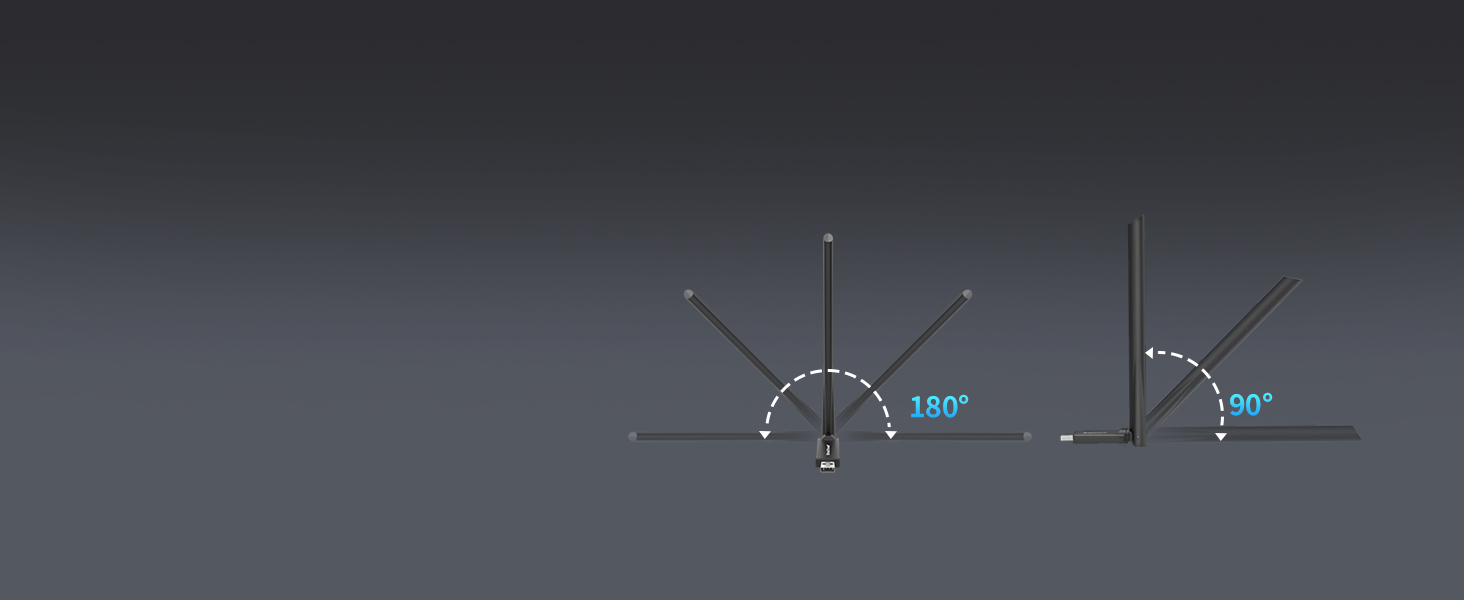
Figure 5: Adjustable Antenna for Enhanced Signal
3.5. Setup Videos
Video 1: Introducing AX900 WiFi 6 USB Adapter. This video provides an overview of the product's features and benefits.
Video 2: AX900 WiFi 6 USB Adapter Setup Guide. This video demonstrates the step-by-step installation process.
4. Instruccions de funcionament
The BrosTrend AX900 adapter provides a seamless wireless experience with its advanced features.
4.1. Dual-Band Flexibility
The adapter operates on both 5GHz and 2.4GHz bands. The 5GHz band offers higher speeds (up to 600Mbps) and is ideal for bandwidth-intensive tasks like streaming 4K video and online gaming. The 2.4GHz band provides a wider range and is suitable for general internet browsing and everyday tasks (up to 286Mbps).

Figure 6: Dual-Band Speed Capabilities
4.2. Enhanced Performance with WiFi 6 Technologies
The AX900 utilizes advanced WiFi 6 (802.11ax) technologies to deliver a superior wireless experience:
- OFDMA (Accés Múltiple per Divisió de Freqüències Ortogonals): Allows multiple devices to share a single channel, improving efficiency and reducing latency in busy networks.
- MU-MIMO (Multiusuari, Entrada Múltiple, Sortida Múltiple): Enables the router to communicate with multiple devices simultaneously, increasing network capacity and speed.
- 1024-QAM (Quadratura Amplitude Modulation): Packs more data into each signal, leading to higher theoretical speeds.
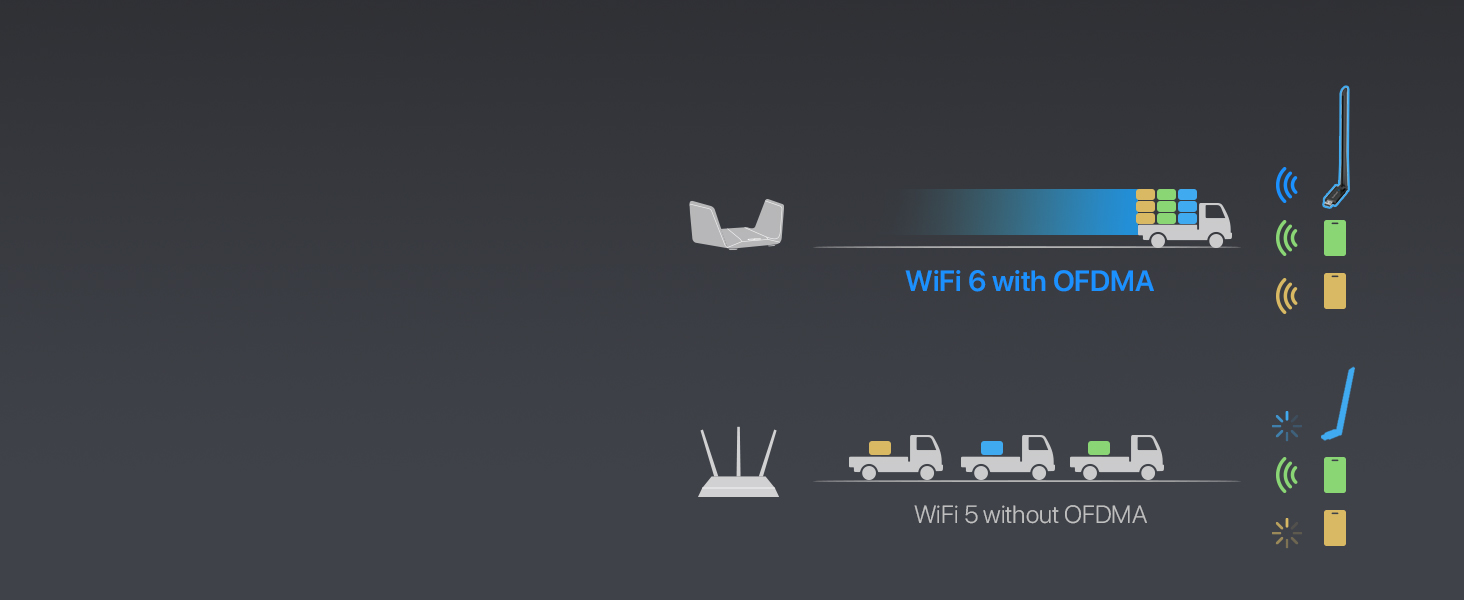
Figure 7: OFDMA for Simultaneous Data Transfer
4.3. Secure WiFi Connection
The adapter supports WPA2 encryption, ensuring your wireless connection is secure and protected from unauthorized access.

Figure 8: WPA2 Encryption Support
5. Manteniment
To ensure the longevity and optimal performance of your BrosTrend AX900 USB WiFi 6 Adapter, consider the following maintenance tips:
- Mantenir els controladors actualitzats: Periodically check the BrosTrend official weblloc web per obtenir les darreres actualitzacions de controladors per garantir la compatibilitat i les millores de rendiment.
- Col·locació adequada: Avoid placing the adapter in enclosed spaces or near obstructions that could block the signal or cause overheating.
- Netegeu suaument: If necessary, gently clean the adapter with a soft, dry cloth. Avoid using liquid cleaners or abrasive materials.
- Protegir de danys: Handle the adapter with care to prevent physical damage to the USB connector or antenna.
6. Solució De Problemes
If you encounter issues with your BrosTrend AX900 adapter, refer to the following common problems and solutions:
- Sense connexió Wi-Fi:
- Assegureu-vos que l'adaptador estigui ben connectat a un port USB.
- Verify that the driver was installed correctly and your computer was restarted.
- Check if your WiFi network is visible and you are entering the correct password.
- Slow Connection Speeds:
- Ensure your router supports WiFi 6 (802.11ax) for peak performance.
- Adjust the adapter's antenna towards your router to improve signal strength.
- Minimize interference from other electronic devices or physical obstructions.
- Try connecting to the 5GHz band for higher speeds if your router supports it.
- Connexió intermitent:
- Check for potential sources of interference (e.g., microwaves, cordless phones).
- Ensure the adapter's drivers are up to date.
- Proveu un port USB diferent a l'ordinador.
7. Especificacions
| Característica | Descripció |
|---|---|
| Marca | BrosTrend |
| Número de model | AX900 (3312821011) |
| Interfície del maquinari | USB 2.0 (compatible amb USB 3.0) |
| Color | Negre |
| Dispositius compatibles | PC, Ordinador, Escriptori, Portàtil |
| Dimensions del producte (L x A x A) | 2.99" x 0.83" x 8.15" |
| Protocol d'enllaç de dades | IEEE802.11ax/ac/n/a 5 GHz, IEEE802.11ax/b/g/n 2.4GHz |
| Velocitat de transferència de dades | Up to 900 Megabits Per Second (600Mbps on 5GHz, 286Mbps on 2.4GHz) |
| Pes de l'article | 25.7 grams |
| Família de sistemes operatius compatibles | Windows (11/10/7) |
8. Informació de la garantia
BrosTrend offers a one-time replacement for accidental damage within one year of purchase for your AX900 WiFi 6 USB adapter. You can also register for a 2-Year Warranty to extend your coverage.
For more details on warranty terms and registration, please visit the official BrosTrend weblloc.
9. Atenció al client
If you require any assistance or have questions regarding your BrosTrend AX900 USB WiFi 6 Adapter, please do not hesitate to contact our support team.
Suport per correu electrònic: Please send an email to our support email address (not provided in data). We aim to reply to all inquiries within 24 hours.
For additional resources and FAQs, visit the official BrosTrend weblloc.