
MechMaxx Farming HD Backup 1080P Camera System
MechMaxx Farming HD Backup 1080P Camera System User Manual
Model: Farming HD Backup 1080P Camera System
Marca: MechMaxx
1. Introducció
This manual provides detailed instructions for the installation, operation, and maintenance of your MechMaxx Farming HD Backup 1080P Camera System. This system is designed to enhance visibility and safety for agricultural and heavy-duty commercial vehicles, offering a high-resolution 1080P camera and a 7-inch LCD monitor. Please read this manual thoroughly before using the product to ensure proper function and longevity.
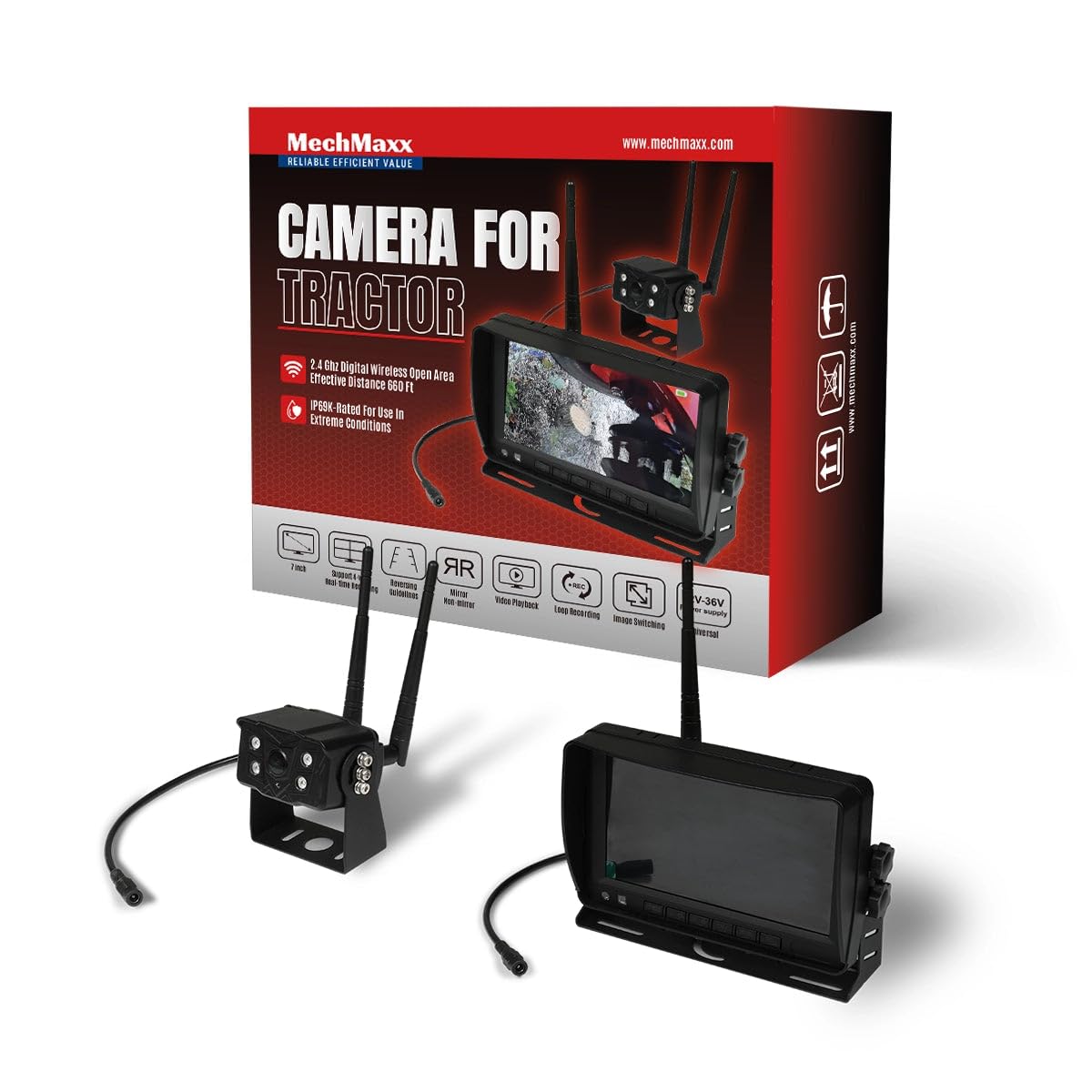
Figure 1: MechMaxx Farming HD Backup 1080P Camera System
2. Contingut del paquet
Verifiqueu que tots els elements que s'enumeren a continuació s'inclouen al vostre paquet:
- Monitor LCD HD de 7 polzades
- 1080P HD Camera Unit with IR Lights
- Power Cable for Monitor (Cigarette Lighter Adapter)
- Power Cable for Camera (Direct Battery Connection)
- Antennas for Wireless Transmission
- Suport de muntatge per a monitor
- Mounting Hardware (Screws, wrench)
- Control remot
- Manual d'usuari

Figura 2: Contingut del paquet
3. Configuració i instal·lació
The MechMaxx camera system is designed for straightforward installation. Follow these steps for optimal performance.
3.1 Camera Unit Installation
- Muntatge: Securely attach the camera unit to the rear or desired location on your vehicle using the provided mounting hardware. Ensure a clear line of sight for the camera.
- Connexió d'antena: Screw the antennas firmly onto the designated ports on the camera unit.
- Connexió d'alimentació: Connect the camera's power cable to a 12-36V DC power source. This can be directly to the vehicle's battery or an ignition-switched power source.
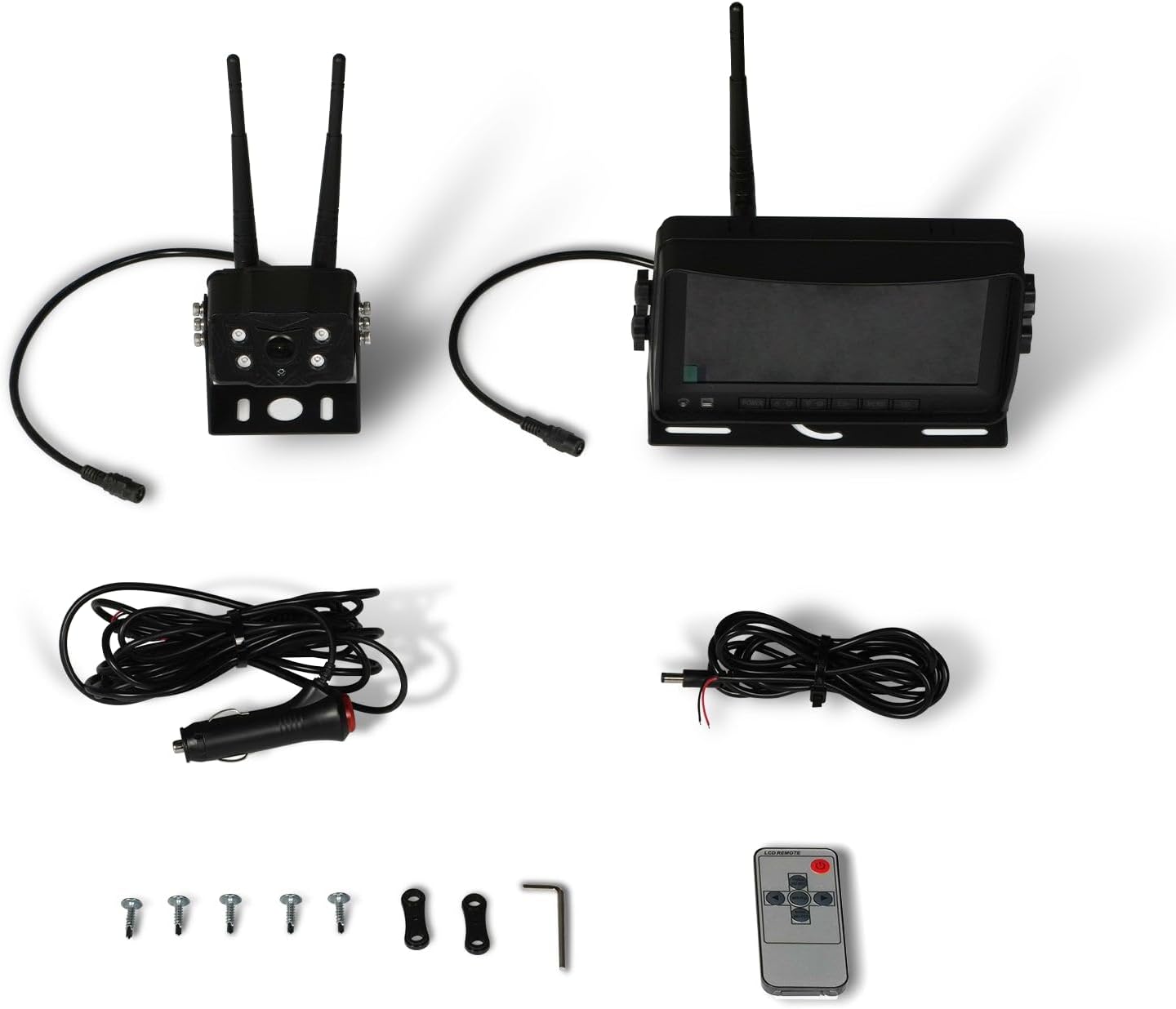
Figure 3: Camera Unit with Antennas

Figure 4: Camera Unit Detail
3.2 Instal·lació del monitor
- Muntatge: Attach the 7-inch LCD monitor to your dashboard or windshield using the provided suction cup or surface mount bracket. Adjust the angle for optimal viewing.
- Connexió d'alimentació: Connect the monitor's power cable to your vehicle's cigarette lighter socket. The monitor will power on/off with the vehicle's ignition.

Figure 5: 7-inch LCD Monitor
3.3 Esquema de cablejat
The system offers a simple 1-step installation for power. The monitor can be powered via a cigarette lighter, and the camera can be wired directly to the vehicle's battery or an ignition-controlled fuse.

Figura 6: Diagrama de cablejat simplificat
4. Instruccions de funcionament
Once installed, the system is ready for use. The monitor will automatically display the camera feed when powered on.
4.1 Funcionament bàsic
- Encès/apagat: The system powers on automatically with the vehicle's ignition. You can also use the power button on the monitor or remote control.
- ViewModes de funcionament: The 7-inch LCD provides a clear, full-color display. The camera offers a wide 120-degree field of view.
- Visió nocturna: The camera features strong IR lights for enhanced visibility in low-light conditions.
4.2 Controls del monitor
The monitor includes buttons for various settings and adjustments. Refer to the on-screen menu for detailed options.
- Menu (M): Accedir a la configuració del sistema.
- D'ACORD: Confirmeu les seleccions.
- CH (canal): Switch between multiple cameras if additional units are connected (not included in standard package).
- +/-: Adjust brightness, contrast, or navigate menu options.
5. Manteniment
To ensure the longevity and optimal performance of your camera system, follow these maintenance guidelines:
- Neteja: Netegeu regularment la lent de la càmera i la pantalla del monitor amb un drap suau i sec.amp drap. Eviteu productes de neteja abrasius que puguin ratllar les superfícies.
- Inspecció del cable: Periodically check all cables and connections for wear, damage, or loose fittings. Secure any loose connections.
- Protecció del medi ambient: While the camera is heavy-duty and designed for outdoor use, extreme weather conditions may affect performance. Ensure proper mounting to prevent vibration damage.
6. Solució De Problemes
If you encounter issues with your MechMaxx camera system, refer to the following common problems and solutions:
| Problema | Causa possible | Solució |
|---|---|---|
| No hi ha imatge al monitor | Loose power connection; Camera/monitor not powered; Interference | Check all power connections; Ensure vehicle ignition is on; Reduce distance between camera and monitor or check for obstructions. |
| Mala qualitat d'imatge | Dirty lens; Low light conditions; Signal interference | Clean camera lens; Ensure IR lights are active in low light; Check for strong signal interference sources. |
| El monitor no s'encén | No power from cigarette lighter; Faulty power cable | Check vehicle's cigarette lighter fuse; Test power cable with another device if possible. |
If the problem persists after attempting these solutions, please contact MechMaxx customer support.
7. Especificacions
Key technical specifications for the MechMaxx Farming HD Backup 1080P Camera System:
| Característica | Detall |
|---|---|
| Mida de la pantalla | 7 polzades |
| Tecnologia de visualització | LCD |
| Tecnologia de sensors òptics | CMOS |
| Tipus de lent | Gran Angular |
| Camp de View | 120 graus |
| Tipus de connector | AHD |
| Tipus d'instal·lació | Muntatge en superfície |
| Dispositius compatibles | Monitor |
| Pes de l'article | 12 lliures |
| Color | Negre |

Figure 7: Additional Specifications
8. Garantia i assistència
For warranty information, technical support, or service inquiries, please refer to the contact details provided with your product packaging or visit the official MechMaxx weblloc web. Conserveu el rebut de compra com a comprovant de compra per a reclamacions de garantia.
Ask a question about this manual
Ask about setup, troubleshooting, compatibility, parts, safety, or missing instructions. Manuals+ will review the question and use this page’s manual context to help answer it.