
1. Introducció
This manual provides essential instructions for the safe and effective use of your Dragonhawk A1 Wireless Tattoo Pen Machine Kit. This kit is designed for beginners and includes a rotary pen machine, cartridge needles, black tattoo ink, and necessary accessories to facilitate learning and practice.
The Dragonhawk A1 tattoo machine offers freedom of movement with its cordless design. It is constructed from lightweight aluminum alloy, ensuring comfortable handling and durability. Its segmented design allows for straightforward part replacement and maintenance.

Un acabatview of the Dragonhawk A1 Beginner Tattoo Kit, showcasing the wireless tattoo pen, a bottle of black tattoo ink, various cartridge needles, grip tape, and other essential accessories.
2. Informació de seguretat
- Només per a ús extern.
- Always ensure all components are clean and sterilized before use.
- Mantingueu el dispositiu allunyat de l'aigua i de temperatures extremes.
- Store the kit in a dry, safe place, out of reach of children.
- Refer to local regulations and professional guidelines for safe tattooing practices.
3. Què s'inclou
Your Dragonhawk A1 Beginner Tattoo Kit includes the following components:
- 1 x Dragonhawk A1 Wireless Rotary Tattoo Pen Machine
- 20 x Cartridge Needles (1203RL/1205RS)
- 1 x Bottle of Black Tattoo Ink
- Essential Accessories (e.g., grip tape, practice skin, ink caps, gloves)
4. Instruccions de configuració
Follow these steps to set up your Dragonhawk A1 Wireless Tattoo Pen Machine:
- Carregueu la bateria: Ensure the machine's 1600mAh battery is fully charged using the provided Type-C cable. A full charge typically takes 2-3 hours and provides 6-7 hours of working time.
- Assemble the Pen: The machine has a segmented design. Ensure the battery pack is securely twisted onto the pen body.
- Insert Cartridge Needle: Carefully unpackage a sterile cartridge needle. Push the needle firmly into the machine's front opening until it clicks into place.
- Ajustar la profunditat de l'agulla: Rotate the grip of the machine to adjust the needle protrusion (depth) to your desired setting. The high-grade steel ball mechanism provides precise adjustments.
- Prepare Ink: Pour a small amount of black tattoo ink into a clean ink cap.
Video demonstrating the unboxing, assembly, and basic operation of the Dragonhawk A1 Beginner Tattoo Kit.
5. Instruccions de funcionament
The Dragonhawk A1 features an intuitive LED display and controls for easy operation:
- Encès/apagat: Short press the power button to turn the machine on. Long press the power button to turn it off.
- Inici / Pausa: Once powered on, short press the power button to start or pause the machine.
- Ajust Voltage: Use the '+' and '-' buttons to adjust the voltage between 4V and 12V. The LED display will show the current voltage.
- Switch Modes (Dot/Normal): Double-click the power button to switch between Dot Mode and Normal Mode. In Dot Mode, you can adjust the dotting level from 1-9 using the '+' and '-' keys.
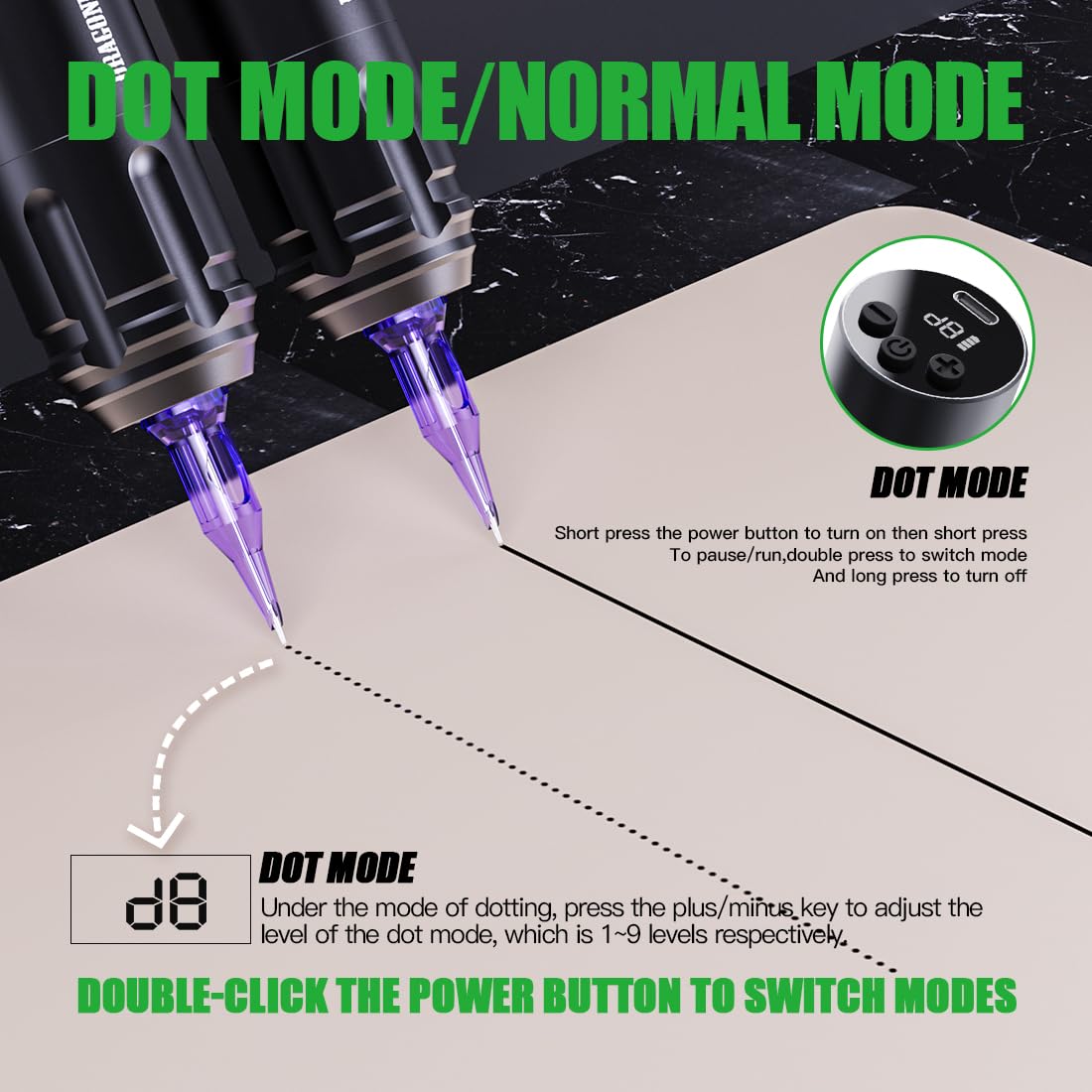
An illustration explaining the Dot Mode and Normal Mode functionality of the tattoo pen. Short press the power button to turn on, then short press to pause/run. Double press to switch modes. Long press to turn off. In Dot Mode, use plus/minus keys to adjust levels 1-9.
The machine's custom motor and efficient gear transmission provide a 3.5mm stroke, suitable for both lining and shading, while reducing vibrations and minimizing potential skin damage.

A hand in a black glove holding the Dragonhawk A1 tattoo pen, illustrating its ergonomic design and ease of use for switching between lining and shading techniques.
6. Manteniment
Proper maintenance ensures the longevity and optimal performance of your tattoo machine:
- Neteja: After each use, wipe down the machine's exterior with a suitable disinfectant. Do not immerse the machine in liquids.
- Esterilització: Always use new, sterile cartridge needles for each session. Dispose of used needles safely in a sharps container.
- Emmagatzematge: Store the machine and accessories in a clean, dry environment when not in use.
- Cura de la bateria: Avoid overcharging or completely draining the battery. Charge it regularly to maintain battery health.
7. Solució De Problemes
If you encounter issues with your Dragonhawk A1 machine, consider the following:
- La màquina no s'encén:
- Assegureu-vos que la bateria estigui carregada.
- Check that the battery pack is securely attached to the pen body.
- Inconsistent Needle Movement:
- Verify the cartridge needle is correctly inserted and not damaged.
- Consulteu el voltage setting; adjust as needed.
- Ensure the machine is clean and free from ink or debris that might impede movement.
- La bateria s'esgota ràpidament:
- Assegureu-vos que la bateria estigui completament carregada abans d'utilitzar-la.
- Operating at higher voltages can consume battery faster.
- El rendiment de la bateria pot degradar-se amb el temps amb un ús extensiu.
8. Especificacions
| Característica | Detall |
|---|---|
| Pes | 167 g |
| Dimensions | 32mm (Diameter) x 120mm (Length) |
| Temps de treball | 6-7 hores per càrrega |
| Ictus | 3.5 mm |
| Velocitat | 12 V/12000 RPM |
| Cable de connexió | Tipus-C |
| Voltage | 4-12V |
| Dot Mode Levels | 1-9 nivells |
| Capacitat de la bateria | 1600 mAh |
| Material | Aliatge d'alumini de grau aeri |
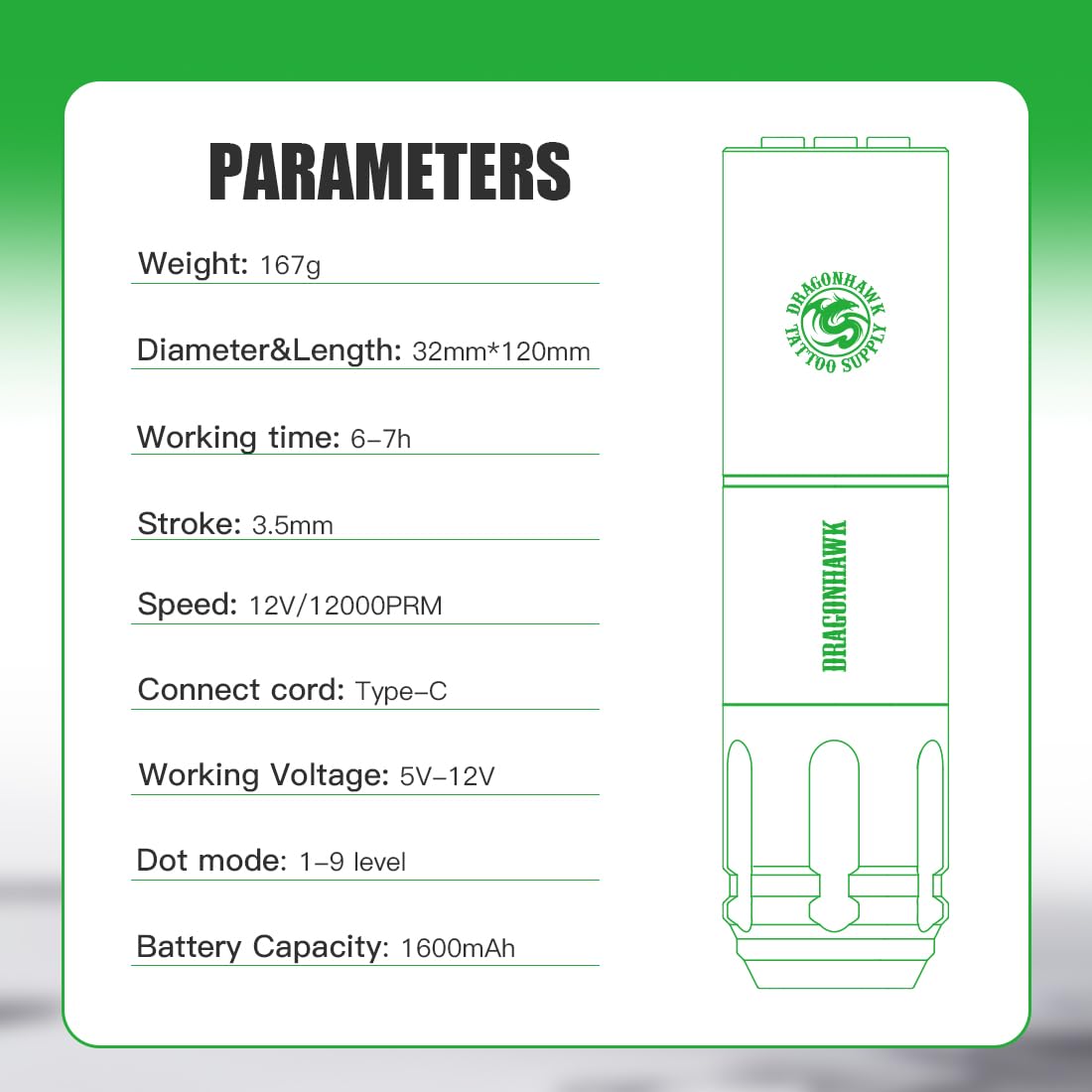
Detailed technical specifications for the Dragonhawk A1 tattoo pen.
9. Garantia i Suport
Dragonhawk provides coverage for your product. For any inquiries or issues with your order, please reach out through Amazon's messaging system. For additional guidance, video tutorials, setup guides, and professional tips, visit Youtube.com/@Dragonhawkofficial.