
1. Introducció
This user manual provides comprehensive instructions for the Headwolf WPad7 Tablet. It covers setup, operation, maintenance, and troubleshooting to ensure optimal performance and user experience. Please read this manual thoroughly before using your device.
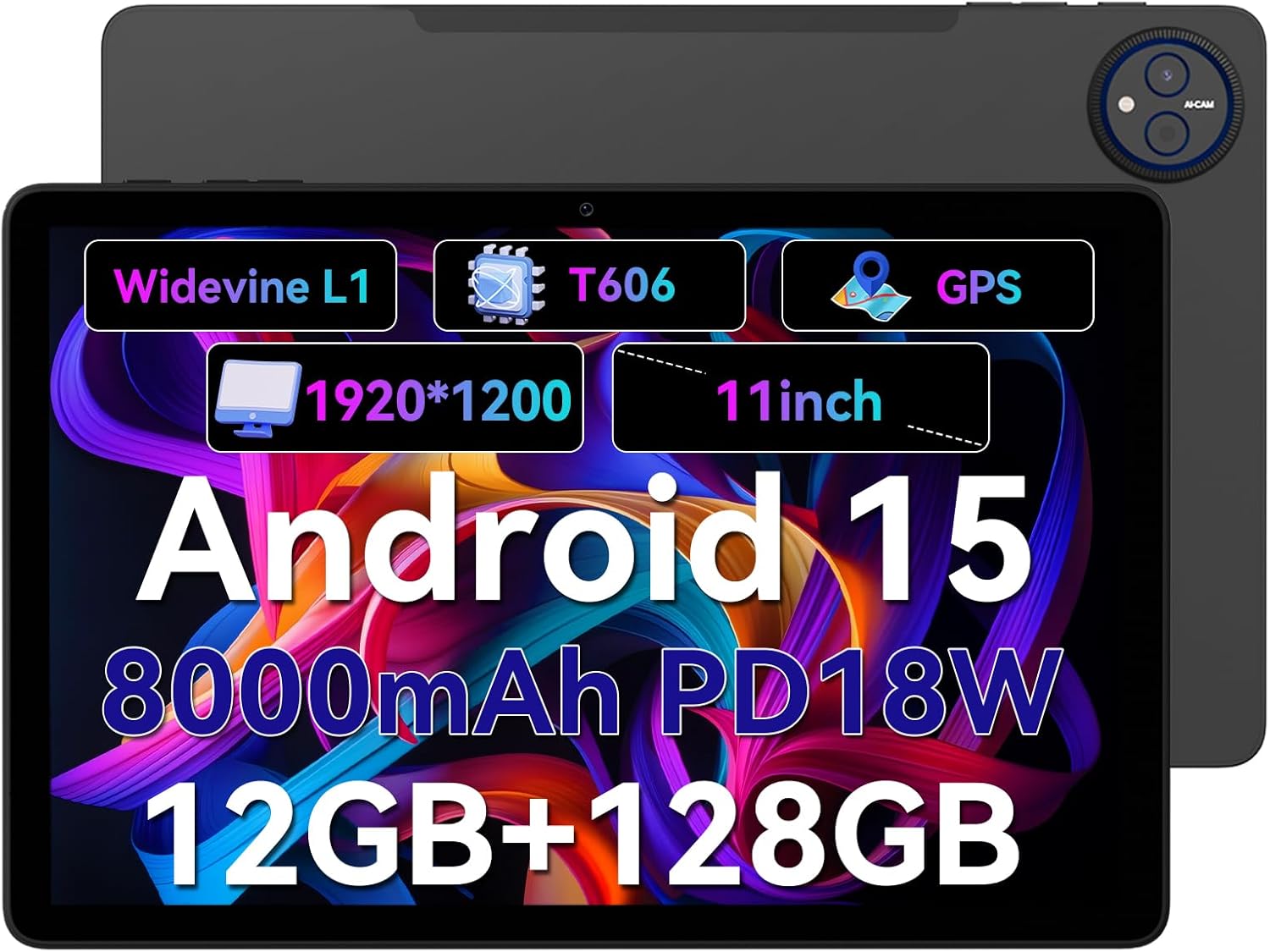
Figure 1.1: Headwolf WPad7 Tablet showcasing its 11-inch display, Android 15, 8000mAh battery, 12GB RAM, 128GB ROM, Widevine L1, T606 processor, and GPS capabilities.
2. Contingut del paquet
En obrir el paquet, comproveu que tots els elements enumerats a continuació hi siguin presents i estiguin en bon estat:
- 1 x Headwolf WPad7 Tablet
- 1 x Carregador
- 1 x cable tipus C
- 1 x Card Pin (for SIM/SD card tray)
- 1 x Manual d'usuari
3. Producte acabatview
3.1 Característiques físiques
Familiarize yourself with the physical components of your Headwolf WPad7 Tablet:
- Visualització: 11-inch IPS In-Cell screen with 1920x1200 resolution.
- Càmera frontal: 8MP, located on the top bezel when held horizontally.
- Càmera posterior: 13MP, located on the back panel.
- Botó d'encesa: Typically on the side, used to power on/off or wake/sleep the device.
- Tecles de volum: Located near the power button, for adjusting audio levels.
- Port USB tipus C: Per a càrrega i transferència de dades.
- Presa d'auriculars de 3.5 mm: For connecting wired audio devices.
- Ranura per a targetes: For inserting a SIM card (if supported) and a microSD card for expandable storage.
- Restableix el forat: A small pinhole for force restarting the device if unresponsive.

Figure 3.1: Physical aspects of the Headwolf WPad7 Tablet, showing its 8mm thickness, 495g weight, 13MP rear camera, 8MP front camera, and 3.5mm earphone jack.

Figure 3.2: Key features of the Headwolf WPad7 Tablet, including Android 15 OS, 12GB+128GB memory, T606-8 core processor, 8000mAh battery, GPS navigation, 1920x1200 FHD display, face recognition, dual cameras, 2.4G/5Ghz Wi-Fi, Widevine L1, and 300nit brightness.
4. Configuració
4.1 Càrrega inicial
Before first use, fully charge the tablet. Connect the provided Type-C cable to the tablet's USB-C port and the charger to a power outlet. The battery indicator on the screen will show charging status. A full charge typically takes several hours.

Figure 4.1: The 8000mAh battery of the Headwolf WPad7 Tablet, highlighting its safety and stability features, and showing typical usage times for processing, video playback, reading, and music playback.
4.2 Encès/Apagat
- Per encendre: Press and hold the Power button until the Headwolf logo appears on the screen.
- Per apagar: Press and hold the Power button until a power-off menu appears. Select "Power off".
- Per dormir/despertar-se: Premeu breument el botó d'engegada per posar la tauleta en repòs o activar-la.
4.3 Instal·lació de la targeta MicroSD
The Headwolf WPad7 supports microSD card expansion up to 2TB. To install:
- Localitzeu la ranura de la targeta al lateral de la tauleta.
- Insert the provided card pin into the small hole next to the tray to eject it.
- Place the microSD card into the designated slot on the tray, ensuring correct orientation.
- Empenyeu suaument la safata cap a dins de la tauleta fins que encaixi al seu lloc.

Figure 4.2: Details of the Unisoc T606 Octa-core Processor and memory configuration, showing 12GB RAM (6GB physical + 6GB virtual) and 128GB ROM, expandable up to 2TB via SD card.
5. Com utilitzar la tauleta
5.1 Característiques d'Android 15
Your Headwolf WPad7 Tablet runs on Android 15, offering enhanced AI capabilities, improved privacy, optimized performance, and a refined user interface. Explore features like:
- AI Dynamic Adjustment: Adapts to your usage patterns for optimized performance.
- Multilingual Real-time Translation: Facilitates communication across languages.
- AI Automatic Scene Recognition: Enhances camera performance.
- Intelligent Audio Switching: Seamlessly manages audio output.
- AI Battery Saving Optimization: Extends battery life based on usage.
- Divisió de pantalla: Use two apps simultaneously side-by-side.
- Reconeixement facial: Securely unlock your device with your face.

Figura 5.1: Mésview of Android 15's intelligent AI features, including dynamic adjustment, real-time translation, automatic scene recognition, portrait mode processing, intelligent audio switching, accurate speech recognition, battery saving, game mode, and document auto summary.
5.2 Connectivitat
- Wi-Fi: Supports high-speed AC 2.4G/5G Wi-Fi for stable internet connection. Navigate to Settings > Network & internet > Wi-Fi to connect to available networks.
- Bluetooth: Connect to Bluetooth headphones, speakers, and other devices. Go to Settings > Connected devices > Bluetooth.
- GPS: The tablet supports GPS, GLONASS, BDS, and GALILEO satellite systems for precise location services and navigation.

Figure 5.2: The Headwolf WPad7 Tablet's 2.4G/5G Dual Band Wi-Fi and Bluetooth capabilities, demonstrating its versatility for work, presentations, and video calls.

Figure 5.3: The tablet's Four-In-One Satellite Positioning System, supporting GPS, Beidou, Galileo, and Glonass for accurate real-time location tracking and navigation.
5.3 Ús de la càmera
The tablet features an 8MP front camera and a 13MP rear camera. Open the Camera app to capture photos and videos. Utilize AI scene recognition for optimized shots.
5.4 Característiques de visualització
The 11-inch IPS in-cell display provides vivid colors and deep contrasts. It features Widevine L1 certification, enabling secure streaming of high-definition content from platforms like Netflix, Prime Video, and Disney+.

Figure 5.4: The 11-inch Widevine L1-compatible FHD display, showcasing its 1920x1200 resolution, 224 PPI, IPS incell technology, 300 nit brightness, 1500:1 contrast, and 75% NTSC color gamut, ideal for streaming services.
6. Manteniment
6.1 Neteja
Per netejar la tauleta, feu servir un drap suau i sense borrissol. Per a taques difícils, fregueu-la lleugerament.ampen the cloth with water or a screen cleaner. Avoid using harsh chemicals, abrasive materials, or excessive moisture.
6.2 Cura de la bateria
- Eviteu exposar la tauleta a temperatures extremes (calor o fred).
- No deixeu que la bateria es descarregui completament amb freqüència.
- Use the original charger and cable for optimal charging and battery longevity.
- Si guardeu la tauleta durant un període prolongat, carregueu-la al 50% aproximadament abans d'apagar-la.
7. Solució De Problemes
La tauleta 7.1 no s'encén
- Assegureu-vos que la bateria estigui carregada. Connecteu el carregador i espereu uns minuts abans d'intentar engegar-lo.
- Mantingueu premut el botó d'engegada durant almenys 10-15 segons per forçar un reinici.
7.2 Problemes de connectivitat Wi-Fi
- Activa i desactiva el Wi-Fi a Configuració.
- Reinicieu el vostre encaminador Wi-Fi.
- Oblida't de la xarxa i torna a connectar-te, introduint de nou la contrasenya.
7.3 Les aplicacions es bloquegen o es bloquegen
- Tanca l'aplicació problemàtica i torna-la a obrir.
- Clear the app's cache (Settings > Apps > [App Name] > Storage & cache > Clear cache).
- Reinicieu la tauleta.
- Ensure the app and Android system are updated to the latest versions.
8. Especificacions
| Característica | Especificació |
|---|---|
| Marca | Cap de llop |
| Nom del model | W7 |
| Sistema operatiu | Android 15 |
| Mida de la pantalla | 11 polzades |
| Resolució de pantalla | 1920x1200 Pixels (FHD In-Cell) |
| Processador | Unisoc T606 Octa-nucli |
| RAM | 12 GB (6 GB físic + 6 GB virtual) |
| Emmagatzematge intern | 128 GB |
| Emmagatzematge ampliable | Fins a 2 TB mitjançant targeta MicroSD |
| Càmera posterior | 13MP |
| Càmera frontal | 8MP |
| Capacitat de la bateria | 8000 mAh |
| Port de càrrega | USB Type-C (supports 18W fast charge) |
| Connectivitat sense fil | 802.11a/b/g/n/ac/ax (2.4G/5G Wi-Fi), Bluetooth |
| Navegació | GPS, GLONASS, BDS, GALILEO (with A-GPS) |
| Jack d'àudio | 3.5 mm |
| Dimensions (LxWxH) | 11 x 2 x 8 polzades |
| Pes de l'article | 1.98 lliures (aprox. 495 g) |
| Color | Gris |
| Widevine Certification | L1 |
9. Garantia i Suport
Headwolf provides a standard warranty for the WPad7 Tablet. For detailed warranty terms and conditions, please refer to the warranty card included in your package or visit the official Headwolf weblloc.
For technical support, troubleshooting assistance, or service inquiries, please contact Headwolf customer support through their official channels. Keep your purchase receipt and product serial number handy when contacting support.
Recursos en línia: