1. Introducció
Gràcies per la compraasing the Portable Mini Projector. This device is designed to provide a versatile and immersive viewing experience, supporting high-definition decoding and various connectivity options for both indoor and outdoor use. Please read this manual thoroughly before operating the projector to ensure proper use and to maximize its performance and lifespan.
2. Informació de seguretat
To prevent fire, electric shock, or damage to the projector, please observe the following safety precautions:
- Do not block the ventilation openings. Ensure adequate airflow around the projector.
- Do not expose the projector to rain or moisture. Keep it away from water sources.
- Feu servir només l'adaptador de corrent que s'inclou amb el projector.
- Eviteu mirar directament a la lent del projector quan lamp està encès, ja que la llum brillant pot causar fatiga o danys als ulls.
- No intenteu desmuntar ni modificar el projector. Encarregueu totes les tasques de manteniment a personal qualificat.
- Col·loqueu el projector sobre una superfície estable i plana per evitar que caigui.
- Keep the projector away from direct sunlight, heat sources, and extreme temperatures.
3. Contingut del paquet
Si us plau, comproveu el contingut del paquet en desempaquetar-lo:
- Miniprojector portàtil
- Adaptador d'alimentació
- Comandament a distància (piles no incloses)
- Cable HDMI
- Manual d'usuari
4. Característiques i components del producte
Familiarize yourself with the projector's key features and components:
- Lent de projecció: Emits the image onto the screen or surface.
- Anell de focus: Ajusta la claredat de la imatge projectada.
- Ports d'entrada: HDMI, USB, AV, Memory Card slot for various device connections.
- Altaveu integrat: Proporciona sortida d'àudio.
- Reixes de ventilació: Per a la dissipació de calor.
- Botó d'encesa: Encén/apaga el projector.
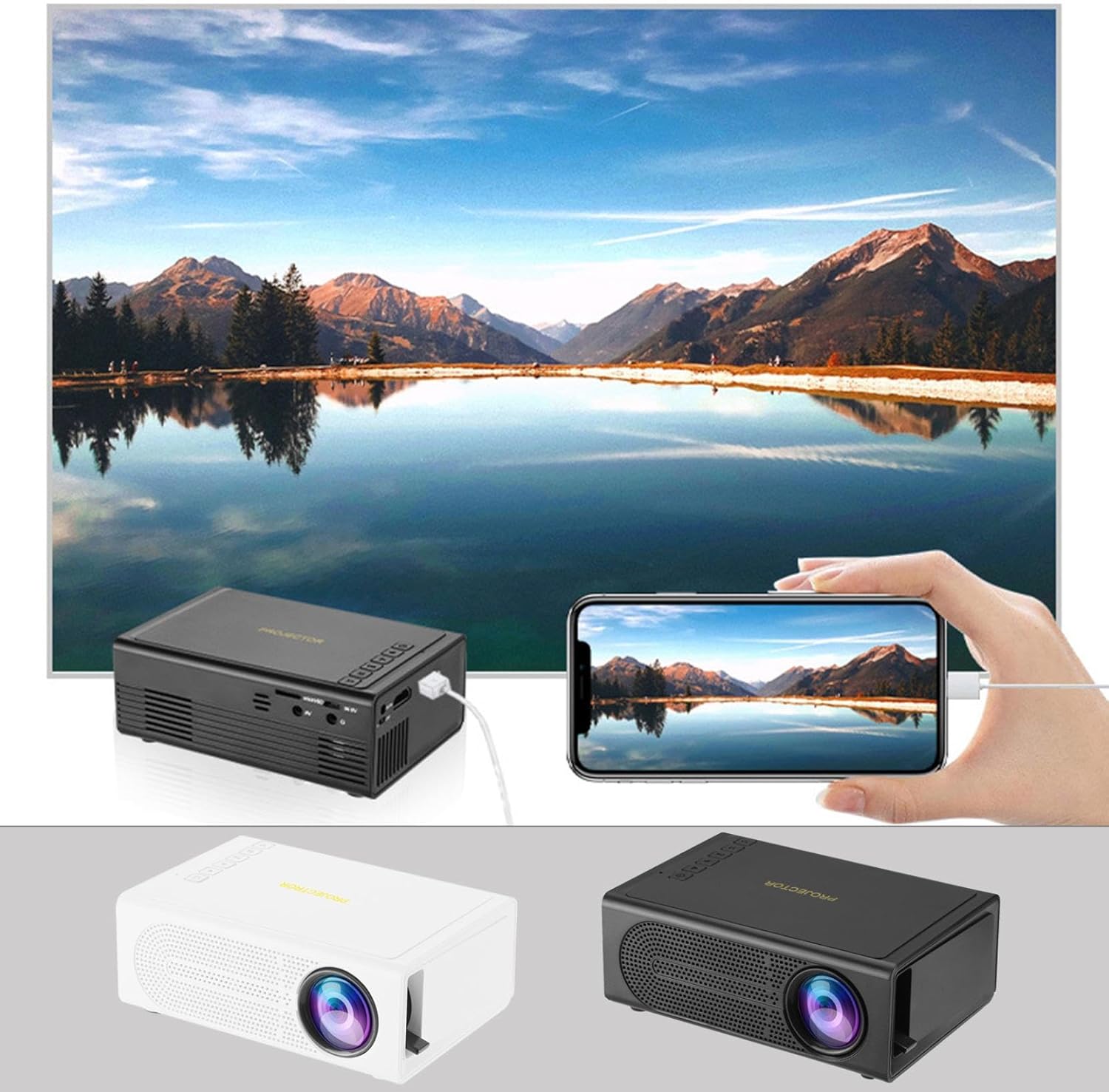
Image: The Portable Mini Projector in use, demonstrating its ability to mirror a smartphone screen onto a large display. Both black and white color options of the projector are shown.

Image: Physical dimensions of the projector, indicating its compact size.
5. Configuració
- Connexió d'alimentació: Connect the supplied power adapter to the projector's power input port and then plug it into a power outlet.
- Col·locació: Col·loqueu el projector sobre una superfície estable i plana. Per a una òptima viewcol·loqueu el projector perpendicular a la superfície de projecció (paret o pantalla).
- Encès: Premeu el botó d'encesa del projector o del comandament a distància per encendre el dispositiu.
- Ajust del focus: Once powered on, rotate the focus ring on the projector until the projected image appears clear and sharp.
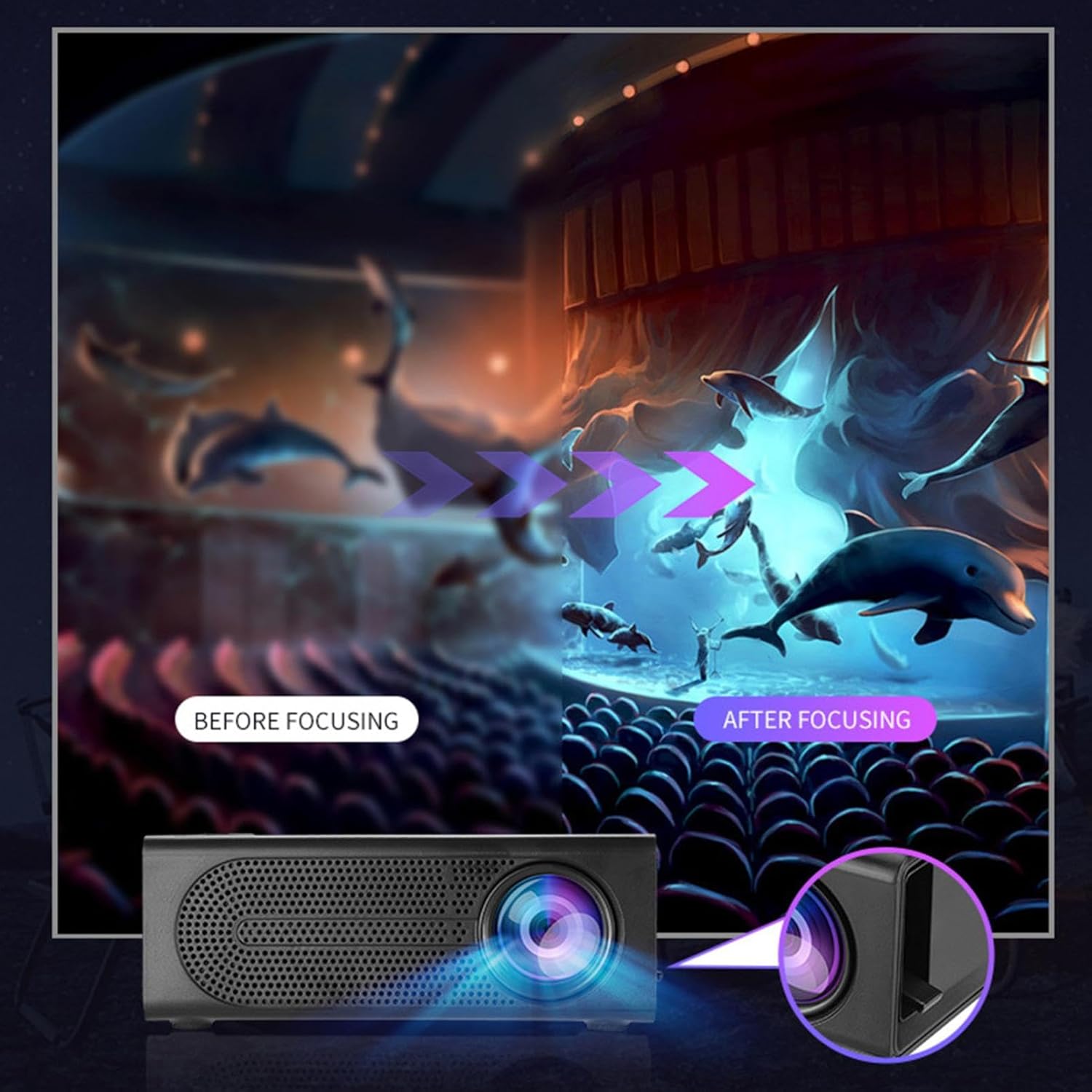
Image: Visual demonstration of focus adjustment, showing the difference between a blurry and a sharp image.
6. Instruccions de funcionament
6.1 Connexió de dispositius
The projector supports various input sources. Select the appropriate input mode from the projector's menu after connecting your device.
- HDMI: Connect laptops, gaming consoles, DVD players, or other HDMI-enabled devices using an HDMI cable.
- USB: Inseriu una unitat flash USB per reproduir contingut multimèdia files directament.
- DE: Use an AV cable to connect older devices like VCRs or some set-top boxes.
- Targeta de memòria: Insert a compatible memory card to view fotos o vídeos.
- Smartphone/tauleta: For wired phone same screen playback, connect your smartphone or tablet via a compatible cable (e.g., USB to Lightning/USB-C for screen mirroring, if supported by your device and the projector).

Image: Connectivity diagram illustrating the wide range of devices compatible with the projector.
6.2 Adjusting Projection Size
The projector can project images ranging from 32 to 100 inches. The projection size is determined by the distance between the projector and the projection surface. Move the projector closer to the surface for a smaller image, and further away for a larger image.
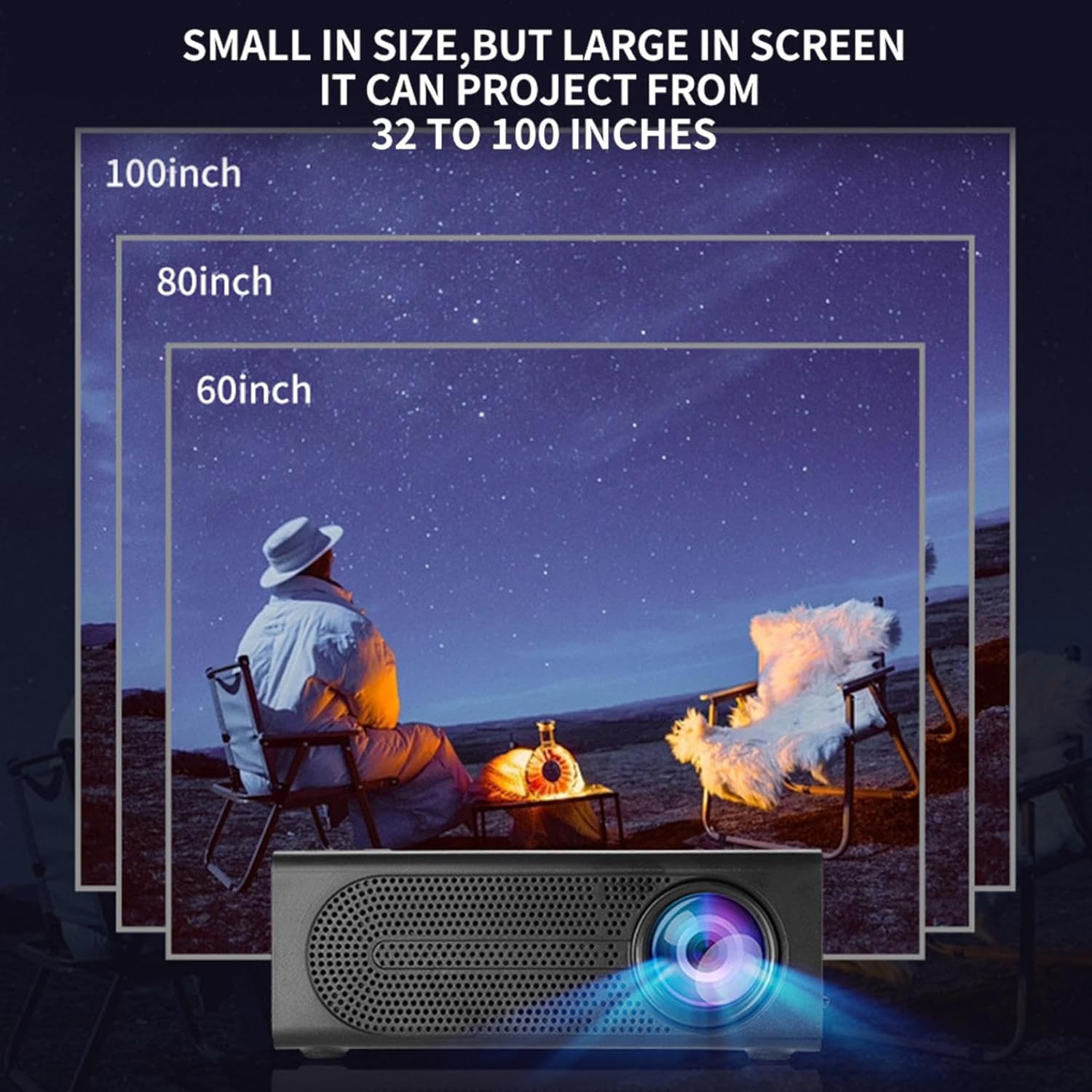
Image: Illustration of various projection sizes achievable with the projector, from 32 to 100 inches.
6.3 Escenaris d'ús
This projector is suitable for a variety of environments and uses:
- Parent-child interaction: Enjoy movies or educational content with family.
- Outdoor cinema: Set up a movie night in your backyard.
- Bedroom projection: Watch content comfortably from your bed.
- Living room cinema: Transform your living space into a home theater.

Imatge: Examples of diverse usage scenarios for the projector, from indoor home theater to outdoor entertainment.

Image: Depiction of family entertainment using the projector, alongside a technical diagram explaining the benefit of diffuse reflection for eye comfort compared to direct-ray light from a TV.
7. Manteniment
Proper maintenance ensures the longevity and optimal performance of your projector:
- Neteja de lents: Feu servir un drap suau i sense borrissol dissenyat específicament per a lents òptiques per netejar suaument la lent del projector. No utilitzeu productes de neteja abrasius ni força excessiva.
- Eliminació de pols: Regularly clean the ventilation grilles with a soft brush or compressed air to prevent dust buildup, which can affect cooling and performance.
- Emmagatzematge: Quan no l'utilitzeu durant períodes prolongats, guardeu el projector en un lloc fresc i sec, allunyat de la llum solar directa i de temperatures extremes.
- Apagueu correctament: Always turn off the projector using the power button and allow it to cool down before unplugging or moving it.
8. Solució De Problemes
Si teniu problemes amb el projector, consulteu els problemes i solucions més comuns següents:
| Problema | Causa possible | Solució |
|---|---|---|
| No es projecta cap imatge | Power not connected; Input source not selected; Lens cap on. | Ensure power is connected and unit is on; Select correct input source; Remove lens cap. |
| La imatge és borrosa | Enfocament no ajustat; Projector massa a prop/lluny de la pantalla. | Ajusteu l'anell d'enfocament; Ajusteu la distància de projecció. |
| Sense so | Volume too low; Audio cable not connected; Muted. | Increase volume; Check audio connections; Unmute projector/source device. |
| El comandament a distància no funciona | Piles mortes/inserides incorrectament; Obstrucció entre el comandament a distància i el projector. | Canvieu les piles; assegureu-vos que la línia de visió amb el receptor d'infrarojos estigui clara. |
Si el problema persisteix després de provar aquestes solucions, poseu-vos en contacte amb l'atenció al client.
9. Especificacions
- Tipus de producte: Miniprojector portàtil
- Marca: Genèric
- Dispositius compatibles: Laptop, Gaming Console, Tablet, Camera, Smartphone
- Relació de contrast de la imatge: Alt
- Mida de projecció: De 32 a 100 polzades
- Descodificació de vídeo: H.264, H.265
- Connectivitat: HDMI, USB, AV, Memory Card
- Dimensions: Approximately 5in (L) x 3.2in (W) x 1.9in (H) / 12.7cm (L) x 8.15cm (W) x 4.85cm (H)
10. Garantia i Suport
This product comes with a standard manufacturer's warranty. Please refer to the warranty card included in your package for specific terms and conditions. For technical support, troubleshooting assistance, or warranty claims, please contact the retailer or manufacturer's customer service department.
Contacte d'assistència al client: Please refer to retailer or manufacturer weblloc per obtenir dades de contacte.