
1. Introducció i finalview
The Generic JDY-16 is a Bluetooth 4.2 module designed for low-power, high-speed wireless data transfer applications. It offers compatibility with the CC2541, making it a versatile solution for various embedded systems and IoT projects requiring reliable Bluetooth Low Energy (BLE) communication. This module facilitates seamless integration into existing hardware designs, providing robust and efficient wireless connectivity.

Imatge 1.1: Part superior view of the JDY-16 Bluetooth 4.2 module. This image displays the module's blue printed circuit board (PCB) with its integrated antenna, main chip, crystal oscillator, and various surface-mount components, providing a clear view of its compact design.
2. Característiques clau
- Bluetooth 4.2 Standard: Supports the latest Bluetooth Low Energy (BLE) specification for efficient and secure wireless communication.
- Baix consum d'energia: Optimized for battery-powered applications, ensuring extended operational life.
- Transferència de dades d'alta velocitat: Capable of fast and reliable data exchange, suitable for various data-intensive tasks.
- CC2541 Compatibility: Designed to be compatible with systems and applications utilizing the CC2541 chipset.
- Disseny compacte: Small form factor for easy integration into space-constrained projects.
- Interfície UART: Standard serial communication interface for easy connection with microcontrollers.
3. Especificacions
| Especificació | Valor |
|---|---|
| Model | JDY-16 |
| Versió Bluetooth | 4.2 BLE |
| Vol. Operatiutage | Not explicitly specified (typically 1.8V-3.6V for BLE modules, refer to datasheet for exact range) |
| Interfície de comunicació | UART |
| Dimensions (L x A) | 19.6 mm x 14.9 mm (aprox.) |
| Fabricant | Genèric |
| Número de part | DQSSL_SKS_16061 |
| ASIN | B0DRJGV7RS |
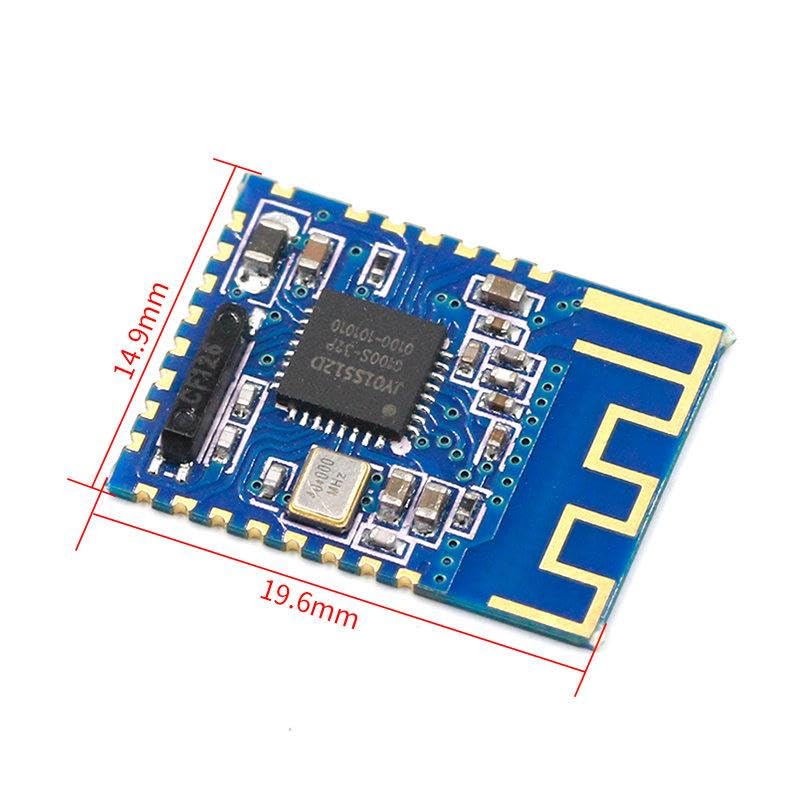
Image 3.1: JDY-16 module with dimensions. This image clearly indicates the module's length as 19.6mm and width as 14.9mm, providing essential physical specifications for integration.
4. Instruccions de configuració
Proper setup is crucial for the reliable operation of the JDY-16 module. Follow these general steps for initial integration:
- Connexió d'alimentació: Connect the VCC pin of the JDY-16 module to a stable power source (e.g., 3.3V or 5V, depending on the specific module variant and datasheet recommendations). Connect the GND pin to the system's ground.
- Connexió UART: Connect the TXD pin of the JDY-16 to the RXD pin of your microcontroller or host device, and the RXD pin of the JDY-16 to the TXD pin of your microcontroller or host device. Ensure proper voltage level shifting if your microcontroller operates at a different voltage than the module.
- State Pin (Optional): If available, connect the STATE pin to an input pin on your microcontroller to monitor the module's connection status.
- AT Command Mode: The JDY-16 module typically supports configuration via AT commands. Connect a serial terminal (e.g., PuTTY, Arduino Serial Monitor) to your microcontroller's serial port (or directly to the module via a USB-to-UART converter) to send AT commands for configuration.
- Configuració inicial: Use AT commands to set parameters such as the module's name, baud rate, master/slave role, and pairing password if required. Refer to the specific JDY-16 AT command set documentation for detailed commands.
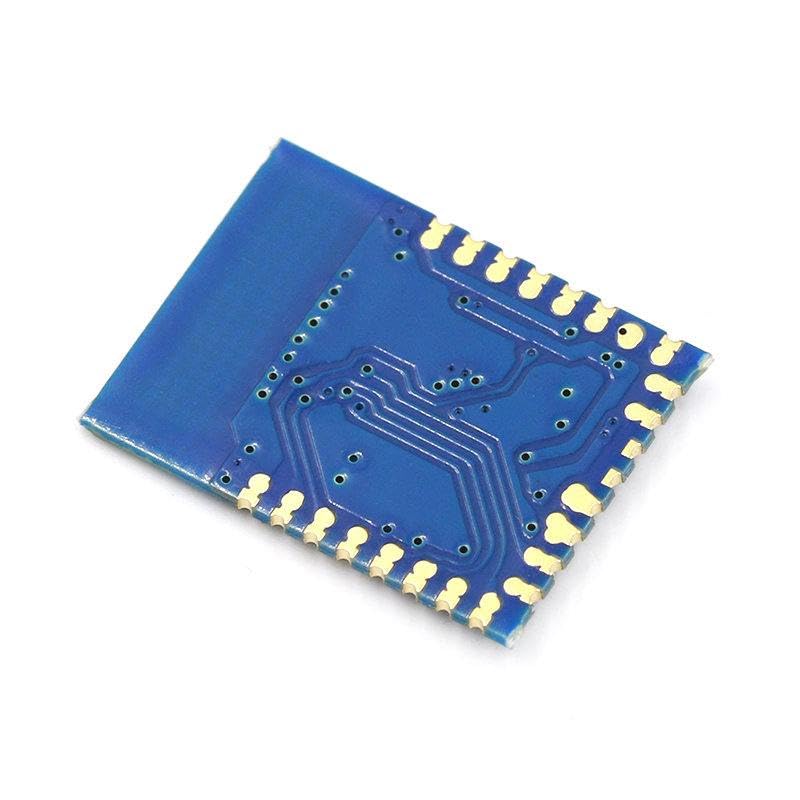
Imatge 4.1: Part inferior view of the JDY-16 module. This image shows the underside of the PCB, revealing the solder pads for pin connections and the intricate circuit traces, which are essential for understanding the module's physical interface.
5. Instruccions de funcionament
Once the JDY-16 module is set up, you can proceed with its operation for wireless communication:
- Encès: Apply power to the module. The status LED (if present) should indicate its operational state (e.g., blinking for discoverable, solid for connected).
- Discovery and Pairing:
- As a Peripheral (Slave): The module will broadcast its presence. Use a central device (e.g., smartphone, computer, or another Bluetooth module configured as master) to scan for and connect to the JDY-16.
- As a Central (Master): Configure the JDY-16 as a master using AT commands. It will then scan for and connect to a specified peripheral device.
- Transmissió de dades: After a successful connection, data can be sent and received via the UART interface. Any data sent to the module's TXD pin (from your microcontroller) will be transmitted wirelessly, and any data received wirelessly will be output through the module's RXD pin (to your microcontroller).
- Velocitat de transmissió: Ensure that the baud rate of your microcontroller's serial port matches the baud rate configured on the JDY-16 module (default is often 9600 or 115200, but can be changed via AT commands).
- Desconnexió: The connection can be terminated by either device or by powering off the module.
6. Manteniment
The JDY-16 Bluetooth module is a robust electronic component designed for long-term operation with minimal maintenance. Adhering to the following guidelines will help ensure its longevity and reliable performance:
- Condicions ambientals: Feu funcionar el mòdul dins dels rangs de temperatura i humitat especificats. Eviteu l'exposició a temperatures extremes, llum solar directa o ambients amb molta humitat.
- Manipulació física: Handle the module with care to prevent physical damage to the PCB, components, or antenna. Avoid bending or applying excessive force.
- Neteja: Keep the module free from dust, dirt, and corrosive substances. If cleaning is necessary, use a soft, dry brush or a lint-free cloth. Do not use liquid cleaners unless specifically recommended by the manufacturer.
- Estabilitat de la font d'alimentació: Ensure a stable and clean power supply. Fluctuations or incorrect voltage levels can damage the module.
- Actualitzacions de firmware: Reviseu periòdicament el fabricant website or relevant community forums for any available firmware updates. Firmware updates can improve performance, add features, or fix bugs.
7. Solució De Problemes
If you encounter issues with your JDY-16 module, consider the following troubleshooting steps:
- El mòdul no s'encén:
- Comproveu que la font d'alimentació voltage és correcte i estable.
- Check all power connections (VCC, GND) for proper contact and polarity.
- Module Not Discoverable/Connectable:
- Ensure the module is powered on and its status LED (if present) indicates a discoverable state.
- Check if the module is configured as a peripheral (slave) if you expect it to be discoverable.
- Confirm that the scanning device is within range and has Bluetooth enabled.
- Reset the module and the scanning device.
- Problemes de transferència de dades:
- Verify that the UART TXD and RXD connections are correctly wired (TX to RX, RX to TX).
- Ensure the baud rate of your microcontroller's serial port matches the module's configured baud rate.
- Comproveu si hi ha cap voltage level mismatches between the module and your microcontroller.
- Confirm that the module is successfully connected to the target device.
- Problemes amb el comandament AT:
- Ensure your serial terminal settings (baud rate, data bits, parity, stop bits, newline characters) match the module's requirements.
- Verify that the module is in AT command mode (if applicable, some modules require a specific pin state or command to enter this mode).
- Double-check the syntax of your AT commands.
8. Garantia i Suport
This Generic JDY-16 Bluetooth 4.2 Module is typically covered by the standard warranty provided by the retailer or distributor at the time of purchase. Please retain your proof of purchase for any warranty claims.
For technical support, detailed datasheets, or specific AT command documentation, please refer to the manufacturer's official resources or contact the seller directly. Community forums and online resources dedicated to Bluetooth modules and embedded electronics can also be valuable sources of information and assistance.


