
1. Introducció
This user manual provides comprehensive instructions for the Callsky 10-inch Wi-Fi Tablet, Model Ctab 10. Please read this manual carefully before using your device to ensure proper operation and to maximize its features. Keep this manual for future reference.
2. Producte acabatview
2.1 Contingut del paquet
En obrir el paquet, comproveu que hi hagi tots els elements que s'enumeren a continuació:
- Callsky Ctab 10 Tablet
- Cable de càrrega USB tipus C
- Adaptador d'alimentació
- Manual d'usuari (japonès)

Image: Package contents including the tablet, charging cable, power adapter, and user manual.
2.2 Components del dispositiu
Familiarize yourself with the physical layout and ports of your tablet:
- Càmera frontal: 5MP per a videotrucades i selfies.
- Càmera posterior: 8MP with autofocus for high-resolution photos.
- Botó d'encesa: Situat al lateral per encendre/apagar el dispositiu i bloquejar la pantalla.
- Botons de volum: Ajusta els nivells d'àudio.
- Port USB tipus C: Per a càrrega i transferència de dades.
- Presa d'auriculars de 3.5 mm: Per a la sortida d'àudio.
- Altaveus duals: Per a una experiència d'àudio millorada.
- Ranura per a targeta MicroSD: For storage expansion up to 2TB.

Imatge: Més deview of tablet features including face recognition, wireless projection, and physical dimensions.
2.3 Característiques clau
- Disseny lleuger: Ultra-thin at 8.7mm and weighing 425g for easy portability.
- Sistema operatiu Android 14: Enhanced privacy, personalized settings, and improved user experience.
- Alt rendiment: 1.8GHz Allwinner A523 Octa-core processor and Mali-G57 GPU for smooth multitasking, gaming, and HD video.
- Memòria i emmagatzematge: 3GB RAM + 9GB virtual memory, 128GB internal storage, expandable up to 2TB via MicroSD.
- Pantalla viva: 10.1-inch 1280x800 Incell IPS display with eye protection mode and Widevine L1 support for high-quality streaming.
- Connectivitat: Wi-Fi 6 and Bluetooth 5.4 for stable and high-speed connections.
- Característiques avançades: Wireless projection, face recognition, and split-screen functionality.
- Bateria de llarga durada: Bateria de 6000 mAh per a un ús prolongat.

Image: Visual summary of the tablet's core specifications and features.
3. Configuració
3.1 Engegada inicial i configuració bàsica
- Press and hold the Power button until the Callsky logo appears.
- Follow the on-screen prompts to select your language (e.g., English).
- Connect to a Wi-Fi network. Select your network from the list and enter the password if required.
- Review and accept the Google Services terms.
- Set up a screen lock (PIN, pattern, or password) for security. You can skip this step and set it up later.
- Complete the remaining setup steps as guided by the Android 14 interface.
3.2 Inserció d'una targeta MicroSD
To expand your tablet's storage:
- Localitza la ranura per a targetes MicroSD al lateral de la tauleta.
- Gently insert the MicroSD card into the slot until it clicks into place. Ensure the card is oriented correctly.
- The tablet will detect the new storage. You may be prompted to format the card for optimal use with the device.
4. Instruccions de funcionament
4.1 Navegació bàsica
- Gestos tàctils: Toca per seleccionar, llisca per desplaçar-te, pessiga per ampliar.
- Pantalla d'inici: Accedeix a aplicacions, widgets i notificacions.
- Notificacions: Feu lliscar el dit cap avall des de la part superior de la pantalla fins a view notificacions i configuracions ràpides.
4.2 Gestió de memòria i emmagatzematge
The tablet comes with 3GB of physical RAM and 9GB of virtual memory, totaling 12GB, along with 128GB of internal storage. You can expand storage up to 2TB using a MicroSD card.
- To check storage: Go to Configuració > Emmagatzematge.
- To manage apps: Go to Configuració > Aplicacions.

Image: Details on memory and storage, including RAM, internal storage, and MicroSD expansion.
4.3 Pantalla i experiència visual
The 10.1-inch 1280x800 Incell IPS display provides clear and vibrant visuals. It supports Widevine L1 for high-definition streaming from platforms like Netflix and YouTube.
- Mode de protecció ocular: Activate this mode in settings to reduce blue light and eye strain during prolonged use.
- Pantalla dividida: Use two applications simultaneously for enhanced productivity.

Image: Tablet demonstrating Widevine L1 support for streaming services.
4.4 Connectivitat
The tablet supports Wi-Fi 6 and Bluetooth 5.4 for reliable and fast wireless connections.
- Wi-Fi: Connect to 2.4G or 5G networks. Go to Configuració > Xarxa i Internet > Wi-Fi per gestionar connexions.
- Bluetooth: Pair with wireless devices like headphones or keyboards. Go to Configuració > Dispositius connectats > Bluetooth.
- Projecció sense fil: Share your screen with compatible displays. Access this feature from the quick settings panel.
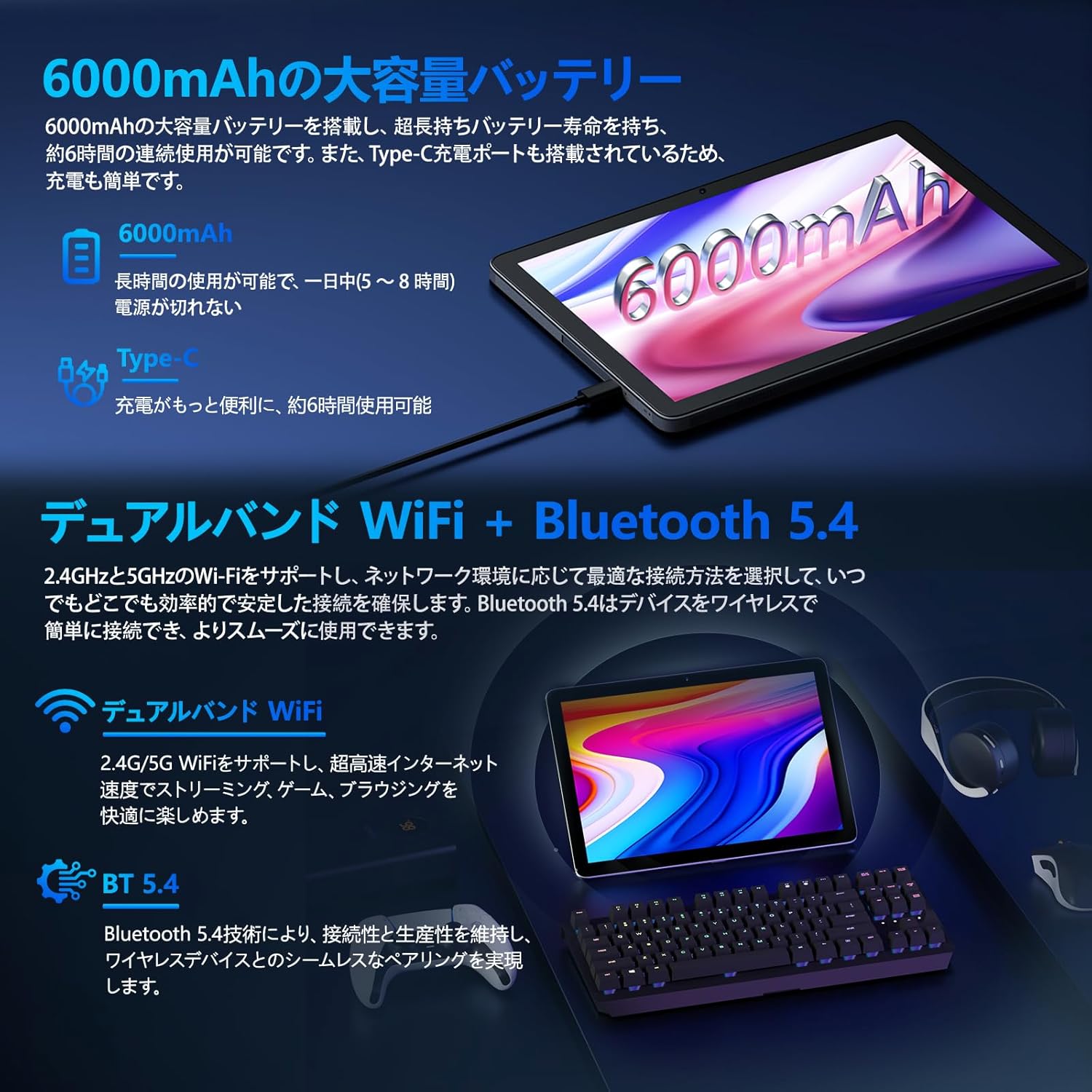
Image: Tablet highlighting battery capacity, Type-C charging, Wi-Fi, and Bluetooth features.
4.5 Càmeres
The tablet features a 5MP front camera and an 8MP rear camera with autofocus, suitable for video calls and capturing photos.
- Open the Camera app to take photos or record videos.
- Reconeixement facial: Use the front camera for quick and secure unlocking. Set this up in Settings > Security & privacy > Face unlock.

Image: Illustration of the tablet's front and rear cameras and their resolutions.
4.6 Kids Mode (Parental Controls)
The tablet includes a dedicated Kids Mode and parental control features to ensure a safe and controlled environment for children.
- Access Kids Mode to provide curated content and limit screen time.
- Parents can manage app usage and content access through parental control settings.
4.7 Sensors
The tablet is equipped with various sensors for enhanced functionality:
- GPS: Per a serveis de localització i navegació.
- Geomagnetic Sensor: Functions as a compass.
- Sensor de proximitat: Prevents unintended screen operations.
- Sensor de llum ambiental: Automatically adjusts screen brightness.
- Giroscopi: For tilt operations and AR applications.
- Acceleròmetre: Detects tilt, shock, and movement.
5. Manteniment
5.1 Cura de la bateria
The 6000mAh battery provides long usage times. To prolong battery life:
- Eviteu temperatures extremes.
- No deixeu que la bateria es descarregui completament amb freqüència.
- Feu servir el carregador i el cable proporcionats.
- Optimize battery usage in Configuració > Bateria.

Image: Tablet connected to a Type-C charger, highlighting the 6000mAh battery.
5.2 Neteja
Feu servir un drap suau i sense borrissol per netejar la pantalla i el cos de la tauleta. Eviteu utilitzar productes químics agressius o materials abrasius.
6. Solució De Problemes
If you encounter issues with your tablet, refer to the following common problems and solutions:
| Problema | Possible causa/solució |
|---|---|
| La tauleta no s'encén | Assegureu-vos que la bateria estigui carregada. Connecteu el carregador i espereu uns minuts abans d'intentar tornar-lo a engegar. |
| La pantalla no respon | Restart the tablet by holding the power button. If unresponsive, force restart by holding the power button for a longer duration (e.g., 10-15 seconds). |
| Problemes de connexió Wi-Fi | Check if Wi-Fi is enabled in settings. Restart your router. Forget the network and reconnect. |
| Device overheating / unexpected shutdowns | Close background applications. Avoid using the tablet in direct sunlight or hot environments. If the issue persists, contact customer support. |
| Les aplicacions es bloquegen o es bloquegen | Clear the app's cache (Settings > Apps > [App Name] > Storage & cache > Clear cache). Update the app. Reinstall the app. |
| Rendiment lent | Tanca les aplicacions en segon pla innecessàries. Esborra la memòria cau i les aplicacions temporals files. Ensure sufficient storage space. |
If the problem persists after trying these solutions, please contact Callsky customer support.
7. Especificacions
| Característica | Detall |
|---|---|
| Marca | Callsky |
| Nom del model | Ctab 10 |
| Sistema operatiu | Android 14 |
| Mida de la pantalla | 10.1 polzades |
| Resolució de visualització | 1280x800 pixels (Incell IPS) |
| CPU | Allwinner A523 Octa-core (1.8 GHz) |
| GPU | Mali-G57 (Integrated) |
| RAM | 3GB Physical + 9GB Virtual (Total 12GB) |
| Emmagatzematge intern | 128 GB |
| Emmagatzematge ampliable | Fins a 2 TB mitjançant targeta MicroSD |
| Càmera posterior | 8 MP |
| Càmera frontal | 5 MP |
| Wi-Fi | Wi-Fi 6 (802.11ac, 802.11b, 802.11g, 802.11n) |
| Bluetooth | Bluetooth 5.4 |
| Capacitat de la bateria | 6000mAh (22.8 Watt-hours, 1 Lithium Polymer cell) |
| Port de càrrega | Tipus-C |
| Dimensions | 32.4 x 20.3 x 3.4 cm |
| Pes | 425 g |
| Certificacions | GMS Certified, PSE Certified |
8. Garantia i Suport
The Callsky Ctab 10 tablet comes with a 2 any de garantia. This warranty covers manufacturing defects and ensures long-term reliability.
8.1 Atenció al client
If you encounter any issues or have questions regarding your Callsky tablet, please contact our customer support team. We are committed to providing prompt assistance.
- Mètode de contacte: Refer to your purchase platform (e.g., Amazon) for specific contact details. Typically, you can find seller contact information through your order history.
- Temps de resposta: We aim to respond to inquiries within 24 hours on weekdays and within 48-72 hours on weekends or holidays.
Please have your product model (Ctab 10) and purchase details ready when contacting support.