
Infinity DM 56
infiniity DM56 Sport Smartwatch User Manual
Model: DM 56
Introducció
The infiniity DM56 Sport Smartwatch is designed to enhance your active lifestyle by providing comprehensive fitness and health tracking capabilities. Featuring a vibrant 1.43-inch AMOLED HD display, built-in GPS, and extensive health monitoring, this smartwatch is a reliable companion for both daily wear and rigorous activities. This manual provides essential information for setting up, operating, and maintaining your DM56 smartwatch.
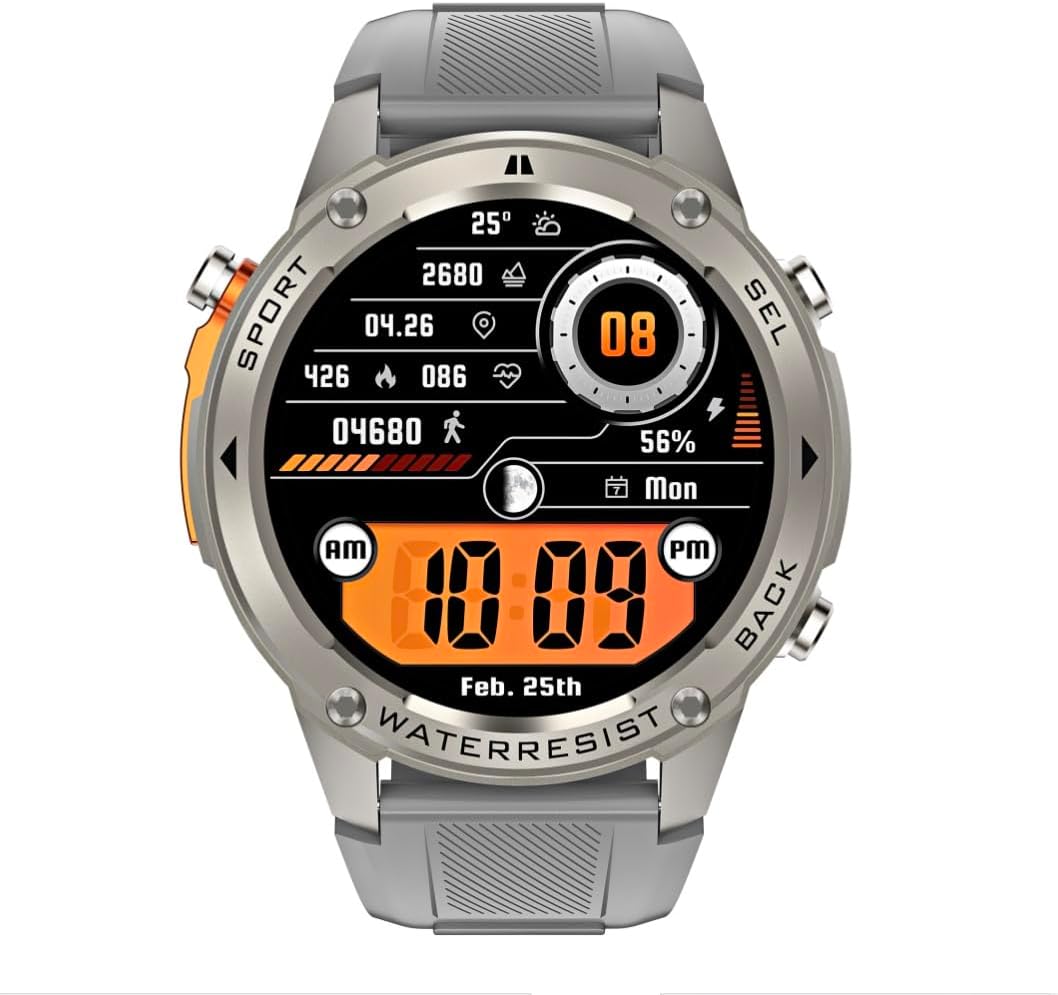
Imatge: Frontal view of the infiniity DM56 Sport Smartwatch, displaying a digital watch face with time, date, activity data, and battery level. The watch features a silver bezel and a light grey silicone strap.
Informació de seguretat
- No intenteu desmuntar ni modificar el dispositiu. Això pot anul·lar la garantia i causar danys.
- Mantingueu el dispositiu allunyat de temperatures extremes, llum solar directa i líquids corrosius.
- Eviteu exposar el dispositiu a impactes o caigudes fortes.
- Consulteu un professional mèdic abans de començar qualsevol nou règim d'exercici, sobretot si teniu problemes de salut preexistents.
- The device is 5ATM waterproof, suitable for swimming and showering, but not for diving or high-pressure water activities.
- Use only the provided charging cable and a compatible power adapter (5V, 0.5A) to prevent damage.
Què hi ha a la caixa
- infiniity DM56 Sport Smartwatch
- Cable de càrrega
- Manual d'usuari (aquest document)
Configuració
1. Càrrega del rellotge intel·ligent
Before first use, fully charge your DM56 smartwatch. Connect the magnetic charging cable to the charging contacts on the back of the watch and plug the USB end into a power source (e.g., computer USB port or a 5V/0.5A USB power adapter).

Imatge: Part posterior view of the DM56 smartwatch, highlighting the optical heart rate sensor and magnetic charging contacts. The watch features a light grey silicone strap.
The watch display will show the charging status. A full charge typically takes approximately 2 hours.
2. Instal·lació i emparellament de l'aplicació
To unlock the full functionality of your DM56 smartwatch, you need to download and install the companion application on your smartphone.
- Descarrega l'aplicació: Cerca the "infiniity Fit" app (or similar, check packaging for exact name) in the Apple App Store (for iOS 11 and above) or Google Play Store (for Android 5.0 and above).
- Crea un compte: Obriu l'aplicació i seguiu les instruccions que apareixen a la pantalla per crear un compte d'usuari nou o iniciar la sessió si ja en teniu un.
- Activa el Bluetooth: Assegureu-vos que el Bluetooth estigui habilitat al vostre telèfon intel·ligent.
- Parella el dispositiu: In the app, navigate to the "Device" or "Add Device" section. The app will scan for available smartwatches. Select "DM56" from the list of discovered devices.
- Confirmeu l'aparellament: És possible que aparegui una sol·licitud d'emparellament tant al telèfon com al rellotge intel·ligent. Confirma l'emparellament en tots dos dispositius.
- Configuració completa: Once paired, the app will guide you through initial settings such as personal profile, notification preferences, and health monitoring permissions.
Instruccions de funcionament
1. Navegació bàsica
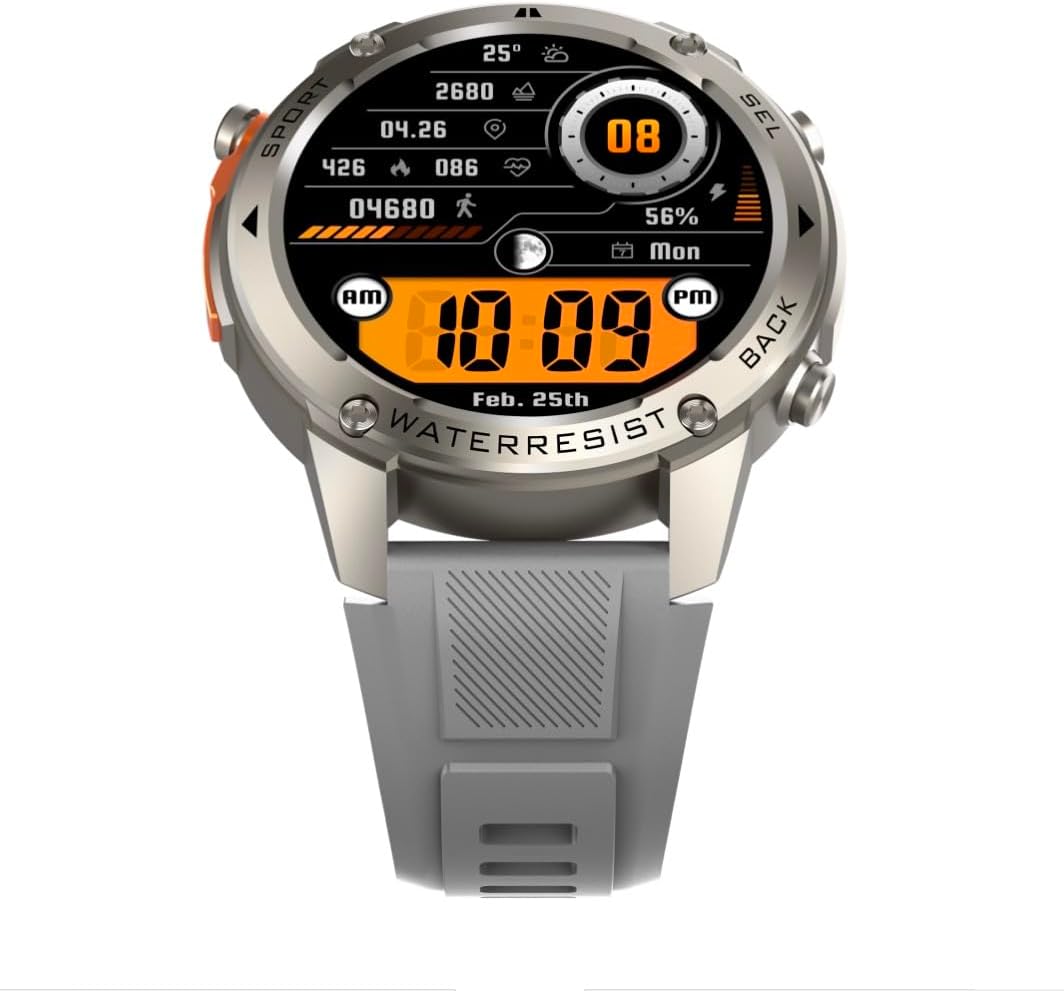
Imatge: Frontal view of the DM56 smartwatch, showcasing its 1.43-inch AMOLED display with a digital watch face showing time, date, steps, heart rate, and battery level. The watch has a silver bezel and light grey strap.
- Pantalla tàctil: Swipe left/right to navigate between main screens (e.g., activity, heart rate, weather). Swipe up to access notifications. Swipe down to access quick settings. Tap to select an item or enter a menu.
- Botons laterals: The DM56 features multiple physical buttons.
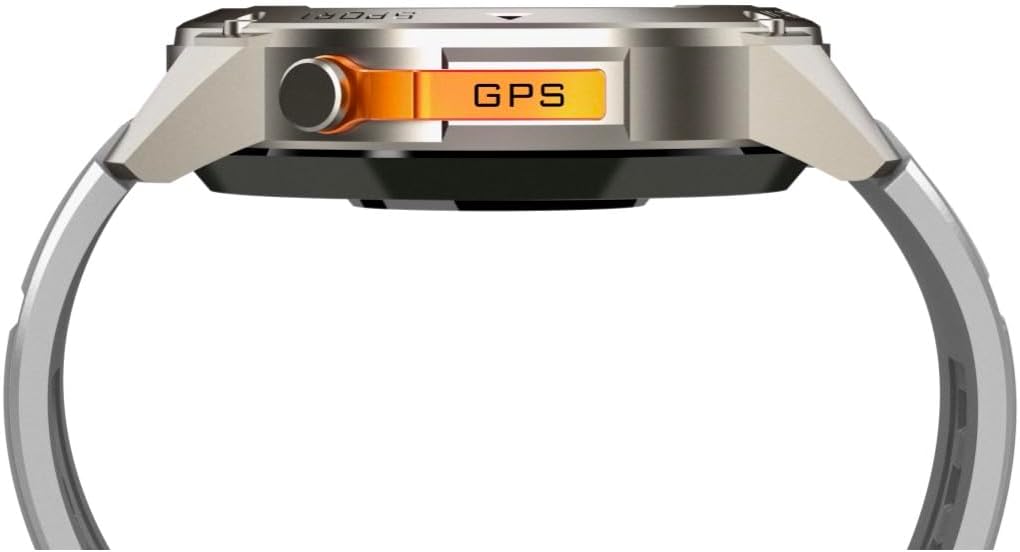
Imatge: Lateral view of the DM56 smartwatch, highlighting the orange "GPS" button on the right side of the watch case. This button is used for quick access to GPS functions or sport modes.
- Botó d'engegada/inici: Typically located on the top right. Press to wake/sleep the screen, or long-press to power on/off. From any screen, press to return to the watch face.
- Sport/GPS Button: Often highlighted (e.g., orange). Press to quickly launch sport modes or activate GPS.
- Select/Back Buttons: Used for navigating menus, confirming selections, or going back to the previous screen. Refer to the on-screen prompts for specific button functions.
2. Característiques de la pantalla
The 1.43-inch AMOLED display offers vibrant colors and deep blacks. It supports an Always-On Display (AOD) mode, allowing you to see the time and essential information without raising your wrist or tapping the screen. AOD settings can be configured in the companion app.
3. Monitorització de la salut
The DM56 smartwatch is equipped with the VC30F sensor for comprehensive health tracking:
- Monitorització de la freqüència cardíaca: Continuous heart rate tracking provides insights into your cardiovascular health. View dades en temps real al rellotge o tendències detallades a l'aplicació.
- Monitorització d'oxigen en sang (SpO2): Measures the oxygen saturation level in your blood.
- Monitorització del son: Fa un seguiment automàtic del teu sontages (deep, light, REM) and provides a sleep quality score.
- Seguiment de l'estrès: Monitors your stress levels throughout the day.
- Podòmetre: Counts your daily steps, distance, and calories burned.
Note: Health monitoring data is for reference only and should not be used for medical diagnosis or treatment.
4. Modes esportius i GPS
The DM56 supports over 170 sports modes, with 14 built-in modes and the ability to add more via the app. It features L1+L5 dual-frequency GPS and multi-system positioning (GPS, GLONASS, BDS, Galileo, NAVIC, QZSS) for accurate outdoor activity tracking.
- Començar un entrenament: Press the Sport/GPS button or navigate to the "Workout" menu on the watch. Select your desired activity (e.g., Outdoor Running, Cycling).
- Adquisició GPS: For outdoor activities, ensure you are in an open area for faster GPS signal acquisition. The watch will indicate when GPS is ready.
- Durant l'entrenament: The watch will display real-time metrics such as duration, distance, pace, heart rate, and calories burned.
- Ending a Workout: Press the appropriate button or swipe on the screen to pause or end the workout. Confirm to save the data. Detailed workout summaries are available in the app.
5. Smart Notifications and Calls
Once paired with your smartphone, the DM56 can receive notifications for calls, SMS messages, and various apps. You can answer or reject calls directly from the watch.
- Enabling Notifications: Configure which app notifications you wish to receive in the companion app settings.
- ViewNotificacions: Llisca cap amunt a l'esfera del rellotge per view notificacions recents.
- Respondre/rebutjar trucades: When an incoming call arrives, tap the green icon to answer or the red icon to reject. The watch uses its built-in microphone and speaker for calls.
6. Resistència a l'aigua (5 ATM)
The DM56 has a 5ATM waterproof rating, meaning it can withstand water pressures equivalent to a depth of 50 meters. It is suitable for swimming in pools or shallow water, showering, and daily use. It is not recommended for diving, snorkeling, or high-speed water sports.
- No accioneu els botons sota l'aigua.
- Després de l'exposició a l'aigua salada, esbandiu el rellotge amb aigua fresca i eixugueu-lo bé.
Manteniment
- Neteja: Netegeu regularment la caixa del rellotge i la corretja amb un damp cloth. For the charging contacts and sensors on the back, use a dry cotton swab to remove any dust or debris.
- Substitució de la corretja: The silicone straps are replaceable. Refer to the quick-release pins on the underside of the strap for removal and attachment.
- Actualitzacions de programari: Periodically check the companion app for firmware updates. Updates often include performance improvements, bug fixes, and new features. Ensure your watch is sufficiently charged before starting an update.
- Emmagatzematge: Si guardeu el rellotge durant un període prolongat, carregueu-lo al 50% aproximadament i guardeu-lo en un lloc fresc i sec.
Resolució de problemes
| Problema | Possible solució |
|---|---|
| Watch won't turn on. | Assegura't que el rellotge estigui completament carregat. Connecta'l al cable de càrrega i a una font d'alimentació durant almenys 30 minuts. |
| No es pot emparellar amb el telèfon intel·ligent. |
|
| Notificacions no rebudes. |
|
| Dades de salut inexactes. |
|
| GPS signal acquisition is slow. |
|
Especificacions
| Característica | Detall |
|---|---|
| Nom del model | DM 56 |
| Marca | Infinit |
| Mostra | 1.43 Inches AMOLED, 466x466 pixels |
| Sensors | Heart Rate (VC30F), Accelerometer (STK8321), Magnetometer (Compass), Barometer+Altitude (SPL07-03) |
| Connectivitat | Bluetooth 5.3 |
| Capacitat de la bateria | 500 mAh (ió de liti) |
| Nivell impermeable | 5 ATM (fins a 50 metres) |
| GPS | Built-in GPS (L1+L5 dual-frequency), Multi-System Positioning (GPS, GLONASS, BDS, Galileo, NAVIC, QZSS) |
| Compatibilitat | Android 5.0+ and iOS 11 and above |
| Característica especial | Pantalla AMOLED sempre activa |
| Pes de l'article | 0.65 unces |
| Dimensions del paquet | 4.25 x 4.25 x 2.8 polzades |
Garantia i Suport
For warranty information and technical support, please refer to the official Infinity weblloc web o contacteu directament amb el servei d'atenció al client. Conserveu el rebut de compra com a comprovant de compra per a reclamacions de garantia.
Fabricant: Infiniity
Ask a question about this manual
Ask about setup, troubleshooting, compatibility, parts, safety, or missing instructions. Manuals+ will review the question and use this page’s manual context to help answer it.