
1. Producte acabatview
This manual provides comprehensive instructions for the Eonon 9-inch Car Stereo, model FDF1X7, designed specifically for Ford F150 vehicles manufactured between 2009 and 2014. This advanced car stereo system features Android 14, wireless Apple CarPlay and Android Auto, Bluetooth 5.4, a high-definition touchscreen, and integrated GPS navigation. It is engineered to enhance your in-car entertainment and connectivity while retaining essential factory features of your vehicle.

Figure 1.1: The Eonon 9-inch Car Stereo unit, shown with its integrated frame, external microphone, and included backup camera. This image provides a complete view of the main product and key accessories.
Característiques clau
- Sistema operatiu: Latest Android 14 for smooth and responsive performance.
- Visualització: 9-inch IPS HD Touchscreen with 1280x720 resolution for vibrant colors and sharp details.
- Connectivitat: Wireless and Wired Apple CarPlay & Android Auto, Bluetooth 5.4, Wi-Fi, and USB.
- Navegació: Supports online and offline GPS navigation.
- Àudio: Professional 32-bit DSP with FFT Acceleration, 48-Band EQ with 3D Surround & Virtual Bass, optimized for car acoustics.
- Integració OEM: Designed for plug-and-play installation, retaining factory features such as steering wheel controls, door information, and AC control display.
- Expandabilitat: Supports Eonon dashcam (A100) and DAB+ V0056 (sold separately).
- Càmera de seguretat: Includes a 720P AHD backup camera (A0125).
2. Configuració i instal·lació
2.1 Contingut del paquet
Before beginning installation, verify that all components listed below are present in your package.
- Cable d'alimentació (x1)
- GPS Antenna (x1)
- USB Adapter Cable (x2)
- Audio/Video Adapter Cable (x1)
- Audio Adapter Cable (x1)
- Reverse Video Input Cable (x1)
- 15A Spare Fuse (x1)
- External Microphone (x1)
- Manual d'usuari (x1)
- CANBUS Module (x1)
- Double-Sided Adhesive Tape (x1)
- Radio Antenna Adapter Cable (x1)
- Plastic Mounting Bracket (x2)
- Cargols (x4)

Figure 2.1: Visual representation of the car stereo unit and all items included in the box, detailing each component for easy identification.
2.2 Compatibilitat del vehicle
This car stereo is designed for Ford F150 models from 2009 to 2014. Please ensure your vehicle's center console matches the suitable configurations shown below. The unit will replace the LCD display at the top of the center console, with AC information now shown on the car stereo screen.

Figure 2.2: Compatibility chart illustrating suitable and unsuitable Ford F150 dashboard configurations for the Eonon car stereo.
2.3 Esquema de cablejat
Refer to the following diagram for proper wiring connections. Ensure all cables are securely connected to prevent operational issues.

Figure 2.3: Comprehensive wiring diagram indicating all connection points for the car stereo, including power, audio, video, and accessory inputs.
Nota important: Ensure the reverse video input cable is properly connected. Incorrect connection may affect steering wheel controls and backup camera functionality.
3. Instruccions de funcionament
3.1 Funcionament bàsic i pantalla
The Eonon car stereo features a responsive 9-inch IPS HD touchscreen with a resolution of 1280x720 pixels, providing clear visuals and a wide 178° viewangle de ing.

Figure 3.1: Details of the 9-inch IPS HD touchscreen, highlighting its 1280x720 resolution, capacitive touch, and 178° viewangle de ing.
The system runs on Android 14, offering a familiar and flexible user experience with access to various applications.

Figure 3.2: The Android 14 interface displayed on the car stereo, showcasing app flexibility and ease of use.
3.2 Smartphone Integration (CarPlay, Android Auto, Screen Mirroring)
The stereo supports both wireless and wired Apple CarPlay and Android Auto, allowing seamless integration with your smartphone for navigation, communication, and entertainment.
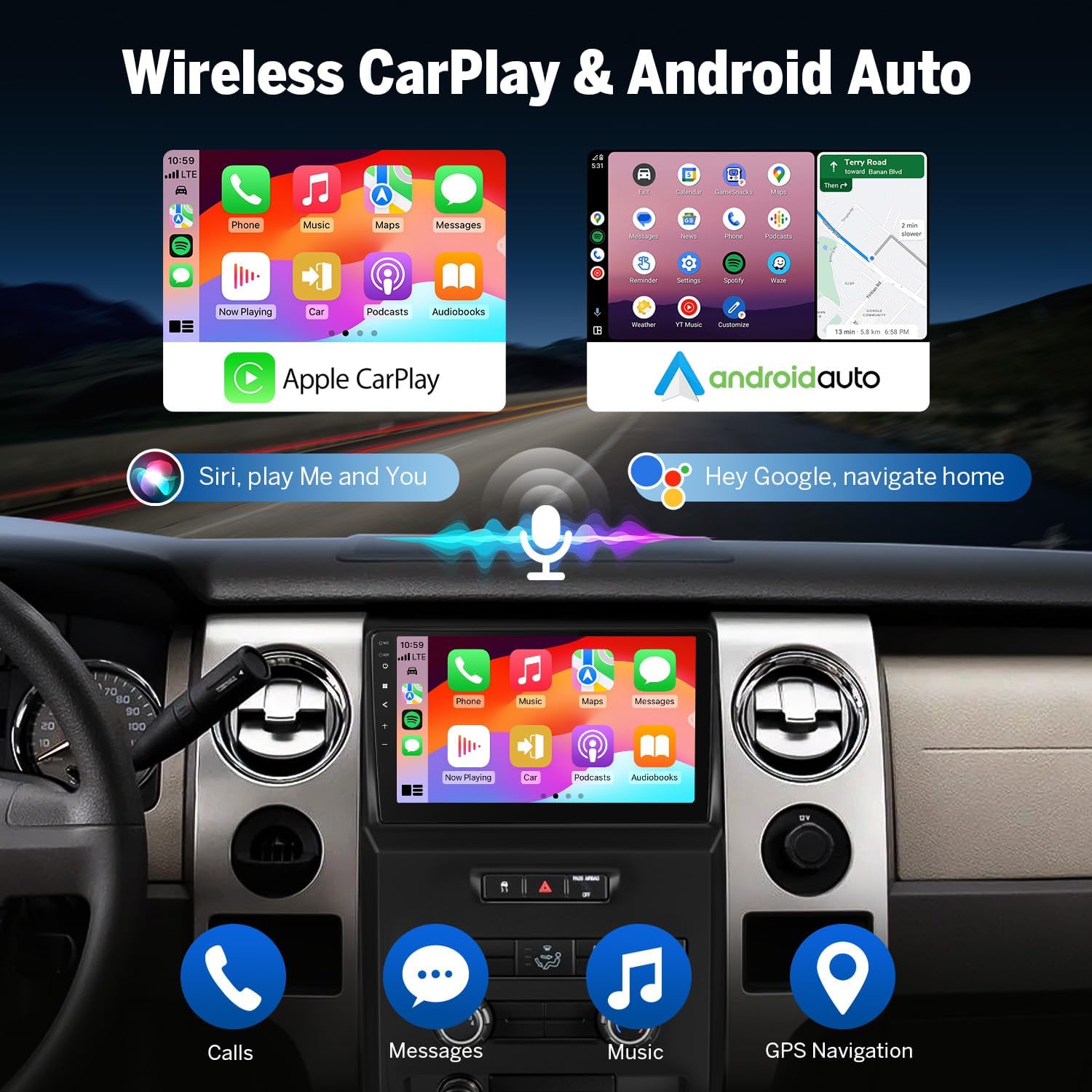
Figure 3.3: Depiction of the Apple CarPlay and Android Auto interfaces on the car stereo, illustrating voice command integration for Siri and Google Assistant.
Wireless Apple CarPlay Connection
- Click the Zlink5 app on the car stereo.
- Turn on Wi-Fi and Bluetooth on your iPhone.
- Find 'EONON' in your phone's Bluetooth device list and pair it. Once connected, tap 'Use CarPlay'.
- Espereu uns segons per completar la connexió.

Figure 3.4: Step-by-step guide for establishing a wireless Apple CarPlay connection with the Eonon car stereo.
Connexió automàtica d'Android sense fil
- Click the Zlink5 app on the car stereo.
- Turn on Wi-Fi and Bluetooth on your Android phone.
- Find 'EONON' in your phone's Bluetooth device list and pair it.
- Espereu uns segons per completar la connexió.

Figure 3.5: Step-by-step guide for establishing a wireless Android Auto connection with the Eonon car stereo.
Screen Mirroring per a iOS
- Click the Zlink5 app on the car stereo. Set the car stereo to iPhone wireless screen mirroring mode.
- Turn on the iPhone hotspot and connect to the car stereo.
- Turn on the iPhone screen mirroring function and select "zj-airplay".

Figure 3.6: Instructions for mirroring an iOS device screen to the Eonon car stereo.
Screen Mirroring per a Android
- Click the Zlink5 app on the car stereo. Set the car stereo to Android wireless screen mirroring mode.
- Turn on the phone's hotspot and connect to the car stereo.
- Install the Zplus app on your phone. Turn on the app and select "wireless connection".
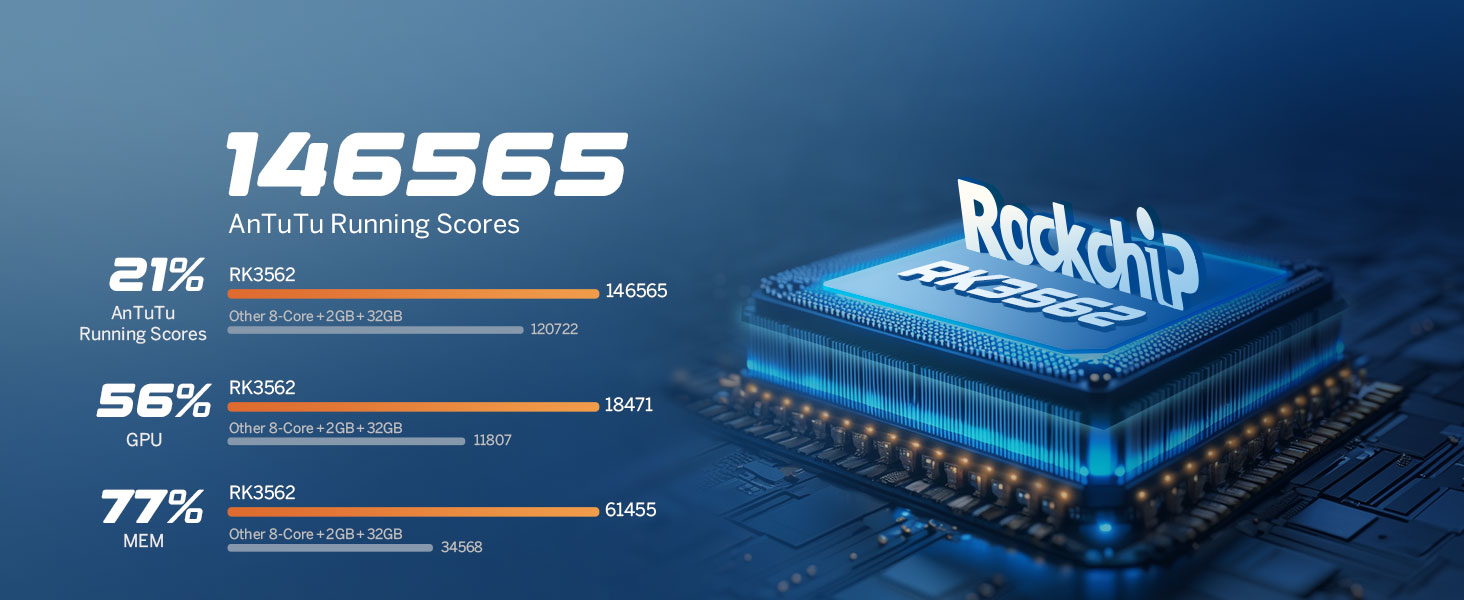
Figure 3.7: Instructions for mirroring an Android device screen to the Eonon car stereo.
3.3 Funcionalitat Bluetooth
The built-in Bluetooth 5.4 system supports hands-free calls, contact synchronization, and music playback. An external microphone is included for clear call quality.

Figura 3.8: Mésview of the independent Bluetooth module and extra Bluetooth antenna, highlighting quick connection, noise reduction, crystal-clear call quality, and high-quality music streaming.
3.4 Funcions d'àudio
Experience superior sound quality with the professional 32-bit DSP (Digital Signal Processor) and a 48-band EQ with 3D Surround & Virtual Bass.

Figure 3.9: Diagram illustrating the professional 32-bit DSP with FFT Acceleration, 48-Band EQ with 3D Surround & Virtual Bass, and optimization for car acoustics.
The system allows for extensive audio customization with a 36-band graphic equalizer and 6 EQ modes.
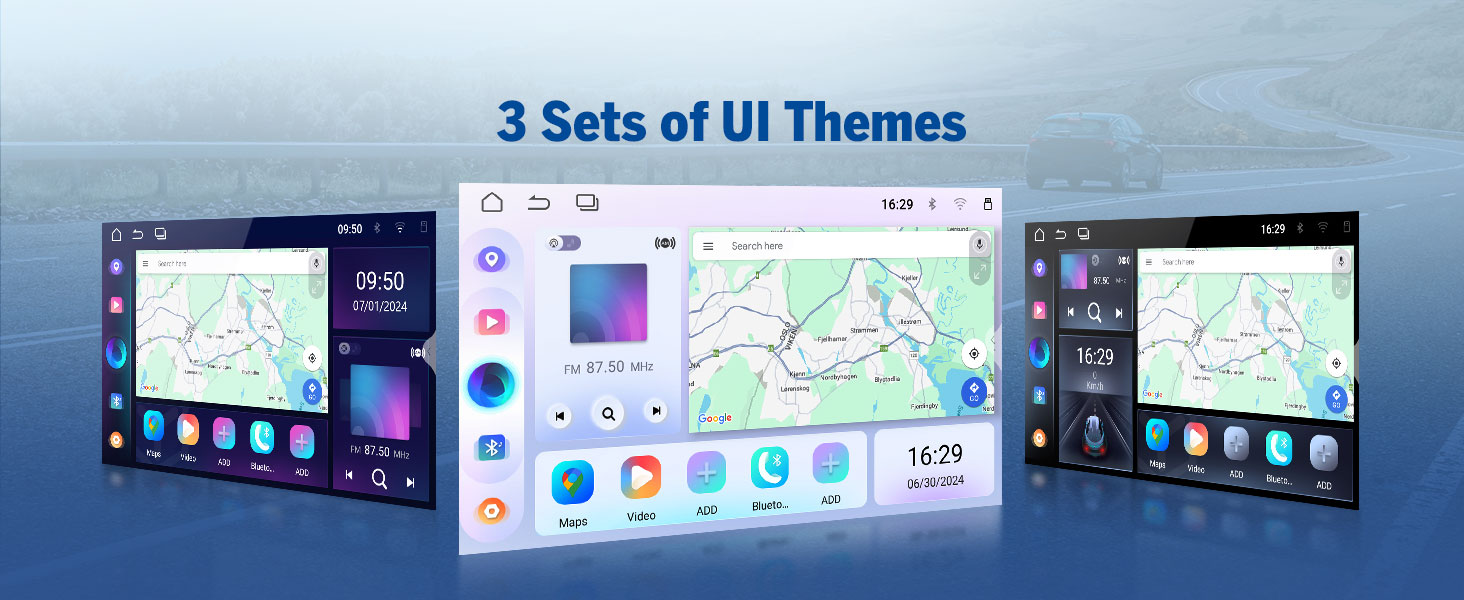
Figure 3.10: Interface showing the 36-band graphic equalizer and various EQ modes for personalized audio settings.
3.5 OEM Feature Retention
The Eonon car stereo is designed to integrate seamlessly with your Ford F150, retaining important factory features.

Figure 3.11: Visuals demonstrating the retention of factory features such as steering wheel controls, door reminders, AC control, AC information display, and car amplifier compatibility.
3.6 Opcions de personalització
Personalize your car stereo experience with 3 customizable UI themes, adjustable button colors, and custom boot logos and wallpapers.

Figura 3.12: Examples of the three customizable UI themes available on the Eonon car stereo.

Figure 3.13: Customization options including boot logo, button color selection, and wallpaper settings.
3.7 Backup Camera and Optional Accessories
The system includes a 720P AHD backup camera (A0125) with reversing guidelines, a 140° rear viewing angle, and IP68 waterproof rating.

Figure 3.14: Features of the included A0125 backup camera, including reversing guidelines, 720P AHD resolution, 140° viewing angle, and IP68 waterproofing.
The stereo also supports optional accessories such as the Eonon dashcam (A100) for front-view recording and the V0056 OBD2 scanner for vehicle diagnostics.

Figure 3.15: Illustration of the A100 Dash Cam (not included) and its features, including 120° viewing angle and video playback.
Figure 3.16: Depiction of the V0056 OBD2 scanner (not included) and its functions for vehicle fault diagnosis and real-time status monitoring.
4. Manteniment
4.1 Actualitzacions de programari (OTA)
Keep your car stereo up-to-date through Over-The-Air (OTA) firmware updates. These updates fix software issues and enhance security.

Figure 4.1: Visual representation of the OTA update process, emphasizing ease of updating software.
Nota: These updates are for the software/firmware and do not upgrade the Android operating system version.
4.2 Neteja i cura
To maintain the display and unit, gently wipe the screen with a soft, lint-free cloth. Avoid using abrasive cleaners or solvents, which can damage the screen and finish.
5. Solució De Problemes
This section addresses common issues you might encounter with your Eonon car stereo.
| Problema | Causa possible | Solució |
|---|---|---|
| No hi ha alimentació/la unitat no s'encén | Connexió d'alimentació fluixa, fusible fundit, problema amb la bateria del vehicle. | Check power cable connections. Inspect and replace the 15A spare fuse if blown. Ensure vehicle battery is charged. |
| No hi ha so dels altaveus | Cablejat incorrecte de l'altaveu, volum massa baix, funció de silenci activa, ampqüestió de lifier. | Verify speaker wire connections according to the wiring diagram. Increase volume. Check if mute is enabled. Ensure external ampEl lificador (si s'utilitza) està encès. |
| CarPlay/Android Auto no es connecta sense fil | Bluetooth/Wi-Fi not enabled on phone or stereo, incorrect pairing, Zlink5 app not running. | Ensure Bluetooth and Wi-Fi are active on both devices. Re-pair the phone with the stereo. Open the Zlink5 app on the stereo and follow the connection steps. |
| Backup camera not displaying image | Incorrect video input connection, camera power issue, faulty camera. | Check the reverse video input cable connection. Ensure the camera is receiving power when the vehicle is in reverse. Verify camera functionality. |
| Els comandaments del volant no funcionen | CANBUS module not connected, incorrect wiring, controls not programmed. | Ensure the CANBUS module is correctly installed. Verify wiring. Access the Android OS settings to program or re-calibrate steering wheel buttons. |
| La pantalla no respon o està bloquejada | Error de programari, error temporal del sistema. | Perform a soft reset by pressing and holding the power button until the unit restarts. If the issue persists, disconnect the car battery for a few minutes to perform a hard reset. |
6. Especificacions
| Característica | Detall |
|---|---|
| Marca | EONON |
| Número de model de l'article | FDF1X6 |
| Dimensions del producte | 1.18 x 14.41 x 9.41 polzades |
| Pes de l'article | 3.53 lliures |
| Sistema operatiu | Android 14 |
| Mida de la pantalla | 9 polzades (23 cm en diagonal) |
| Resolució de visualització | 1280 x 720 píxels |
| RAM | 2 GB |
| ROM (emmagatzematge intern) | 32 GB |
| Tecnologia de connectivitat | Bluetooth 5.4, USB, Wi-Fi (5GHz) |
| Característiques especials | Android Auto, Apple CarPlay, Built-In Bluetooth, Built-In Wi-Fi, GPS Navigation, RDS/FM Radio, DSP |
| Dispositius compatibles | Smartphone |
| Mode de sortida d'àudio | estèreo |
| Configuració del canal de so envoltant | 5.1 |
| Suport de codificació de vídeo | MPG, DAT, TS, AVI, MP4, MOV, 3GP, ASF, VOB, MKV, FLV, RM, RMVB |
| Color | Negre |
7. Garantia i Suport
For warranty information and technical support, please contact EONON directly through their official website or the seller from whom you purchased the product. Keep your purchase receipt as proof of purchase.
EONON is committed to customer satisfaction and provides support for their products.
Video 7.1: Official Eonon FDF1X7 Car Stereo overview for Ford F150 (2009-2014). This video provides a visual demonstration of the product's features and functionality.