
Introducció
The MiBOXER FUT014 E26 6W RGB+CCT LED Bulb is an advanced lighting solution designed for versatile illumination. This smart bulb integrates RGB color capabilities with adjustable white tones (Correlated Color Temperature - CCT), allowing for a wide range of lighting effects. It operates using 2.4GHz RF technology for wireless control.
This manual provides essential information for the safe and effective use of your MiBOXER FUT014 LED Bulb, including installation, operation, and maintenance guidelines.
Característiques del producte
- RGB+CCT Technology: Offers 16 million colors and adjustable white tones from warm white (2700K) to cool white (6500K).
- Control sense fil: Compatible with 2.4GHz RF remote controls for adjusting brightness, color, and lighting modes.
- Efectes d'il·luminació dinàmica: Includes various pre-set modes for creating different ambiances.
- Multi-Zone Synchronization: Capable of synchronizing with other MiBOXER devices for unified lighting control within a 30m range.
- Eficient energètic: Consumes 6W while providing ampla brillantor.
- Base estàndard E26: Ensures easy installation in most standard light fixtures.

Figure 1: Key features of the MiBOXER FUT014 LED Bulb.
Especificacions
| Número de model | FUT014 |
| Wattage | 6W |
| Base del bulb | E26 |
| Tipus de llum | LED |
| Color clar | RGB+CCT (2700K-6500K) |
| Mètode de control | RF sense fil de 2.4 GHz |
| Distància de control | Fins a 30 m |
| Entrada Voltage | AC100-240V, 50/60Hz |
| Material | Plàstic |

Figure 2: MiBOXER FUT014 LED Bulb with specifications printed on its body.
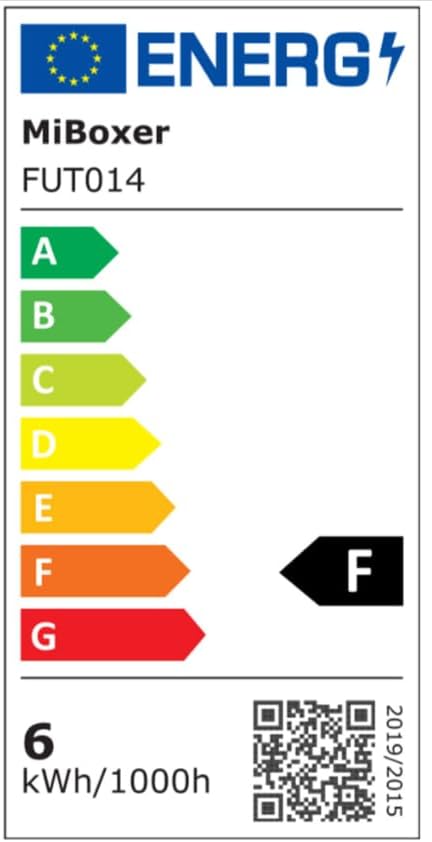
Figure 3: Energy efficiency label for the FUT014 bulb. For more details, visit eprel.ec.europa.eu/qr/879188.
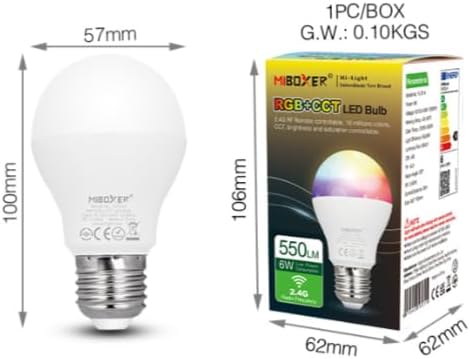
Figure 4: Physical dimensions of the bulb and its packaging.
Configuració i instal·lació
- Apagar: Before installation, ensure the power to the light fixture is turned off at the main switch or circuit breaker.
- Instal·leu la bombeta: Carefully screw the MiBOXER FUT014 LED Bulb into a standard E26 base light fixture. Do not overtighten.
- Encès: Restore power to the light fixture. The bulb should light up in its default mode.
- Pairing with Remote (if applicable):
- Turn off the bulb's power.
- Turn on the bulb's power.
- Within 3 seconds of turning on, press the "ON" button for the desired zone on your 2.4GHz RF remote control three times.
- La bombeta parpelleja tres vegades per indicar que l'aparellament ha estat correcte.
Nota: If pairing fails, repeat the steps. Ensure the remote control is within the 30m control distance of the bulb.
Instruccions de funcionament
The MiBOXER FUT014 LED Bulb can be controlled via a compatible 2.4GHz RF remote control or, with an optional 2.4GHz gateway, through a smartphone app and third-party voice assistants.
Using a 2.4GHz RF Remote Control
Once paired, use your MiBOXER 2.4GHz RF remote to control the bulb's functions:
- Encès/apagat: Use the dedicated power buttons for the paired zone.
- Ajust de brillantor: Use the brightness up/down buttons or slider.
- Selecció de color: Access the color wheel or specific color buttons to choose from 16 million colors.
- Ajust de la temperatura de color (CCT): Adjust white light from warm (2700K) to cool (6500K).
- Selecció del mode: Cycle through pre-programmed dynamic lighting modes.
- Ajust de saturació: Modify the intensity of colors.
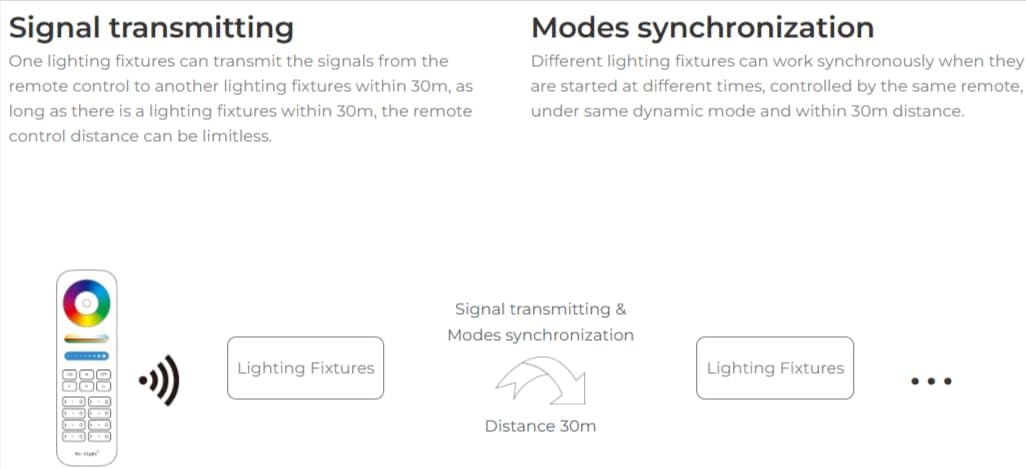
Figure 5: Signal transmission and synchronization capabilities.
Smartphone App and Voice Control (Requires 2.4GHz Gateway)
To enable smartphone app control (e.g., MiBoxer app) and integration with third-party voice assistants (e.g., Amazon Alexa, Google Assistant), a separate MiBOXER 2.4GHz gateway is required. This gateway bridges the 2.4GHz RF signal to your Wi-Fi network.
- Configuració de la passarel·la: Refer to the specific instruction manual for your MiBOXER 2.4GHz gateway for setup and connection to your home Wi-Fi network.
- Instal·lació de l'aplicació: Download the MiBoxer app from your smartphone's app store.
- Addició del dispositiu: Follow the app's instructions to add your FUT014 bulb(s) to the gateway.
- Integració de l'Assistent de veu: Link your MiBoxer account with Amazon Alexa or Google Assistant through their respective apps to enable voice commands.
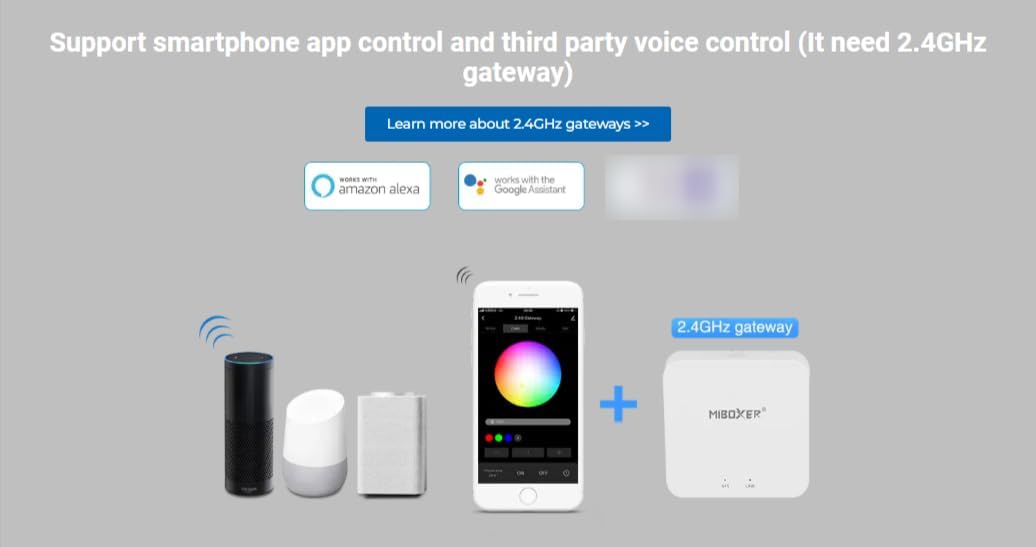
Figure 6: Smartphone app and voice control setup with a 2.4GHz gateway.
Manteniment
- Neteja: Ensure the bulb is cool and power is off before cleaning. Wipe with a soft, dry cloth. Do not use liquid cleaners or abrasive materials.
- Substitució: If the bulb ceases to function, ensure power is off before carefully unscrewing it from the fixture and replacing it with a new one.
- Medi ambient: Use the bulb in dry indoor environments. Avoid exposure to water or high humidity.
Resolució de problemes
| Problema | Causa possible | Solució |
|---|---|---|
| La bombeta no s'encén. | No power, loose connection, or faulty bulb. | Check power supply. Ensure bulb is screwed in securely. Test bulb in another fixture or replace if faulty. |
| Bulb does not respond to remote. | Not paired, remote battery low, or out of range. | Re-pair the bulb with the remote (see Setup section). Replace remote batteries. Ensure remote is within 30m of the bulb. |
| Colors or brightness are inconsistent. | Interference or synchronization issue. | Ensure no other 2.4GHz devices are causing interference. Re-synchronize bulbs if using multiple in a zone. |
| Cannot control via smartphone app/voice. | Gateway not connected, bulb not added to gateway, or Wi-Fi issue. | Verify the 2.4GHz gateway is powered on and connected to Wi-Fi. Ensure the bulb is correctly added to the gateway via the app. Check your home Wi-Fi network. |
Garantia i Suport
The MiBOXER FUT014 LED Bulb comes with a limited manufacturer's warranty. For specific warranty terms and conditions, please refer to the documentation provided with your purchase or contact MiBOXER customer support directly.
For technical assistance or support, please visit the official MiBOXER weblloc web o poseu-vos en contacte amb el seu departament d'atenció al client. Conserveu el rebut de compra com a comprovant de compra per a reclamacions de garantia.