
Introducció
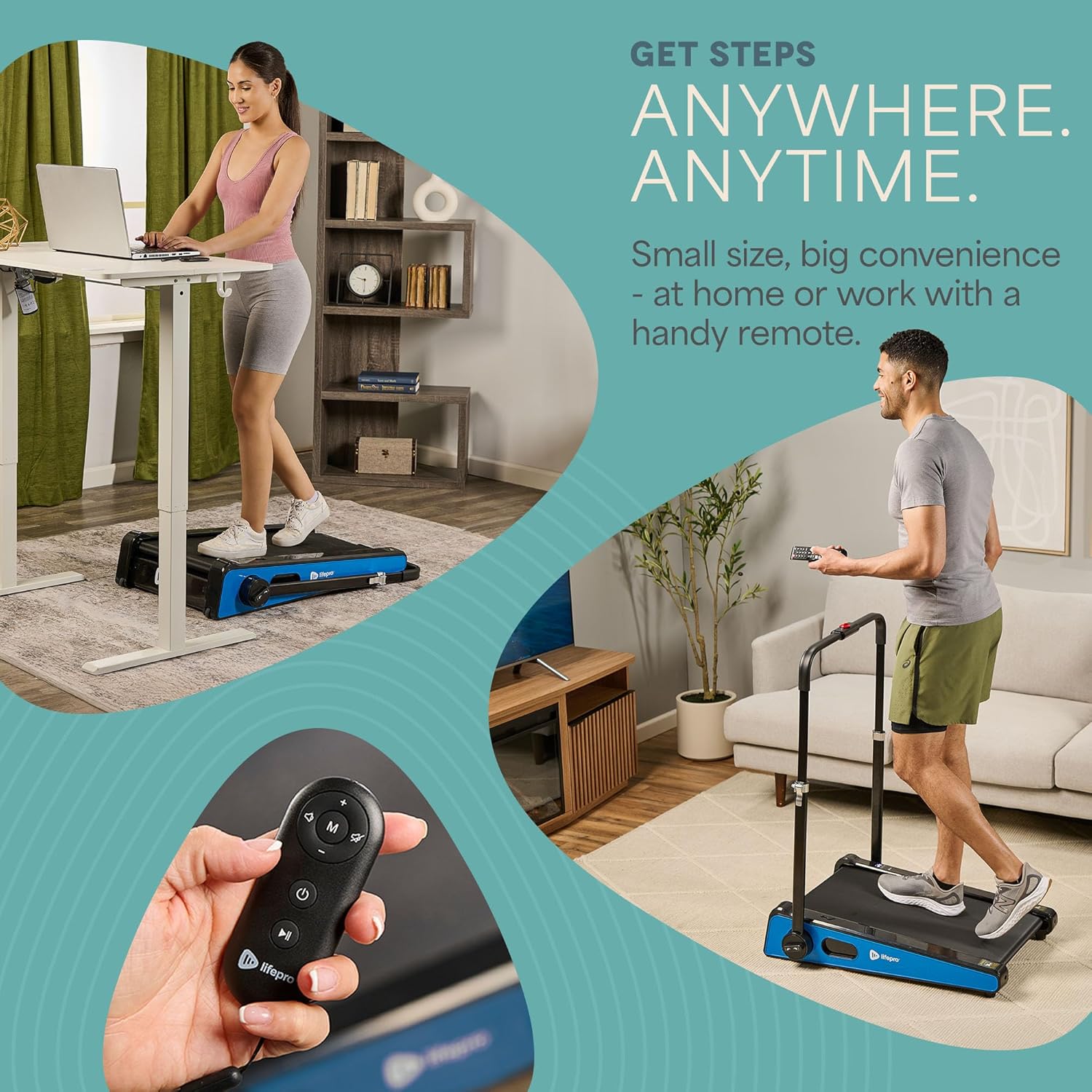
The LifePro Pacer Mini Pro Treadmill is a compact and versatile walking pad designed for light exercise and fitness in both home and office environments. Its adjustable incline and variable speed settings allow for a customized workout experience, helping you stay active throughout your day. This manual provides essential information for the safe and effective use, setup, operation, and maintenance of your Pacer Mini Pro Treadmill.
Informació important de seguretat
Please read and understand all instructions before operating the treadmill. Failure to follow these instructions may result in injury or damage to the product.
- Col·loqueu sempre la cinta de córrer sobre una superfície plana i estable.
- Mantingueu els nens i les mascotes lluny de la cinta de córrer durant el funcionament.
- No utilitzeu la cinta de córrer si està danyada o no funciona correctament.
- Consulta un metge abans de començar qualsevol nou programa d'exercicis.
- Assegureu-vos que el cable d'alimentació no estigui pessigat ni danyat.
- Do not attempt to service the treadmill yourself. Contact customer support for assistance.
Contingut del paquet
Verifiqueu que tots els components siguin presents al paquet:
- LifePro Pacer Mini Pro Treadmill Unit
- Control remot
- Cable d'alimentació
- Lubricant
- Manillar ajustable
- Suport per a tauletes
Configuració
Follow these steps to set up your LifePro Pacer Mini Pro Treadmill:
- Desembalatge: Traieu amb cura la cinta de córrer i tots els components de l'embalatge.
- Col·locació: Choose a flat, stable surface for the treadmill. Ensure there is adequate space around the unit for safe operation.
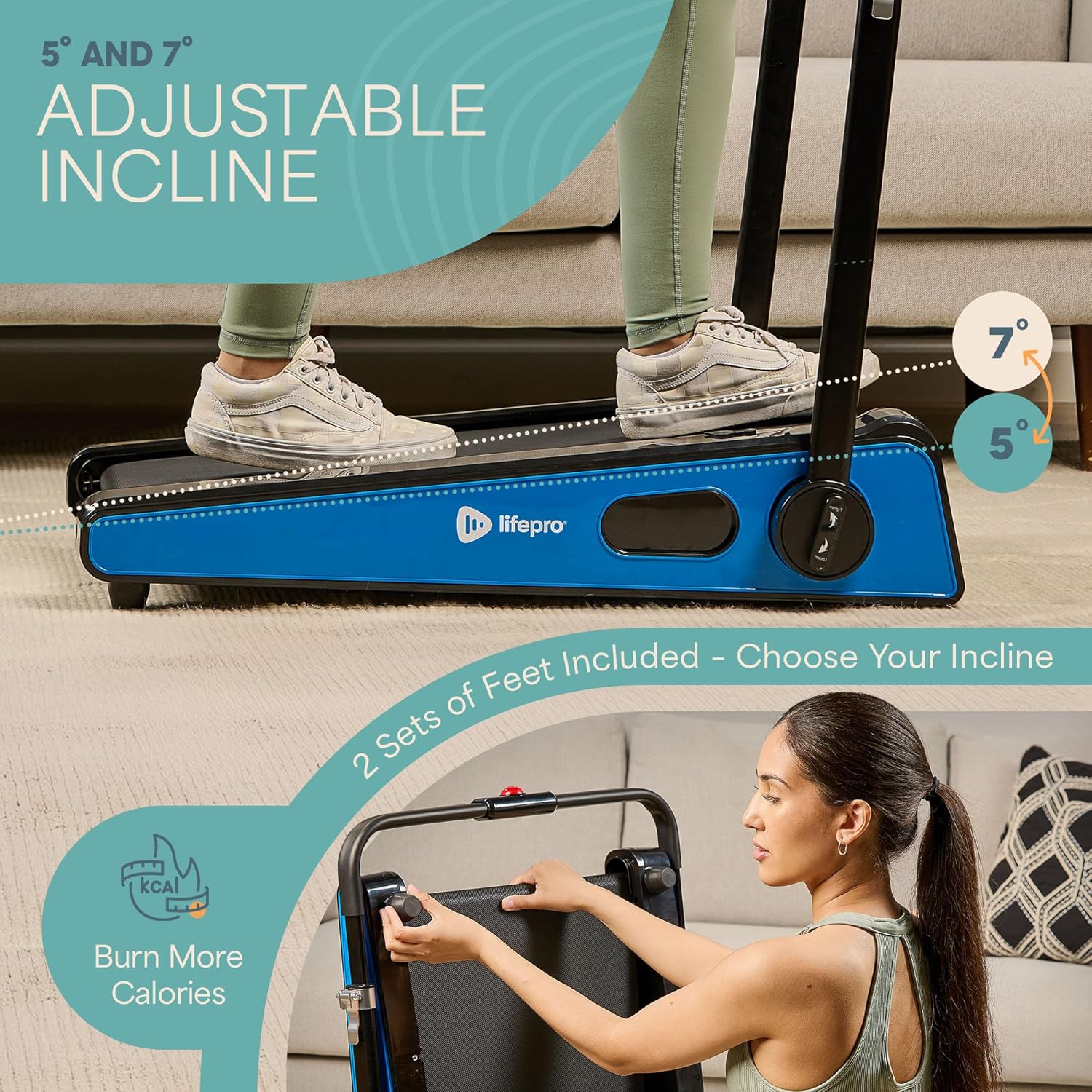
- Handlebar and Feet Assembly: While the main unit comes pre-assembled, minimal assembly is required. Attach the adjustable handlebar and the incline feet as instructed in the included quick start guide. Ensure all screws are tightened securely.
- Lubricació inicial: The treadmill may come with some initial lubrication. Refer to the maintenance section for instructions on how to check and apply lubricant if needed before first use.
- Connexió d'alimentació: Connecteu el cable d'alimentació a la cinta de córrer i després a una presa de corrent amb connexió a terra.

Instruccions de funcionament
Operating your Pacer Mini Pro Treadmill is straightforward:
- Encès: Plug in the treadmill and press the power button on the unit or the remote control. The LED display will illuminate.
- Ajust de velocitat: Use the remote control to increase or decrease the walking speed. The maximum speed is 3 MPH. The current speed will be shown on the LED display.
- Ajust de la inclinació: The treadmill offers adjustable incline settings of 5 or 7 degrees. To change the incline, manually adjust the feet at the rear of the treadmill. Refer to the setup section and product diagrams for visual guidance.
- Supervisió del vostre entrenament: The LED display shows important workout metrics such as speed, calories burned, and distance covered. This helps you track your progress and stay motivated.
- Apagar: To stop your workout, press the stop button on the remote control or the unit. For complete power off, unplug the treadmill from the power outlet.

Manteniment
Regular maintenance ensures the longevity and optimal performance of your treadmill:
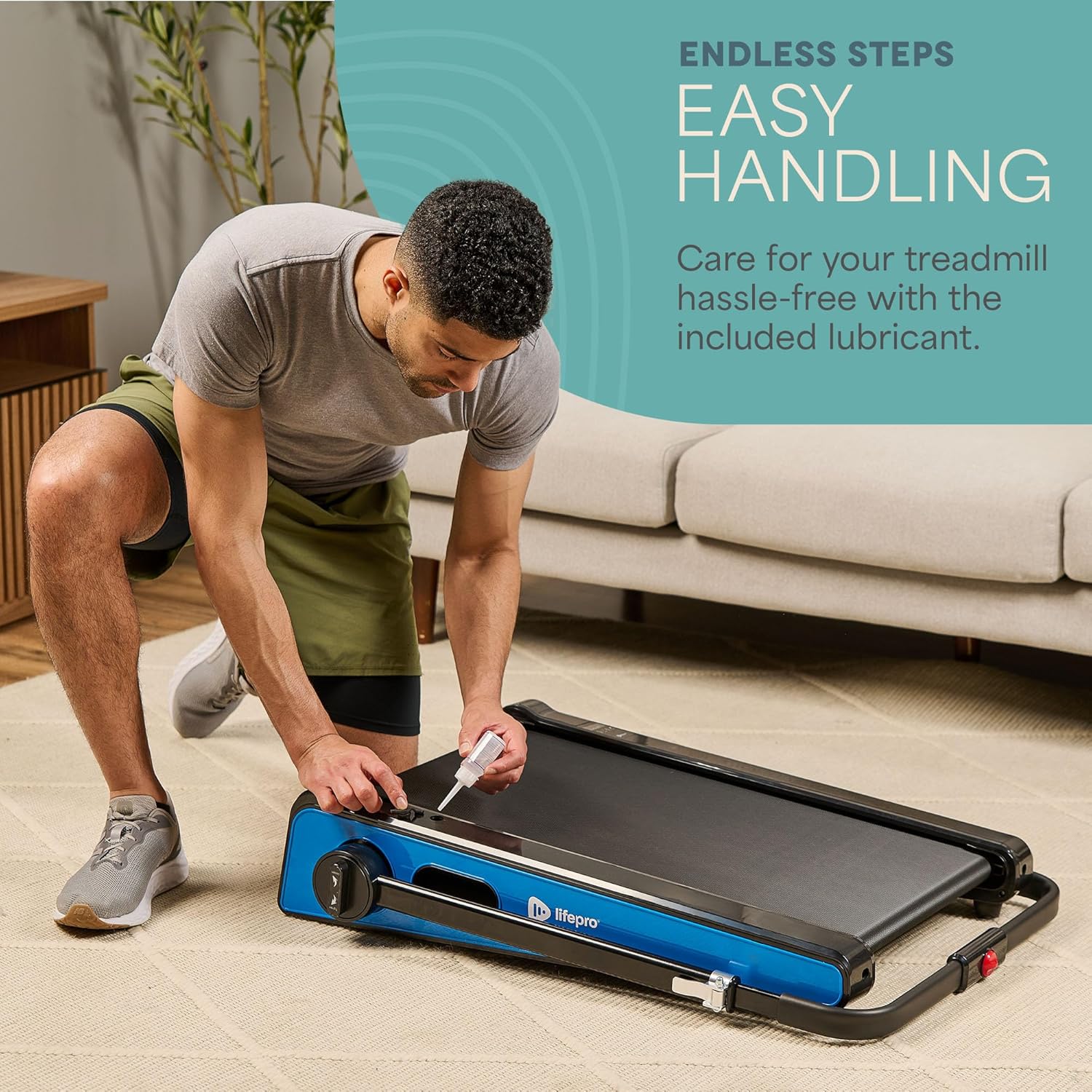
- Lubricació: The walking belt requires periodic lubrication to reduce friction and wear. A dedicated slot on the upper left side of the treadmill allows for easy injection of the provided lubricant. Lubricate as needed, typically every few months depending on usage.
- Neteja: Netegeu la superfície de la cinta de córrer amb anuncisamp drap després de cada ús per eliminar la suor i la pols. No utilitzeu productes de neteja abrasius.
- Emmagatzematge: The Pacer Mini Pro is designed for compact storage. It can be easily stored under a couch, desk, or in a closet thanks to its small footprint and built-in wheels for portability.
Resolució de problemes
If you encounter any issues with your treadmill, refer to the following common solutions:
- La cinta de córrer no s'encén: Ensure the power cord is securely plugged into both the treadmill and a working electrical outlet. Check the power switch on the unit.
- La corretja rellisca o és irregular: The walking belt may require adjustment or lubrication. Refer to the maintenance section for lubrication instructions. For belt tension adjustment, consult the detailed manual or contact customer support.
- Sorolls inusuals: Stop using the treadmill immediately and inspect for any loose parts or obstructions. If the noise persists, contact customer support.
For issues not covered here, please contact LifePro customer support for assistance.
Especificacions
| Marca | LifePro |
| Número de model | LP-PCRMP-BLU-VC |
| Color | Blue with Handlebar |
| Dimensions del producte (P x A x A) | 83.1 cm x 63.5 cm x 104.1 cm |
| Pes de l'article | 53.9 lliures |
| Material | Acer inoxidable |
| Velocitat màxima | 3 MPH |
| Inclinació ajustable | 5 o 7 graus |
| Característica especial | Disseny compacte |
| Usos recomanats | Light exercise, walking, home and office use |
| Públic objectiu | Adult |
| Potència màxima | 1.75 CV |
| Tipus de visualització | LED |
| Font d'alimentació | Elèctric amb cable |
| Tecnologia de connectivitat | Ethernet |
| Tipus de comptador | Digital |
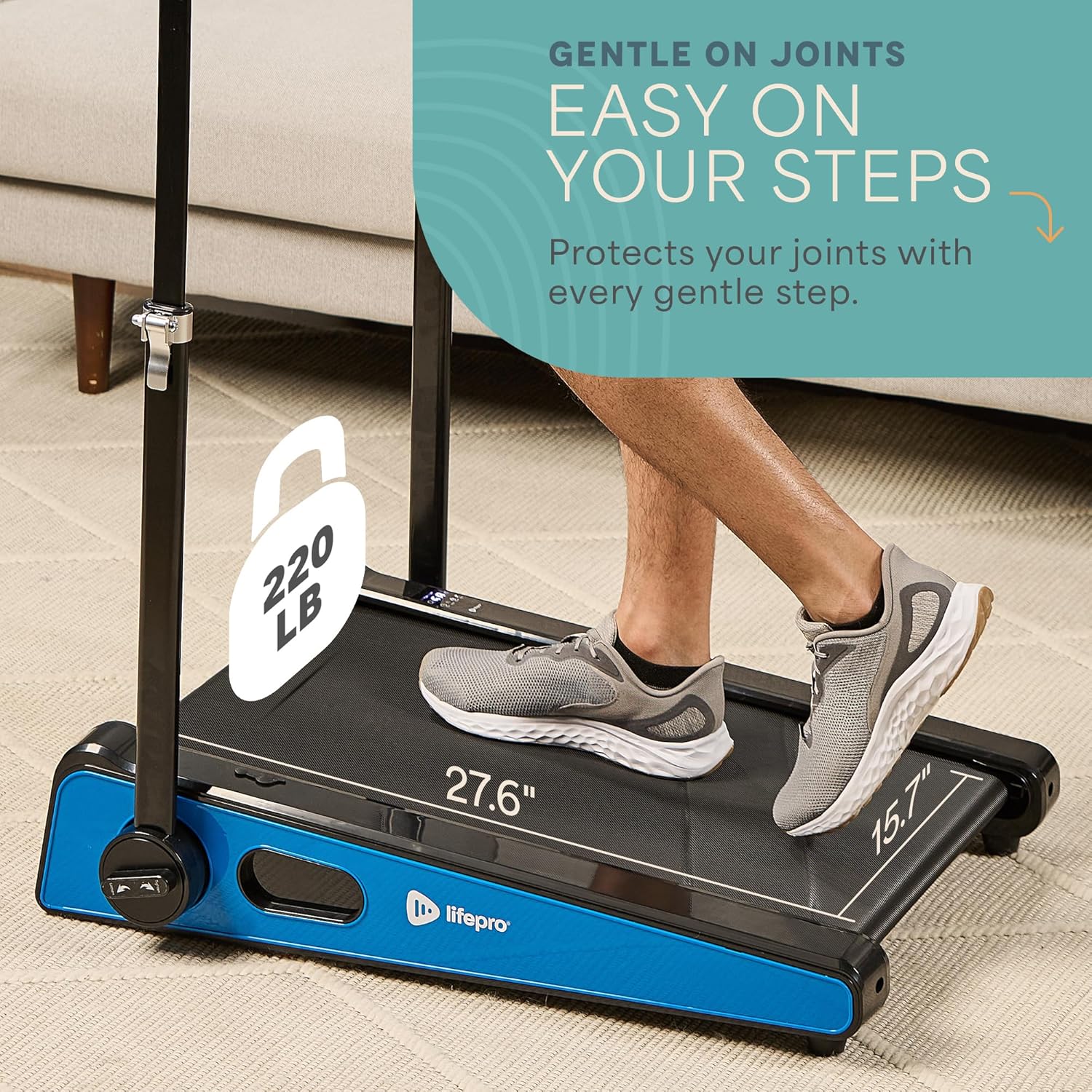
| Recomanació de pes màxim | 220 lliures |
| Nombre de programes | 1 |
| Running Surface Length | 40 polzades |
| Running Surface Width | 15.7 polzades |
| Mida de la pantalla | 30 polzades |
| Muntatge obligatori | Minimal (Handlebar and feet attachment) |
| UPC | 810161332328 |
Garantia i Suport
LifePro is committed to providing high-quality products and customer satisfaction. The LifePro Pacer Mini Pro Treadmill comes with a garantia de per vida, garantint la tranquil·litat de la vostra inversió.
For any questions, concerns, or technical support, please contact LifePro customer service:
- Weblloc: www.lifeprofitness.com (Example link, please replace with actual support link if available)
- Correu electrònic: support@lifeprofitness.com (Example email, please replace with actual support email if available)
- Telèfon: [Insert Phone Number Here]
Please have your model number (LP-PCRMP-BLU-VC) and proof of purchase ready when contacting support.