
Introducció
This manual provides essential information for the safe and effective use of your Minolta MNB5Z 56MP Dual Lens Point & Shoot Digital Camera. Please read this manual thoroughly before using the camera and keep it for future reference. The Minolta MNB5Z is designed to capture high-quality photos at 56MP and record videos in 5K Ultra HD, featuring a 5x optical zoom and a user-friendly 2.8-inch IPS touchscreen.
Informació de seguretat
- Do not expose the camera to water or moisture. This camera is not water resistant.
- Eviteu deixar caure la càmera o sotmetre-la a impactes forts.
- Keep the camera away from direct sunlight, high temperatures, and dusty environments.
- Feu servir només les piles i els accessoris especificats.
- No intenteu desmuntar ni modificar la càmera. Encarregueu tot el manteniment a personal qualificat.
- Mantenir fora de l'abast dels nens.
Contingut del paquet
Verifiqueu que tots els elements siguin presents al vostre paquet:
- Minolta MNB5Z 56MP Digital Camera
- Cable de càrrega USB
- Bateria recarregable de ions de liti
- MicroSDHC Ultra 64GB Memory Card
- Flexible Vlogging Tripod
- Cartera de targetes de memòria
- Lector de targetes USB (SD/microSD)
- Bossa de la càmera
- Kit de neteja
- Corel Photo, Video, & Art Suite Deluxe Software (Download information may be included)
Configuració
1. Instal·lació de la bateria
- Localitzeu la tapa del compartiment de la bateria a la part inferior de la càmera.
- Feu lliscar el pestell de la tapa per obrir el compartiment.
- Insert the Lithium-Ion battery according to the polarity indicators (+/-).
- Tanqueu la tapa del compartiment de la bateria de manera segura fins que encaixi al seu lloc.
2. Instal·lació de la targeta de memòria
The Minolta MNB5Z supports microSD and microSDHC cards up to 256GB.
- Open the battery compartment cover. The microSD card slot is usually located near the battery.
- Insert the microSD card with the gold contacts facing down, gently pushing until it clicks into place.
- Per treure-la, torneu a prémer la targeta fins que surti.
- Tanqueu la tapa del compartiment de la bateria.
3. Carregant la bateria
- Connect the small end of the USB charging cable to the camera's USB port.
- Connecteu l'altre extrem del cable USB a un adaptador de corrent USB (no inclòs) o al port USB d'un ordinador.
- The charging indicator light (CHG) will illuminate during charging and turn off when fully charged.
4. Engegada inicial
- Manteniu premut el botó ON/OFF botó situat a la part superior de la càmera.
- The camera will power on, and the display screen will activate.
- Seguiu les instruccions que apareixen a la pantalla per a la configuració inicial, com ara definir la data i l'hora.
Funcionament de la càmera
1. Camera Layout and Controls
Familiarize yourself with the camera's buttons and touchscreen interface.

Imatge: Part posterior view of the Minolta MNB5Z camera, highlighting the touchscreen display and physical control buttons for navigation and function selection.
- Botó ON/OFF: Powers the camera on or off.
- Botó de l'obturador: Press halfway to focus, fully to take a photo.
- Palanca de zoom: Controla el zoom òptic de 5x.
- Botó de mode: Switches between different shooting modes (Photo, Video, Playback, etc.).
- Directional Pad (DISP/OK): Navega pels menús i confirma les seleccions.
- Botó de reproducció: Entra en el mode de reproducció per a view fotos i vídeos.
- Botó de menú: Accesses camera settings and options.
- Pantalla tàctil IPS de 2.8 polzades: For intuitive navigation and reviewing contingut.
2. Fer fotos
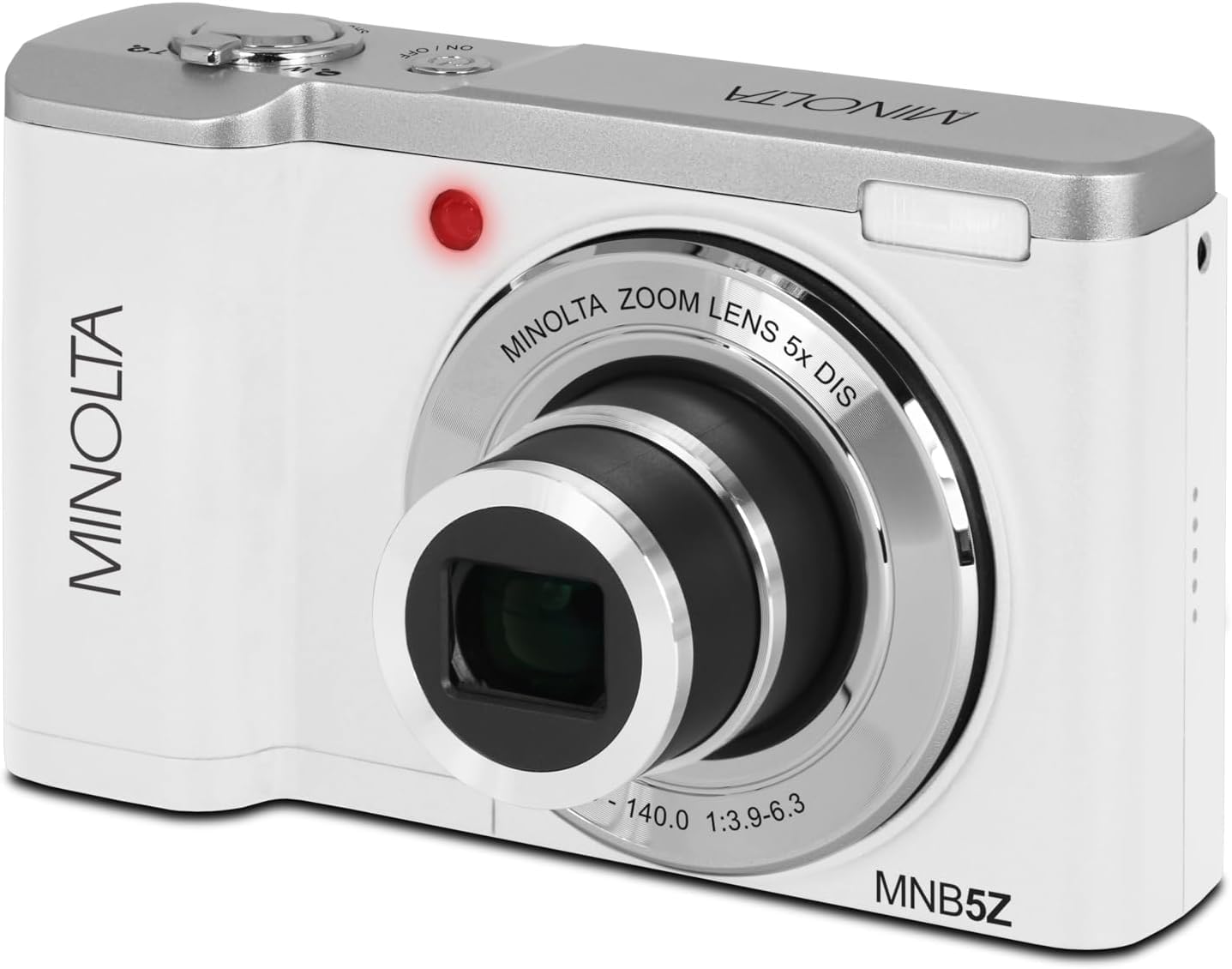
Imatge: Frontal view of the Minolta MNB5Z camera, showing the lens extended for capturing images, with the Minolta branding visible.
- Turn on the camera and ensure it is in Photo mode.
- Frame your shot using the 2.8-inch IPS touchscreen.
- Feu servir la palanca del zoom per ajustar el zoom òptic de 5x.
- Press the shutter button halfway down to allow the camera to focus. The focus indicator will confirm focus.
- Press the shutter button fully to capture the photo.
- Flash: The built-in flash can be set to Auto, On/Fill, or Off via the menu.
- Modes de tir: Access various modes like Photo Burst, Time-Lapse, and Slow Motion via the Mode button or touchscreen menu.
3. Gravació de vídeos
- Turn on the camera and switch to Video mode using the Mode button.
- Frame your subject on the touchscreen.
- Press the shutter button to start recording. A recording indicator will appear on the screen.
- Torneu a prémer el botó de l'obturador per aturar la gravació.
- The camera records in 5K Ultra HD resolution and includes a built-in microphone for audio capture.
4. Reproducció
- Premeu el botó Reproducció per entrar al mode de reproducció.
- Use the directional pad or swipe on the touchscreen to browse through your photos and videos.
- Premeu el botó D'acord per view a video or zoom into a photo.
- Press the Playback button again to exit playback mode.
5. Configuració de la càmera
- Press the Menu button to access camera settings.
- Use the directional pad or touchscreen to navigate through options such as resolution, white balance, ISO, exposure compensation, and color filters.
- Select an option and press OK to confirm or adjust.
- Premeu de nou el botó Menú per sortir del menú.
6. Connexió a un ordinador (USB)
- Assegureu-vos que la càmera estigui apagada.
- Connecteu la càmera a l'ordinador mitjançant el cable USB proporcionat.
- Turn on the camera. It should be recognized as a removable disk or media device.
- You can now transfer photos and videos to your computer.
7. Connectivitat Wi-Fi
The Minolta MNB5Z features Wi-Fi connectivity for wireless transfer of images and remote control via a compatible smartphone application (if available). Refer to the camera's on-screen menu for Wi-Fi setup instructions and pairing with your device.
Manteniment
1. Neteja de la càmera
- Feu servir un drap suau i sense borrissol per netejar el cos de la càmera.
- For the lens and screen, use a specialized lens cleaning cloth and solution. Avoid harsh chemicals.
- Gently blow away dust from the lens surface before wiping.
2. Emmagatzematge

Imatge: Frontal view of the Minolta MNB5Z camera with its lens retracted, demonstrating its compact form factor for easy storage in the included camera bag.
- When not in use, store the camera in the provided camera bag to protect it from dust and scratches.
- Traieu la bateria si la càmera no s'utilitzarà durant un període prolongat.
- Store in a cool, dry place, away from extreme temperatures and humidity.
Resolució de problemes
| Problema | Solució |
|---|---|
| La càmera no s'encén. | Ensure the battery is correctly inserted and fully charged. Try charging the battery for at least 2 hours. |
| No es poden fer fotos/vídeos. | Check if the memory card is inserted correctly and has sufficient free space. Ensure the camera is in the correct mode (Photo/Video). |
| Les imatges són borroses. | Ensure the lens is clean. Press the shutter button halfway to allow the camera to focus before fully pressing. Use digital image stabilization in shaky conditions. |
| Flash is not working. | Check flash settings in the menu to ensure it is not set to 'Off'. |
| La càmera es bloqueja o deixa de respondre. | Remove the battery, wait a few seconds, and reinsert it to reset the camera. |
Especificacions
| Característica | Detall |
|---|---|
| Nom del model | MNB5Z |
| Resolució fotogràfica | 56 megapíxels |
| Resolució de vídeo | 5K Ultra HD (30 FPS) |
| Zoom òptic | 5x |
| Estabilització d'imatge | Digital |
| Mida de la pantalla | 2.8 Inches IPS Touchscreen |
| Suport per a targetes de memòria | microSD, microSDHC (up to 256GB) |
| Connectivitat | USB, Wi-Fi |
| Tipus de bateria | Ió de liti |
| Flash | Built-In (Auto, On/Fill) |
| Tipus de sensor | CMOS |
| Velocitat d'obturació mínima | 1/4000 seg |
| Admet File Formats | JPEG (Fotos), MP4 (Vídeos) |
| Pes de l'article | 2.37 lliures |
Garantia i Suport
Minolta products are manufactured to the highest quality standards. For information regarding your product's warranty, please refer to the warranty card included in your package or visit the official Minolta support website. For technical assistance, troubleshooting, or service inquiries, please contact Minolta customer support.
Assistència en línia: Visit the official Minolta weblloc web per a preguntes freqüents, descàrregues de controladors i informació de contacte.
Atenció al client: Refer to your product packaging or the Minolta weblloc web per obtenir les dades de contacte del servei d'atenció al client.