
SURFOU BSD33-E
SURFOU Smart Plug BSD33-E WiFi 16A Instruction Manual
Model: BSD33-E
1. Introducció
The SURFOU Smart Plug BSD33-E is a Wi-Fi enabled smart plug designed to bring convenience and energy efficiency to your home. It allows you to control your appliances remotely, monitor energy consumption, and set schedules, all through a dedicated mobile application and voice commands. This manual provides essential information for safe and effective use of your smart plug.
2. Informació important de seguretat
- No desmunteu ni modifiqueu el dispositiu.
- Do not expose the device to water or humid environments.
- Avoid extreme temperatures. Operate within 0°C to 40°C (32°F to 104°F).
- Assegureu-vos que la potència nominal de l'aparell connectat no superi la càrrega màxima de l'endoll intel·ligent (16 A, 3680 W).
- Només per a ús interior.
- Mantenir fora de l'abast dels nens.
- Ensure the smart plug is fully inserted into the wall socket.

Figura 2.1: Safety features of the SURFOU Smart Plug BSD33-E, including fireproof casing, overload protection, and child-safe design.
3. Contingut del paquet
Si us plau, comproveu el paquet per veure si hi ha els elements següents:
- 1 x SURFOU Smart Plug BSD33-E
- 1 x Manual d'usuari
4. Especificacions
| Número de model | BSD33-E |
| Dimensions (L x A x A) | 40 x 40 x 85 mm |
| Pes | 90 grams |
| Valoració actual | 16 A |
| Vol. Operatiutage | 250 Volts |
| Mode de funcionament | ON-OFF |
| Connectivitat sense fil | Wi-Fi 2.4 GHz |
| Material | Plàstic |
| Fabricant | ShenZhen Shi BaiShiDun Technology Co., Ltd. |

Figura 4.1: Physical dimensions and key features of the SURFOU Smart Plug BSD33-E.
5. Guia de configuració
5.1. Baixeu l'aplicació eWeLink
- Scan the QR code on the product packaging or search for "eWeLink" in your smartphone's app store (App Store for iOS, Google Play Store for Android).
- Download and install the eWeLink application.
- Registra un compte nou o inicia la sessió amb un d'existent.
5.2. Plug in the Smart Plug
- Plug the SURFOU Smart Plug BSD33-E into a standard wall outlet.
- Ensure the indicator light on the smart plug starts blinking, indicating it's in pairing mode. If not, press and hold the power button on the plug for 5 seconds until it blinks rapidly.
5.3. Pair the Device with the App
- Obriu l'aplicació eWeLink al vostre telèfon intel·ligent.
- Tap the "+" icon at the bottom center or top right to add a new device.
- Select "Quick Pairing Mode" or the appropriate option for smart plugs.
- Confirm that the indicator light on the smart plug is blinking rapidly.
- Introduïu el nom de la xarxa Wi-Fi de 2.4 GHz (SSID) i la contrasenya. Nota: The smart plug only supports 2.4GHz Wi-Fi networks. If you have a dual-band router, ensure your phone is connected to the 2.4GHz network during pairing.
- Follow the on-screen instructions to complete the pairing process. Once successfully paired, the indicator light will stop blinking and remain solid.
- You can rename your smart plug within the app for easier identification (e.g., "Living Room Lamp").

Figura 5.1: The SURFOU Smart Plug BSD33-E shown with the eWeLink application interface, highlighting compatibility with Google Assistant and eWeLink.
6. Instruccions de funcionament
6.1. Control remot
- Obriu l'aplicació eWeLink.
- On the main screen, tap on the name of your smart plug.
- Use the toggle switch within the app to turn the connected appliance ON or OFF from anywhere with an internet connection.
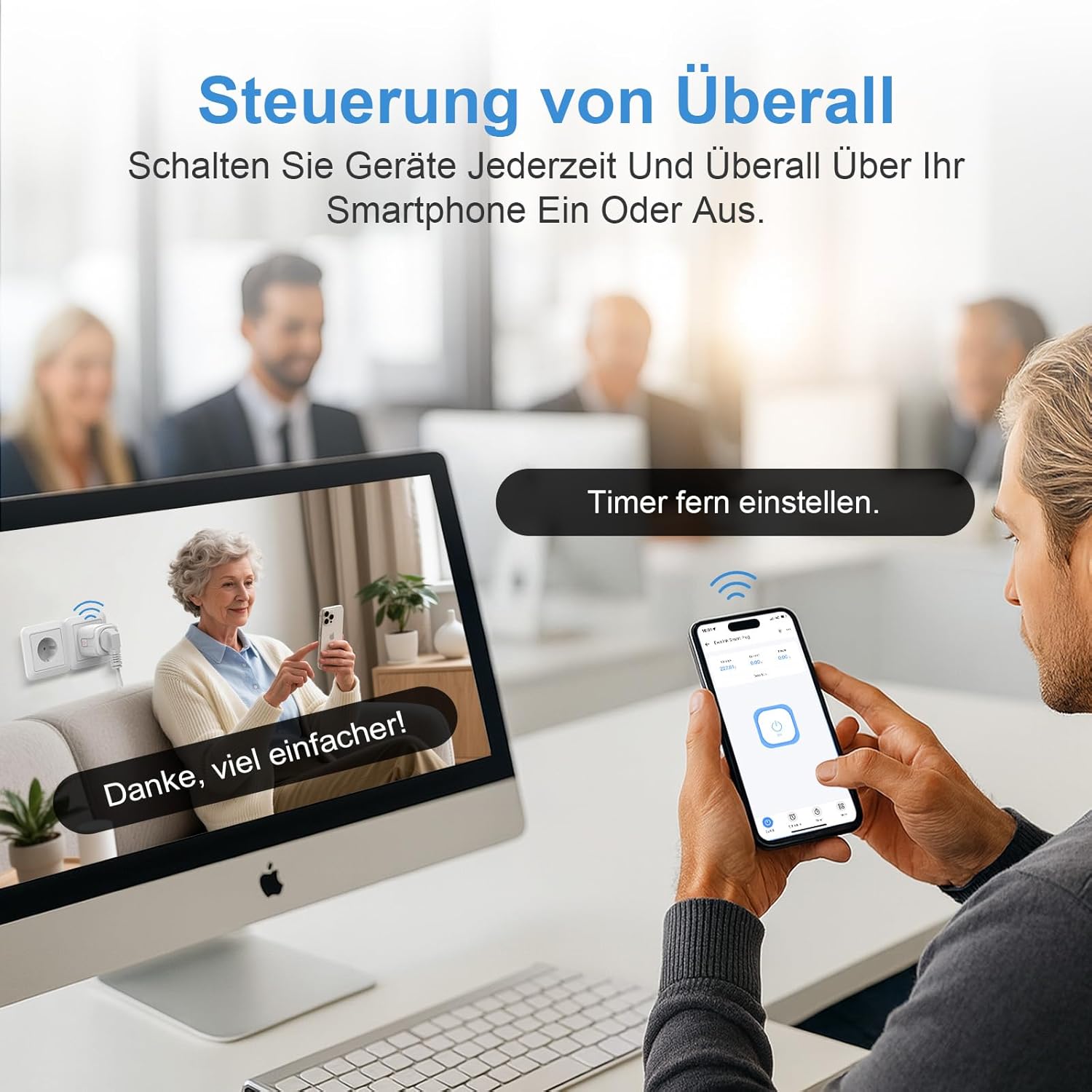
Figura 6.1: Remote control of appliances using the eWeLink app on a smartphone.
6.2. Control per veu
The SURFOU Smart Plug BSD33-E is compatible with various voice assistants. To enable voice control, link your eWeLink account to your preferred voice assistant (e.g., Amazon Alexa, Google Home, SmartThings) through their respective applications.
- Example Ordres:
- "Alexa, activa [Nom del dispositiu]."
- "Ei Google, desactiva [Nom del dispositiu]."
- "Alexa, set [Device Name] to 50%" (if applicable for dimmable devices, though this plug is ON/OFF).
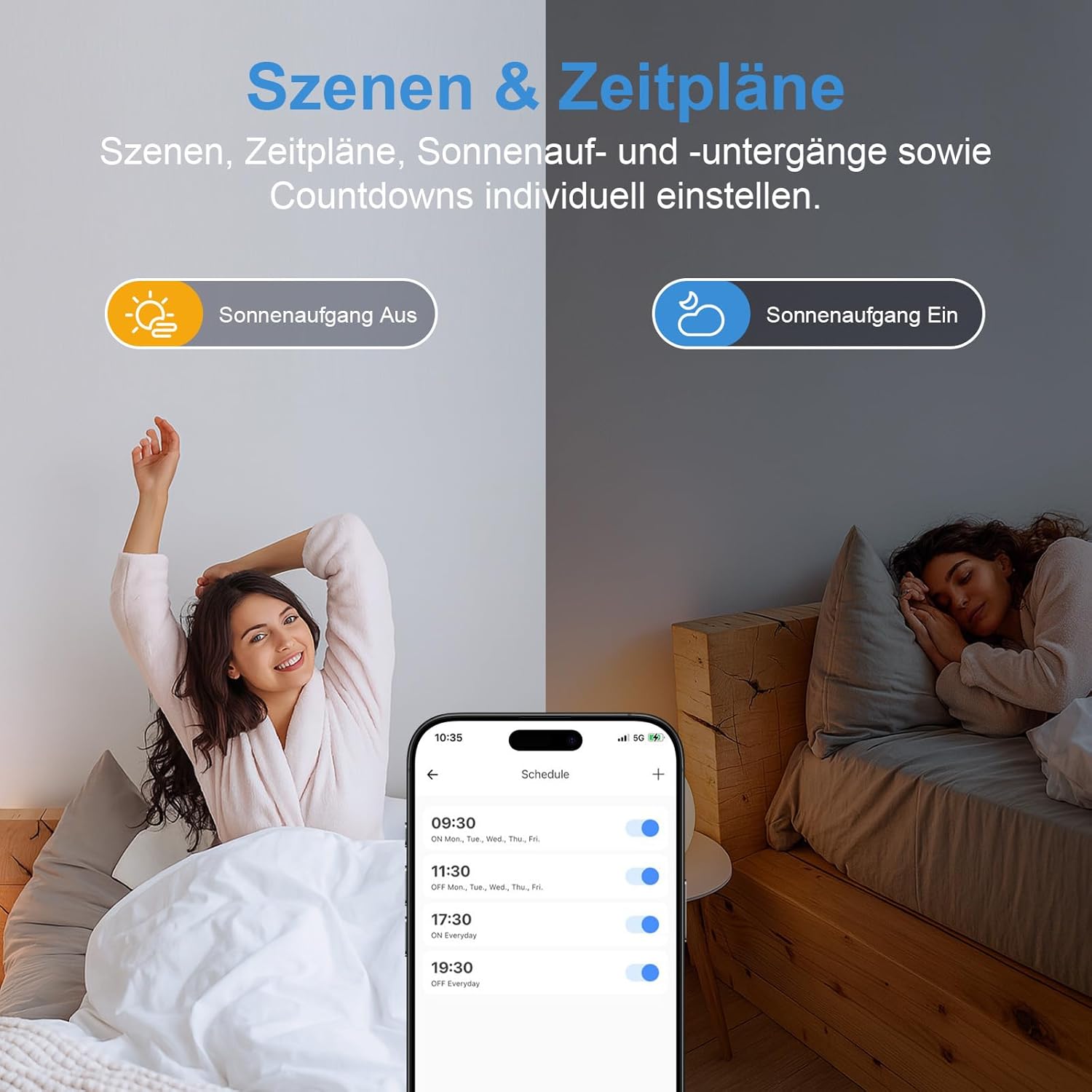
Figura 6.2: Hands-free voice control using Amazon Alexa and Google Assistant.
6.3. Monitorització energètica
The smart plug can monitor the real-time energy consumption of connected devices.
- In the eWeLink app, select your smart plug.
- Navigate to the "Consumption" or "Statistics" section to view daily, weekly, monthly, or yearly energy usage reports. This feature helps in understanding and optimizing energy consumption.

Figura 6.3: Real-time energy monitoring and historical data display in the eWeLink app.
6.4. Programació i temporitzadors
Automatitza els teus dispositius configurant horaris i temporitzadors.
- In the eWeLink app, select your smart plug.
- Go to the "Schedule" or "Timer" section.
- Podeu configurar:
- Temporitzador de compte enrere: Turn the device ON/OFF after a specified duration.
- Temporitzadors programats: Set specific times for the device to turn ON/OFF on selected days of the week.
- Loop Timers: Repeat ON/OFF cycles.
- Escenes: Create custom scenarios that trigger actions based on conditions like sunrise/sunset or other smart devices.

Figura 6.4: Setting up schedules and scenes for automated control.
7. Manteniment
- Clean the smart plug with a dry, soft cloth. Do not use liquid cleaners or aerosols.
- Assegureu-vos que el dispositiu estigui desconnectat abans de netejar-lo.
- Guardeu el dispositiu en un lloc fresc i sec quan no l'utilitzeu.
8. Solució De Problemes
8.1. El dispositiu no es connecta a la Wi-Fi
- Ensure your Wi-Fi network is 2.4GHz. The smart plug does not support 5GHz Wi-Fi.
- Check if the Wi-Fi signal strength is adequate at the smart plug's location.
- Verifiqueu que heu introduït la contrasenya Wi-Fi correcta.
- Reinicieu el router i torneu a intentar el procés d'emparellament.
- Reset the smart plug by holding the power button for 5 seconds until the indicator light blinks rapidly, then attempt pairing.
8.2. El control per veu no funciona
- Ensure your eWeLink account is correctly linked to your voice assistant (Alexa, Google Home, etc.) app.
- Comproveu el nom del dispositiu a l'aplicació eWeLink i utilitzeu aquest nom exacte a les ordres de veu.
- Verifiqueu que el vostre dispositiu d'assistent de veu estigui connectat a Internet.
8.3. El comandament a distància no respon
- Comproveu la connexió a Internet del vostre telèfon intel·ligent.
- Ensure the smart plug is connected to your Wi-Fi network (solid indicator light).
- Restart the eWeLink app.
9. Garantia i Suport
The SURFOU Smart Plug BSD33-E comes with a standard manufacturer's warranty. Please refer to the product packaging or the official SURFOU weblloc web per obtenir informació detallada sobre els termes i condicions de la garantia.
For technical support, troubleshooting assistance, or any inquiries regarding your product, please contact SURFOU customer service through the contact information provided on the product packaging or their official weblloc.
Documents relacionatsBSD33-E


Ask a question about this manual
Ask about setup, troubleshooting, compatibility, parts, safety, or missing instructions. Manuals+ will review the question and use this page’s manual context to help answer it.