
Hiicam Speed 50
Manual d'usuari de la càmera d'acció Hiicam Speed 50
Model: Speed 50
Introducció
This user manual provides detailed instructions for the operation, maintenance, and troubleshooting of your Hiicam Speed 50 Action Camera. Please read this manual thoroughly before using the camera to ensure proper functionality and to maximize your experience.
Què hi ha a la caixa
Verifiqueu que tots els elements que s'enumeren a continuació s'inclouen al vostre paquet:
- Càmera d'acció Hiicam Speed 50
- Waterproof Case (for depths up to 131ft / 40m)
- Control remot
- 2 bateries recarregables de 1550 mAh
- Carregador de bateria
- Cable de càrrega USB
- Various Mounting Accessories (e.g., helmet mount, bicycle mount, adhesive mounts)
- Drap de neteja
- Manual d'usuari

Image: Hiicam Speed 50 Action Camera with all standard accessories laid out.
Producte acabatview
The Hiicam Speed 50 is a versatile action camera designed for capturing high-quality video and photos in various environments. It features 4K 60FPS video recording, 30MP photo resolution, a 2-inch touch screen, Electronic Image Stabilization (EIS), and 5X digital zoom.

Image: The Hiicam Speed 50 camera's 2-inch touchscreen displaying 4K video, highlighting 4K resolution, 50MP pixel count, and 5X zoom capabilities.
The camera is designed to be waterproof up to 33 feet (10 meters) without an additional case, and up to 131 feet (40 meters) with the included waterproof housing.
Configuració
1. Instal·lació i càrrega de la bateria
The camera comes with two 1550mAh rechargeable batteries. Ensure batteries are fully charged before first use.
- Obriu la tapa del compartiment de la bateria a la part inferior de la càmera.
- Insert the battery with the contacts facing the correct direction, as indicated inside the compartment.
- Tanqueu bé la tapa del compartiment de la bateria.
- To charge, connect the camera to a USB power source using the provided USB cable, or use the external battery charger. The charging indicator light will show charging status.
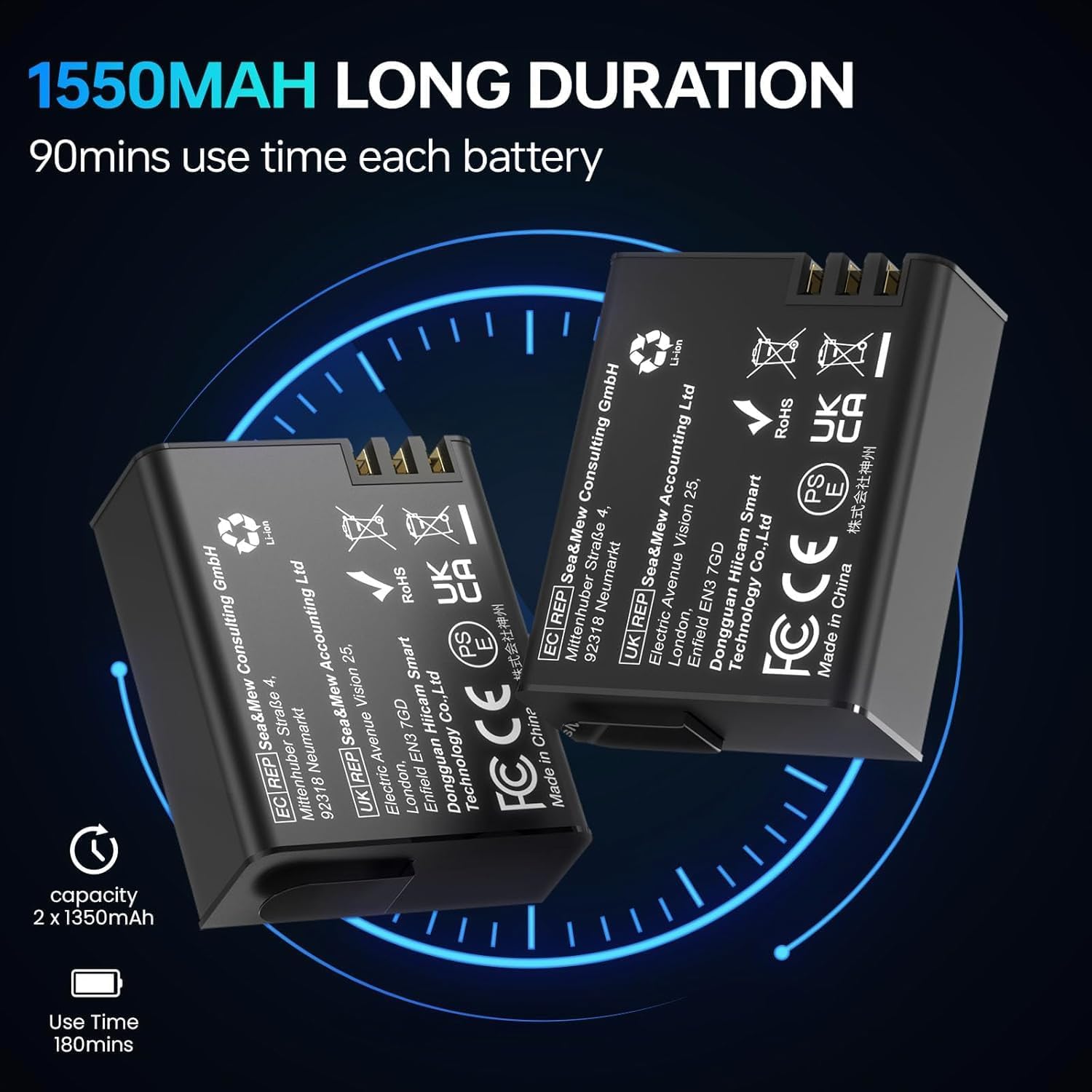
Image: Two 1550mAh rechargeable batteries for the Hiicam Speed 50 camera.

Image: An illustration showing the Hiicam Speed 50 camera connected via USB for charging.
2. Instal·lació de la targeta de memòria
A MicroSD card (not included) is required for storing videos and photos. The camera supports up to 128GB MicroSD cards (U3 or higher recommended).
- Localitza la ranura per a targetes MicroSD al lateral de la càmera.
- Introduïu la targeta MicroSD amb els contactes daurats mirant cap a la part posterior de la càmera fins que encaixi al seu lloc.
- Per treure-la, premeu suaument la targeta fins que surti.
3. Waterproof Case Usage
For underwater activities beyond 33 feet (10 meters) or in harsh environments, use the included waterproof case.
- Ensure the camera is dry before placing it into the case.
- Close the case securely, ensuring the latch is fully engaged and the rubber seal is clean and free of debris.
- Always test the waterproof case without the camera in water before use to ensure it is sealed properly.
4. Emparellament del control remot
El comandament a distància permet un funcionament còmode des de la distància.
- Enceneu la càmera.
- Press and hold the Wi-Fi button on the camera until the Wi-Fi icon appears.
- On the remote control, press and hold the video button and photo button simultaneously until the remote indicator light flashes.
- The remote control should automatically pair with the camera.
5. App Connection (Wi-Fi)
Connect your camera to a smartphone or tablet via Wi-Fi for live preview, comandament a distància i file transferència.
- Download the official Hiicam app from your device's app store.
- Power on the camera and enable Wi-Fi by pressing the Wi-Fi button. The Wi-Fi name (SSID) and password will display on the camera screen.
- Al teu telèfon intel·ligent/tauleta, vés a la configuració del Wi-Fi i connecta't a la xarxa Wi-Fi de la càmera.
- Open the Hiicam app. The camera feed should appear, allowing you to control the camera and access files.

Image: The Hiicam Speed 50 camera screen alongside a smartphone displaying the camera's companion app interface, showing options for photo, recording, download, and preview.

Image: An illustration demonstrating the wireless transfer of media files from the Hiicam Speed 50 camera to a smartphone application.
Instruccions de funcionament
1. Encendre/apagar
- To power on, press and hold the Power/Mode button until the screen turns on.
- To power off, press and hold the Power/Mode button until the screen turns off.
2. Canvi de mode
Premeu el botó d'engegada/mode repetidament per anar pels diferents modes: Vídeo, Foto, Reproducció i Configuració.
3. Video Recording (4K 60FPS)
- Ensure the camera is in Video mode.
- Press the Shutter/OK button to start recording. A red recording indicator will flash.
- Premeu el botó Obturador/OK de nou per aturar l'enregistrament.

Image: A screen capture from the Hiicam Speed 50 camera showing a 4K 60FPS video recording in progress.
4. Photo Capture (30MP)
- Switch the camera to Photo mode.
- Premeu el botó Obturador/D'acord per fer una foto.
5. Estabilització electrònica d'imatge (EIS)
The 6-axis EIS feature helps to stabilize footage, reducing blur and shakiness, especially during motion activities.
- EIS can be enabled or disabled in the camera's settings menu.
- It is recommended to enable EIS for activities involving significant movement, such as cycling or motorcycling.

Image: The Hiicam Speed 50 camera mounted on bicycle and motorcycle handlebars, illustrating its use in motion with 6-axis stabilization.

Image: A side-by-side comparison of video footage, demonstrating the effect of Electronic Image Stabilization (EIS) when turned on versus off, showing reduced shakiness.
6. Funció de zoom
The camera supports up to 5X digital zoom.
- In Video or Photo mode, use the Up/Down buttons (or touch screen controls) to adjust the zoom level.

Image: A visual comparison demonstrating the different zoom levels (1x, 3x, and 5x) achievable with the Hiicam Speed 50 camera.
7. Underwater Use
The Hiicam Speed 50 is designed for use in water, with different depth capabilities depending on whether the waterproof case is used.
- Bare Machine: Waterproof up to 33 feet (10 meters). Suitable for shallow water activities like snorkeling or light swimming.
- Amb funda impermeable: Waterproof up to 131 feet (40 meters). Essential for diving and deeper underwater exploration.
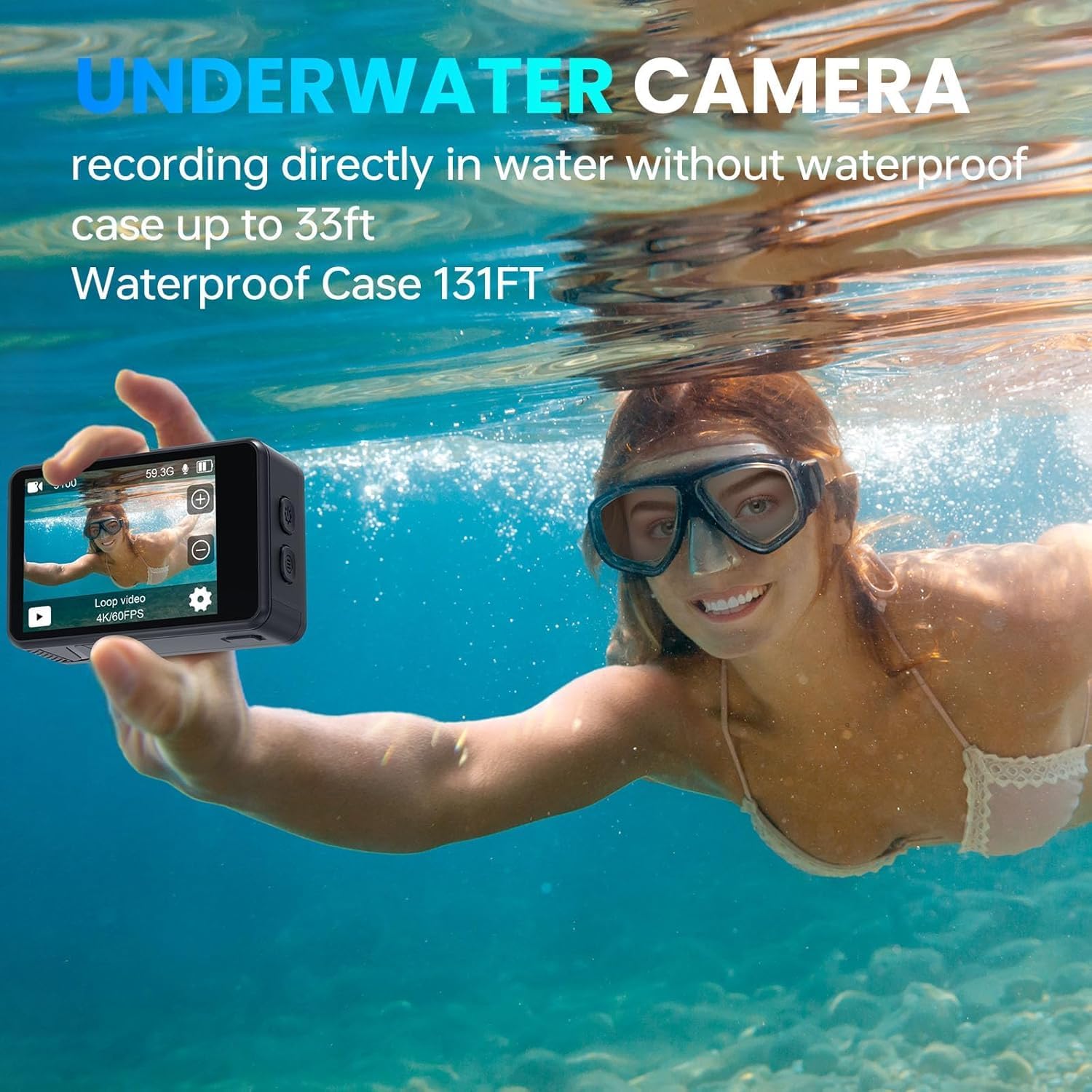
Image: A person using the Hiicam Speed 50 camera directly in water without its waterproof case, demonstrating its 33ft bare machine waterproof capability.

Image: The Hiicam Action Camera partially submerged in water, illustrating its waterproof capabilities: 20ft for the bare camera and 133ft with the waterproof case.
8. Reproducció i File Transferència
- In Playback mode, use the Up/Down buttons or touch screen to navigate through your recorded videos and photos.
- Files can be transferred to a computer by connecting the camera via USB, or wirelessly to a smartphone/tablet using the Hiicam app (see Setup section).
Manteniment
1. Neteja de la càmera i l'objectiu
Regular cleaning ensures optimal performance and longevity.
- Use the provided cleaning cloth to gently wipe the lens and screen.
- For stubborn smudges, use a lens cleaning solution specifically designed for optical surfaces.
- The camera features a detachable wide-angle lens protector for added durability against dust and scratches.
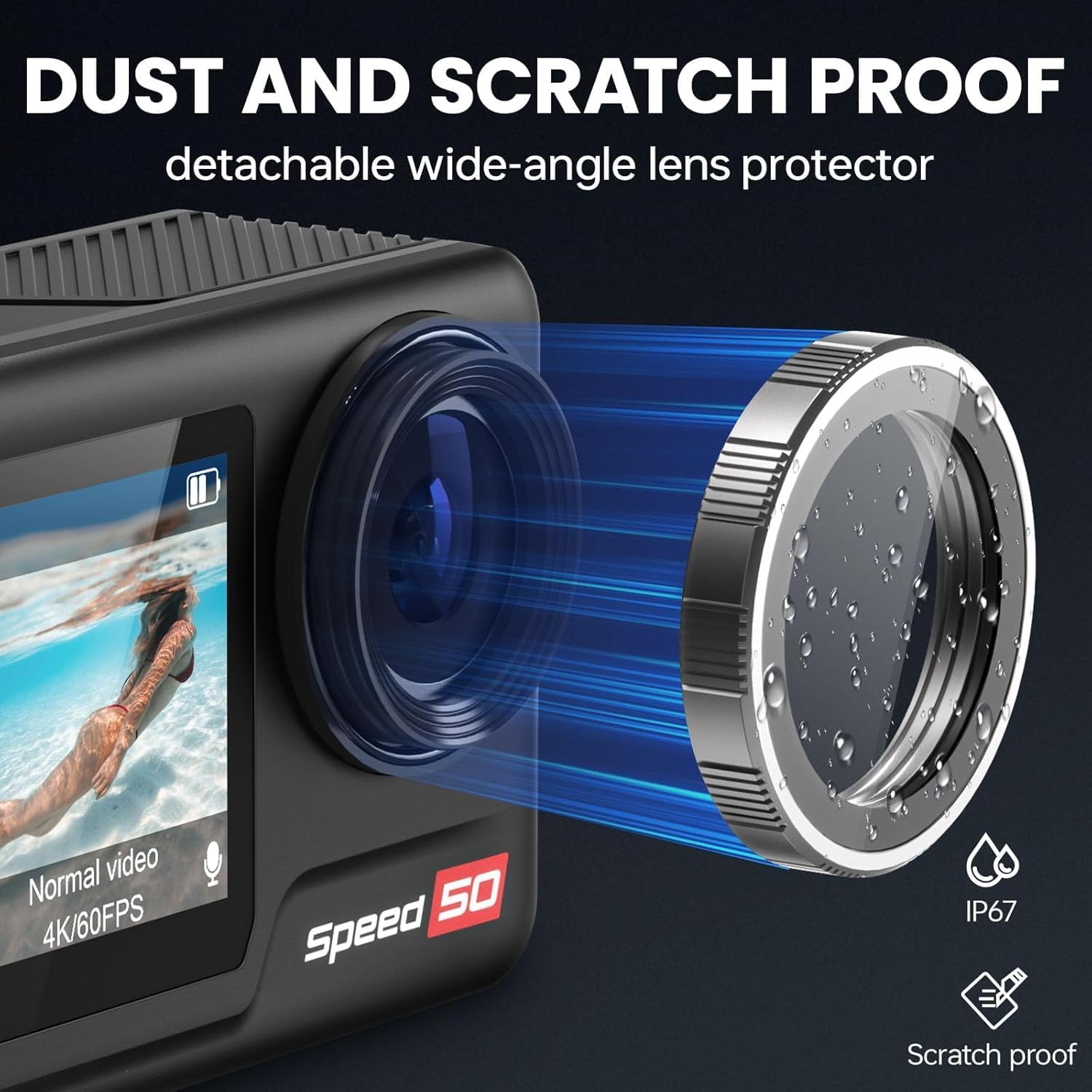
Image: The Hiicam Speed 50 camera highlighting its detachable wide-angle lens protector, which provides dust and scratch resistance.

Image: An illustration showing the detachable wide-angle lens protector being attached to the Hiicam Speed 50 camera.
2. Emmagatzematge
Guardeu la càmera en un lloc fresc i sec, allunyat de la llum solar directa i de temperatures extremes. Traieu les piles si la guardeu durant períodes prolongats.
3. Cura de la bateria
Per allargar la durada de la bateria:
- Avoid fully discharging batteries before recharging.
- Do not expose batteries to high temperatures.
- If storing for a long time, charge batteries to about 50% capacity.
Resolució de problemes
If you encounter issues with your Hiicam Speed 50 camera, refer to the following common problems and solutions:
| Problema | Causa possible | Solució |
|---|---|---|
| La càmera no s'encén. | Low or dead battery; improperly inserted battery. | Charge the battery; ensure battery is inserted correctly. |
| No es poden gravar vídeos/fer fotos. | No MicroSD card; MicroSD card full or corrupted; card not supported. | Insert a MicroSD card; delete files or use a new card; format the card in camera; use a U3 or higher card. |
| Problemes de connexió Wi-Fi. | Incorrect password; too far from camera; app issues. | Re-enter password; move closer to camera; restart camera and app. |
| Poor video quality (shaky). | EIS is off; extreme vibration. | Enable EIS in settings; use appropriate mounts to minimize vibration. |
| La càmera es congela. | Software glitch; corrupted MicroSD card. | Remove and reinsert battery to reset; format MicroSD card. |
Especificacions
| Característica | Detall |
|---|---|
| Número de model | Velocitat 50 |
| Resolució de vídeo | Fins a 4K 60 FPS |
| Resolució fotogràfica | Fins a 30MP |
| Mida de la pantalla | Pantalla tàctil de 2 polzades |
| Estabilització d'imatge | 6-Axis Electronic Image Stabilization (EIS) |
| Zoom digital | 5X |
| Waterproof (Bare Machine) | Fins a 33 peus (10 metres) |
| Waterproof (With Case) | Fins a 131 peus (40 metres) |
| Capacitat de la bateria | 2 x 1550mAh |
| Durada de la bateria | Approximately 90 minutes per battery (5 hours total with 2 batteries) |
| Emmagatzematge | MicroSD card, up to 128GB (U3 or higher recommended) |
| Connectivitat | Wi-Fi, USB |
| Dimensions | 2.28 x 0.95 x 1.57 polzades |
| Pes | 1.41 lliures (0.64 kg) |
| Format d'àudio compatible | AAC, MP3 |

Image: An illustration highlighting the 1/1.3-inch sensor size of the camera.
Garantia i Suport
Hiicam products are covered by a standard manufacturer's warranty. For specific warranty terms and conditions, please refer to the documentation included with your purchase or visit the official Hiicam weblloc.
For technical support, troubleshooting assistance, or inquiries about replacement parts, please contact Hiicam customer service. You can often find support contact information on the brand's official Amazon store page or weblloc.
No s'han trobat vídeos oficials del venedor per incrustar en aquest manual.
Documents relacionatsVelocitat 50


Ask a question about this manual
Ask about setup, troubleshooting, compatibility, parts, safety, or missing instructions. Manuals+ will review the question and use this page’s manual context to help answer it.