
1. Introducció
This manual provides detailed instructions for the setup, operation, and maintenance of your LTC GM023 Tri-Mode Wireless Gaming Mouse. Designed for precision and comfort, the GM023 offers versatile connectivity options and customizable features to enhance your gaming and work experience.

Imatge: Més deview of the LTC GM023 Wireless Gaming Mouse highlighting its key features.
2. Característiques del producte
- Connectivitat en triple mode: Supports Bluetooth 5.0, 2.4Ghz wireless, and wired USB-C connections for versatile use.
- Reliable PAW3104 Sensor: Delivers precision with a 1000Hz polling rate, 15G acceleration, and 45 IPS tracking speed. Adjustable DPI up to 8000.
- Lightweight Honeycomb Design: Weighs only 79g with a breathable ergonomic honeycomb shell for enhanced airflow and comfort during extended use.
- 6 Programmable Buttons & Onboard Memory: Customize functions and save up to 3 profiles directly to the mouse.
- Suport de programari professional: Assign macros, remap key functions, redefine DPI, and fine-tune polling rate.

Imatge: Detallada view of the PAW3104 Pro Sensor and its performance metrics.

Image: The lightweight honeycomb design of the GM023 mouse, emphasizing comfort and reduced sweat.
3. Contingut del paquet
Assegureu-vos que tots els elements siguin presents al paquet:
- Ratolí per a jocs LTC GM023
- Flexible Paracord Type-C Cable
- Guia d'usuari
4. Configuració
4.1. Modes de connectivitat
The LTC GM023 supports three connection modes: 2.4Ghz Wireless, Bluetooth 5.0, and Wired USB-C.
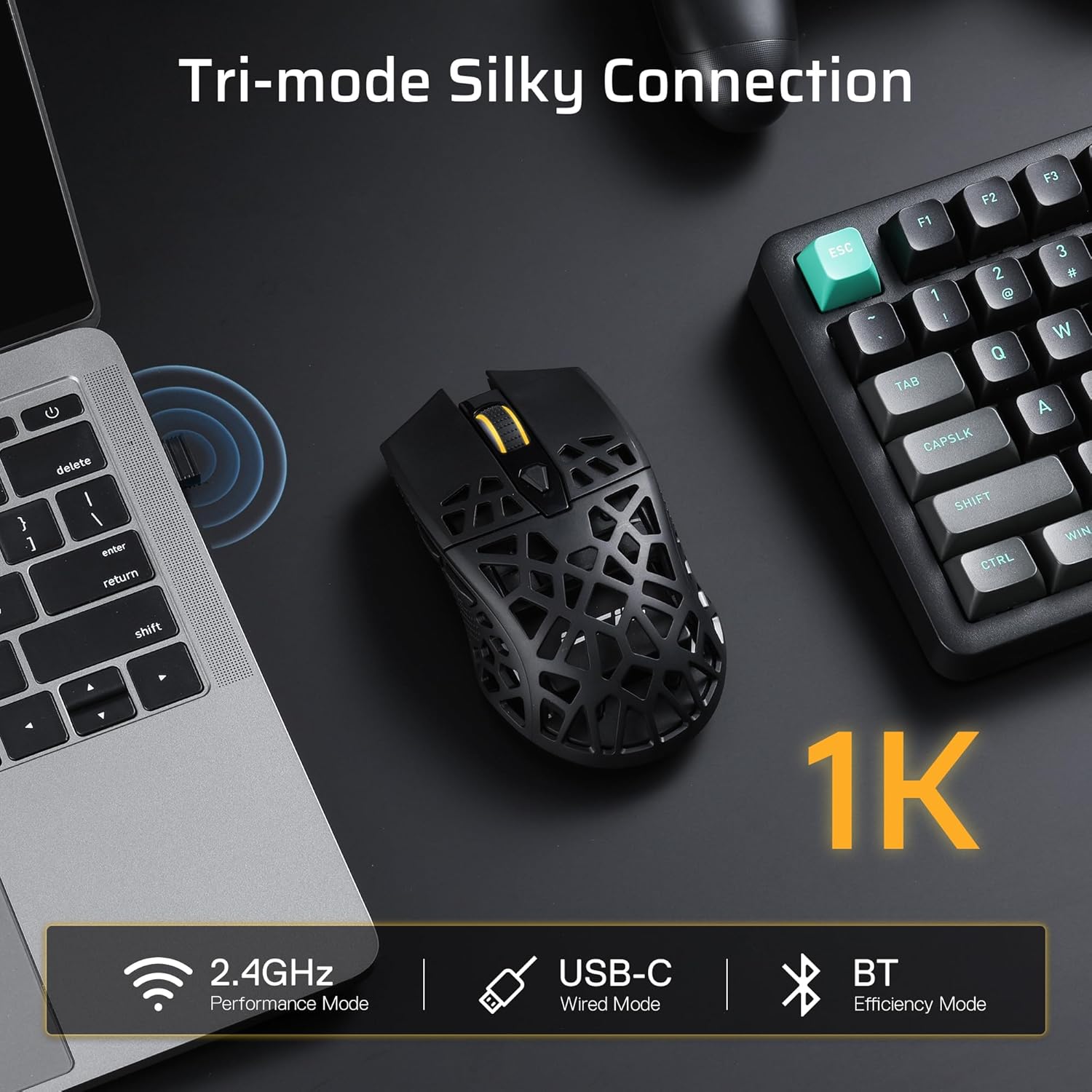
Image: Visual representation of the mouse's tri-mode connectivity options: 2.4GHz, USB-C Wired, and Bluetooth.
Mode sense fil de 2.4 GHz:
- Locate the 2.4Ghz USB receiver stored in the compartment on the underside of the mouse.
- Connecteu el receptor USB a un port USB disponible de l'ordinador.
- Switch the mode selector on the bottom of the mouse to '2.4G'.
- The mouse will automatically connect to your computer.
Mode Bluetooth 5.0:
- Switch the mode selector on the bottom of the mouse to 'BT'.
- On your computer, navigate to Bluetooth settings and enable Bluetooth.
- Cerca new devices and select 'LTC GM023' from the list to pair.
Wired USB-C Mode:
- Connecteu el cable USB-C proporcionat al port frontal del ratolí.
- Connecteu l'altre extrem del cable a un port USB disponible de l'ordinador.
- El ratolí funcionarà en mode amb cable i es carregarà simultàniament.

Image: The underside of the mouse, indicating the mode switch (BT/OFF/2.4G) and the storage slot for the 2.4G dongle.
4.2. Càrrega del ratolí
The LTC GM023 features a rechargeable 500mAh battery. Connect the USB-C cable to the mouse and a USB power source (computer, wall adapter) to charge. The mouse can be used while charging in wired mode.
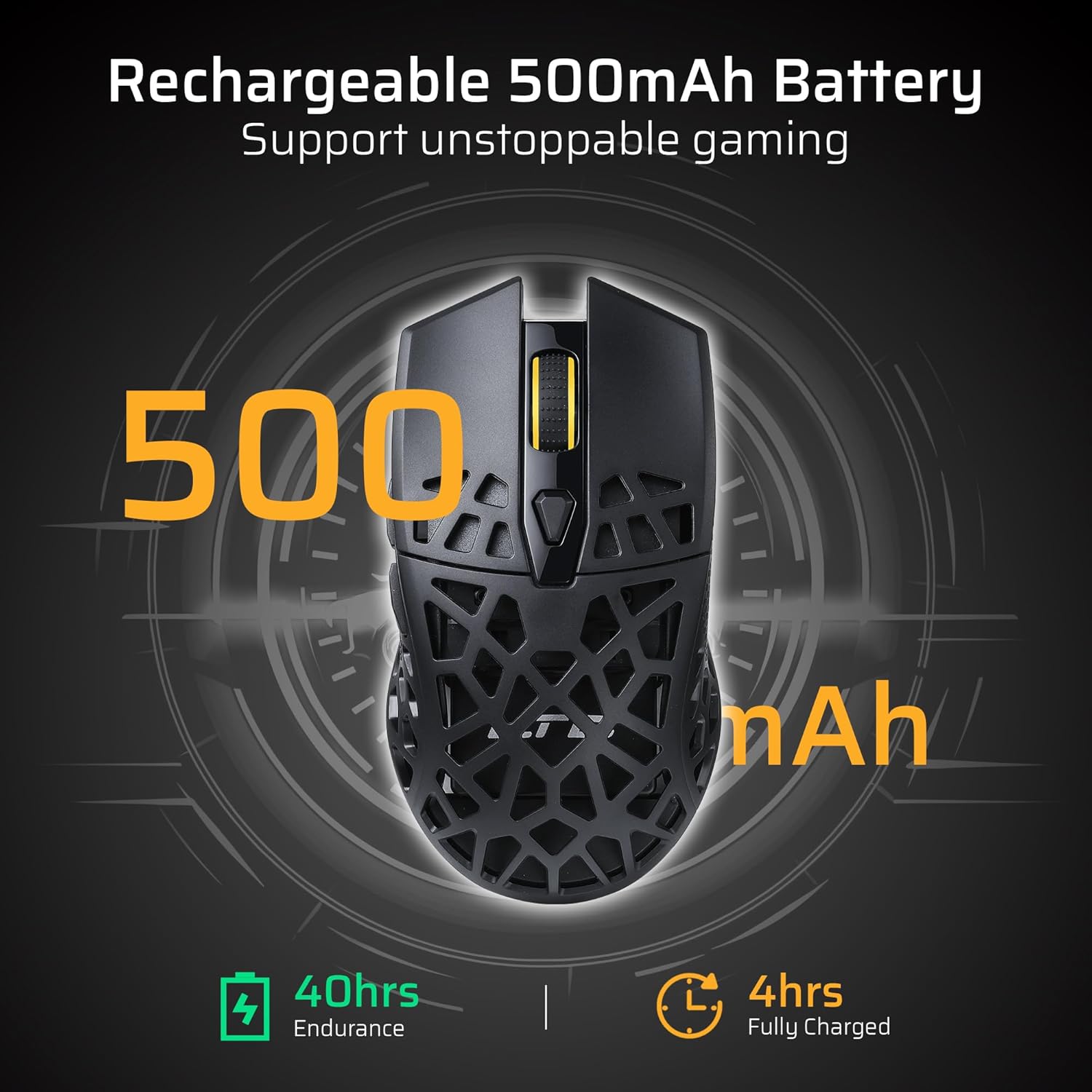
Image: The mouse's rechargeable 500mAh battery, indicating 40 hours of endurance and 4 hours for a full charge.
5. Instruccions de funcionament
5.1. Ajust de DPI
The mouse offers 6 adjustable DPI settings up to 8000 DPI. Use the dedicated DPI button (usually located near the scroll wheel) to cycle through the sensitivity levels. Each level may be indicated by a different LED color or pattern.
5.2. Botons programables
The LTC GM023 has 6 programmable buttons. To customize these buttons, download and install the LTC Pro Software from the official LTC weblloc. El programari us permet:
- Assign complex macro functions.
- Reassignar les funcions de les tecles.
- Redefine 6-Step DPI settings.
- Fine-tune polling rate.
- Save up to 3 ready-to-play profiles directly to the mouse.
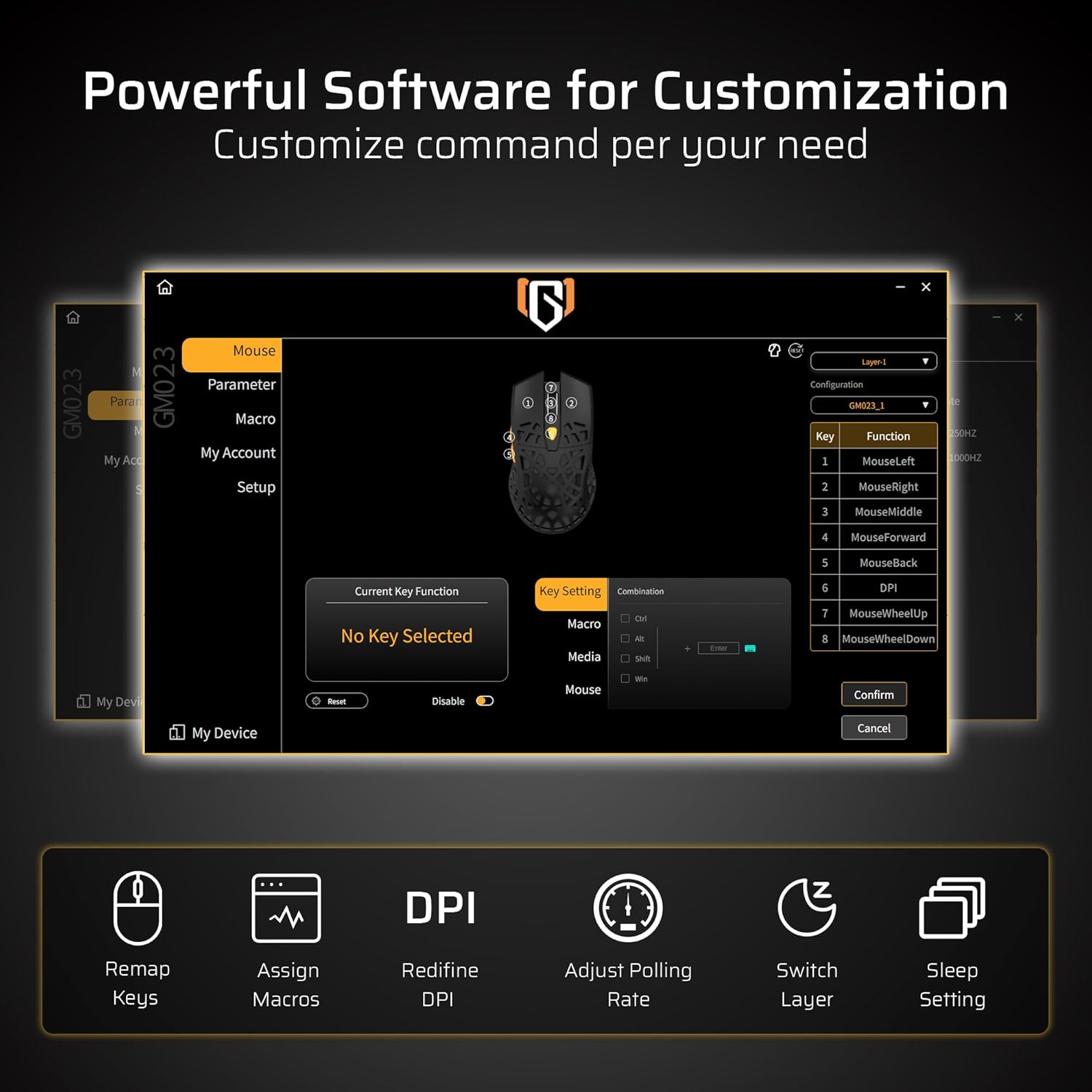
Image: The powerful software interface for customizing the GM023 mouse, showing options for key remapping, macro assignment, DPI adjustment, and more.

Image: Further illustration of the customization options available through the mouse's software, including sleep settings and layer switching.
6. Manteniment
To ensure the longevity and optimal performance of your LTC GM023 mouse:
- Netegeu el ratolí regularment amb un drap suau i sec.
- Avoid exposing the mouse to extreme temperatures or humidity.
- Do not disassemble the mouse, as this may void the warranty.
- Keep the USB receiver in its storage compartment when not in use to prevent loss.
7. Solució De Problemes
7.1. Mouse Not Responding:
- Assegureu-vos que el ratolí estigui encès.
- Comproveu el nivell de la bateria i carregueu si cal.
- For 2.4Ghz mode, ensure the USB receiver is securely plugged in and the mode switch is set correctly.
- For Bluetooth mode, ensure Bluetooth is enabled on your device and the mouse is paired. Try re-pairing if connection is lost.
- Per al mode amb cable, assegureu-vos que el cable USB-C estigui connectat correctament tant al ratolí com a l'ordinador.
7.2. Cursor Movement is Erratic:
- Netegeu el sensor òptic de la part inferior del ratolí.
- Assegureu-vos que feu servir el ratolí sobre una superfície adequada (per exemple, una estora de ratolí).
- Adjust the DPI settings to a comfortable level.
8. Especificacions
| Característica | Especificació |
|---|---|
| Dimensions del producte | 4.8 x 2.6 x 0.1 polzades |
| Pes de l'article | 2.01 unces |
| Número de model de l'article | GM023 |
| Bateries | 1 bateria de polímer de liti (inclosa) |
| Tecnologia de connectivitat | Bluetooth, Radio Frequency (2.4Ghz), USB-C |
| Característiques especials | LED Lights, Lightweight, Programmable Buttons, Rechargeable, Wireless |
| Tecnologia de detecció de moviment | Òptic |
9. Garantia i Suport
Per obtenir informació sobre la garantia i assistència tècnica, consulteu la LTC oficial. website or contact customer service through your purchase platform. Keep your proof of purchase for warranty claims.
10. Vídeos oficials de productes
LTC GM023 GM024 Wireless Gaming Mouse
Vídeo: Un overview of the LTC GM023 and GM024 wireless gaming mice, showcasing el seu disseny i les seves característiques.
LTC GM023 GM024 Tri-Mode Wireless Gaming Mouse
Video: A detailed look at the tri-mode connectivity of the LTC GM023 and GM024 wireless gaming mice.
LTC GM023 Wireless Gaming Mouse, 79g Ultra-Light Honeycomb
Video: Highlighting the ultra-lightweight 79g honeycomb design of the LTC GM023 wireless gaming mouse.