
Introducció
This manual provides comprehensive instructions for the ASHATA 12 Key Programmable Mechanical Gaming Keyboard. This compact, one-handed keypad is designed for versatility, featuring programmable keys, customizable RGB lighting, and hot-swappable mechanical switches. It connects via a Type-C USB interface, ensuring broad compatibility with various operating systems. Please read this manual thoroughly before using the product to ensure proper operation and longevity.

Imatge: De dalt a baix view of the ASHATA 12 Key Mechanical Gaming Keyboard, showcasing its compact design and 12 black keycaps.
Contingut del paquet
Verifiqueu que tots els elements que s'enumeren a continuació siguin presents al vostre paquet. Si falta algun element o hi ha algun malmès, poseu-vos en contacte amb el servei d'atenció al client.
- 1 x ASHATA 12 Key Mechanical Gaming Keyboard
- 1 x cable USB tipus C
- 1 x extractor de tecles

Image: The included Type-C USB cable and a green keycap puller, essential tools for keyboard maintenance and customization.
Especificacions
| Característica | Detall |
|---|---|
| Marca | ASHATA |
| Número de model | ASHATA8hggapme4i-12 |
| Número de clau | 12 claus |
| Tipus de canvi | Red Mechanical Switch (Hot-Swappable) |
| Connectivitat | Type-C Wired USB |
| Material | Acrílic + ABS |
| Sistema operatiu compatible | Linux, OS X, Windows, Raspberry Pi |
| Característiques especials | Programmable, RGB Lighting, Hot-Swappable |
Instruccions de configuració
Follow these steps to set up your ASHATA 12 Key Mechanical Gaming Keyboard:
- Connecteu el cable: Insert the Type-C end of the provided USB cable into the port on the side of the keyboard.
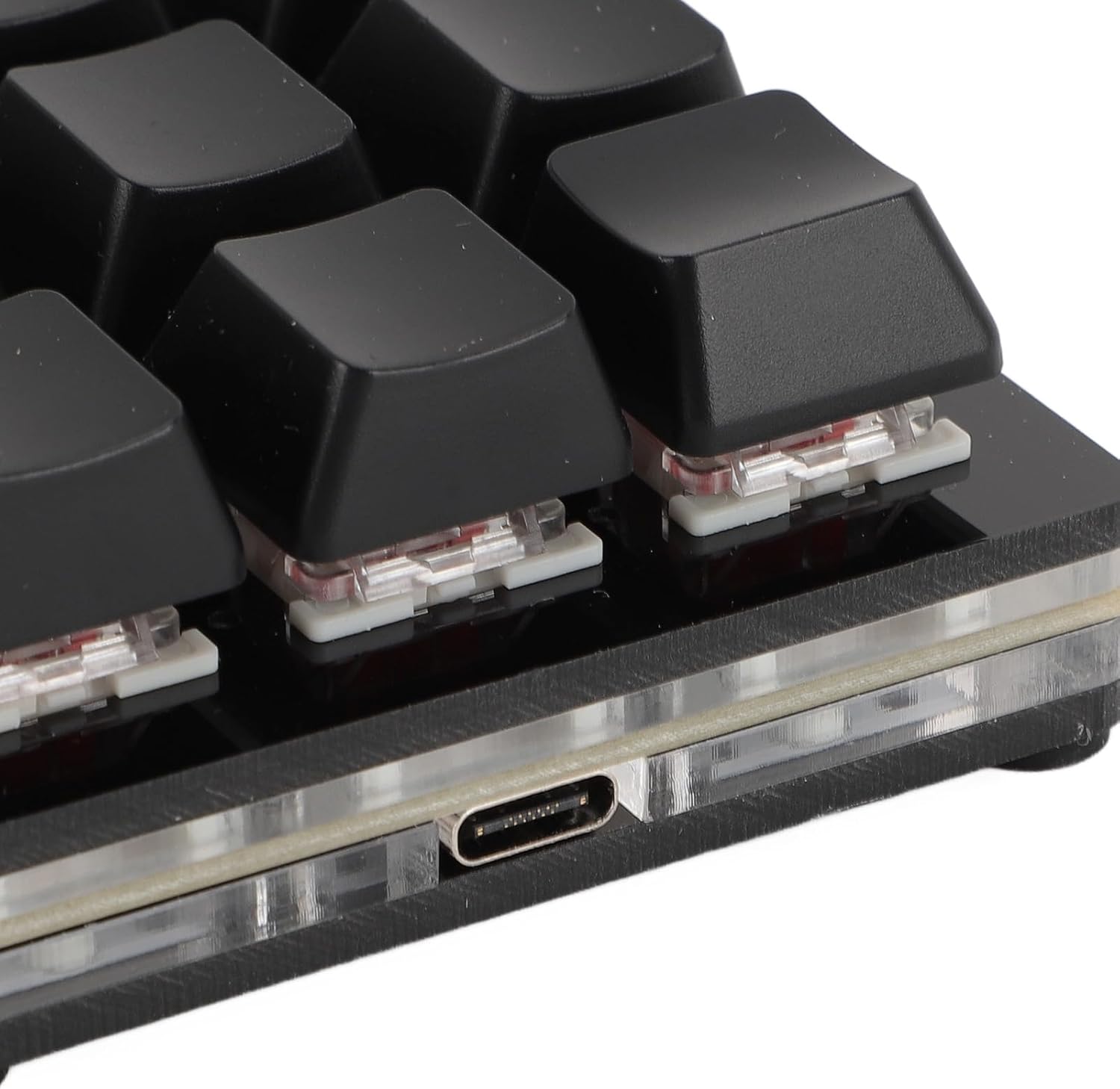
Imatge: Primer pla view of the Type-C USB port located on the side of the keyboard for connection.
- Connexió a l'ordinador: Connecteu l'extrem USB-A estàndard del cable a un port USB disponible de l'ordinador.

Image: The ASHATA 12 Key Mechanical Gaming Keyboard connected to a laptop, demonstrating its plug-and-play functionality.
- Instal·lació del controlador: The keyboard is plug-and-play and typically does not require specific driver installations. Your operating system should automatically recognize the device.
- Prova inicial: Open a text editor or a program that accepts keyboard input and press a few keys to confirm basic functionality.
Instruccions de funcionament
The ASHATA 12 Key Mechanical Gaming Keyboard is designed for customizable input.
S'han acabat les funcions clauview
This keyboard supports various programmable functions, including:
- Keyboard Function (standard key presses)
- Mouse Function (e.g., click, scroll)
- Multimedia Function (e.g., play/pause, volume)
- String Function (inputting predefined text strings)
- Game Function (specific game commands)
- Macro Definition Function (complex sequences of actions)

Image: An illustrative diagram highlighting the six main programmable functions: Keyboard, Mouse, Multimedia, String, Game, and Macro Definition.
Il·luminació RGB
The keyboard features customizable RGB lighting. Specific instructions for adjusting lighting modes and turning it off will be available through the programming software.
Interruptors intercanviables en calent
The hot-swappable design allows you to change mechanical switches without soldering.
- Treure la tapa de les tecles: Feu servir l'extractor de tecles proporcionat per treure suaument la tecla desitjada.
- Treure l'interruptor: Use a switch puller (not included, but often comes with replacement switches) to carefully extract the mechanical switch from its socket.
- Insereix un nou interruptor: Align the pins of the new mechanical switch with the holes on the PCB and press firmly until it clicks into place. Ensure pins are not bent.

Imatge: Un primer pla view showing a mechanical switch with a red stem and a detached black keycap, illustrating the hot-swappable feature.
- Substitueix la tapa de les tecles: Place the keycap onto the new switch.
Programació i personalització
To fully utilize the programmable features of your ASHATA keyboard, you will need to use the dedicated programming software. This software allows you to:
- Assign custom functions to each of the 12 keys.
- Create and assign macros for complex command sequences.
- Adjust RGB lighting effects and colors.
- Save and load different key layouts/profiles.
Nota: The specific software and download instructions are typically provided by the manufacturer or seller. Please refer to the product listing or manufacturer's website for the download link and detailed software usage guide. The keyboard has a memory function, so settings are saved directly to the device and do not require reconfiguration after initial setup.
Manteniment i cura
Un manteniment adequat garanteix la longevitat i el rendiment òptim del teclat.
- Neteja: Use a soft, dry cloth to wipe the surface of the keyboard. For deeper cleaning, remove keycaps using the provided puller and use compressed air to clear debris from between switches. Avoid using harsh chemicals or abrasive materials.
- Emmagatzematge: Guardeu el teclat en un lloc fresc i sec, allunyat de la llum solar directa i de temperatures extremes.
- Manipulació: Avoid dropping the keyboard or exposing it to liquids. Do not attempt to disassemble the keyboard beyond removing keycaps and switches, as this may void the warranty.
Resolució de problemes
Si teniu problemes amb el teclat, consulteu els problemes i solucions més comuns següents:
- Keyboard not recognized by computer:
- Assegureu-vos que el cable USB estigui connectat correctament tant al teclat com a l'ordinador.
- Prova de connectar el teclat a un port USB diferent de l'ordinador.
- Prova el teclat en un altre ordinador per descartar un problema específic de l'ordinador.
- Reinicieu l'ordinador.
- Keys are not responding or typing incorrectly:
- Check for physical obstructions under the keycaps.
- If using custom key assignments, verify your settings in the programming software.
- For hot-swapped switches, ensure the switch is fully seated and its pins are not bent.
- La il·luminació RGB no funciona:
- Assegureu-vos que el teclat estigui connectat i alimentat correctament.
- Check the RGB settings within the programming software.
Producte acabatview Vídeo
Mireu aquest vídeo curt per obtenir una visió generalview of the ASHATA 12 Key Mechanical Gaming Keyboard.
Video: A brief demonstration of the ASHATA 12 Key Mechanical Gaming Keyboard's features and functionality.
Garantia i Suport
This product comes with a standard manufacturer's warranty. For detailed warranty information, including terms and conditions, please refer to the documentation included with your purchase or contact the seller directly.
For technical support, troubleshooting assistance, or inquiries about replacement parts, please contact ASHATA customer service through the platform where you purchased the product or visit the official ASHATA weblloc.